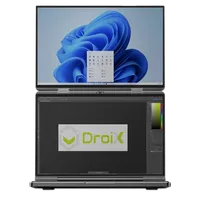
So beheben Sie das Problem mit dem reißenden Bildschirm des GPD Duo
In diesem Handbuch verwendete Dateien
Versionen (2)
- AMD GPU driver 12.1 — fixes the iGPU screen tearing on the GPD DUO (AI 9 HX 370). Source: GPDStore guide "How to fix the GPD Duo screen tearing issue".
- GPD DUO (370) iGPU Drivers — screen tearing fix | — | 2024-12-06 | AI 9 HX 370 only | iGPU driver package that fixes the screen tearing issue. After decompression, execute the
AutoInstallDrivers.batbatch file.
Ältere Versionen bleiben für Rollbacks herunterladbar – jede Version behält ihre eigene verifizierte Datei.
Wenn Sie einen GPD Duo aus der ersten Charge besitzen, die Anfang bis Mitte Dezember 2024 auf den Markt kam, kann es sein, dass Ihr Gerät aufgrund von älteren Treibern ein Problem mit dem Bildschirmriss hat. Sie sollten diese Treiber nicht installieren müssen, es sei denn, Sie haben ein frühes Modell oder wurden angewiesen, sie zu installieren. Dies könnte dazu führen, dass Sie ältere Treiber installieren als die, die derzeit auf Ihrem GPD Duo installiert sind.
Sie können die neuesten Treiber von hier oder alternativ von hier herunterladen.
Extrahieren Sie den Inhalt des heruntergeladenen Archivs in einen Ordner auf Ihrem GPD Duo. Doppelklicken Sie dann auf die Datei AutoInstallDrivers.bat und lassen Sie sie die Treiber aktualisieren.
Sobald der Installationsprozess vollständig abgeschlossen ist, starten Sie bitte Ihren GPD Duo neu und Sie können ihn wieder benutzen.
Fragen zu dieser Anleitung
3 beantwortetHi, I cannot download as it says too many times, can you please send me a link that works to stop the constant screen taring

I have updated the guide with an alternative download URL. I hope that helps, thanks.
The bottom screen blinks here and there. the drivers didn’t help…
If you purchased the Duo from us at GPD Store, please contact our customer service at [email protected] with your order number and some details on the issue. Our customer service can look into this further and advise. Thanks.
Hi, could you please tell us, what you have modified in this driver?
It’s a bit ridiculous: the device is advertised as a gaming device, so it’s actually important to always have the latest driver.
Now I’m dependent on you in this regard, and you only provide a driver from November 2024?!
You can simply update to the latest AMD drivers afterwards.

Hi Dave,
I tried: Downloaded the latest Driver Package you provide (D1-AMD-GPU_12.1.zip), rebooted.
Afterwards I installed the latest AMD Driver, Version 32.0.22029.1019 from 06.11.2025.
As soon as the new display driver is installed, the Tearing returns.
Is there a special setting or tweak I have to set so that the Tearing disappears?
Can you please email [email protected] with your order number and a brief overview of the issue and our customer service can look into this further. Thanks.
Ohhh, sorry Dave, looks like it was my fault.
Thought I had already updatet the BIOS to the latest one (2.17), but unfortunately didn’t.
Updatet the BIOS, installed your drivers and then the latest drivers from AMD, now the issue seems gone until now.
In case it might appear again, I’ll get in touch with support, thank you very much!