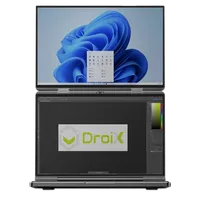
Jak vyřešit problém s trháním obrazovky GPD Duo
Soubory použité v této příručce
Verze (2)
- AMD GPU driver 12.1 — fixes the iGPU screen tearing on the GPD DUO (AI 9 HX 370). Source: GPDStore guide "How to fix the GPD Duo screen tearing issue".
- GPD DUO (370) iGPU Drivers — screen tearing fix | — | 2024-12-06 | AI 9 HX 370 only | iGPU driver package that fixes the screen tearing issue. After decompression, execute the
AutoInstallDrivers.batbatch file.
Starší verze zůstávají ke stažení pro vrácení zpět – každá verze si uchovává svůj vlastní ověřený soubor.
Pokud máte zařízení GPD Duo z první série vydané na začátku až v polovině prosince 2024, může mít vaše zařízení problém s trháním obrazovky kvůli starším ovladačům. Tyto ovladače byste neměli potřebovat instalovat, pokud nemáte dřívější model nebo pokud jste nedostali pokyn k jejich instalaci. Mohlo by to vést k tomu, že si nainstalujete starší ovladače, než jaké jsou v současné době nainstalovány v zařízení GPD Duo.
Nejnovější ovladače si můžete stáhnout odtud nebo z alternativní nabídky ke stažení zde.
Obsah staženého archivu rozbalte do složky v systému GPD Duo. Poté dvakrát klikněte na soubor AutoInstallDrivers.bat a nechte jej aktualizovat ovladače.
Po úplném dokončení instalace restartujte zařízení GPD Duo a můžete jej začít znovu používat.
Dotazy k tomuto návodu
3 zodpovězenoHi, I cannot download as it says too many times, can you please send me a link that works to stop the constant screen taring

I have updated the guide with an alternative download URL. I hope that helps, thanks.
The bottom screen blinks here and there. the drivers didn’t help…
If you purchased the Duo from us at GPD Store, please contact our customer service at [email protected] with your order number and some details on the issue. Our customer service can look into this further and advise. Thanks.
Hi, could you please tell us, what you have modified in this driver?
It’s a bit ridiculous: the device is advertised as a gaming device, so it’s actually important to always have the latest driver.
Now I’m dependent on you in this regard, and you only provide a driver from November 2024?!
You can simply update to the latest AMD drivers afterwards.

Hi Dave,
I tried: Downloaded the latest Driver Package you provide (D1-AMD-GPU_12.1.zip), rebooted.
Afterwards I installed the latest AMD Driver, Version 32.0.22029.1019 from 06.11.2025.
As soon as the new display driver is installed, the Tearing returns.
Is there a special setting or tweak I have to set so that the Tearing disappears?
Can you please email [email protected] with your order number and a brief overview of the issue and our customer service can look into this further. Thanks.
Ohhh, sorry Dave, looks like it was my fault.
Thought I had already updatet the BIOS to the latest one (2.17), but unfortunately didn’t.
Updatet the BIOS, installed your drivers and then the latest drivers from AMD, now the issue seems gone until now.
In case it might appear again, I’ll get in touch with support, thank you very much!