


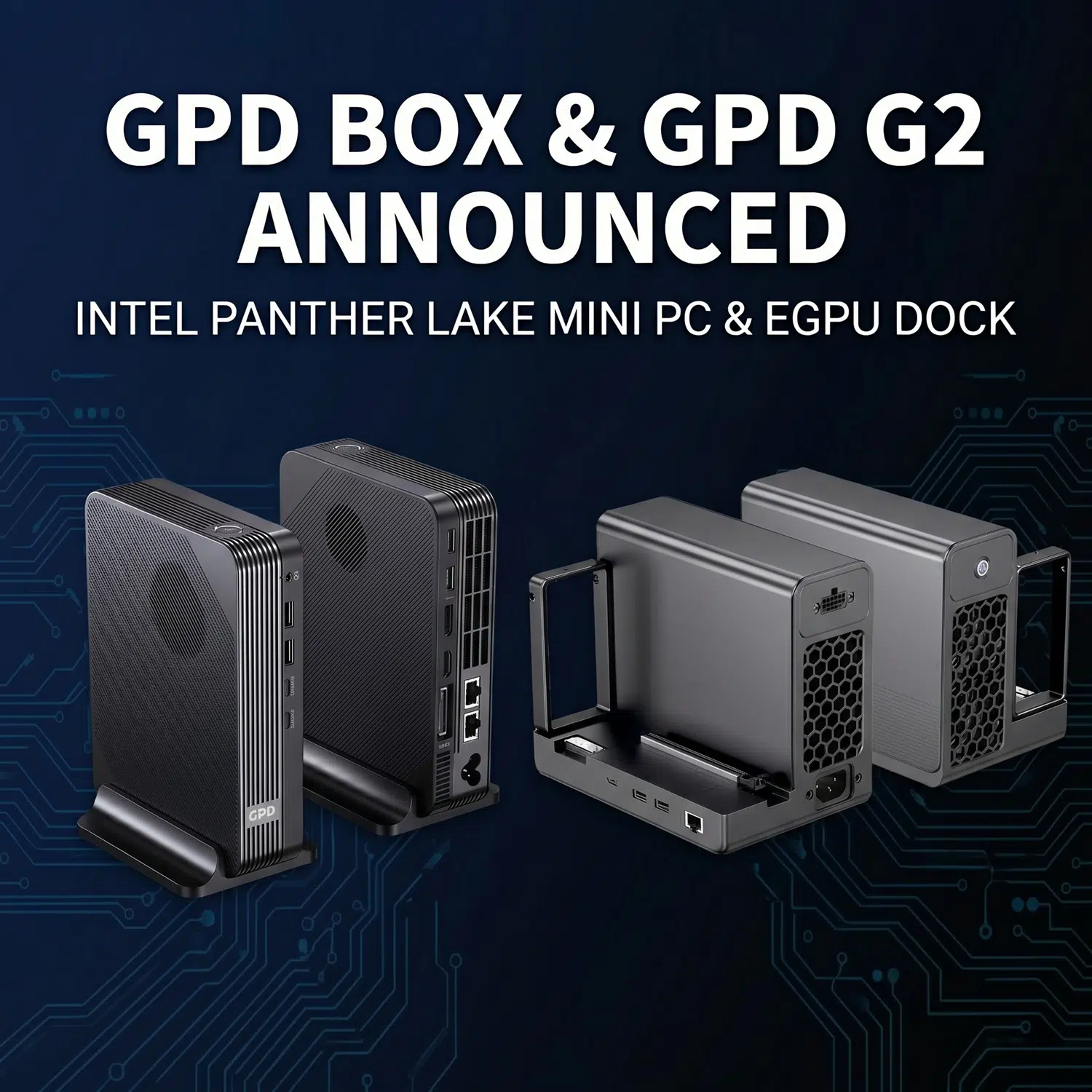
What are the GPD G2 and GPD BOX? The GPD G2 is a newly announced MCIO and USB4 v2.0 eGPU dock, while the GPD BOX is a Panther Lake-based compact desktop that GPD is presenting as its first mini PC. Together, they form a new hardware pairing built around higher-bandwidth external graphics expansion and a very small desktop footprint.
With the latest official spec now available, the picture is much clearer than it was at teaser stage. GPD is not only introducing a mini PC and an eGPU dock at the same time, it is also laying out a broader platform idea in which the BOX acts as the compact base system and the GPD G2 acts as the higher-power graphics and expansion layer.
That is what makes this announcement more interesting than a simple product launch. Instead of treating the mini PC and the dock as separate accessories, GPD is presenting them as a matched performance stack for users who want a cleaner desk setup, smaller hardware, and more room to scale graphics power when needed. For anyone already browsing compact GPD systems, premium handheld-adjacent hardware, or flexible desktop replacements, this pairing is clearly meant to open a new lane between the mini laptops and the wider handheld gaming PCs.
There are still important unknowns. GPD has not yet confirmed pricing, launch timing, or regional rollout details, and several of the headline gaming and performance claims still need benchmark context. But compared with the first teaser, both products now have far more substance behind them.
| Product | Newly confirmed highlights | Why it stands out |
|---|---|---|
| GPD G2 | PCIe Gen 5 x16 slot, MCIO 8i support for PCIe Gen 4 x8 graphics devices, USB4 v2.0, 2x USB-A, RJ45 Ethernet, M.2 2280 slot, up to 100W PD, Gold-rated ATX 3.1 design, 800W continuous 12V output | Looks like a serious external graphics and expansion platform rather than a simple dock |
| GPD BOX | GPD’s first mini PC, Panther Lake Core Ultra X7 358H or Core Ultra 7 356H, Xe3 graphics, up to 64GB LPDDR5x, dual M.2 storage, MCIO 8i, dual USB4 v2.0, DP 2.1, HDMI 2.1, dual 2.5G LAN | Pushes GPD into the compact desktop space with a much more aggressive spec sheet than the first announcement suggested |
The GPD G2 now looks far more ambitious than the teaser implied
The biggest upgrade in clarity comes from the new GPD G2 tech specs page. GPD had already described the unit as the world’s first MCIO dual-port eGPU dock, but the full page makes it look much more like a complete graphics and expansion chassis than a basic external GPU accessory.
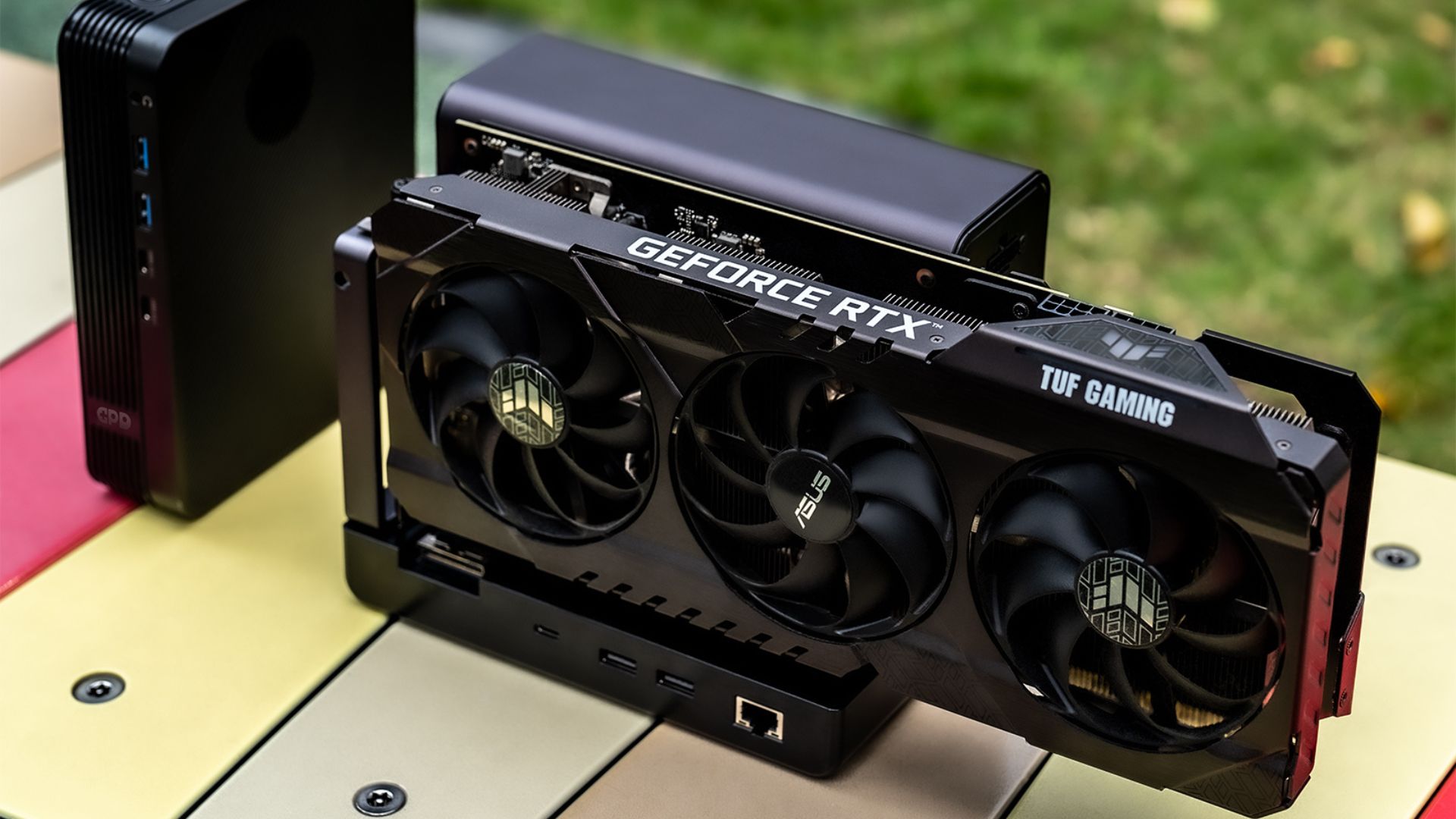
According to GPD’s published specifications, the dock includes an internal PCIe Gen 5 x16 slot and an MCIO 8i connection that supports PCIe devices, including graphics cards, through a PCIe Gen 4 x8 link. GPD also lists one USB4 v2.0 port with 80 Gbps symmetric or 120/40 Gbps asymmetric bandwidth support, along with PD 3.0 charging up to 100W. On top of that, the GPD G2 includes two USB 3.2 Gen 2 Type-A ports, one RJ45 Gigabit Ethernet port, and one M.2 2280 slot that supports external storage booting.
That matters because it gives the GPD G2 a much broader identity. This is not being marketed only as a way to attach a desktop GPU to one handheld or one laptop. GPD is presenting it as a flexible external expansion platform for home PCs, high-end handhelds with Thunderbolt or USB4 class connectivity, workstations, servers, and even some HPC-style scenarios. It also explicitly lists both Windows 11 and Linux support.
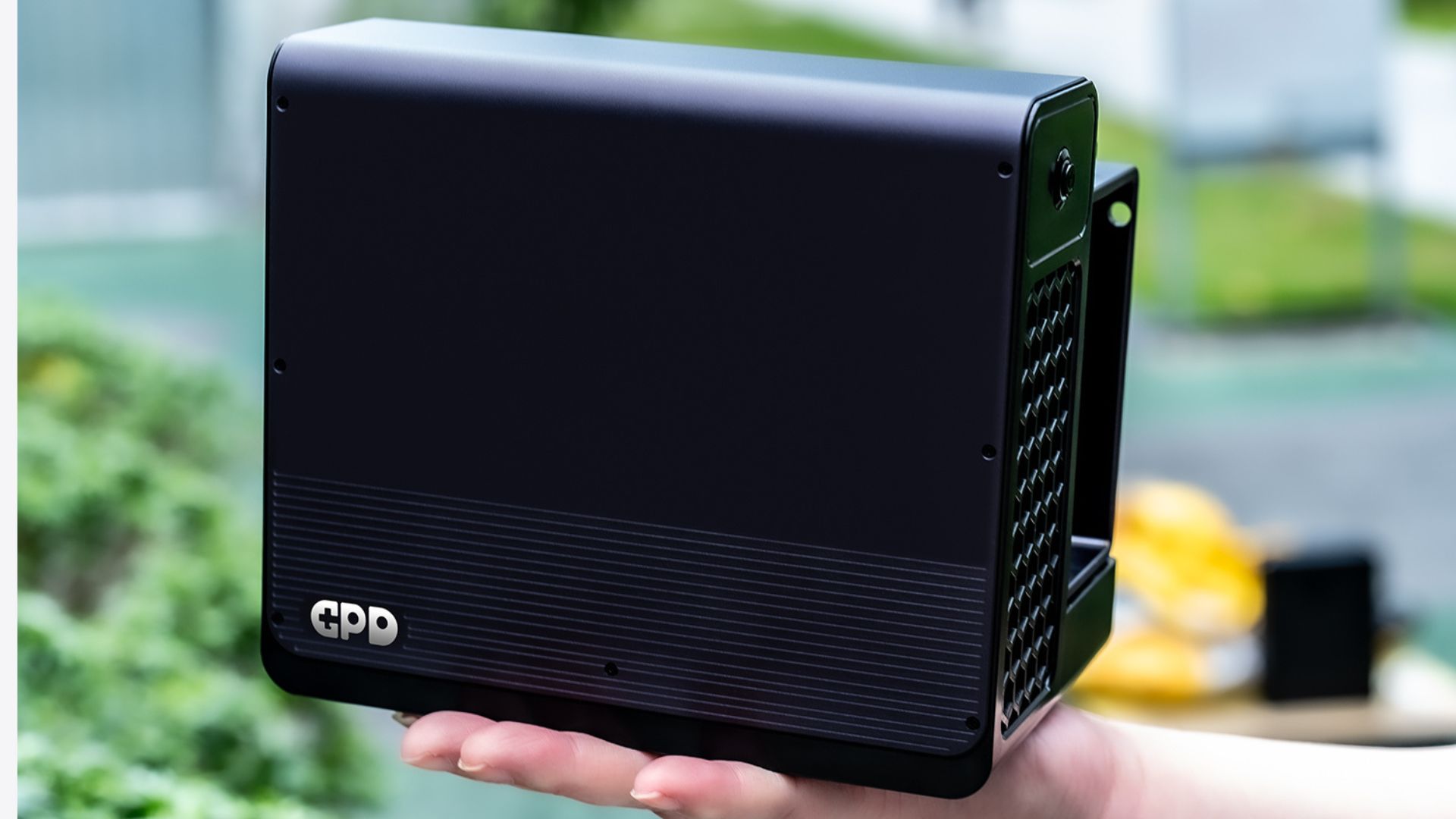
Power delivery is another major part of the updated story. GPD says the GPD G2 uses a Gold-rated ATX 3.1 design, complies with ATX 3.1 GPU requirements, supports 12V-2×6 GPU power, and can provide 800W of continuous total 12V output. That is a much more serious power profile than most readers would assume from the original teaser graphics.
GPD is also going much wider on GPU compatibility than the first marketing images suggested. The official page lists support across NVIDIA GeForce GTX 10, GTX 16, RTX 20, RTX 30, RTX 40, and RTX 50 consumer cards, AMD Radeon RX 400 through RX 9000 series consumer cards, and Intel Arc A and B series consumer GPUs. It also goes beyond consumer hardware with published support lists for NVIDIA Quadro and RTX workstation cards, AMD Radeon Pro lines, Intel Arc Pro GPUs, and even a range of data-centre accelerators from NVIDIA, AMD, and Intel.
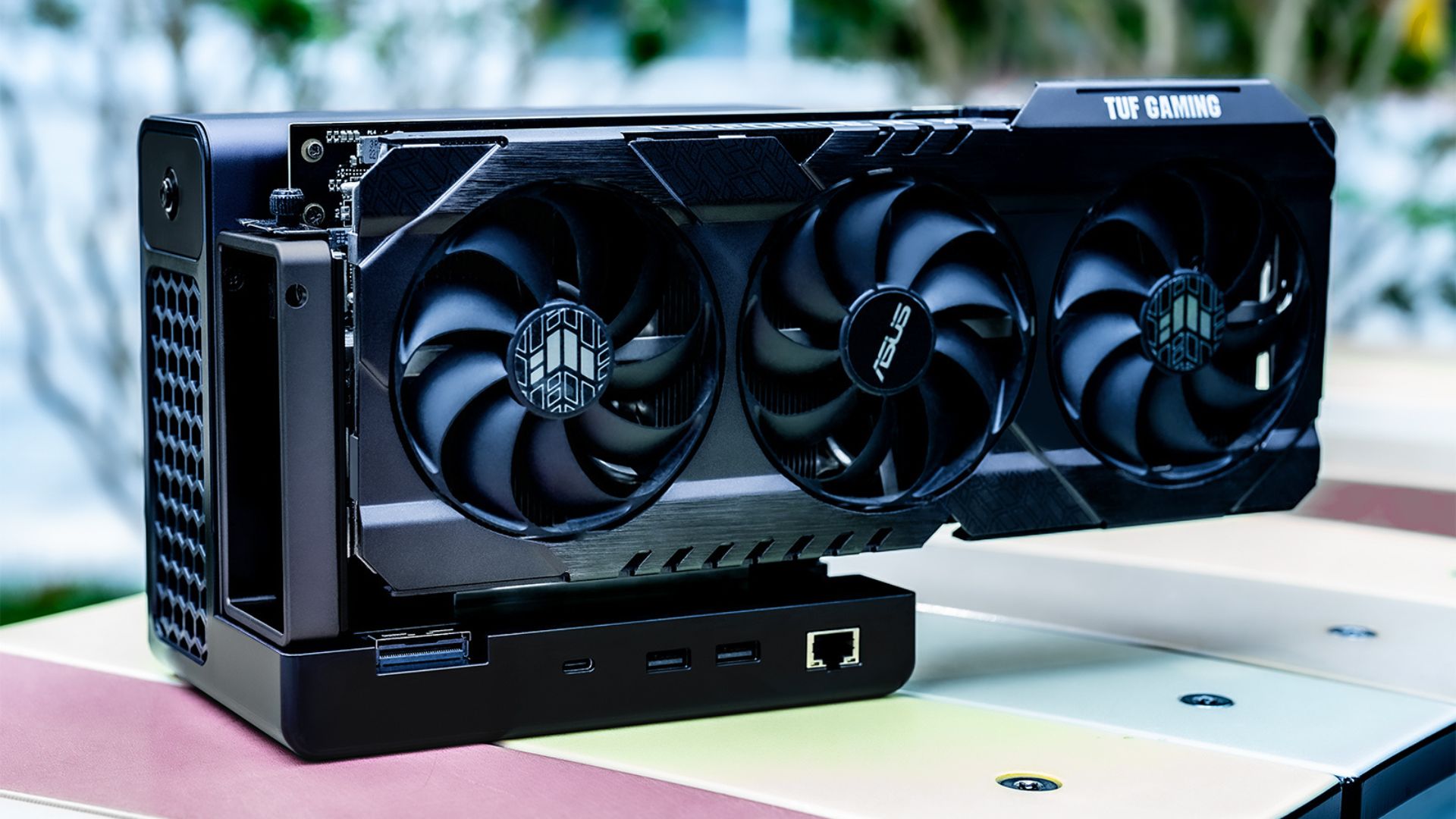
The headline claim is still the same one that grabbed attention first: GPD says an RTX 4090 can run on the GPD G2 with only a 2% performance loss. The updated material also broadens the message by framing the dock around 4090 or 5090-class use cases. Those claims are still best treated as GPD positioning rather than settled fact, because the company has not published the test methodology, games, resolutions, or benchmark conditions needed to verify them independently.
Even with that caveat, the GPD G2 is no longer just an intriguing idea. On the current evidence, it looks like one of GPD’s most aggressive attempts yet to bridge compact devices and desktop-class graphics expansion.
Full GPD G2 Technical Specifications
| Category | Feature | Specification |
| Basic Information | Brand | GPD |
| Compatible Devices | Home PCs and high-end gaming desktops (with at least one vacant PCIe 3.0 x16 slot), high-end gaming handhelds (supporting Thunderbolt 3/4/5 or USB4/USB4 v2.0 ports), workstations, servers, and High-Performance Computing (HPC) scenarios. | |
| System Support | Supports Windows 11 and Linux distributions. | |
| Compatible GPUs | Consumer GPUs | • NVIDIA: GeForce GTX 10 Series (Pascal), RTX 20 Series (Turing), GTX 16 Series (Turing), RTX 30 Series (Ampere), RTX 40 Series (Ada Lovelace), and RTX 50 Series (Blackwell) PCIe-based cards. • AMD: Radeon RX 400/500 Series (GCN 4.0), RX Vega Series (GCN 5.0), Radeon VII (GCN 5.0), RX 5000 Series (RDNA 1.0), RX 6000 Series (RDNA 2.0), RX 7000 Series (RDNA 3.0), and RX 9000 Series (RDNA 4.0) PCIe-based cards. • Intel: Arc A Series (Xe HPG) and Arc B Series (Xe2 HPG) PCIe-based cards. |
| Workstation GPUs | • NVIDIA: Quadro K Series (Kepler), M Series (Maxwell), P Series (Pascal), A Series (Ampere), and RTX series (Blackwell) PCIe-based cards. • AMD: Radeon Pro WX Series (GCN), Pro W Series (GCN), Pro W5700 (RDNA), Pro W6000 Series (RDNA 2), Pro W7000 Series (RDNA 3), and AI PRO R9000 Series (RDNA 4) PCIe-based cards. • Intel: Arc Pro A Series (Xe) and Arc Pro B Series (Xe2) PCIe-based cards. | |
| Data Center GPUs | • NVIDIA: Data center PCIe GPUs, including Tesla series (Kepler, Maxwell, Pascal, Volta) and T4 (Turing), A100 (Ampere), H100/H200 (Hopper), and later products. • AMD: Instinct PCIe compute cards, including MI8 (GCN 3.0), MI6 (GCN 4.0), MI25 (GCN 5.0), MI100 (CDNA 1.0), MI200 series (CDNA 2.0), MI300 series (CDNA 3.0), and subsequent products. • Intel: Data center PCIe GPUs, including Max series (Xe-HPC) and Flex series (Xe-HPG). | |
| Connectivity | PCIe Slot | ×1, PCIe Gen 5 ×16; bidirectional theoretical bandwidth of 1024 Gbps, with an effective bidirectional data bandwidth of approx. 126 GB/s. |
| MCIO 8i Port | Supports PCIe devices, including graphics cards, via PCIe Gen 4 × 8. It does not function as a hub when connected alone; to enable Hub functionality, a simultaneous connection to a USB4 v2.0 port is required. | |
| USB4 v2.0 Port | ×1, supports 80 Gbps symmetric bandwidth (TX/RX) or 120/40 Gbps asymmetric bandwidth (TX/RX). Supports PD 3.0 protocol with up to 100W power delivery (5V/9V/12V/15V/20V). When connected alongside the MCIO 8i port, it handles Hub expansion and PD power only; when connected independently, it enables eGPU functionality. | |
| USB Type-A | ×2, USB 3.2 Gen 2, 10 Gbps. | |
| NVMe M.2 Slot | ×1, M.2 2280 specification, PCIe 3.0 × 2 (converted from USB 3.2 Gen 2). Supports external storage booting. Features a magnetic SSD cover in Gunmetal. | |
| Ethernet Port | ×1, RJ45 Ethernet port, 10/100/1000 Mbps auto-negotiation. | |
| Power Specs | Type | Gold-rated ATX 3.1; compliant with ATX 3.1 GPU requirements; efficiency ≥ 92%. |
| Input | 100–240V, 50/60Hz. | |
| Total Output Power | 12V-2×6, Total 12V power, supporting 800W continuous output. | |
| Power Switch | White LED indicator (ON: lit / OFF: unlit). | |
| GPU Power Connector | 12V-2×6. | |
| AC Input Socket | IEC 60320 C14 socket. | |
| Materials & Finish | Dimensions | 157.3 × 119.8 × 182 mm |
| Color | Gunmetal | |
| Materials | Aluminum-magnesium alloy, PC 94V-0 | |
| Net Weight | 1605 g |
The GPD BOX gives GPD a more serious first step into mini PCs
On the desktop side, GPD is using the GPD BOX to enter a category it has largely avoided until now. The company is positioning it as its first mini PC, and the fuller official product page makes it easier to see why it thinks this is not just another tiny office box.
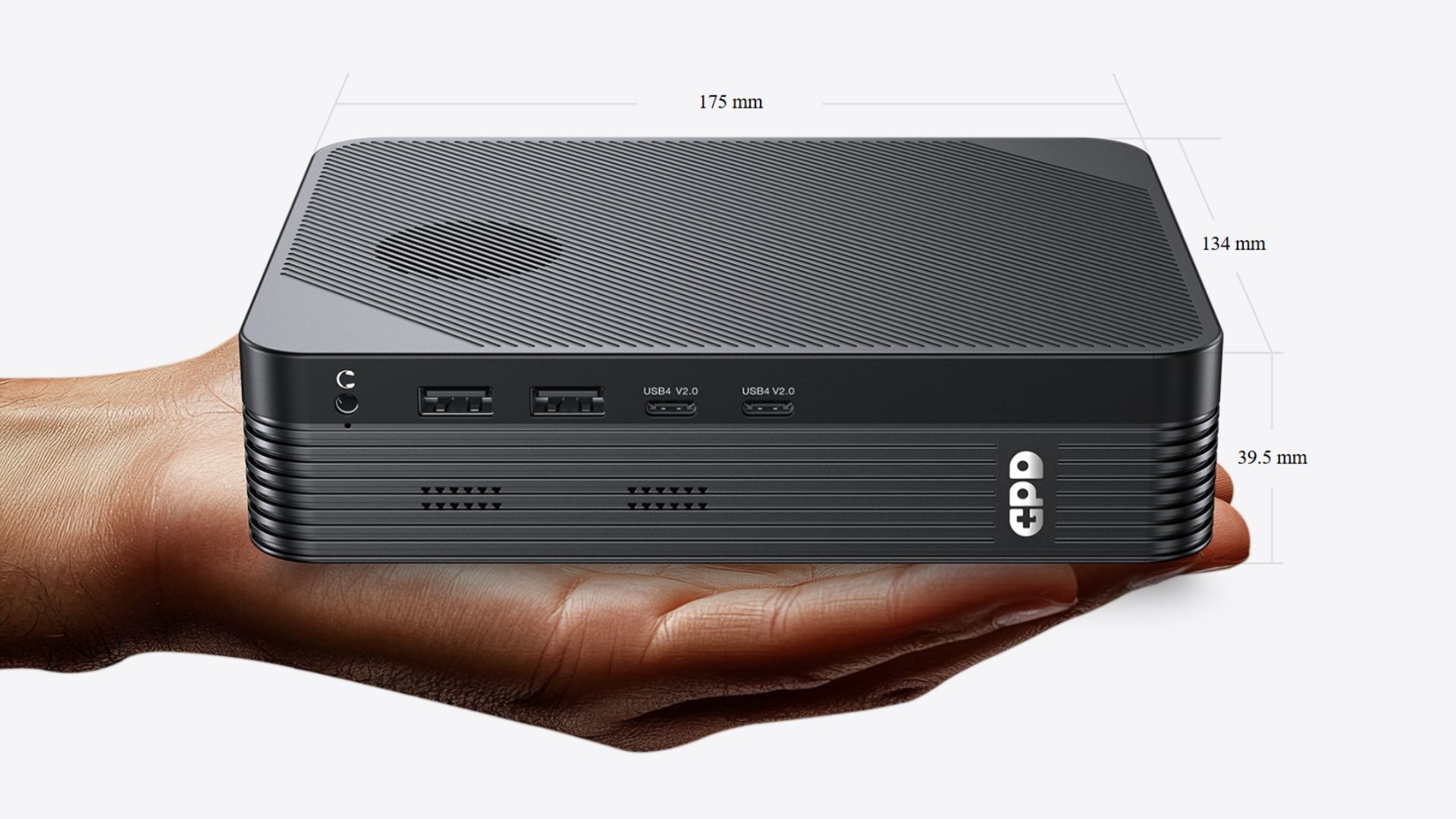
The processor lineup is now clearly defined. GPD lists two Intel Panther Lake parts, the Intel Core Ultra X7 358H and the Intel Core Ultra 7 356H, both in Intel’s Core Ultra Series 3 family. Memory options are listed at 32GB or 64GB of LPDDR5x 8533 MT/s, which gives the GPD BOX a more premium profile than a bargain mini PC.
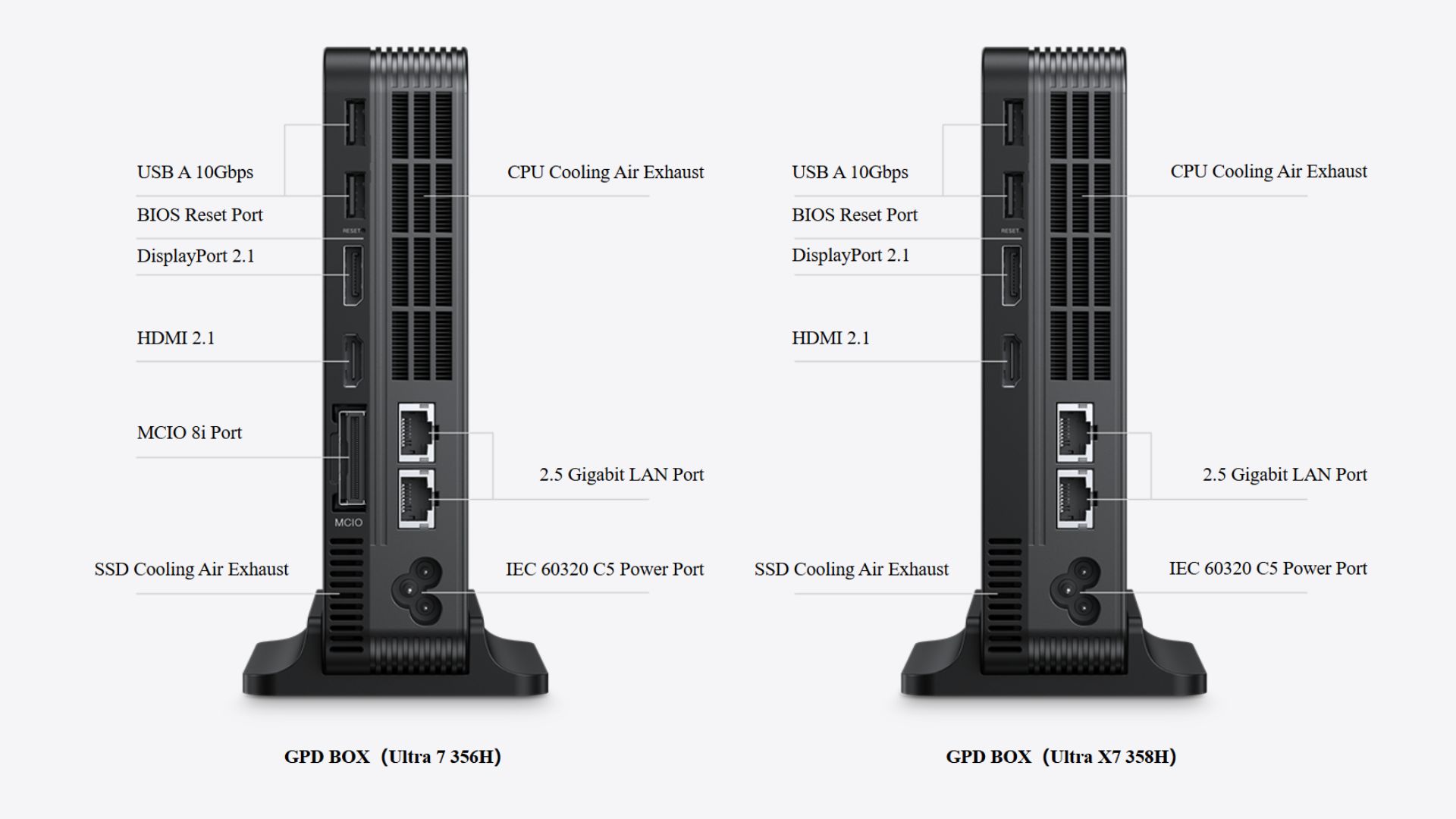
Storage and expansion are also stronger than average. GPD lists two M.2 slots, one PCIe Gen 5 x4 NVMe slot and one PCIe Gen 4 x2 slot, with 2280 SSD options from 512GB to 4TB. The BOX also includes an MCIO 8i to 8i port based on PCIe Gen 5 x8. In its own marketing image, GPD calls the BOX a world-first MCIO 8i design, quotes 512 Gbps bidirectional bandwidth, and says the MCIO 8i link offers four times the bandwidth of OCuLink based on PCIe 4.0 x4. That is very much part of how it wants the GPD BOX to be perceived.
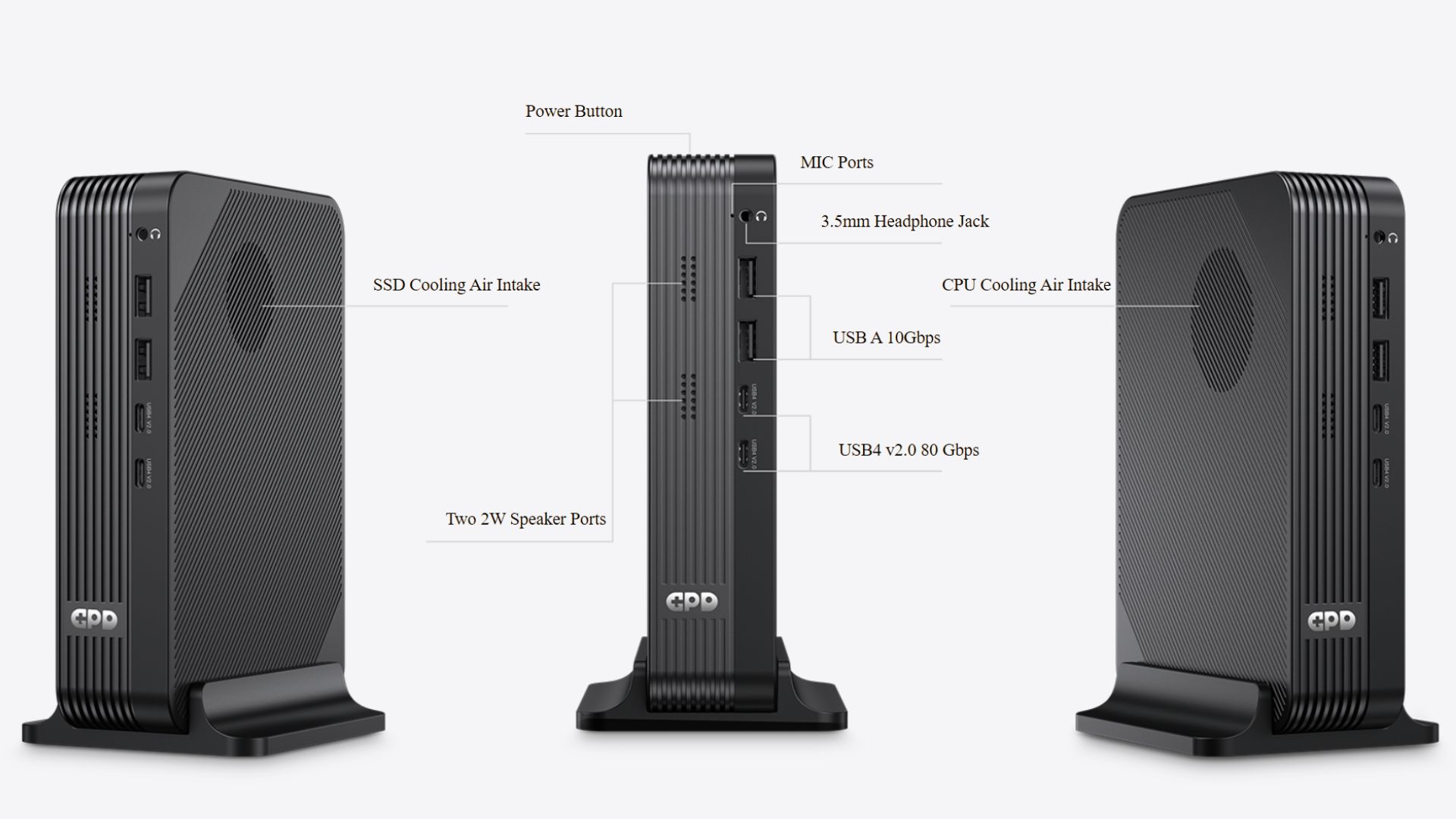
The I/O layout is also notably rich. According to GPD’s official page, the GPD BOX includes two USB4 v2.0 ports, one DisplayPort 2.1 output, one HDMI 2.1 port, four USB 3.2 Gen 2 Type-A ports, and two 2.5G LAN ports. GPD also describes the dual USB4 v2.0 setup in marketing material as 160 Gbps bidirectional bandwidth, which reinforces the idea that the BOX is being positioned around expansion and connectivity just as much as around raw CPU specifications.
All of that helps explain GPD’s core pitch. The company is effectively saying that the GPD BOX can serve as a compact desktop base, while the GPD G2 can extend it into a much more powerful gaming or creator-oriented machine. In other words, the BOX is not being sold as an isolated tiny PC, but as half of a modular performance concept.
This also gives the BOX a clear place in the wider GPD range. For buyers who like hardware such as the GPD WIN 5, the BOX looks like a move toward the same compact-performance ethos in a more desk-bound form factor.
Full GPD BOX Technical Specifications
| Category | GPD BOX (Ultra X7 358H) | GPD BOX (Ultra 7 356H) |
| CPU & iGPU | Intel® Core™ Ultra X7 358H • 16 Cores | Up to 4.8 GHz Turbo Boost • 12 Xe3 Graphics Cores | 180 TOPS AI Power • 15–80W Configurable TDP | Intel® Core™ Ultra 7 356H • 16 Cores | Up to 4.7 GHz Turbo Boost • 4 Xe3 Graphics Cores | 100 TOPS AI Power • 15–80W Configurable TDP |
| Storage & Expansion | • Memory: 32GB / 64GB LPDDR5x 8533 MT/s • Storage: 1 × M.2 PCIe Gen 5 × 4 Slot • Expansion: 1 × M.2 PCIe Gen 4 × 2 Slot • Pre-installed: 512GB – 4TB 2280 NVMe SSD | • Memory: 32GB / 64GB LPDDR5x 8533 MT/s • Storage: 1 × M.2 PCIe Gen 5 × 4 Slot • Expansion: 1 × M.2 PCIe Gen 4 × 2 Slot • Pre-installed: 512GB – 4TB 2280 NVMe SSD |
| I/O Ports | • 2 × USB4 v2.0 (80Gbps) • 1 × DisplayPort 2.1 (UHBR20) • 1 × HDMI 2.1 (FRL) • 4 × USB 3.2 Gen2 Type-A (10Gbps) • 2 × 2.5G RJ45 LAN (10/100/1000/2500 Mbps) • 1 × MCIO (PCIe 5.0 × 8) | • 2 × USB4 v2.0 (80Gbps) • 1 × DisplayPort 2.1 (UHBR20) • 1 × HDMI 2.1 (FRL) • 4 × USB 3.2 Gen2 Type-A (10Gbps) • 2 × 2.5G RJ45 LAN (10/100/1000/2500 Mbps) |
| Gaming Prowess | • Integrated: 4-Core Xe3 Graphics | 512 Stream Processors • Performance Comparable to Radeon 780M • External Expansion: Dual-Interface GPU Support — USB4 v2.0 (80Gbps): PCIe 5.0 × 4 | ~31.5 GB/s Bandwidth — MCIO Exclusive: PCIe 5.0 × 8 | ~63 GB/s Bandwidth • Ultimate Desktop Power: Supports RTX 5090 / 5090D • DLSS 4.0 Support | Up to 3x Frame Gen | 200–800 FPS Performance | • Integrated: 12-Core Xe3 Graphics | 1536 Stream Processors • XeSS 3 Super Sampling | Up to 4x Frame Generation • Delivers 60–120 FPS in Most AAA Titles • Expandable: External GPU via USB4 v2.0 (80Gbps) • PCIe 5.0 × 4 Shared Lane | ~31.5 GB/s Theoretical Bandwidth • Supports Up to NVIDIA GeForce RTX 5090 / 5090D • DLSS 4.0 Support | 3x Frame Gen | Up to 200–600 FPS |
| AI Performance | • 180 TOPS Int8 Peak AI Compute • Benchmark: Comparable to NVIDIA Jetson AGX Orin 64GB • At 25W TDP: Massive Efficiency Gains — LLM Throughput: Up to 3.9x Faster — Text-to-Speech (TTS) Speed: Up to 3.7x Faster — Multitasking Computer Vision: Up to 5.4x Faster | • 100 TOPS Int8 Aggregate AI Compute • eGPU Expansion: Optimized for Multimodal Interactive Agents • Local LLM Inference, Scientific Computing & Simulation • End-to-End Workflow: From Model Training to Deployment • High-Performance Support for Data Processing & AI Training |
Panther Lake gives the GPD BOX a clearer performance identity
Panther Lake is central to why the GPD BOXlooks more credible now than it did at first reveal. In Intel’s official platform announcement, the company describes Panther Lake, now branded as Intel Core Ultra Series 3, as its first client SoC built on Intel 18A and aimed at AI PCs, gaming devices, and compact systems.
GPD has now tied the BOX to two specific chips. The higher-end Intel Core Ultra X7 358H is listed with 16 cores, boost speeds up to 4.8 GHz, 12 Xe3 graphics cores, up to 180 TOPS of AI performance, and a configurable TDP range from 15W to 80W. The Intel Core Ultra 7 356H is also listed with 16 cores, boost speeds up to 4.7 GHz, 4 Xe3 graphics cores, up to 100 TOPS, and the same 15W to 80W configurable range.
Those confirmed details make the GPD BOX easier to frame against the wider mini PC market. It is no longer just a Panther Lake teaser with a nice chassis render. It now has clear CPU targets, clear GPU targets, a known memory ceiling, and a published connectivity story that leans hard into external graphics expansion.
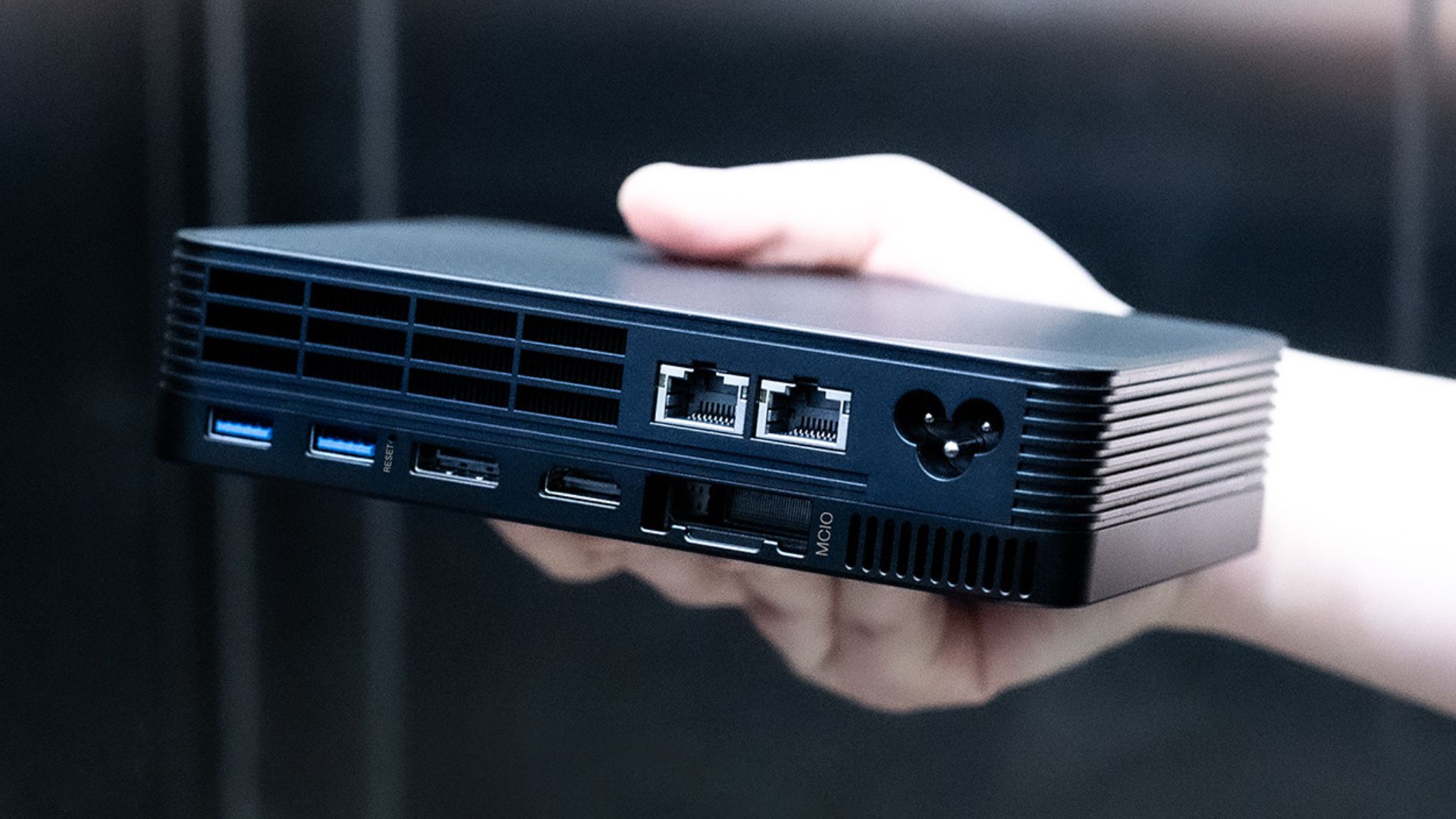
GPD is also attaching very specific performance language to those chips. For the Ultra X7 358H, it claims 60 to 120 FPS in most AAA games on the integrated 12-core Xe3 graphics and highlights XeSS 3 support. For the Ultra 7 356H, it frames the graphics performance as comparable to Radeon 780M-class integrated graphics. Those claims should still be treated with caution until they are backed by fuller test data, but they do show how GPD wants the two configurations to be understood.
The same is true for the AI story. GPD is pitching the higher-tier BOX as a 180 TOPS machine and the lower-tier system as a 100 TOPS design, then connecting those figures to local LLM work, scientific computing, simulation, and multimodal agent use cases. Whether those claims prove compelling in real-world workloads remains to be seen, but the company has clearly decided the GPD BOX should be read as more than a small PC for light office tasks.
| Confirmed GPD BOX detail | What GPD is now publishing | Why it matters |
|---|---|---|
| CPU options | Intel Core Ultra X7 358H or Intel Core Ultra 7 356H | Confirms that the BOX is tied to two specific Panther Lake Series 3 processors |
| Graphics | Xe3 graphics, up to 12 cores on the X7 model | Signals that integrated graphics ambition is a major part of the BOX pitch |
| Memory | 32GB or 64GB LPDDR5x 8533 MT/s | Keeps the BOX positioned well above entry-level compact systems |
| Storage | One PCIe Gen 5 x4 M.2 slot plus one PCIe Gen 4 x2 M.2 slot | Adds faster storage options and flexibility for different configurations |
| External expansion | MCIO 8i on PCIe Gen 5 x8, marketed at 512 Gbps bidirectional bandwidth and 4x OCuLink bandwidth | Shows how heavily GPD is leaning on MCIO as the key differentiator |
| Video and networking | Dual USB4 v2.0, DP 2.1, HDMI 2.1, four USB-A, dual 2.5G LAN | Makes the BOX look unusually well equipped for a first-generation mini PC |
| AI and eGPU positioning | Up to 180 TOPS and support messaging around RTX 5090 or 5090D pairing | Clarifies the level of performance GPD is targeting, even if the claims still need validation |
Why the GPD BOX and GPD G2 pairing is the real story
The real significance here is not just that GPD now has a mini PC, or that it has a higher-bandwidth eGPU dock. The more important point is that the company is presenting both together as a modular performance system.
Bandwidth has long been one of the main limitations for external graphics setups, especially when people want desktop-class results from small devices. GPD is clearly betting that MCIO can become a more convincing answer to that problem than older expansion approaches, particularly when it can be paired with USB4 v2.0 and stronger onboard I/O.
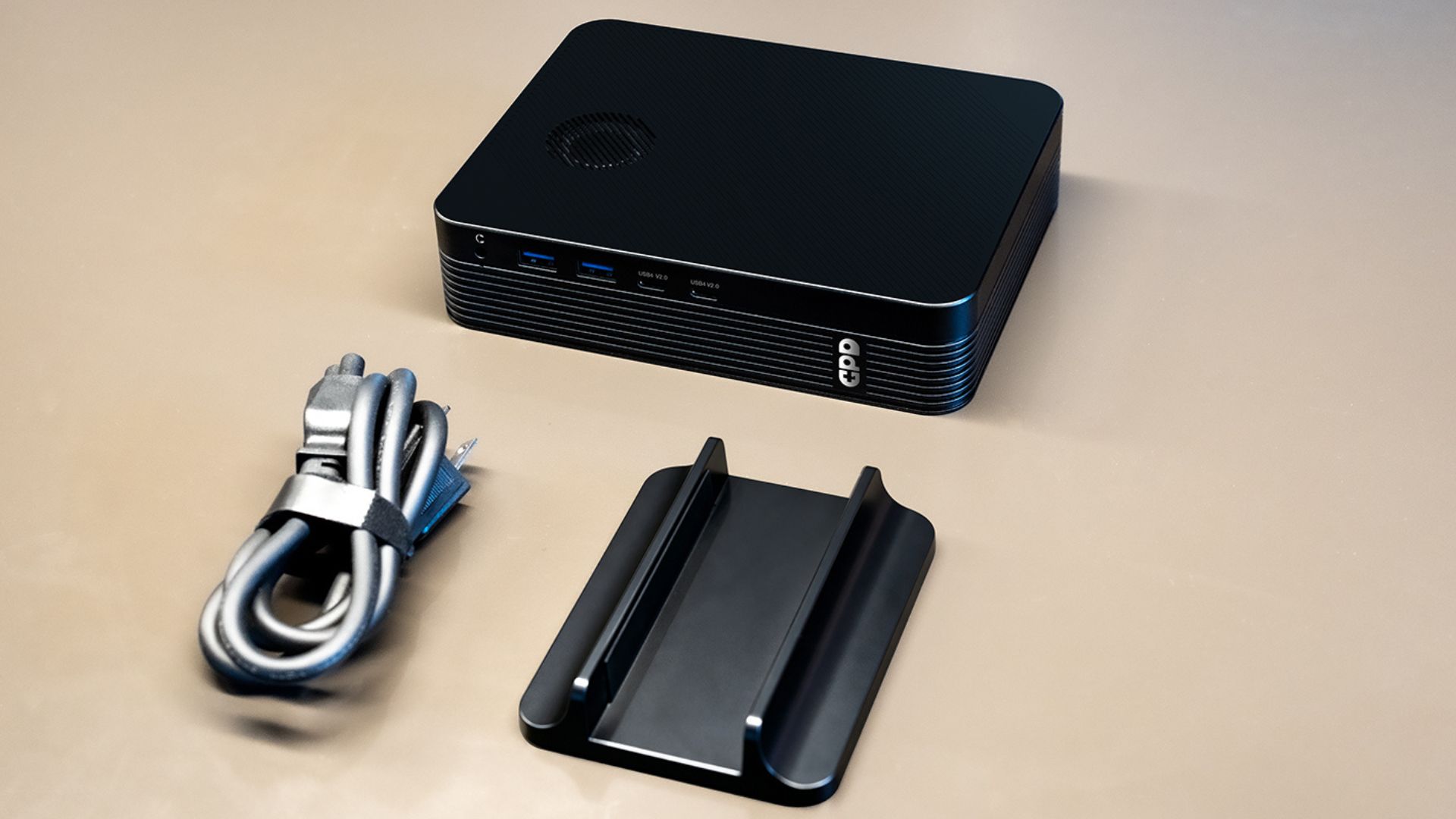
If the GPD BOX performs well as a compact daily-use desktop and the G2 delivers something close to the desktop-style expansion GPD is promising, the pairing could appeal to gamers, creators, developers, home lab users, and power users who want a flexible system without moving straight to a full-size tower.
It also fits neatly with the rest of the GPD audience. Buyers already exploring the accessories category, premium handhelds, or compact GPD systems are exactly the kind of readers likely to care about a setup that starts small and scales up later.
What still needs to be proved
Even with the fuller spec sheets, there are still important gaps. GPD has not yet confirmed final pricing, release timing, or regional availability for either product in the material reviewed here.
More importantly, the biggest remaining questions now sit around proof rather than specification. We still need fuller benchmark context for the RTX 4090 2% loss claim on the GPD G2, the broader 4090 or 5090-class support messaging around the dock, the BOX 60 to 120 FPS gaming claims, the Radeon 780M comparison, and the RTX 5090 or 5090D pairing language tied to the GPD BOX.
That does not mean the hardware story is weak. If anything, the spec updates make the concept much easier to take seriously. But it does mean readers should separate the confirmed hardware list from the performance conclusions that still require independent testing.
For now, the announcement works best as a strong statement of intent. GPD is making it clear that it wants to compete more aggressively in compact performance computing, and the GPD BOX plus GPD G2 combination is its clearest sign yet of how it plans to do it.
For anyone already following recent GPD momentum, this news also sits naturally alongside coverage such as GPD WIN 5 – Everything We Know So Far. The form factor may be different, but the underlying message is familiar: small hardware, bigger ambitions.
FAQ
What is the GPD G2?
The GPD G2 is an eGPU dock that GPD describes as the world’s first MCIO dual-port eGPU dock. Its official specs page now lists a PCIe Gen 5 x16 slot, MCIO 8i support for PCIe Gen 4 x8 devices, USB4 v2.0, two USB-A ports, Gigabit Ethernet, an M.2 2280 slot, and up to 100W PD charging.
What is the GPD BOX?
The GPD BOX is a newly announced Panther Lake compact desktop that GPD is positioning as its first mini PC. GPD has listed Core Ultra X7 358H and Core Ultra 7 356H options, up to 64GB LPDDR5x memory, dual M.2 storage, MCIO 8i, dual USB4 v2.0, and up to 512 Gbps bidirectional MCIO bandwidth.
Why does Panther Lake matter for the GPD BOX?
Panther Lake matters because Intel is positioning it as a modern platform for AI PCs, gaming devices, and compact systems. GPD has now tied the BOX to two specific Core Ultra Series 3 chips, which makes the mini PC’s intended performance envelope much clearer.
Can the GPD BOX be paired with the GPD G2?
Yes. In fact, that pairing is one of the main points of the announcement. GPD is explicitly presenting the GPD BOX and GPD G2 as a combined setup for a much more powerful compact gaming or creator PC.
Has GPD confirmed pricing or launch timing?
No, not in the material reviewed here. Pricing, release timing, and regional availability still need to be confirmed.
Should the RTX 4090, RTX 5090-class, and BOX gaming claims be treated as final?
No, not yet. GPD has published those claims, but the currently available announcement material does not provide the full benchmark methodology or test conditions needed to verify them independently.








Questions & answers
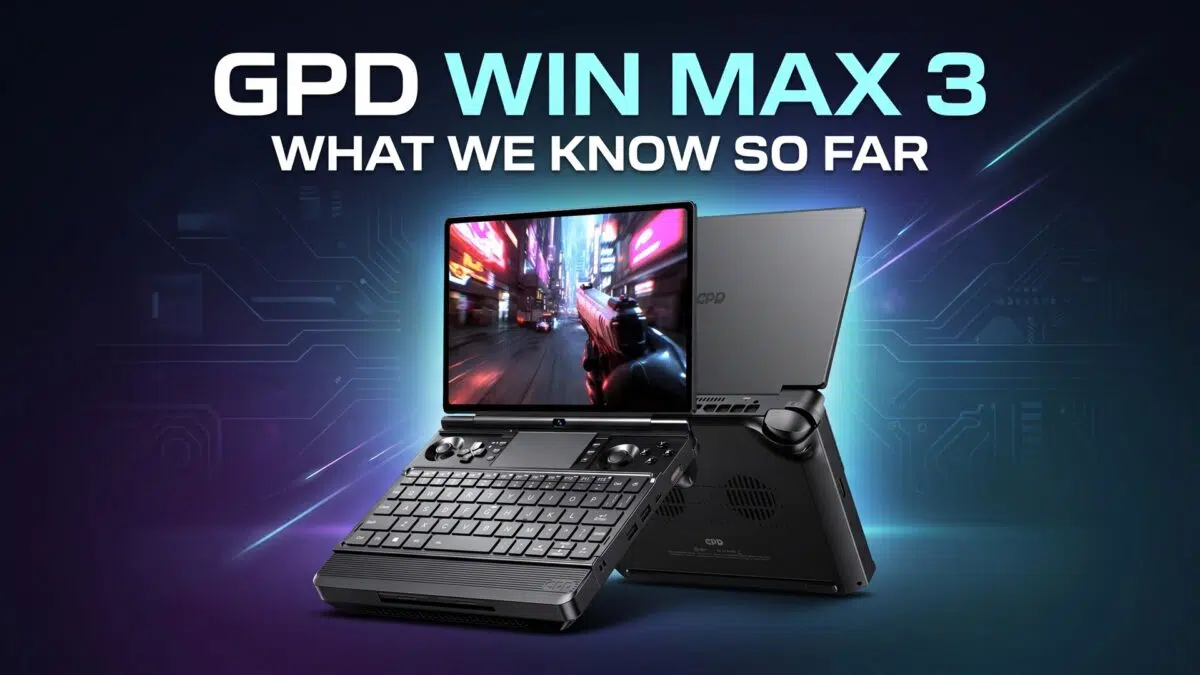
1I am curious about the durability of the MCIO 8i port and connector used by GPD. If this solution were used in a future handheld (say GPD Win Max 3) would it be safe for frequent mating cycles?
Oculink ports and cables are typically rated for 250 cycles but there are very few reports of GPD oculink ports failing, so I assume GPD is sourcing their ports from a specialized manufacturer like amphenol. But as far as I can tell, such a manufacturer doesn’t exist for the MCIO 8i port.
We have the GPD BOX and G2 but unfortunately we cant test the MCIO port as its the 358H model that does not have the MCIO port. Once the GPD BOX 356H model is available we will be able to test the MCIO port on that one. Its not possible to say what the wear and tear is like on the MCIO port as a result. But I would imagine for the GPD BOX its not something you would be connecting and disconnecting very often as its a mini PC rather than a handheld.