


Guides for every GPD device
Setup checklists, firmware updates and troubleshooting — written and tested by the team that ships your hardware.
Device support hubs
Pick your device for model-specific guides and downloads.
 20 guides
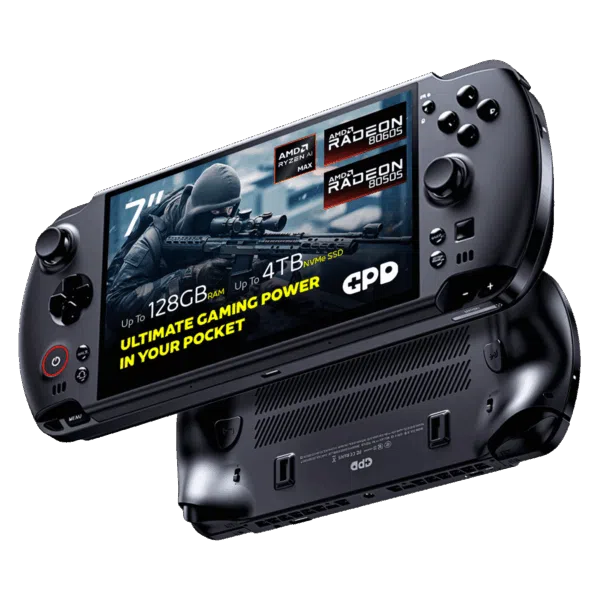
GPD WIN 5
20 guides
GPD WIN 5
 15 guides
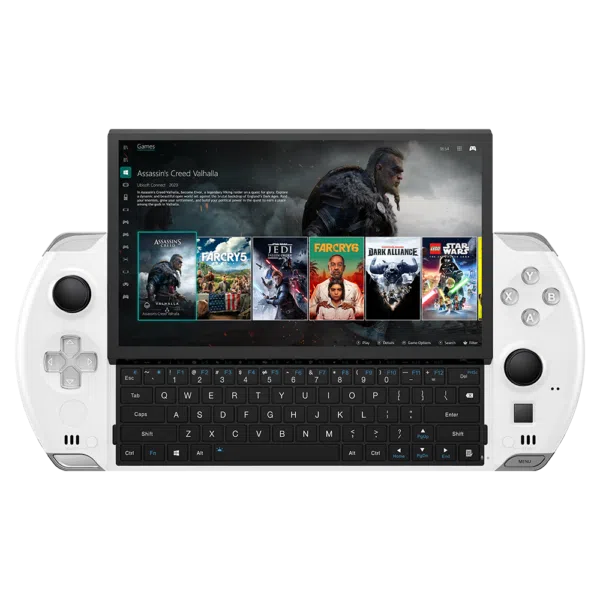
GPD WIN 4 2022, 2023, 2024
15 guides
GPD WIN 4 2022, 2023, 2024
 19 guides
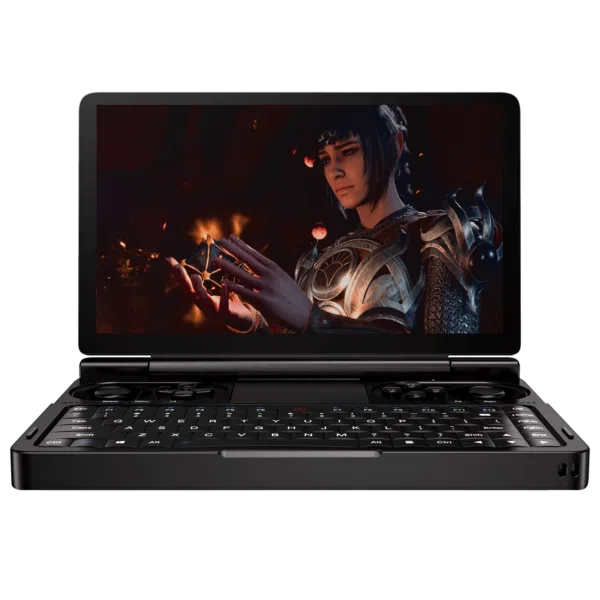
GPD WIN Mini 2023, 2024
19 guides
GPD WIN Mini 2023, 2024
 20 guides
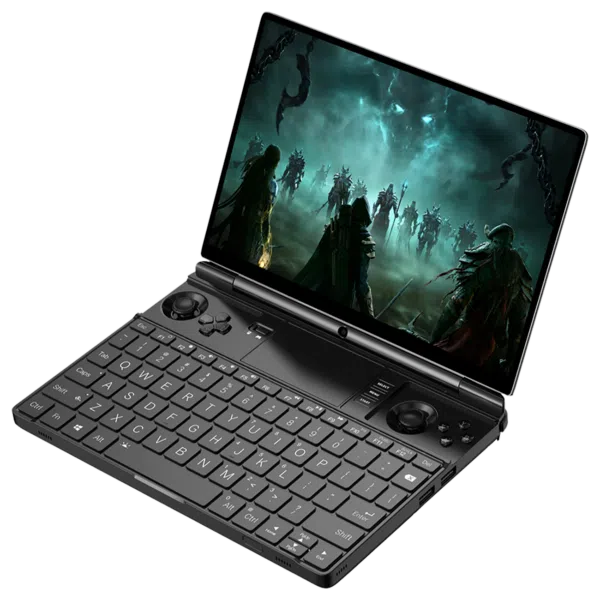
GPD WIN Max 2 2022. 2023, 2024
20 guides
GPD WIN Max 2 2022. 2023, 2024
 15 guides
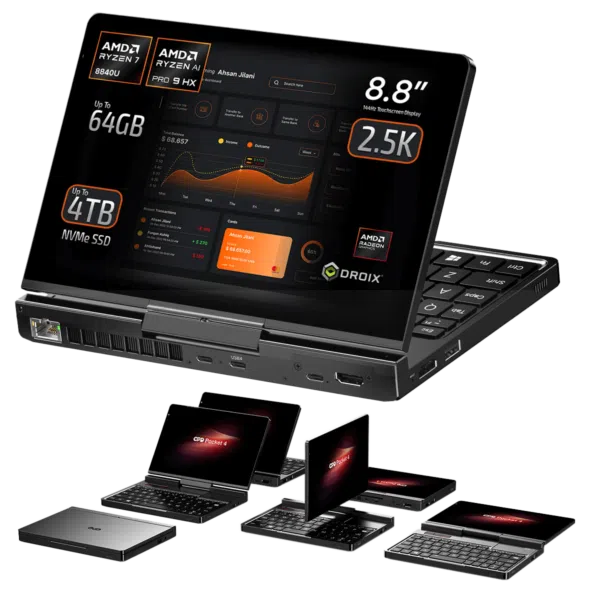
GPD Pocket 4
15 guides
GPD Pocket 4
 9 guides
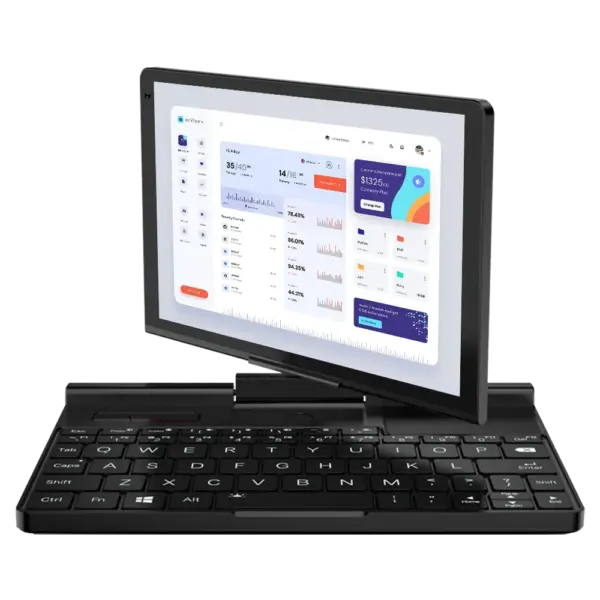
GPD Pocket 3
9 guides
GPD Pocket 3
 13 guides
GPD Duo
13 guides
GPD Duo
 9 guides
GPD MicroPC 2
9 guides
GPD MicroPC 2
 6 guides
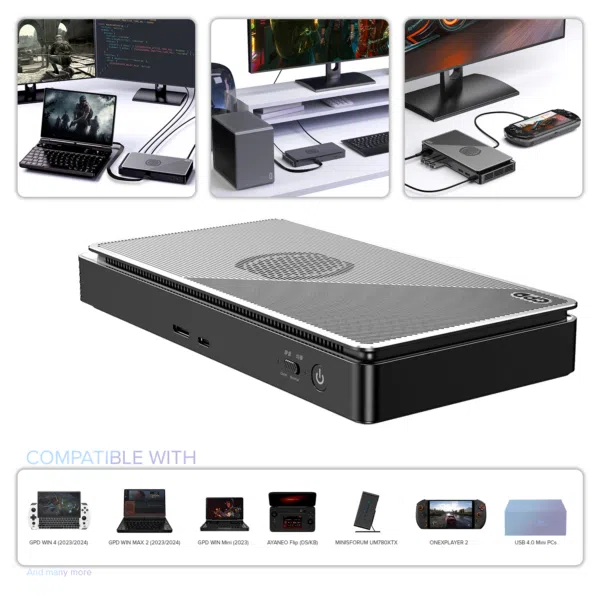
GPD G1 eGPU
2023 · 2024
6 guides
GPD G1 eGPU
2023 · 2024
 4 guides
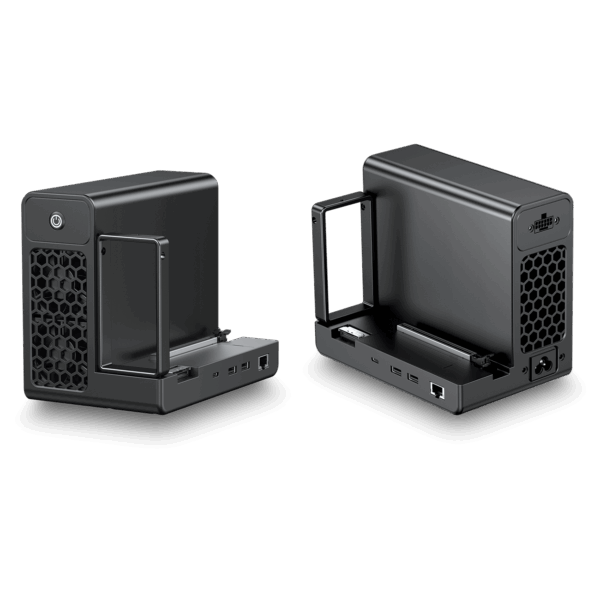
GPD G2
New
4 guides
GPD G2
New
 4 guides
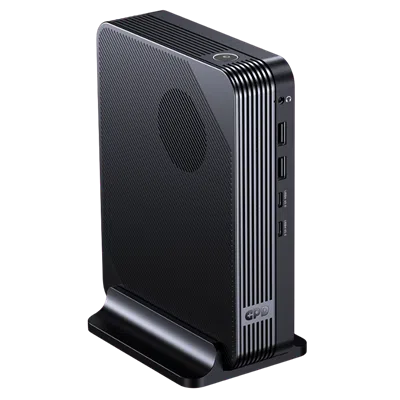
GPD BOX
Mini PC
4 guides
GPD BOX
Mini PC
 4 guides
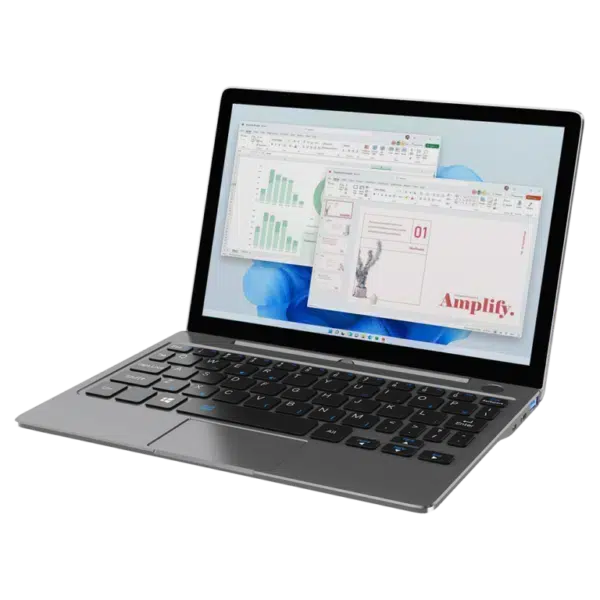
GPD P2 Max
4 guides
GPD P2 Max
Most read this month
Frequently asked questions
Quick answers by product — for everything else, open the support hub.
When will the GPD WIN 5 launch?
The GPD WIN 5 is currently shipping, you can order at https://gpdstore.net/product/gpd-win-5/
What warranty do you get when buying the GPD WIN 5?
You get a two year warranty when buying from GPD Store, other sellers may only provide one year.
What are the GPD WIN 5 speakers like
The GPD WIN 5 is equipped with dual 2W super linear speakers. Both the headphones and built-in speakers support DTS: X Ultra audio technology, simulating physical 7.1-channel surround sound
What is the GPD WIN 5’s shell made from?
The GPD WIN 5's shell is made from LG-DOW 121H Impact-Resistant Aviation ABS Synthetic Resin, UL94 V-0 Fire-Retardant Grade
What is the battery capacity of the GPD WIN 5?
The GPD WIN 5 has a 80Wh external battery which can be easily swapped with additional batteries.. Battery life will vary depending on usage .
What is the GPD WIN 5’s size and weight? Is it portable?
The GPD WIN 5 measures around 10.5 x 4.3 x 0.95 inches (26.7 x 11.1 x 2.4 cm) and weighs approximately 565g (1.24 lbs).
In addition, the external battery pack measures around 4.36 x 4.34 x 0.71 inches (11.07 x 11.03 x 1.81 cm) and weighs about 350g (0.77 lbs), making this a very versatile portable gaming PC.
What communications features does the GPD win 5 support?
For Wireless communication there is WiFi 6E and Bluetooth 5.3 built-in as standard.
What processor does the GPD WIN 5 have?
The GPD WIN 5 has the choice of two processors with their respective GPUs:
- AMD Ryzen AI MAX + 395 with AMD Ryzen 8060S
- AMD Ryzen AI MAX 385 with AMD Ryzen 8050S
Is the GPD WIN MAX 2 2024 performing worse than other 2024 models?
In our own benchmarks compared with other 2024 GPD models the Win MAX 2 2024 had excellent results, often comparable with the Win 4 2024 by a few frames or score percent difference . You can read our full review here which includes the benchmark comparisons.
Is the GPD WIN MAX 2 2024 battery better than other 2024 models.
The GPD WIN MAX 2 2023 and 2024 have longer battery life than other devices such as the Win 4 and Mini. The Win MAX 2 is a larger device that has a larger capacity battery. For example, running Cinebench benchmark on a loop at 28W TDP got around 1 hour 52 minutes, compared to 1 hour 25 minutes on the Win 4.
Does the GPD WIN MAX 2 support external displays?
The GPD WIN MAX 2 series has a HDMI port and a USB-C port that you can use with a hub for HDMI output to a TV or monitor. See our accessories for compatible hubs.
What are the main versions of the GPD WIN MAX 2?
There are three main versions of the GPD WIN MAX 2:
- GPD WIN MAX 2 2022 model with Intel or AMD processors
- GPD WIN MAX 2 2023 refresh with updated AMD Ryzen 7 7840U
- GPD WIN MAX 2 2024 model with AMD Ry zen 7 8840U
What are the key specifications of the latest GPD WIN MAX 2
The GPD WIN MAX 2 2024 model features:
- 10.1-inch 2560x1600 touchscreen display
- AMD Ryzen 7 8840U or Ryzen 5 8640U processor
- Up to 64GB LPDDR5 RAM
- Up to 2TB PCIe 4.0 SSD storage
- Built-in game controls and keyboard
- Windows 11 Home pre-installed
Does the GPD WIN MAX 2 support external GPUs?
Yes, the GPD WIN MAX 2 supports external GPUs through its USB4 port (AMD models) or Thunderbolt 4 port (Intel models), allowing for up to 40Gbps bandwidth. The GPD WIN MAX 2 2024 also has an OCuLi nk port compatible with the GPD G1 for f aster data transfer speeds and performance.
Can I upgrade the storage on the GPD WIN MAX 2?
Yes, the GPD WIN MAX 2 features one M.2 2280 slot (occupied by the pre-installed SSD) and one additional M.2 2230 slot for storage expansion. Both slots support PCIe 4.0 x4 SSDs.
Can I use the GPD WIN MAX 2 as a regular laptop?
Yes, the GPD WIN MAX 2 functions as a fully-featured Windows laptop with a built-in keyboard and touchpad. It also includes magnetic covers for the gaming controls to give it a more professional appearance when needed.
There were reports of GPD WIN Mini 2023 devices being too hot to hold. Is this true?
The original GPD WIN Mini 2023 review samples sent to reviewers were based on a prototype and did have an issue where the area around the D-Pad and gaming buttons was too hot to hold your fingers on. The final 2023 model which was sent to consumers has been fixed to resolve this issue. It will still get warm, all high performance handhelds will, but the temperatures are within acceptible limits and not cause discomfort. This is also applicible to the GPD WIN Mini 2024 which has no issues with temperature.
Does the GPD WIN Mini support external displays.
The GPD WIN Mini series has a USB-C port that you can use with a hub for HDMI output to a TV or portable monitor. See our accessories for compat ible hubs.
What are the key specifications of the GPD WIN Mini?
The GPD WIN Mini comes in two main variants:
- GPD WIN Mini 2024 (8840U): AMD Ryzen 7 8840U processor, up to 64GB RAM, up to 2TB storage
- GPD WIN Mini 2023 (7640U/7840U): AMD Ryzen 5 7640U or Ryzen 7 7840U processor, up to 32GB RAM, up to 2TB storage
Both feature a 7-inch 1080p 120Hz display, built-in game controls, and run Windows 11
What’s the battery life like on the GPD WIN Mini?
The GPD WIN Mini has a 44.24Wh battery that provides approximately:
- Up to 3 hours of heavy gaming use
- 6-8 hours of moderate use
- Up to 14 hours of light use
Actual battery life will vary depending on usage and settings.
Can I upgrade the storage or RAM on the GPD WIN Mini?
The storage is upgradeable via the M.2 2230 SSD slot. The RAM is soldered and cannot be upgraded.
Does the GPD WIN Mini have external GPU support?
Yes, the GPD WIN Mini supports external GPUs via its USB4 port. It's compatible with eGPU enclosures like the GPD G1.
What’s the screen size and resolution of the GPD WIN Mini?
The GPD WIN Mini has a 7-inch 1920x1080 (Full HD) IPS display with a 120Hz refresh rate.
Does the GPD WIN Mini have a touchscreen?
Yes, the GPD WIN Mini features a 10-point capacitive touchscreen
Can I upgrade the RAM or storage on the GPD Win 4?
The RAM is soldered and can not be upgraded. You can however upgrade the SSD.
Does the GPD WIN 4 support external displays?
The GPD WIN 4 series has a USB-C port that you can use with a hub for HDMI output to a TV or portable monitor. See our accessories for compatible hubs.
What are the key specifications of the GPD WIN 4?
The latest GPD WIN 4 model comes in different models with varying specs:
- CPU: AMD Ryzen 7 8840U or 8640U
- GPU: AMD Radeon 780M or 760M
- RAM: 16GB/32GB/64GB LPDDR5X
- Storage: Up to 4TB NVMe SSD
- Display: 6-inch 1920x1080 touchscreen
- Operating System: Windows 11
What gaming performance can I expect from the GPD WIN 4?
The GPD WIN 4 is capable of running many modern AAA games at playable framerates on medium to high settings at 720p resolution. Performance will vary depending on the specific game and settings used
How do I update the BIOS and drivers on my GPD WIN 4?
Follow our step-by-step guide here for how to update the BIOS.
Can I connect an external GPU to the GPD WIN 4?
Yes, the GPD WIN 4 supports external GPUs via its USB4 port. It's compatible with the GPD G1 eGPU dock for enhanced graphics performance via OCuLink.
Is the GPD WIN 4 good for emulation?
Yes, the GPD WIN 4 is excellent for emulation. It can handle emulators for systems up to PS3/Xbox 360 era quite well.
How does the GPD WIN 4 compare to other handheld PCs like the Steam Deck?
The GPD WIN 4 offers more raw performance than the Steam Deck, with a more powerful CPU and GPU. It runs full Windows rather than SteamOS, giving it broader software compatibility. However, the Steam Deck has a larger screen.
When will the GPD Pocket 4 launch?
No date has been announced for the GPD Pocket 4 launch. We expect it to launch in early 2025, around January/February. Once we have a date we will update here as well as on the product listing page.
What is the modular port on the GPD Pocket 4 used for?
.The modular port allows for additional functionality through optional modules, such as RS-232 or KVM (Keyboard, Video, Mouse) capabilities. Learn more about them at https://gpdstore.net/gpd-pocket-4-modular-design/
What operating system does the GPD Pocket 4 run?
The GPD Pocket 4 comes with a licensed Windows 11 Home pre-installed.
Does the GPD Pocket 4 support tablet mode?
Yes, the GPD Pocket 4 has a rotating display that allows it to transform between laptop and tablet modes.
Does the GPD Pocket 4 support external GPUs?
Yes, the USB4 port supports connecting external GPUs like the GPD G1 eGPU docking station . Note: The GPD Pocket 4 does not have an OCuLink port.
What modules are available for the GPD Pocket 4?
It has modular functionality with optional modules like EIA RS-232, Single-port KVM, microSD card reader, and 4G LTE expansion. Learn more about them on our blog post at https://gpdstore.net/gpd-pocket-4-modular-design/https://gpdstore.net/gpd-pocket-4-modular-design/
Can the RAM and Storage be upgraded for the GPD Pocket 4?
It is not possible for the RAM to be upgraded as it is soldered to the board. It is possible to upgrade the storage to 4TB and theoriticaly higher capacaties once available. The storage is single sided M.2 2280 SSD format.
What is the GPD Pocket 4’s maximum display resolution?
The GPD Pocket 4's 8.8" 144Hz display supports up to 2560x1600 resolution.
What operating systems are compatible with the GPD Pocket 3?
The GPD Pocket 3 comes pre-installed with Windows 10 Home or Windows 11 Home. It also supports Windows 11 and various Linux distributions like Ubuntu MATE
Can I upgrade the RAM or storage on the GPD Pocket 3?
The RAM is soldered and cannot be upgraded. However, the M.2 2280 NVMe SSD can be replaced or upgraded
Does the GPD Pocket 3 support external displays?
Yes, the GPD Pocket 3 supports external displays via its HDMI 2.0b port and Thunderbolt 4 port (Thunderbold 4 Port is only available on the Intel Core i7 and Intel Gold 7505 Models). It can drive up to two external monitors simultaneously
What is the battery life of the GPD Pocket 3?
The GPD Pocket 3 has a 38.5Wh battery that provides approximately 8.5 hours of local video playback in real-world tests
Does the GPD Pocket 3 support fast charging?
Yes, the GPD Pocket 3 supports 65W PD (Power Delivery) fast charging
What is the modular port on the GPD Pocket 3 used for?
The modular port allows for additional functionality through optional modules, such as RS-232 or KVM (Keyboard, Video, Mouse) capabilities
Is the touchscreen compatible with a stylus?
Yes, the GPD Pocket 3 supports an active stylus with 4096 levels of pressure sensitivity
Can I use the GPD Pocket 3 as a tablet?
Yes, the GPD Pocket 3 features a 180° rotatable touchscreen display, allowing it to be used in tablet mode
When will the GPD MicroPC 2 launch
The GPD MicroPC 2 is expected to launch towards the end of August 2025
What are the main features of the GPD MicroPC 2?
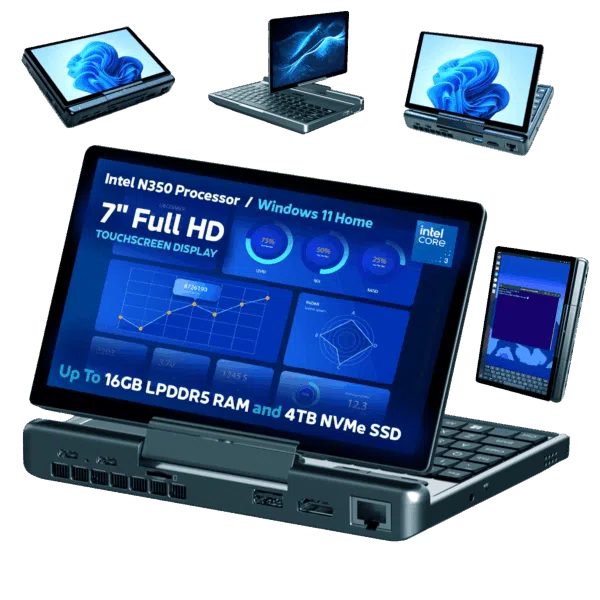
The GPD MicroPC 2's main feature is its versatile 2-in-1 design, incorporating a 7-inch 1080p touchscreen that rotates 360 degrees to convert from a mini-laptop into a tablet. It stands out with exceptional connectivity for its compact size, boasting a rare built-in 2.5Gbps Ethernet port alongside four USB ports (two Type-A, two Type-C) and a full-size HDMI output. Powered by a modern Intel N-series CPU (N250 or N300) and 16GB of RAM, it also includes a backlit keyboard, dedicated mouse buttons, and a fingerprint sensor integrated into the power button for security.
What is the battery capacity of the GPD MicroPC 2?
The GPD MicroPC 2 is equipped with a 27.5Wh rechargeable battery.
Is the GPD MicroPC 2 keyboard backlit?
Yes, it has three levels; Off and two brightness levels
What is the GPD MicroPC 2 size and weight? Is it portable?
The GPD MicroPC 2 measures around 6.7 x 4.3 x 0.92 inches (17.1 x 11.0 x 2.3 cm) and weighs around 500g (1.10lbs). It is designed to be highly portable.
Does the GPD Micro PC 2 support a stylus
It supports a capacitive stylus only, an active stylus is not compatible.
What are the differences between the GPD MicroPC 2 N250 & N300 models
The main difference are the CPUs, with the N300 being the higher performer:
- Intel Processor N250, 4 Cores / 4 Threads, 3.8 GHz, 6W – 15W
- Intel Processor N300 8 Cores / 8 Threads, 3.8 GHz, 7W
How much faster is the GPD MicroPC 2 than the original MicroPC
The GPD MicroPC 2 is considerably faster. Depending on the benchmark software ranging from 100% to 800% increase in performance. See our GPD MicroPC 2 review here for benchmark comparisons.
The GPD G1 is not connecting to my device
To utilize the additional ports on the GPD G1, you must connect the USB cable, as the OCuLink cable only transfers data for the GPU. A USB 4.0 cable is included with the GPD G1, and it's highly recommended to use this specific cable. Other cables, such as USB 3.0 or basic charging cables, won’t provide the required functionality for accessing the additional ports.
If you require a new USB 4.0 cable, we sell a very high quality USB 4 cable here. The GPD G1 does not come with an OCuLink cable as standard, we do sell an OCuLink cable here which is fully compatible with the GPD G1 eGPU docking station.
Can I upgrade the GPU in the G1
The GPD G1 is an integrated device and is not able to be upgraded with a new GPU.
What graphics card does the GPD G1 eGPU use?
The GPD G1 eGPU docking station features an AMD Radeon RX 7600M XT GPU with RDNA 3.0 architecture.
What connection options does the GPD G1 eGPU support?
The GPD G1 supports both OCuLink and USB 4.0 connections. OCuLink provides higher bandwidth and is available on newer GPD devices, while USB 4.0 is compatible with a wider range of devices.
Does the GPD G1 eGPU work with non-GPD devices?
Yes, the GPD G1 is compatible with most devices that device that supports Thunderbolt 3, Thunderbolt 4, or USB 4.
What ports are available on the GPD G1 eGPU?
The GPD G1 features 3 USB 3.2 Type-A ports, an SD 4.0 card reader, 2 DisplayPort 1.4a ports, and 1 HDMI 2.1 port.
Can the GPD G1 eGPU charge my device?
Yes, the GPD G1 supports 65W charging through its USB 4 port for devices that support PD fast charging protocol.
How does the performance of the GPD G1 compare to other GPUs?
According to benchmarks, the GPD G1's performance surpasses that of the NVIDIA GeForce RTX 4060 (Mobile) in some tests.
Has the GPD G2’s price been announced?
Currently not yet. We hope to have final pricing soon.
When is the GPD G2 release date?
No release date has been announced yet.
What materials is the GPD G2 made from?
It is made from aluminum-magnesium alloy and PC 94V-0.
What are the GPD G2’s dimensions and weight?
The dimensions are 157.3 × 119.8 × 182 mm (6.19 x 4.71 x 7.16 inches) with a net weight of 1605 g (3.5 lbs).
What operating systems does the GPD G2 support?
Windows 11 and Linux distributions
Is the GPD G2 better than a typical USB4 eGPU dock?
The MCIO-focused design and much more aggressive bandwidth and power positioning suggest a step above more limited USB4-only docks
What performance can you expect from the GPD G2?
GPD's headline claim is that an RTX 4090 would see only around a 2% performance loss on the G2. That sounds impressive, but it should be treated carefully until fuller benchmark methodology and independent reviewers validate it.
What does the USB4 power delivery support on the GPD G2 mean in practice?
It means the dock can potentially power or charge a compatible handheld or laptop over USB4 while also acting as an expansion device. There is support for 5V, 9V, 12V, 15V, and 20V power delivery profiles up to 100W.
What is the GPD BOX?
The GPD BOX is a newly announced mini PC that GPD is positioning as its first entry into the compact desktop category. It is designed as a small, high-spec system that can work on its own or be paired with high-bandwidth external graphics expansion
What makes the GPD BOX different from a typical mini PC?
Its standout features are the use of Intel Panther Lake processors, dual USB4 v2.0, an MCIO 8i port for high-bandwidth expansion, dual 2.5G Ethernet, and support for pairing with the GPD G2 eGPU dock. GPD is clearly pitching it as a premium compact system rather than a basic office mini PC.
Who is the GPD BOX best suited for?
The GPD BOX looks best suited to buyers who want a premium mini PC with stronger-than-average connectivity, fast storage, and room to scale into a more powerful setup later with an eGPU. It should be especially interesting to gamers, creators, developers, and compact desktop enthusiasts who like small systems but do not want to give up expansion options.
What warranty will the GPD BOX have?
GPD STORE provides a two year warranty on all GPD products, and one year for others.
How much will the GPD BOX cost?
Prices have not yet been confirmed.
Has GPD confirmed the GPD BOX launch date?
No launch date has been confirmed yet.
How much power does the GPD BOX use?
A configurable TDP range of 15W to 80W for both processor options. That gives a general idea of the BOX's operating envelope, although full system power draw at idle and under load has not yet been published
Will the GPD BOX support Linux?
Given the hardware class, Linux support is likely to be of interest, but buyers should wait for official confirmation and user testing.
What warranty do GPD STORE products have?
GPD STORE provides a two year warranty on all GPD products, and one year for others. Warranty claims start from the contact page or your account's order history.
How do returns work?
All in-stock orders are covered by a 30-day money back guarantee. Start a return from your account or via the returns portal — you will receive a prepaid label for eligible orders.
How long does shipping take?
In-stock orders ship within 24 hours with free EU shipping. International orders typically arrive in 3–7 working days; tracking is emailed as soon as the courier scans the parcel.
Can I pay in instalments?
Yes. Klarna, Clearpay and PayPal Pay in 3 are available at checkout. Eligibility is decided by the provider at the point of payment.
How do pre-orders work?
Pre-orders are charged at the time of order and ship in queue order as stock arrives. You can change or cancel a pre-order any time before dispatch.
When will the GPD Duo launch?
We are expecting the GPD Duo to be launched in around December 2024. We will update with a more accurate date soon.
Does the GPD Duo support video input like on a portable monitor?
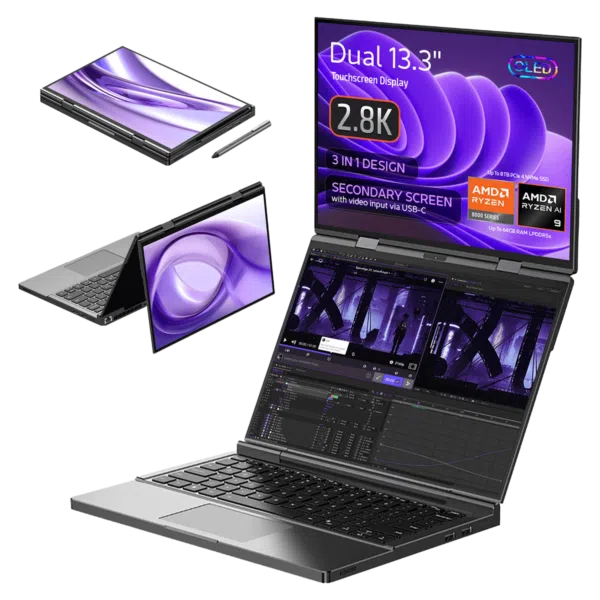
The top display has video input via USB-C that will allow you to connect an external device and use it like a portable monitor.
What are the main features of the GPD Duo?
The GPD Duo is a dual-screen laptop featuring two 13.3-inch AMOLED touchscreens, a choice of AMD Ryzen 7 8840U and 780M, or AMD Ryzen AI 9 HX 370 processor, Radeon 890M graphics, up to 64GB of RAM, and up to 16TB of storage.
What operating system does the GPD Duo come with?
The GPD Duo comes pre-installed with Windows 11 Home 64-bit
How much RAM and storage does the GPD Duo support?
The GPD Duo comes in two models, the AMD Ryzen 7 8840U will have 16GB LPDDR5x RAM and 512GB SSD storage. The AMD Ryzen 9 HX 370 has a choice of 32GB or 64GB of LPDDR5x RAM and up to 1TB or 2GB of storage using dual M.2 2280 slots supporting PCIe Gen4x4 SSDs.
What is the screen resolution of the GPD Duo?
Each 13.3-inch screen has a resolution of 2880 x 1800 pixels with 255 PPI.
Does the GPD Duo support stylus input?
Yes, the GPD Duo supports active stylus input with 4096 levels of pressure sensitivity and is compatible with the GPD Stylus as well as the Surface Pen
What is the AI performance of the GPD Duo?
The GPD Duo features an NPU with 50 TOPS of AI computing power, contributing to a total system AI performance of 80 TOPS.
Does the GPD WIN MAX 3 support Windows Hello?
The power button includes a fingerprint reader, but confirm whether the final retail model supports Windows Hello fingerprint authentication.
Can the GPD WIN MAX 3 play games at its native resolution?
Yes. The native display resolution is 2400 × 1504. The GPD Store review tested Forza Horizon 6, DOOM: The Dark Ages and No Man's Sky at native resolution with settings selected to target smooth 60 FPS or higher performance.
Does the GPD WIN MAX 3 support HDR?
Yes. The 9.06-inch AMOLED display supports HDR10.
Is the GPD WIN MAX 3 quiet during gaming?
We recorded a maximum fan noise of approximately 70dB with the battery module and around 60dB in the balanced profile. We will confirm noise levels with the fan module once it has been tested.
Is the GPD WIN MAX 3 the most powerful handheld gaming PC?
The GPD WIN MAX 3 is among the most powerful handheld gaming PCs tested, but the answer depends on the processor configuration, TDP, cooling, firmware and workload. The review unit used the Ryzen AI Max+ 388 and was pre-production hardware, so final retail comparisons may differ.
Is the GPD WIN MAX 3 a good upgrade from the GPD WIN MAX 2?
It is a strong upgrade if you want a faster Ryzen AI Max platform, Radeon 8060S graphics, a 165Hz AMOLED display, a removable external battery and additional storage flexibility. The WIN MAX 2 has a larger 10.1-inch display, so the MAX 3 is not an upgrade in screen size.
What is the GPD WIN MAX 3 made from?
GPD's published technical specifications list a 6061 aluminium-magnesium alloy and LG-DOW 121H impact-resistant aviation ABS synthetic resin with a V-0 fire rating.
What colour is the GPD WIN MAX 3?
The published specifications list the chassis colour as black.
Still stuck?
If a guide didn't solve it, a human will.
BIOS, firmware, drivers and recovery images for every GPD device.
Browse downloads Contact supportWarranty claims and technical questions, answered within one working day.
Open a ticket Ask the communityThe DroiX Discord is active around the clock — setup help, mods and tuning tips.
Join the Discord Orders & returnsTrack a parcel, start a return or check where your pre-order sits in the queue.
Track your order


