
GPD
GPD WIN 5 Gaming Handheld PC
In Stock
$2253.95 - $3088.95
$1,837.95
10+ in stock
 AMD Ryzen
 AMD Radeon
 LPDDR5X
 Wi-Fi 6E
 Bluetooth 5.3
 Windows 11
 eGPU
 Windows Hello
 Fingerprint Scanner
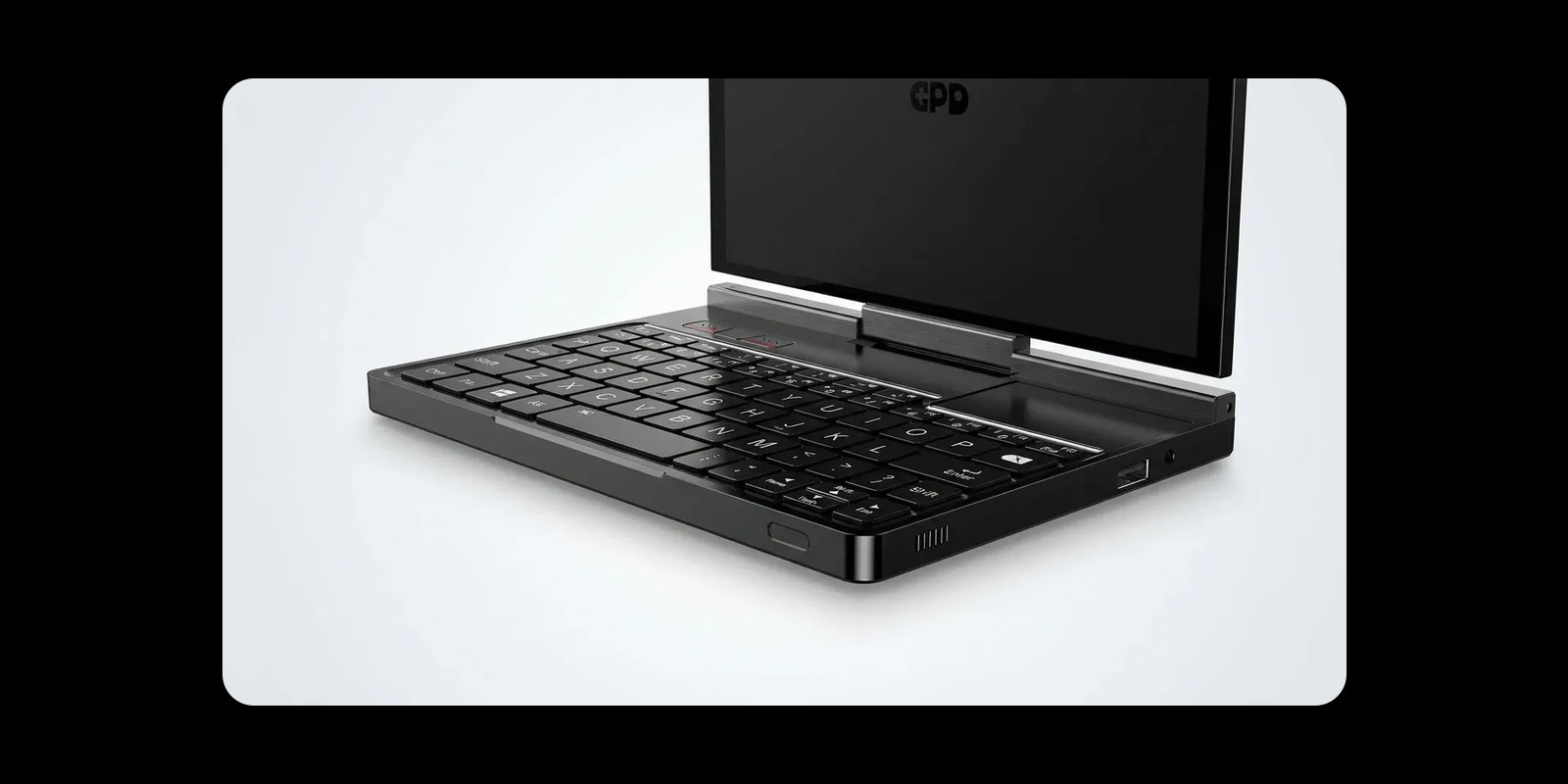
The GPD Pocket 4 is a full Windows 11 Pro laptop in an 8.8-inch body. It has a 2560×1600 144Hz touchscreen, AMD Ryzen processors with Ryzen AI, up to 64 GB of LPDDR5X memory and real ports, including two USB4 and two HDMI. It is built for engineers, travelers and power users who want a real PC without carrying a big one.
GPD Pocket mini PC
Ryzen AI power, a 2.5K 144Hz touchscreen and USB4, HDMI and USB-A ports in a PC built to travel.
Display
8.8in
2560×1600 at 330 ppi, with touch and a 1 ms response time.
Memory
Up to
64GB
7500 MT/s memory for heavy multitasking on the go.
Ports
2USB4
Fast connections for docks, displays and storage.
System
Pro
Preinstalled, so your full desktop apps and admin tools run as they do at your desk.
Windows 11 Pro pocket PC
The GPD Pocket 4 ships with Windows 11 Pro preinstalled on an AMD Ryzen platform in an 8.8-inch body. You get a real PC, with real ports and a real keyboard, without carrying a full-size machine.
The GPD Pocket 4 comes with Windows 11 Pro preinstalled. You run the same desktop apps, admin tools and business features you use on a full-size machine, with no cut-down mobile system in the way. Install your usual software, join your work network and pick up where your desk PC left off. The fingerprint sensor signs you in fast, so the small body never slows the start of your day.
If you want a full Windows PC that goes everywhere, look at a mini PC with an 8.8-inch screen like the GPD Pocket 4. Its footprint is far smaller than a typical 14-inch machine, yet it keeps a backlit 66-key keyboard, a 2560×1600 touchscreen and full-size USB-A and HDMI ports. You give up screen size, not the PC.
It suits people who need a capable PC in places a big machine is a burden. Network and server engineers plug straight into racks. Travelers work on trains and in hotels. Developers code on the move and dock to monitors at a desk. GPD Pocket fans get the newest model of the line, with Ryzen AI and up to 64 GB of memory.
2.5K 144Hz touchscreen
The GPD Pocket 4 has an 8.8-inch IPS touchscreen at 2560×1600 (330 ppi), 16:10, 144Hz with a 1 ms response time. On a screen this small, sharpness and smoothness decide how comfortable a long session feels.
8.8in
16:10 IPS touchscreen with room for real work
330ppi
2560×1600 keeps small text crisp and clean
144Hz
Smooth scrolling with a 1 ms response time
Yes, it is a touchscreen: the GPD Pocket 4 uses an 8.8-inch IPS panel at 2560×1600 in a 16:10 shape, refreshing at 144Hz. The taller 16:10 format shows more lines of code, more spreadsheet rows and more of a web page than a wide screen of the same size. Touch lets you scroll, tap and pinch when the keyboard is out of reach.
Yes: at 330 ppi, text on the GPD Pocket 4 stays crisp even when you set Windows scaling to fit more on screen. Small fonts in terminals and documents keep clean edges. The IPS panel holds color steady from wide angles, with 350 nits of brightness and a 1000:1 contrast ratio, which suits offices, trains and meeting rooms.
A 144Hz panel redraws the image more than twice as often as a 60Hz one. Scrolling long pages, dragging windows and moving the cursor feel fluid, which matters on a small screen where you scroll more. The 1 ms response time keeps motion clean, and the same smoothness pays off when you play after work.
Clamshell, tent, tablet
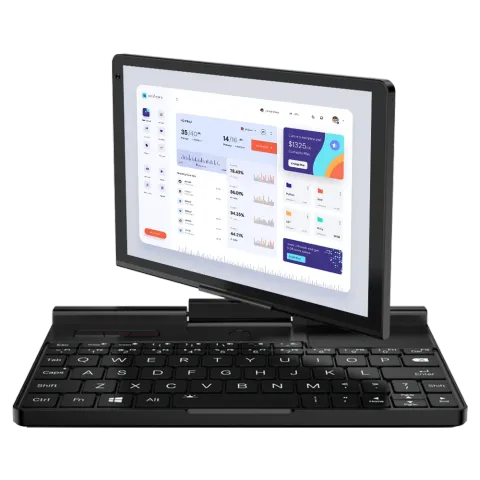
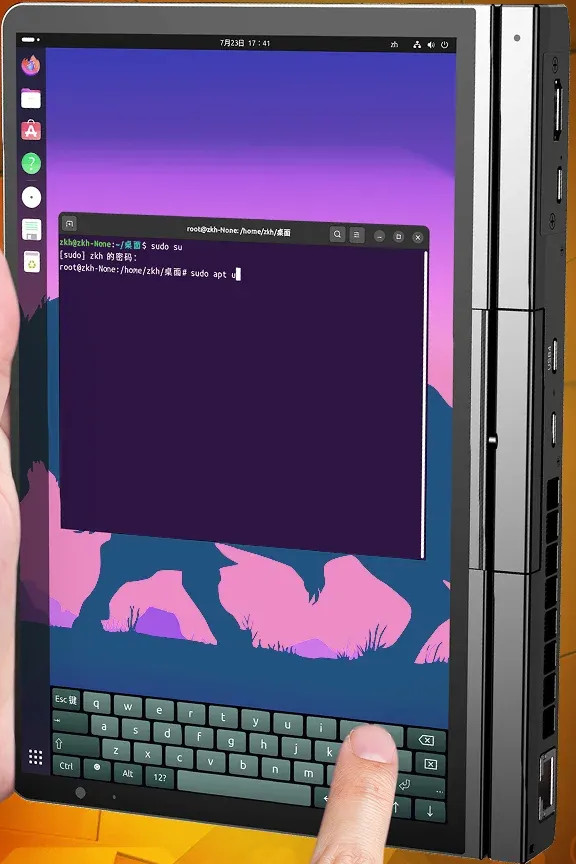
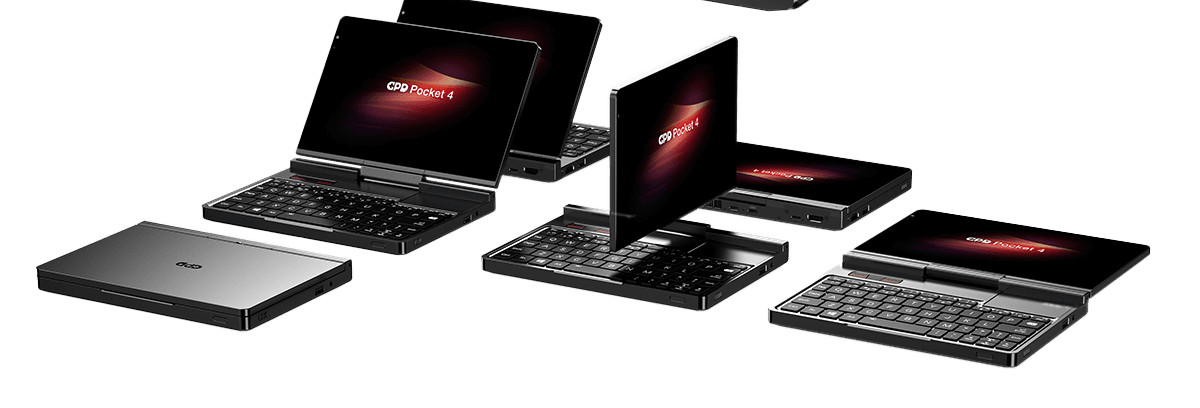
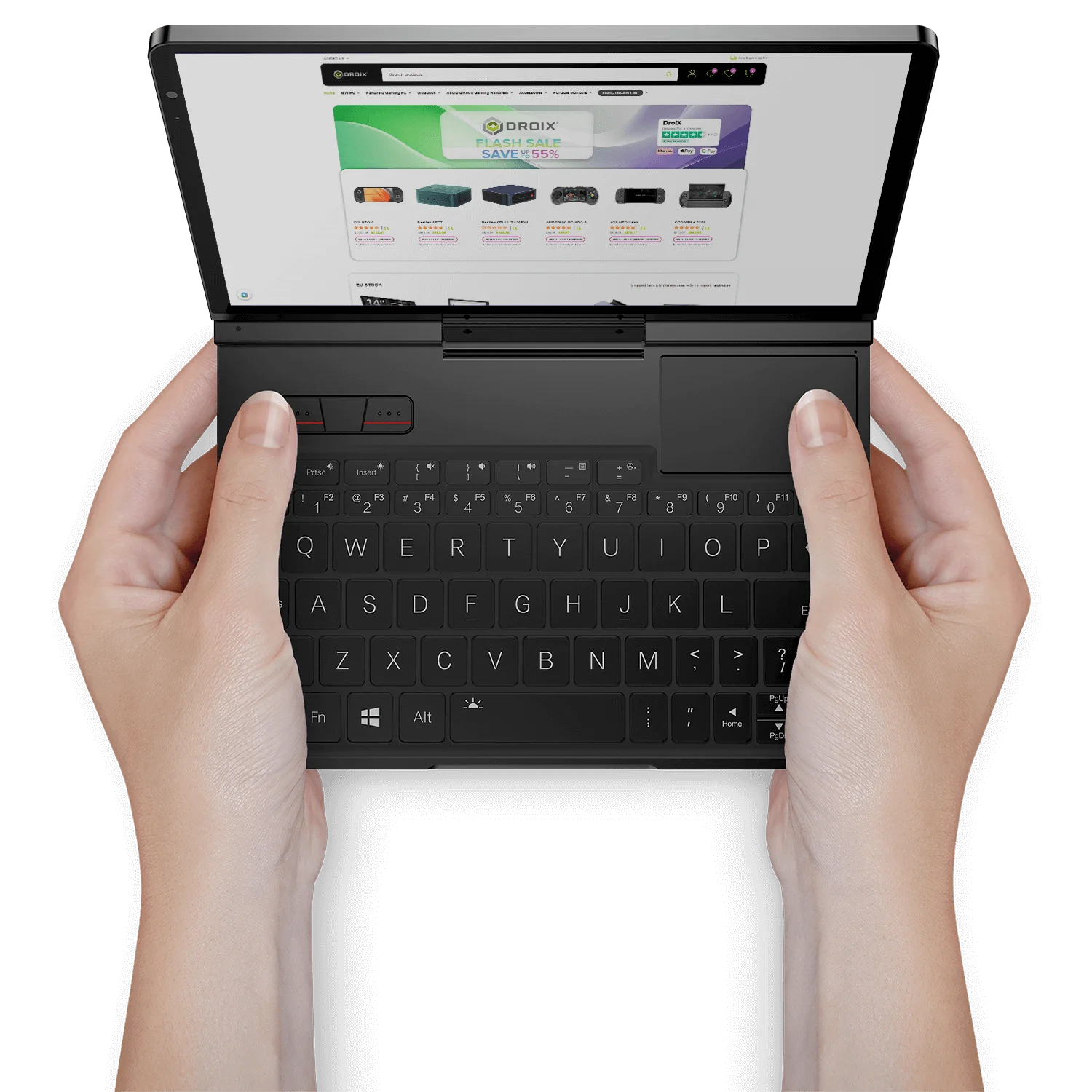
The GPD Pocket 4's 8.8-inch touchscreen works above the keyboard or as a hand-held touch surface, as the pictures show. Type at the keys, stand it as a tent, or hold it in tablet mode and tap.
Field-ready ports
The GPD Pocket 4 has 2 USB4 Type-C ports, 2 USB-A 3.2 Gen 2 ports, one HDMI 2.1, one HDMI 2.0 and a 3.5mm headphone and microphone jack. Few machines this small give you that many full-size connections.
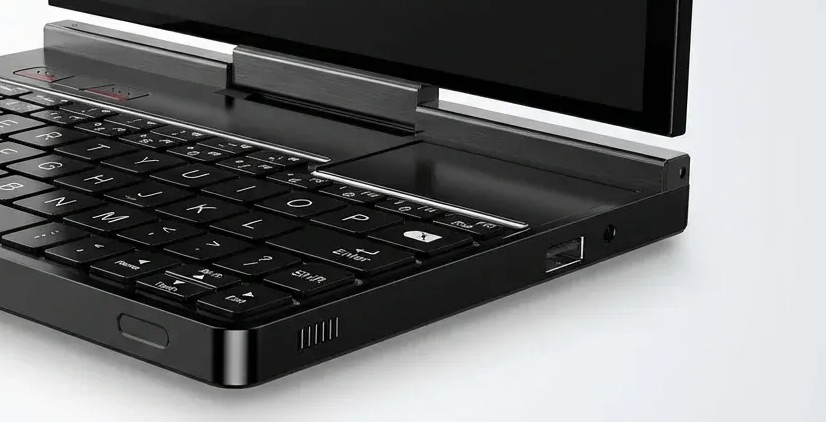
Full-size ports on the chassis edge, no adapter needed
Hinge carrying the 8.8-inch 2560×1600 touchscreen
Backlit 66-key chiclet QWERTY keyboard
USB4 Type-C
2 ports for docks and displays
USB-A Gen 2
2 ports, USB 3.2 Gen 2
HDMI 2.1
1 port for modern screens
HDMI 2.0
1 port for a second screen
Audio jack
3.5mm headphone and mic combo
Fingerprint
Sensor for fast, secure login
The GPD Pocket 4 has two USB4 Type-C ports, two USB-A 3.2 Gen 2 ports, one HDMI 2.1 port, one HDMI 2.0 port and a 3.5mm headphone and microphone jack. That covers most desks and server racks: plug in a keyboard, a flash drive and a screen at the same time, with no hub in your bag.
USB4 handles the fast, modern jobs, while USB-A keeps your existing gear working. Use the USB4 Type-C ports for high-speed storage, docks and displays. The USB-A 3.2 Gen 2 ports take the flash drives, mice, keyboards and license keys that still fill a technician's kit, so you are never hunting for an adapter on site.
Ryzen AI performance
The GPD Pocket 4 uses AMD Ryzen processors with Ryzen AI, a turbo up to 5.1 GHz, LPDDR5X at 7500 MT/s and NVMe PCIe Gen 4.0 storage. It is desktop-class hardware in an 8.8-inch frame.

An AI engine built into the processor handles AI workloads in apps that support it.

Bursts of speed for app launches, code builds and heavy browser sessions.

Fast memory, up to 64 GB, keeps big workloads and many open tabs responsive.

Quick SSD storage, up to 4 TB, for fast boots and large project files.

Shifts power between the processor and graphics to suit the task in front of you.

Gives the processor full access to graphics memory, which can help demanding apps.
Ryzen AI adds a dedicated AI engine to the GPD Pocket 4's AMD processor. Apps that support it can send AI tasks to that engine instead of the main cores, which leaves the CPU free for your actual work. On a small machine that often runs on battery, moving those jobs off the main cores is a sensible way to keep things quick.
Memory runs at 7500 MT/s on LPDDR5X, and storage uses NVMe PCIe Gen 4.0. Choose up to 64 GB of memory for virtual machines, containers and large datasets, and up to 4 TB of storage for projects, images and offline libraries. Pick your capacity with your next few years of work in mind.
Dock at the desk
The GPD Pocket 4 connects to external displays through HDMI 2.1 and HDMI 2.0 ports and two USB4 Type-C ports, and its graphics support DisplayPort 2.1. Plug in at your desk and the small PC becomes your main workstation.
2USB4
USB4 Type-C ports for docks, displays and fast storage
2.1HDMI
HDMI 2.1 output, plus a second HDMI 2.0 port
2.1DP
DisplayPort 2.1 support in the AMD graphics
Light play on 144Hz
The GPD Pocket 4 pairs a 144Hz, 1 ms screen with integrated AMD graphics that support FreeSync, DirectX 12, OpenGL 4.6 and OpenCL 2.1. It is a work-first mini PC that also handles light play when the day is done.
For light gaming, yes: the GPD Pocket 4 runs Windows games on integrated AMD graphics with DirectX 12 support, on a 144Hz screen with FreeSync. FreeSync matches the screen's refresh to the frame rate, which cuts tearing and stutter when frames dip. Indie games and older favorites suit it well, and demanding titles run best at lower settings.
Not for demanding games at high settings. A gaming laptop is built around much stronger graphics hardware, while the GPD Pocket 4 relies on integrated AMD graphics. What you get instead is a PC you actually carry every day. Reviews note its USB4 port supports an external GPU3, an option when you want more graphics power at a desk.
Work comes first. Play fits in when the work is done. Play fits in when the work is done.
Small enough to carry. Serious enough to work. Serious enough to work.
Your day with it
The GPD Pocket 4 brings Windows 11 Pro, USB-A and HDMI ports and Wi-Fi 6E to wherever you work. Here is how its features fit a real day.
On site
Plug a USB keyboard or flash drive into a USB-A port and a rack screen into HDMI, then work in full Windows 11 Pro with your usual admin tools. The backlit keys stay readable in a dim aisle, and the PC goes back in your bag when the job is done.
Commute
Turn the touchscreen around and scroll documents with a finger when the table is tight. Wi-Fi 6E connects fast where the network supports it, and the 45 Wh battery, rated for up to 10 hours1, keeps you working through the trip.
Evening
Sign in with a fingerprint instead of typing a password in public, answer email on the backlit 66-key keyboard, then take a call through the front-facing speakers and array microphone. Back in your room, plug into a screen over HDMI.
Everyday comforts
The GPD Pocket 4 has a 45 Wh lithium-polymer battery at 7.6 V, rated for up to 10 hours1, sealed inside and not user replaceable. Around it sit a backlit keyboard, fingerprint login and fast wireless.

Chiclet QWERTY keys with a backlight for typing in dim trains, hotel rooms and server aisles.

Touch to sign in to Windows instead of typing a password where others can see.

Uses the 6 GHz band where your router supports it, for less crowded connections.

Pairs a mouse, headphones or a keyboard without taking up a single port.

Sound fires toward you, not into the desk, for clearer calls and videos.

Several microphones work together to pick up your voice in calls and meetings.
The GPD Pocket 4 is rated for up to 10 hours1 on its 45 Wh battery. Real runtime depends on your configuration, brightness, refresh rate and workload, so light office work lasts longer than code builds or games. GPD lists 100W PD fast charging for every variant2, so a short top-up between meetings adds real time back.
No: the 45 Wh Li-Po battery is internal and sealed, and it is not user replaceable. Treat it like the battery in most thin notebooks and phones. To stretch a long day away from a socket, lower the screen brightness and refresh rate in Windows, and keep the charger in your bag.
Travel and office
Choose the Ryzen 7 8840U if your day is documents, browsing, remote sessions and admin tools on the move. It pairs 16 GB of LPDDR5X memory with your pick of storage and keeps every core feature of the Pocket 4.
16 GB RAM, 1 TB, 2 TB or 4 TB storage
Heavier multitasking
Step up to the Ryzen AI 9 HX 365 when you keep many apps, virtual desktops and large files open at once. Its 32 GB of memory gives you headroom, with Ryzen AI on board for supported apps.
32 GB RAM, 2 TB or 4 TB storage
Developers and pros
Pick the Ryzen AI 9 HX 370 for builds, containers, virtual machines and light play after hours. It is the only chip offered with 64 GB of memory, and it also comes with 32 GB.
32 GB or 64 GB RAM, 1 TB to 4 TB storage
GPD mini PCs side by side
The GPD Pocket 4 has an 8.8 in screen and a 45 Wh battery, against 8 in and 38.5 Wh on the GPD Pocket 3. Choose the Pocket 4 for LPDDR5X and Gen 4 storage, the GPD WIN Mini Ultra for its 56 Wh battery, or the GPD MicroPC 2 for a 7 in body.
| GPD Pocket 4 | GPD Pocket 3 | GPD WIN Mini Ultra | GPD MicroPC 2 | |
|---|---|---|---|---|
| Processor Model | Ryzen AI 9 HX 370 / Ryzen 7 8840U / Ryzen AI 9 HX 365 | — | Intel Arc G3 Extreme | Core i3-N300 / N250 / Core 3 N350 |
| Memory capacity | 16 GB / 32 GB / 64 GB | 16 GB | — | 16 GB |
| Memory technology | LPDDR5X | LPDDR4X | LPDDR5X | LPDDR5 |
| Storage capacity | 1TB / 2TB / 4TB | 1–512 | — | 512GB |
| Storage technology | NVMe PCI-E Gen 4.0 | NVMe PCI-E Gen 3.0 | NVMe PCI-E Gen 5.0 | NVMe PCI-E Gen 3.0 |
| Display type | IPS | H-IPS | LTPS | LTPS |
| Display size | 8.8 in | 8 in | 8 in | 7 in |
| Battery energy | 45 Wh | 38.5 Wh | 56 Wh | 27.5 Wh |
Made to travel
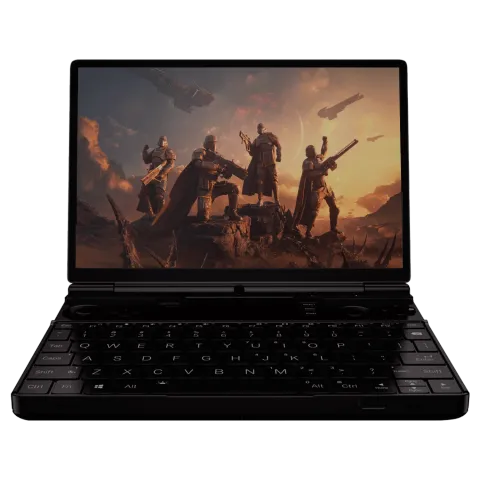
The 2024 GPD Pocket 4 in black puts Windows 11 Pro, Ryzen AI and real ports in an 8.8-inch mini PC, for people who need a real PC wherever they go.
USB-A, two HDMI ports and Windows 11 Pro let you work straight from the rack without a bag of adapters.
A 2.5K touchscreen, Wi-Fi 6E and a 45 Wh battery keep you productive on trains, in hotels and in cafés.
Up to 64 GB of LPDDR5X and two USB4 ports turn the small PC into a docked workstation at home.
Full specifications for every GPD Pocket 4 configuration are listed below.
1. [^1] Rated battery life of up to 10 hours. Real runtime depends on the configuration, screen brightness, refresh rate and workload.
2. [^2] 100W PD fast charging as listed by GPD for all GPD Pocket 4 variants, from our product research.
3. [^3] External GPU support over USB4 is reported in GPD Pocket 4 reviews. The external GPU is sold separately.
SKU: GPD-POCKET-4-AI-9-HX-370-32GB_RAM-2TB_ROMCategories: Laptops, Tablet Laptop, Gaming Laptops, Mini Laptops & Ultrabooks, YOGA Laptops
Yes: the GPD Pocket 4 outputs to external displays over HDMI 2.1, HDMI 2.0 and its two USB4 Type-C ports. Its AMD graphics also support DisplayPort 2.1.
You can choose the AMD Ryzen 7 8840U, the Ryzen AI 9 HX 365 or the Ryzen AI 9 HX 370. The platform turbos up to 5.1 GHz and includes AMD Ryzen AI.
Up to 64 GB of LPDDR5X memory and up to 4 TB of storage. The 8840U comes with 16 GB, the HX 365 with 32 GB, and the HX 370 with 32 GB or 64 GB, with 1 TB, 2 TB or 4 TB of storage depending on the configuration.
It uses an NVMe PCIe Gen 4.0 SSD. That gives quick boots, fast app launches and short load times for large files.
Yes: it has Wi-Fi 6E and Bluetooth 5.3. Wi-Fi 6E adds the 6 GHz band where your router supports it.
Yes: the GPD Pocket 4 has a fingerprint sensor for login. You sign in to Windows with a touch instead of a password.
Its integrated AMD graphics support DirectX 12, OpenGL 4.6 and OpenCL 2.1. They also support AMD FreeSync, SmartShift MAX and SmartAccess Memory.
Yes: it has a backlit 66-key chiclet keyboard with a QWERTY layout. The backlight helps when you type in dim rooms or on night trains.
Reviews, guides and news about the GPD Pocket 4 8.8" Ryzen AI 9 Mini Laptop from the GPD Store Blog.
All 6 articles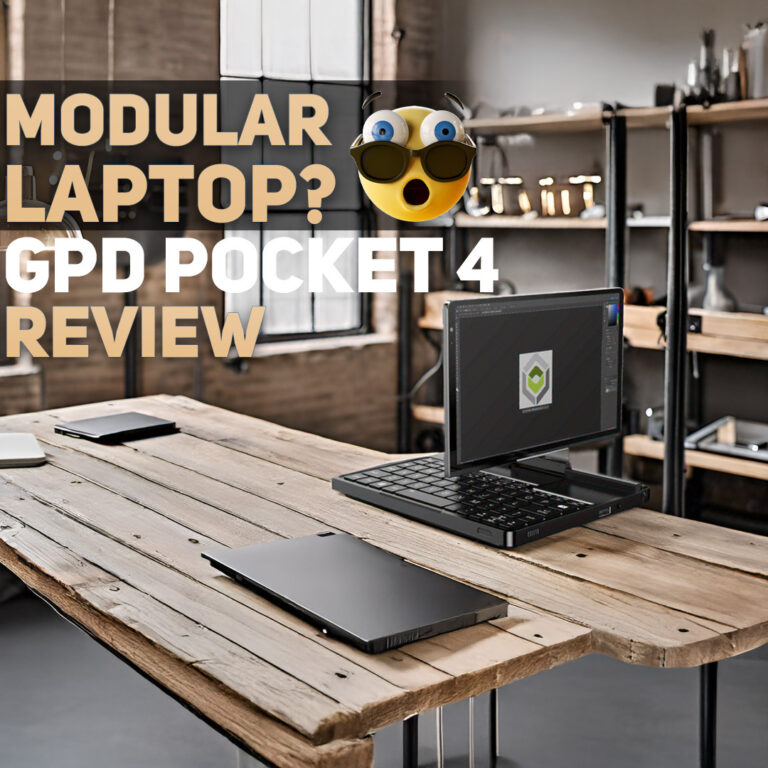 December 5, 2024GPD Pocket 4 Review: The Ultimate Ultra-Portable NotebookLearn more in our GPD Pocket 4 review about the new AMD Ryzen 9 CPU, 144Hz display, new modular port and modules.
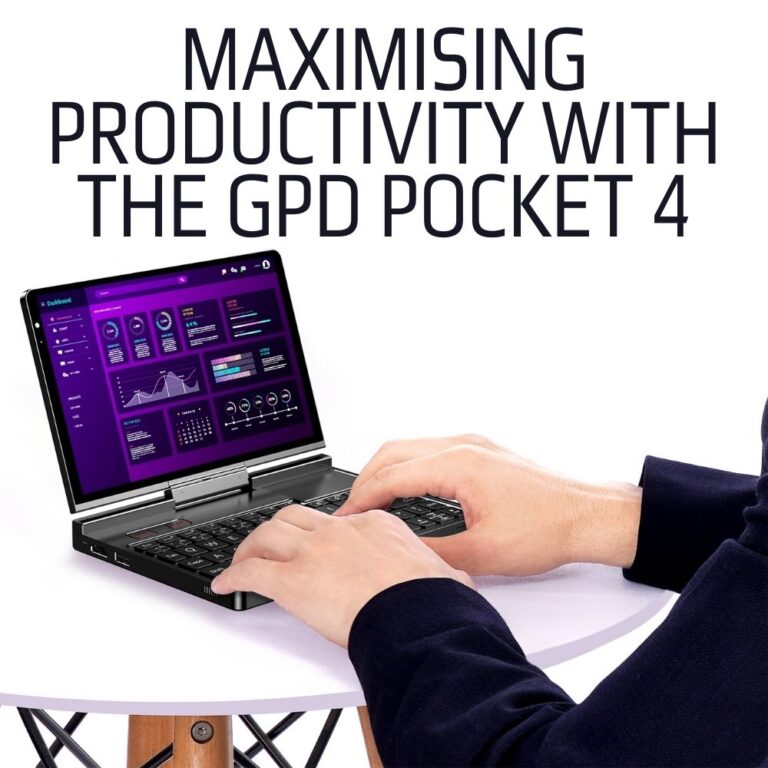 November 1, 2024Maximizing Productivity on the Go: How the GPD Pocket 4 Fits into Your Workflow.How the GPD Pocket 4 2-in-1 GPD mini laptop can be seamlessly integrated into your daily tasks and workflow.
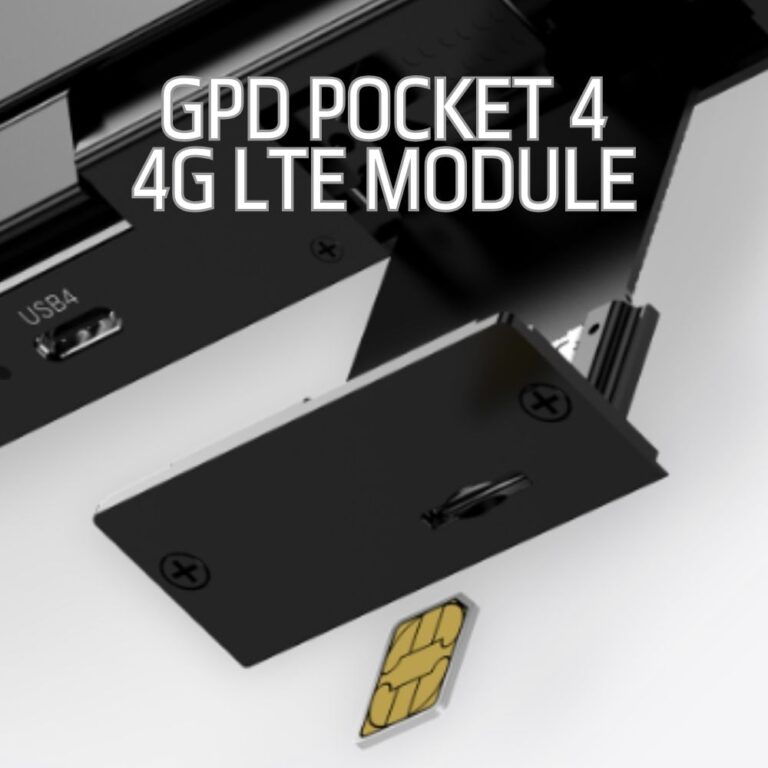 November 1, 2024Staying Connected Anywhere: GPD Pocket 4 4G LTE Module and Network Flexibility.In this article, we’ll explore how the GPD Pocket 4 4G LTE module to stay online anywhere.
Step-by-step guides for the GPD Pocket 4 8.8" Ryzen AI 9 Mini Laptop from the GPD Store Knowledge Base.
All 8 guidesFirmware, drivers and tools for the GPD Pocket 4 8.8" Ryzen AI 9 Mini Laptop, checked by GPD Store before we publish them.
Spread the cost of your $1,307.95 order interest-free or over longer terms. Choose a provider at checkout — checking your options won’t affect your credit score.

$109.00/mo for 12 months
12–24 months · interest-free and interest-bearing terms

$435.98/mo for 3 months
3–18 months · interest-free and interest-bearing terms · Min. spend $50.00

4 payments of $326.99
0% interest · spread over 6 weeks, paid fortnightly

Flexible financing available
Eligibility and terms are confirmed at checkout
18+, T&Cs apply. Credit subject to status & affordability checks. DROIX Ltd acts as a credit broker, not a lender, and offers finance from a panel of lenders. Choose your provider at checkout.
GPD
In Stock
$2253.95 - $3088.95
GPD
In Stock
$726.95 - $1294.95
GPD
In Stock
$831.95 - $1218.95
GPD
In Stock
$1493.95 - $2272.95