

Darba sākšana ar GPD G1 eGPU dokstaciju
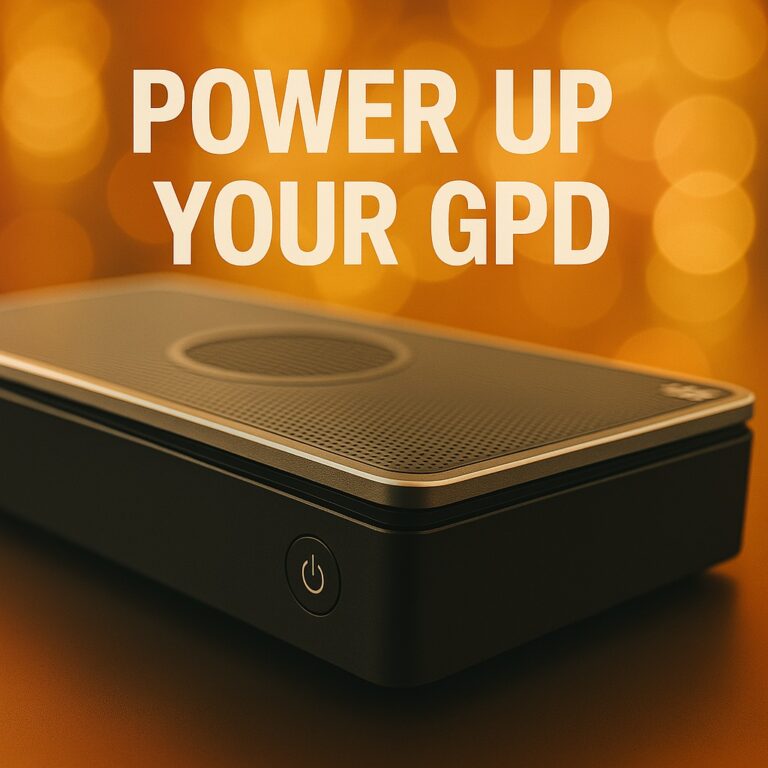
Apsveicam ar GPD G1 eGPU dokstacijas iegādi! G1 papildina plašas savienojamības iespējas jūsu portatīvajam vai mini datoram, tostarp trīs USB-3 porti, SD karšu lasītājs, divi HDMI porti un DisplayPort. Ar iespēju pieslēgties, izmantojot OCuLink vai USB 4.0, jūs varat pārveidot savu saderīgo ierīci par augstas veiktspējas spēļu datoru. Šī GPD G1 eGPU dokstacijas lietošanas uzsākšana palīdzēs jums iestatīt, izmantot un novērst problēmas.
Ja jums nepieciešama papildu palīdzība vai nevarat atrast meklēto informāciju, sazinieties ar mūsu klientu apkalpošanas dienestu. Mēs esam gatavi palīdzēt!
GPD G1 eGPU dokstacijas iestatīšana
GPD G1 eGPU dokstacijas uzstādīšana ir ātra un vienkārša. Jūs varat pievienot perifērijas ierīces, piemēram, USB peli, tastatūru vai USB atmiņas ierīci, izmantojot trīs pieejamos USB pieslēgvietas. Displejam varat pievienot vienu vai vairākus monitorus, izmantojot divas HDMI pieslēgvietas vai DisplayPort portu. Ja jūsu displejs atbalsta DisplayPort, mēs iesakām to izmantot, lai iegūtu vislabāko pieredzi, lai gan HDMI darbosies tikpat labi.
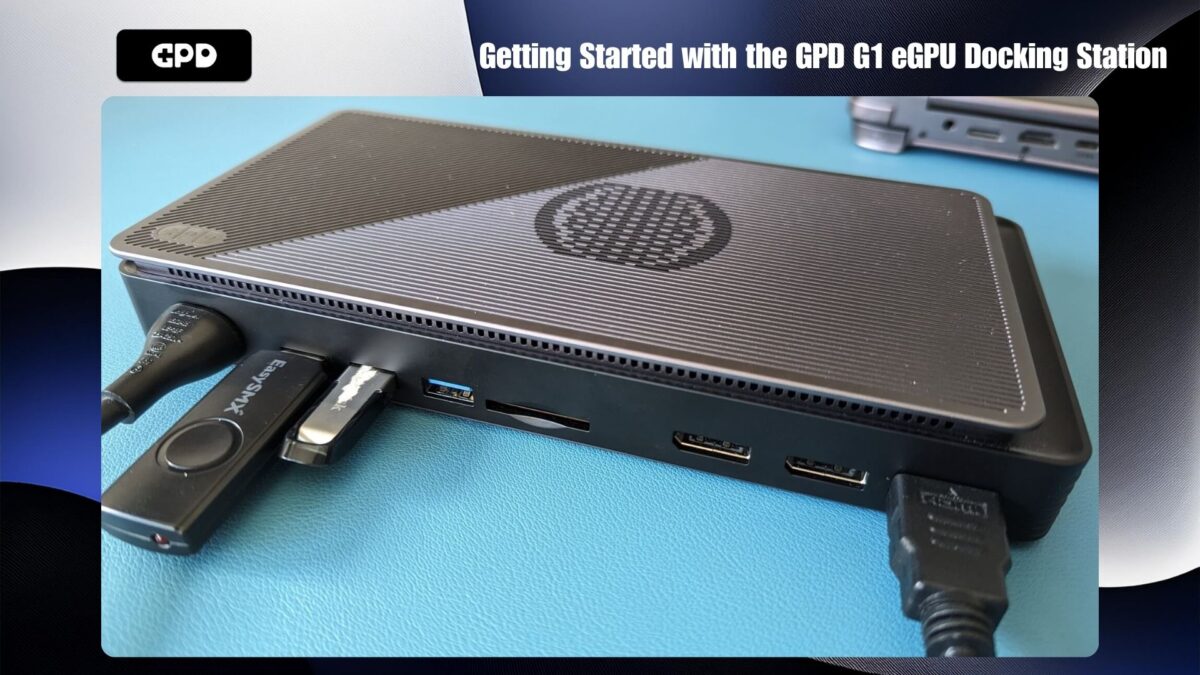
Dažām ierīcēm, piemēram, GPD WIN MAX 2 2024 un GPD WIN 4 2024, ir pieejams OCuLink ports. Ja jums ir kāda no šīm jaunākajām ierīcēm, varat izmantot lielāku datu pārsūtīšanas ātrumu. Pretējā gadījumā varat izveidot savienojumu, izmantojot USB 4.0, ko atbalsta citas ierīces, tostarp AYANEO sērija, vecāki GPD modeļi, ONEXPLAYER un AOKZOE rokas ierīces.
Savienošanās ar OCuLink
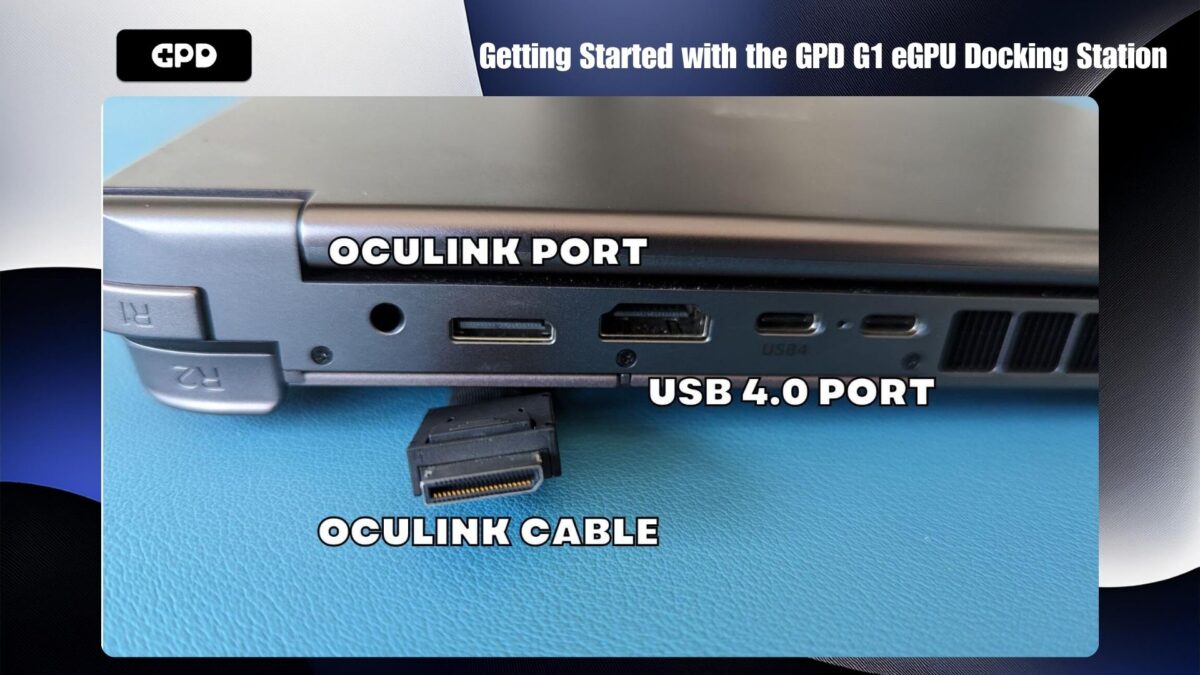
Ja izmantojat OCuLink savienojumu, neaizmirstiet pievienot gan OCuLink kabeli, gan USB 4 kabeli, ja vēlaties izmantot dokstacijas porti. USB savienojums ir nepieciešams USB perifērijas ierīcēm, SD karšu lasītājam un video izejām. Pirms OCuLink un/vai USB 4.0 kabeļu pievienošanas pārliecinieties, ka gan GPD G1, gan jūsu ierīce ir izslēgta.
Savienošana bez OCuLink
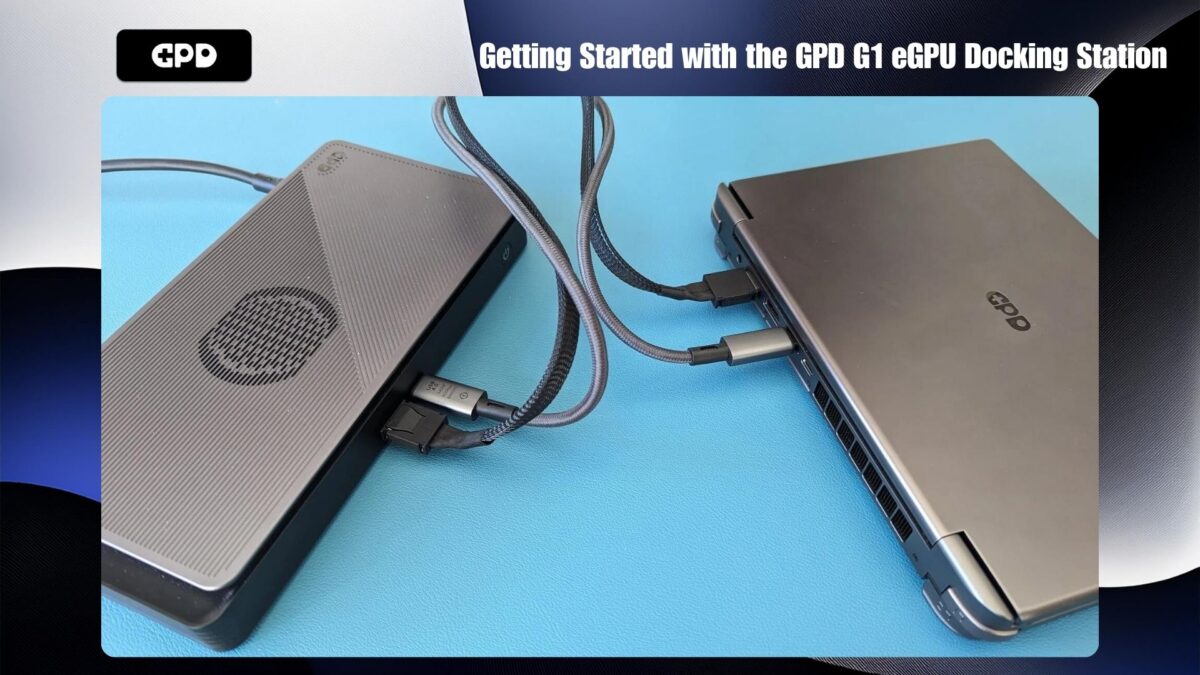
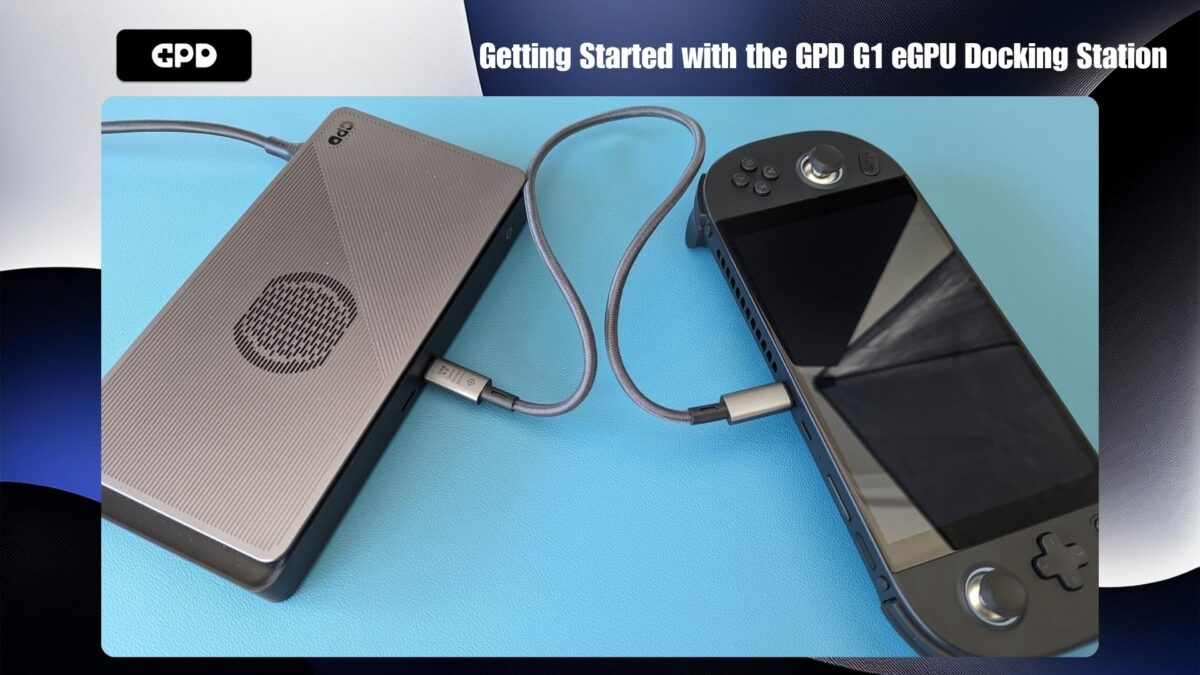
Ja jūsu ierīcei nav OCuLink pieslēgvietas, vienkārši pievienojiet USB 4 kabeli starp GPD G1 un ierīci. Pārliecinieties, vai jūsu ierīce atbalsta USB 4.0 portu, jo daži porti var nebūt saderīgi.
Ieslēgšana
Kad visi savienojumi ir uzstādīti, vispirms ieslēdziet GPD G1 eGPU dokstaciju. Pagaidiet dažas sekundes un pēc tam ieslēdziet ierīci. Pēc neilga brīža jūsu ierīcē tiks ielādēta operētājsistēma Windows, un jūs būsiet gatavs izbaudīt GPD G1 uzlabotu veiktspēju!
AMD grafikas draiveru atjaunināšana un instalēšana
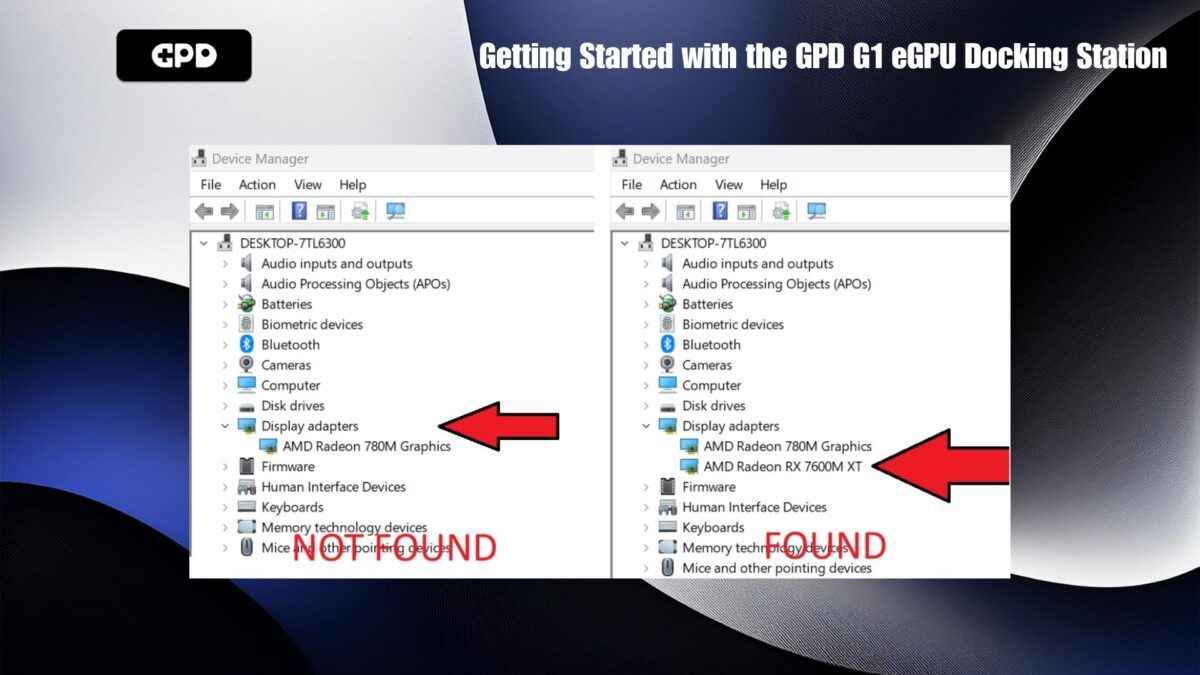
Ja grafikas draiveri jau ir atjaunināti, GPD G1 var automātiski iestatīt un instalēt nepieciešamos draiverus. Lai to apstiprinātu, dodieties uz Windows Device Manager (Ierīču pārvaldnieks) > Display Devices (Displeja ierīces). Ja redzat AMD Radeon RX 7600M XT sarakstā, draiveri ir veiksmīgi instalēti.
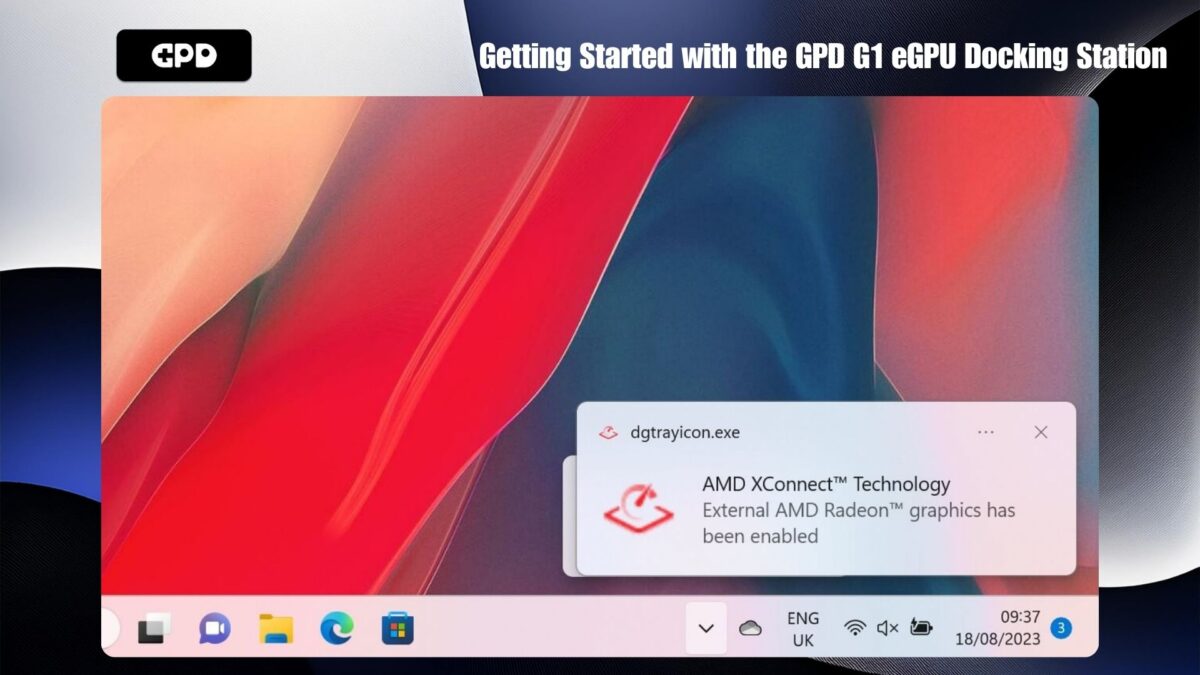
Ja ierīce ir savienota tikai ar USB 4, ir jāsaņem arī paziņojums, kas norāda, ka ir iespējota AMD XConnect tehnoloģija. Šis paziņojums netiks parādīts, ja tiek izmantots OCuLink.
Problēmu novēršana un draiveru atjaunināšana
Ja eGPU netiek atpazīts vai vēlaties atjaunināt draiverus līdz jaunākajiem, sekojiet mūsu soli pa solim sniegtajai rokasgrāmatai šeit: Kā atinstalēt un instalēt AMD grafikas draiverus.
Pēc draiveru atjaunināšanas vai instalēšanas izslēdziet ierīci un pēc tam izslēdziet GPD G1. Pagaidiet dažus mirkļus, vispirms ieslēdziet GPD G1 un pēc tam ieslēdziet ierīci.
Uzstādīšanas verifikācija
Pēc tam, kad operētājsistēma Windows atkal ir startējusi, pārbaudiet, vai AMD Radeon RX 7600M XT parādās sadaļā Windows Device Manager > Display Devices. Ja tā nav redzama, izslēdziet GPD G1, pagaidiet desmit sekundes un pēc tam to atkal ieslēdziet. Tagad AMD Radeon RX 7600M XT vajadzētu būt redzamai sadaļā Displeja ierīces.
GPD G1 BIOS atjaunināšana (pēc izvēles)
Ja nepieciešams atjaunināt GPD G1 BIOS, process ir vienkāršs un saprotams. Jūs varat sekot mūsu speciāli G1 BIOS atjaunināšanas ceļvedim.
GPD G1 eGPU problēmu novēršana
Kāpēc spēles darbojas lēnāk, nekā gaidīts?
Ja spēles darbojas lēnāk, nekā gaidīts, problēmu var izraisīt vairāki faktori. Šeit ir daži soļi, ko varat veikt, lai novērstu problēmas:
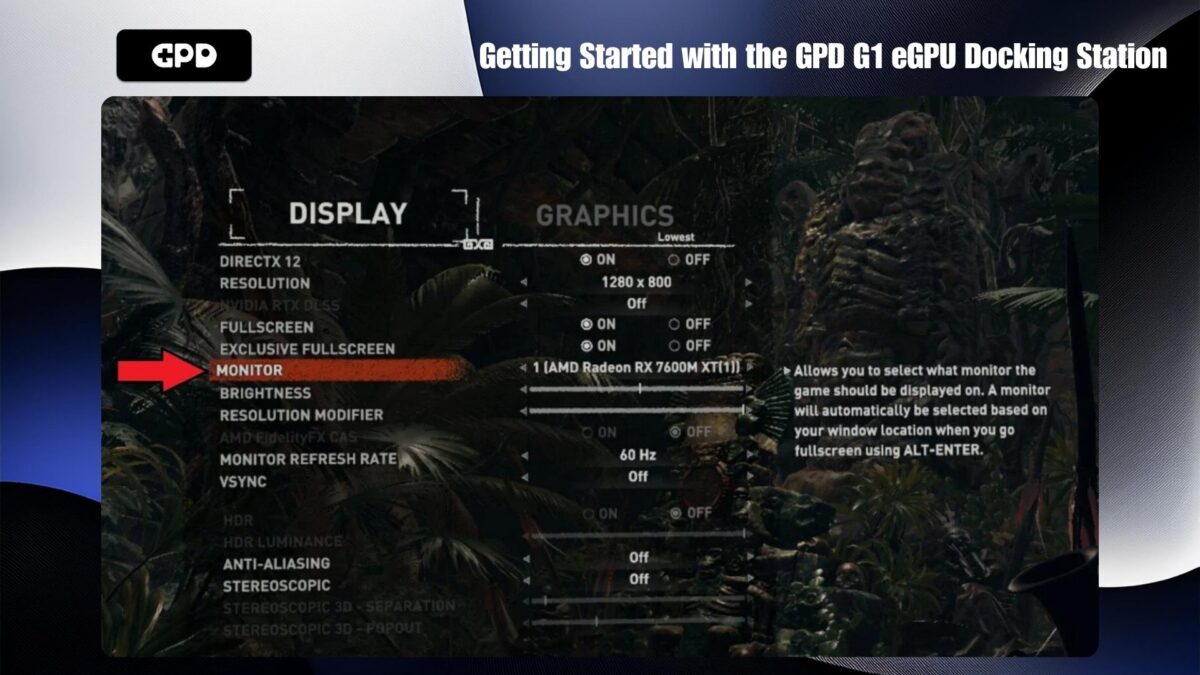
Pārliecinieties, vai spēlē tiek izmantots pareizais GPU: Pārbaudiet, vai spēlē tiek izmantots AMD Radeon RX 7600M XT eGPU, nevis ierīces iekšējā grafika, piemēram, AMD Radeon 780M. Pārbaudiet spēles video vai displeja iestatījumus, lai pārliecinātos, vai ir iespēja izvēlēties GPU. Šis iestatījums var būt norādīts zem tādiem nosaukumiem kā “GPU” vai “Monitor”.
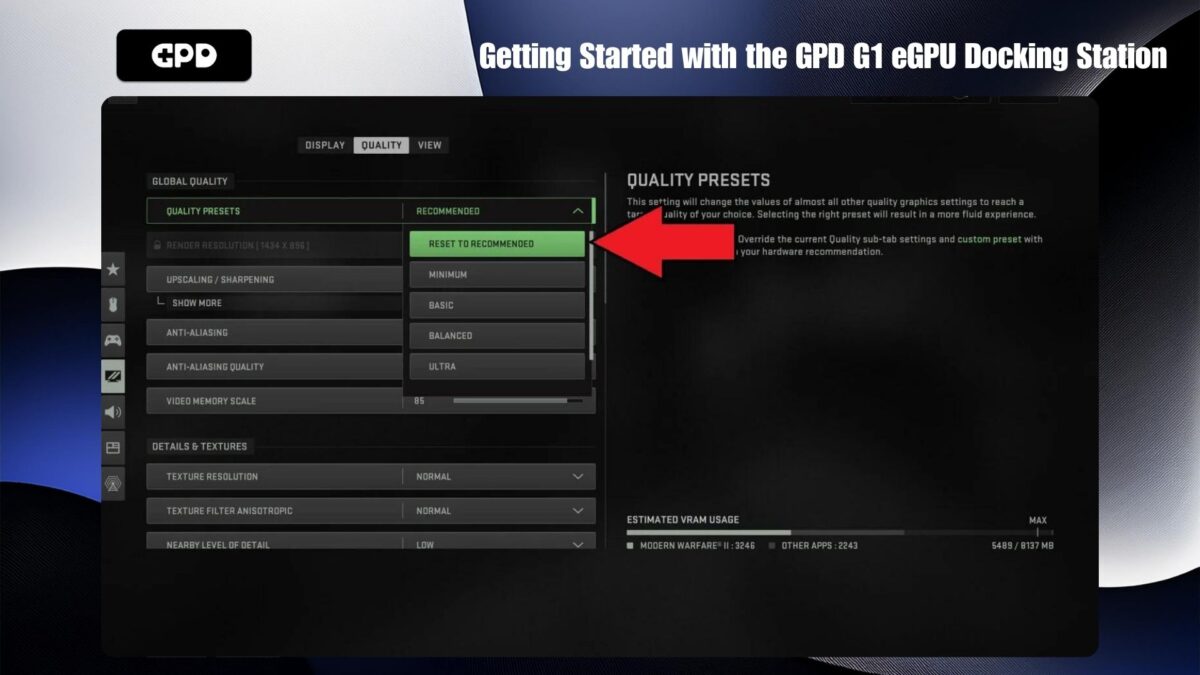
Pielāgojiet spēles video iestatījumus: Ja video iestatījumi ir pārāk augsti, spēle var nedarboties, kā paredzēts. Daudzās spēlēs ir pieejami ieteicamie iestatījumi, kas automātiski optimizē grafiku, pamatojoties uz jūsu aparatūru. Ja problēmas saglabājas, mēģiniet samazināt ekrāna izšķirtspēju līdz 1440P, 1080P vai pat 720P. Vai arī sāciet ar zemākiem noklusējuma grafikas iestatījumiem un pakāpeniski palieliniet tos, līdz veiktspēja sāk pasliktināties. Pēc tam atgriezieties pie iepriekšējā stabila iestatījuma.
Iekšējā displeja apsvērumi: eGPU efektivitāti var samazināt. Tas ir tāpēc, ka dati no rokas ierīces jānogādā uz GPD G1 un atpakaļ, tādējādi patērējot divreiz lielāku joslas platumu, izmantojot USB 4 kabeli. Lai uzlabotu veiktspēju, ja iespējams, ieteicams izmantot ārējo displeju, jo tas prasa mazāku joslas platumu un palielina efektivitāti.
AMD Radeon RX 7600M XT nav atrasts
Ja jūsu ierīce neatrod AMD Radeon RX 7600M XT, izpildiet šos soļus:
Ierīču savietojamības nodrošināšana: Pārliecinieties, vai jūsu ierīce atbalsta OCuLink vai USB 4.0. Pārbaudiet, vai visi kabeļi abos galos ir droši ievietoti pareizajās pieslēgvietās.
Izmantojot USB 4: Ja jūsu ierīcē nav OCuLink pieslēgvietas, pārliecinieties, ka pieslēdzaties USB 4 pieslēgvietai. Ja jūsu ierīcei ir vairāki C tipa porti, skatiet lietošanas pamācību, lai noteiktu pareizo USB 4.0 portu.
GPD G1 barošanas cikls: mēģiniet izslēgt GPD G1, pagaidiet dažus mirkļus un pēc tam to atkal ieslēdziet. Operētājsistēmai Windows vajadzētu atpazīt ierīci, un var atskanēt noklusējuma USB savienojuma skaņa. Ja ierīce ir pieslēgta, izmantojot USB 4, vajadzētu saņemt arī paziņojumu, ka ir iespējota AMD XConnect tehnoloģija.
Pārinstalējiet draiverus: Dažreiz var rasties konflikti starp jaunākām un vecākām draiveru versijām. Mēģiniet atkārtoti instalēt draiverus, izpildot iepriekš minētajā rokasgrāmatā aprakstītās darbības, lai pilnībā atinstalētu un atkārtoti instalētu jaunos draiverus.
GPD G1 savienojamības problēmu risināšana
Lai izmantotu GPD G1 papildu porti, ir jāpievieno USB kabelis, jo OCuLink kabelis pārsūta datus tikai GPU. GPD G1 ir pievienots USB 4.0 kabelis, un ieteicams izmantot tieši šo kabeli. Citi kabeļi var būt USB 3.0 vai vienkārši uzlādes kabeļi, kas nenodrošinās nepieciešamo funkcionalitāti.
Kur iegādāties OCuLink un USB 4.0 kabeļus
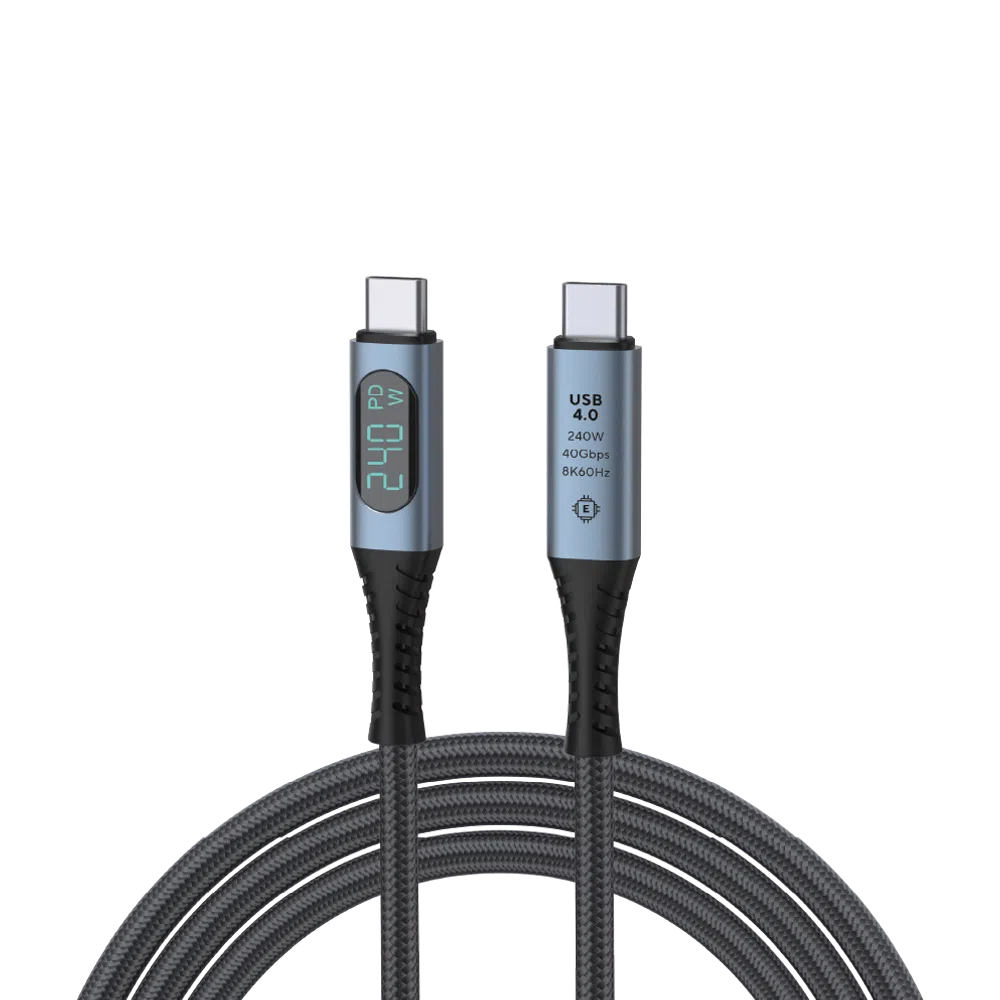
USB 4.0 Type-C Cable
- 40Gbps Data Transfer Speed
- Thunderbolt 3 & 4
- Up to 240W Power Delivery
- Supports up to 8K @ 60Hz Video Output
- Built-In Wattage Display
Elastīgas un drošas maksājumu iespējas
We use the latest technology in Payment Processing, which allows you to checkout via your Debit/Credit Card, or PayPal for a fast and secure experience.
2 gadu garantija visiem GPD produktiem
2 Years Warranty from DROIX Global for your peace of mind
QUALITY ASSURANCE & PRE-DISPATCH TESTING
Ensuring Customer Satisfaction at the Highest Standard: Every device undergoes rigorous testing and a multi-point quality assurance check before it is shipped. Our dedicated team verifies performance, functionality, and component integrity to guarantee your GPD device is in perfect working order upon arrival, providing you with confidence and peace of mind.
Cenas, nodokļi un piegāde
Note:
- United States Customers: The displayed price does NOT include TAX nor duties. Liability to clear customs and pay any associated tax/duties lies on the customer.
- EU Customers: The displayed price includes applicable TAX, which may be up to 25% depending on your country.
- Canada Customers: The displayed price includes applicable taxes, which may include 5% GST and additional Provincial Sales Taxes (PST), Harmonized Sales Tax (HST), or Quebec Sales Tax (QST), depending on your province.
For Our USA Customers: Orders are dispatched DAP (Delivered At Place). While customers are responsible for payment of any applicable tariffs, we draw on our extensive experience shipping from the UK to ensure you pay the least possible charge. Based on our records, these charges typically do not exceed 10% of the item value.
For EU Customers ONLY: Express DDP (Delivered Duty Paid). This means:
- All customs duties and taxes are included in the price displayed on the product page.
- You will not need to pay any additional charges upon delivery.
- In the rare event of customs-related issues, our team will handle the customs clearance process on your behalf to ensure a smooth delivery experience.
- If you decide to return your order or request a refund, please be aware that taxes and duties paid on your behalf under DDP terms cannot be refunded.
Important Information About Returns:
Please refer to our Terms & Conditions for detailed information.
Klientu atbalsts
Got a question? We’re a short text away from having your issue sorted!
Please refer to our Terms & Conditions for detailed information.
Kas iekļauts
- 1x USB 4.0 Type-C Cable
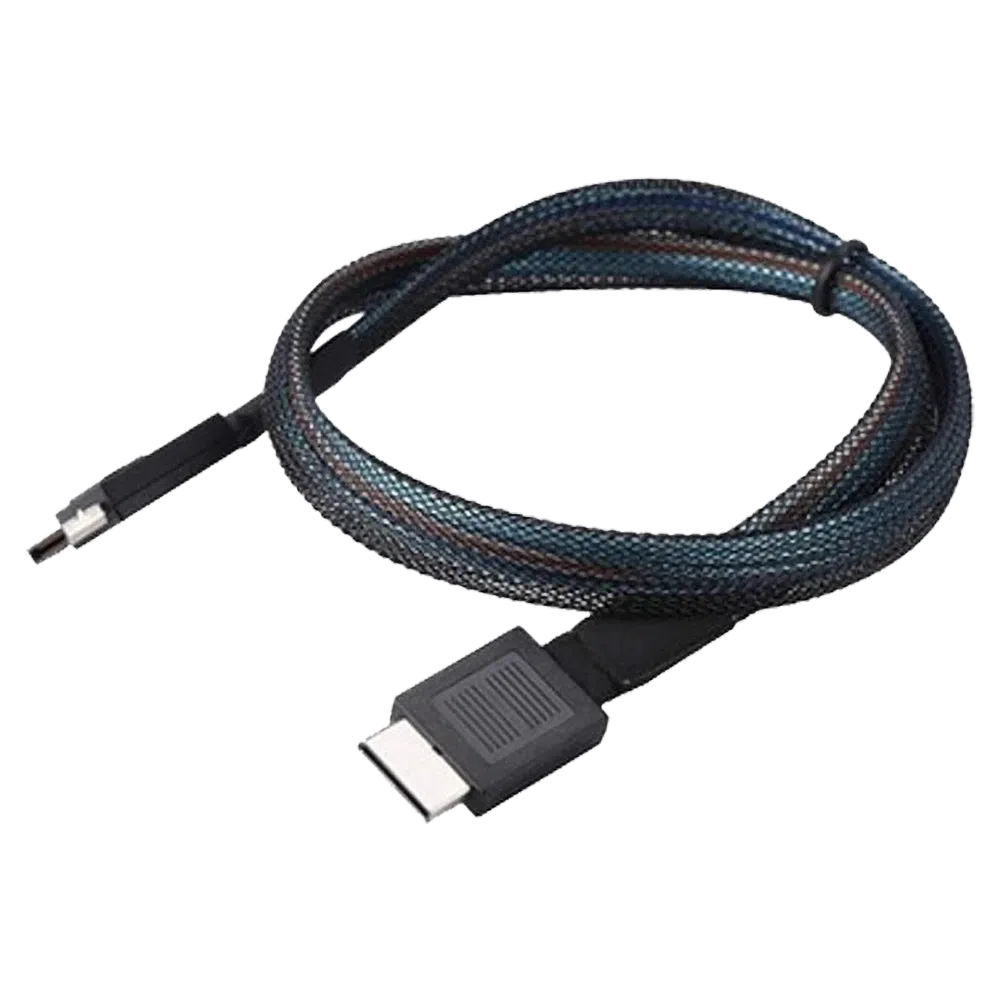
GPD OCuLink SFF8611 Cable
- Official GPD OCuLink Cable
- Compatible With GPD G1 eGPU
- Adapter For Devices Without OCuLink
- Support for PCIe Gen 4.0 & 5.0
- Speeds Up To 16GT/s & 32 GT/s Per Lane
Elastīgas un drošas maksājumu iespējas
We use the latest technology in Payment Processing, which allows you to checkout via your Debit/Credit Card, or PayPal for a fast and secure experience.
2 gadu garantija visiem GPD produktiem
2 Years Warranty from DROIX Global for your peace of mind
QUALITY ASSURANCE & PRE-DISPATCH TESTING
Ensuring Customer Satisfaction at the Highest Standard: Every device undergoes rigorous testing and a multi-point quality assurance check before it is shipped. Our dedicated team verifies performance, functionality, and component integrity to guarantee your GPD device is in perfect working order upon arrival, providing you with confidence and peace of mind.
Cenas, nodokļi un piegāde
Note:
- United States Customers: The displayed price does NOT include TAX nor duties. Liability to clear customs and pay any associated tax/duties lies on the customer.
- EU Customers: The displayed price includes applicable TAX, which may be up to 25% depending on your country.
- Canada Customers: The displayed price includes applicable taxes, which may include 5% GST and additional Provincial Sales Taxes (PST), Harmonized Sales Tax (HST), or Quebec Sales Tax (QST), depending on your province.
For Our USA Customers: Orders are dispatched DAP (Delivered At Place). While customers are responsible for payment of any applicable tariffs, we draw on our extensive experience shipping from the UK to ensure you pay the least possible charge. Based on our records, these charges typically do not exceed 10% of the item value.
For EU Customers ONLY: Express DDP (Delivered Duty Paid). This means:
- All customs duties and taxes are included in the price displayed on the product page.
- You will not need to pay any additional charges upon delivery.
- In the rare event of customs-related issues, our team will handle the customs clearance process on your behalf to ensure a smooth delivery experience.
- If you decide to return your order or request a refund, please be aware that taxes and duties paid on your behalf under DDP terms cannot be refunded.
Important Information About Returns:
Please refer to our Terms & Conditions for detailed information.
Klientu atbalsts
Got a question? We’re a short text away from having your issue sorted!
Please refer to our Terms & Conditions for detailed information.
Kas iekļauts
- 1x GPD OCuLink SFF8611 Cable
- 1x M.2 8612 Adapter Card
44,23 €
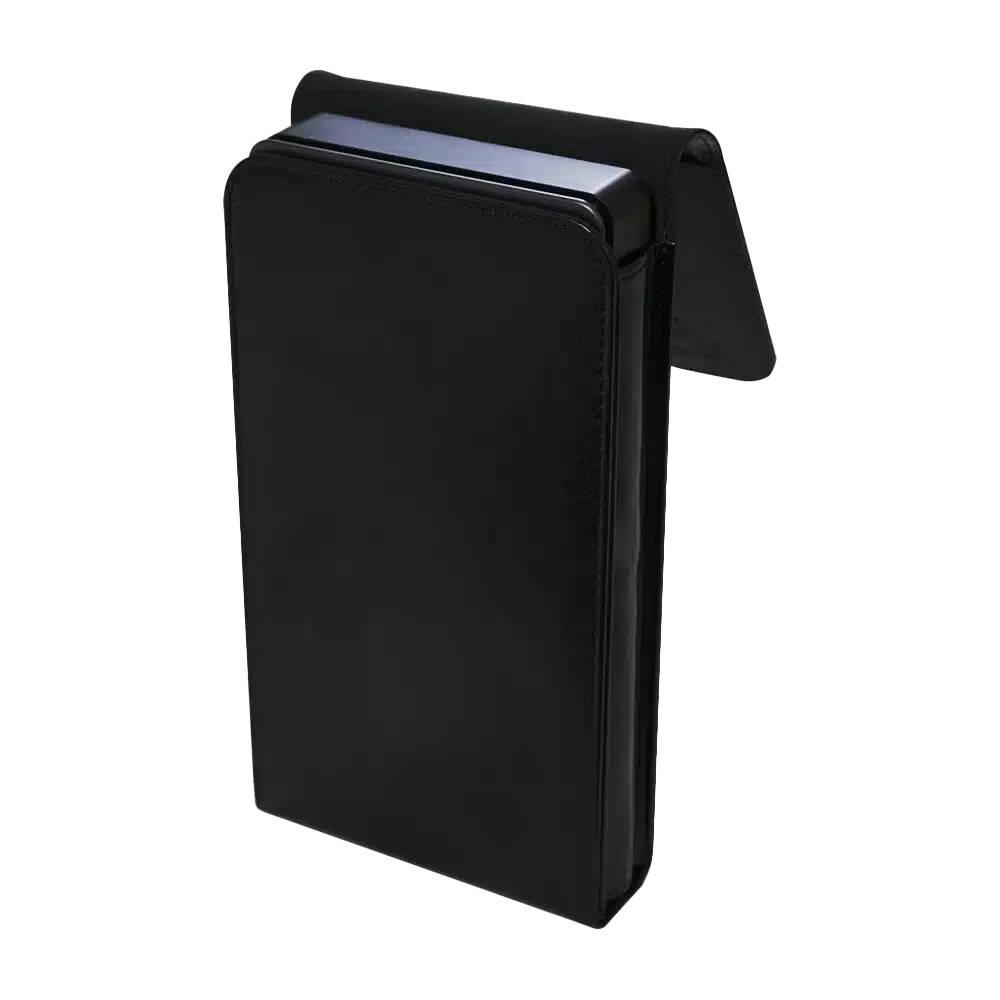
GPD G1 eGPU Docking Station – Protective Case
- Official GPD G1 eGPU Case
- Small Yet Secure
- Sleek & Stylish Design
- Soft Lined Interior
- Snug Fit For The GPD G1
Elastīgas un drošas maksājumu iespējas
We use the latest technology in Payment Processing, which allows you to checkout via your Debit/Credit Card, or PayPal for a fast and secure experience.
2 gadu garantija visiem GPD produktiem
2 Years Warranty from DROIX Global for your peace of mind
QUALITY ASSURANCE & PRE-DISPATCH TESTING
Ensuring Customer Satisfaction at the Highest Standard: Every device undergoes rigorous testing and a multi-point quality assurance check before it is shipped. Our dedicated team verifies performance, functionality, and component integrity to guarantee your GPD device is in perfect working order upon arrival, providing you with confidence and peace of mind.
Cenas, nodokļi un piegāde
Note:
- United States Customers: The displayed price does NOT include TAX nor duties. Liability to clear customs and pay any associated tax/duties lies on the customer.
- EU Customers: The displayed price includes applicable TAX, which may be up to 25% depending on your country.
- Canada Customers: The displayed price includes applicable taxes, which may include 5% GST and additional Provincial Sales Taxes (PST), Harmonized Sales Tax (HST), or Quebec Sales Tax (QST), depending on your province.
For Our USA Customers: Orders are dispatched DAP (Delivered At Place). While customers are responsible for payment of any applicable tariffs, we draw on our extensive experience shipping from the UK to ensure you pay the least possible charge. Based on our records, these charges typically do not exceed 10% of the item value.
For EU Customers ONLY: Express DDP (Delivered Duty Paid). This means:
- All customs duties and taxes are included in the price displayed on the product page.
- You will not need to pay any additional charges upon delivery.
- In the rare event of customs-related issues, our team will handle the customs clearance process on your behalf to ensure a smooth delivery experience.
- If you decide to return your order or request a refund, please be aware that taxes and duties paid on your behalf under DDP terms cannot be refunded.
Important Information About Returns:
Please refer to our Terms & Conditions for detailed information.
Klientu atbalsts
Got a question? We’re a short text away from having your issue sorted!
Please refer to our Terms & Conditions for detailed information.
Kas iekļauts
- 1x GPD G1 Case

Jautājumi par šo rokasgrāmatu
1 atbildētsRyzen Z1 Extreme搭載モデルへの対応を是非お願いします。

すでにそうなっていると思いますが、この CPU モデルでは AMD ドライバーが非常に問題になる場合があります。


