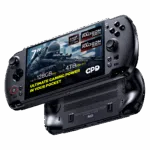
Cara mengganti Modul Joystick/Pemicu Kiri GPD WIN 5
Questions on this guide
1 answeredAll well and good showing us how to replace them, but what’s the point when you don’t offer us replacement parts?
I emailed you over 2 weeks ago asking you to provide replacements parts for me due to stick drift and you replied with “our parts are prioritised for production”. Meaning your primary concern is selling as much as possible and not supporting what you’ve already sold.

We would not have said “our parts are prioritised for production” and it is possible that you contacted GPD directly and received this answer from them. We are an official reseller for GPD, if you purchased your device from us at GPDSTORE and it is within the two year warranty, we can provide replacement parts. If you did purchase from GPDSTORE please email [email protected] with your order number and we will be able to send replacement parts or set up a return for repair which is covered within our warranty.