
GPD
GPD Pocket 4 8.8" Ryzen AI 9 Mini Laptop
In Stock
$1307.95 - $2223.95
$726.95
10+ in stock
 1080P
 500 Nit
 Wi-Fi 6
 Bluetooth 5.2
 Windows 11
 Multi Display Output
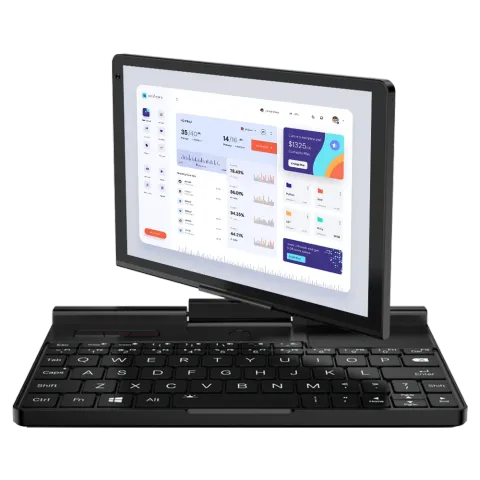
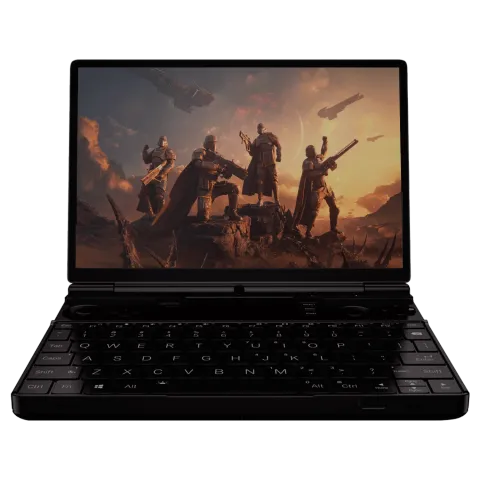
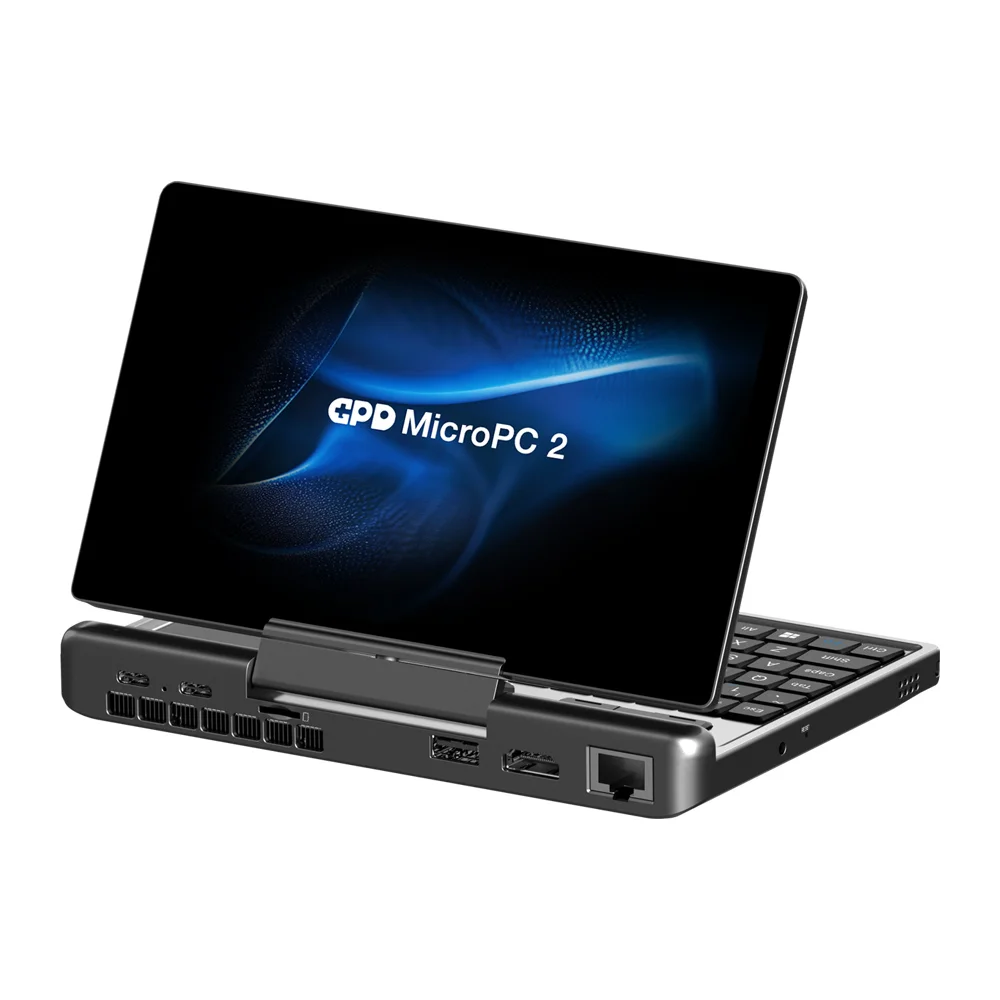
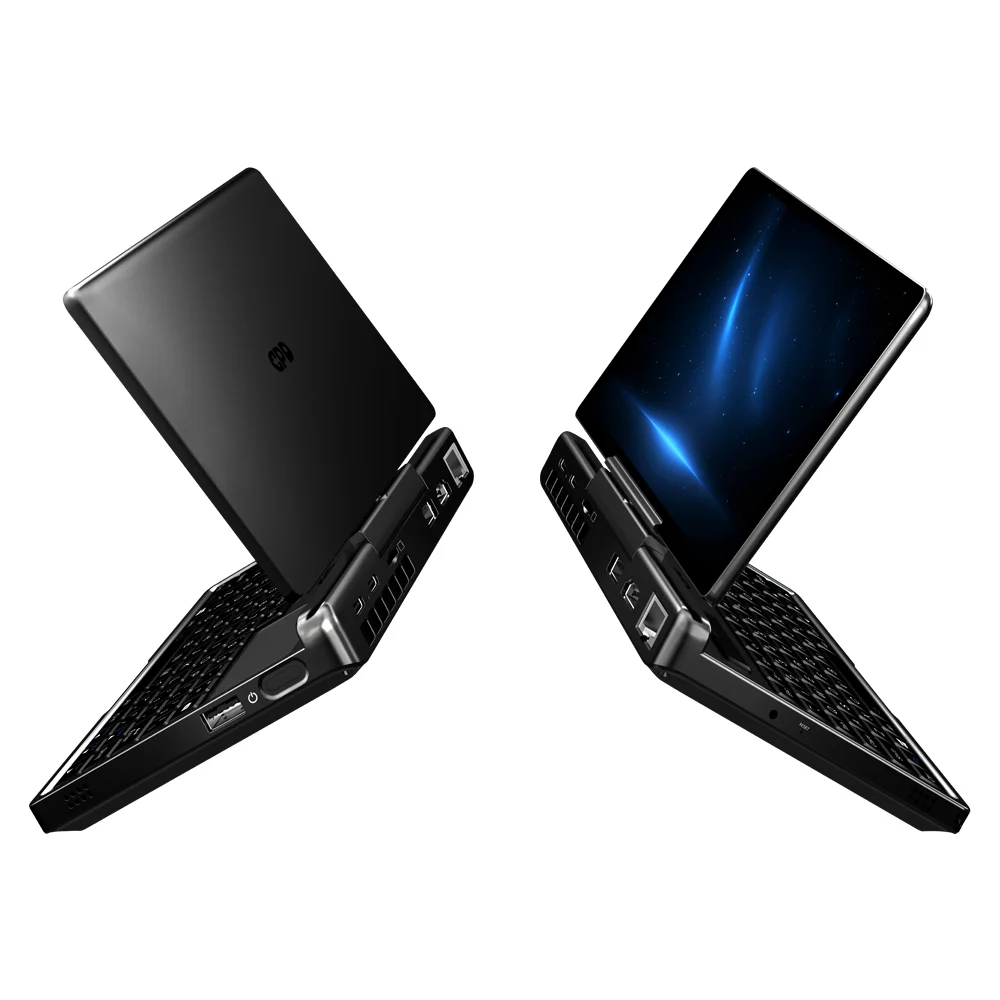
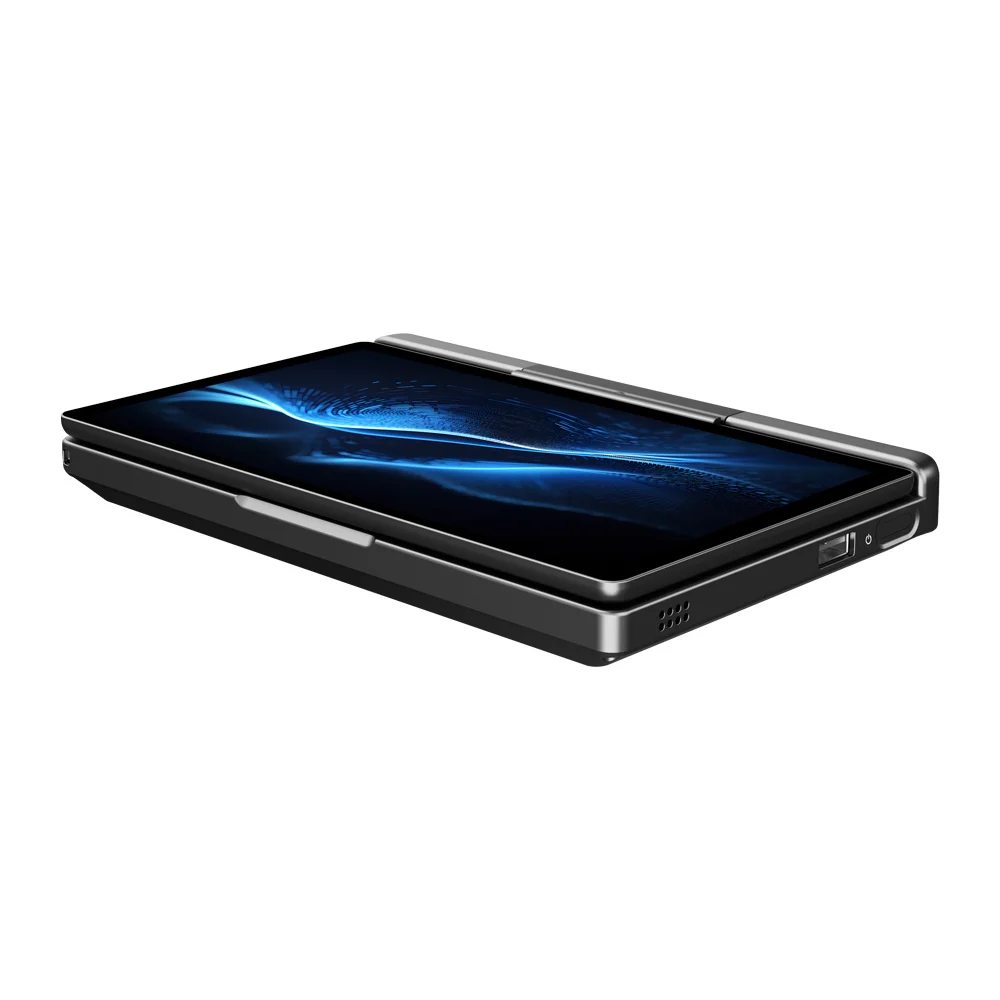
The MicroPC 2 from GPD is a 7-inch Windows 11 Home mini laptop that keeps the ports field work depends on: 2.5GbE RJ45, two USB-A, two USB-C with DisplayPort and Power Delivery, and HDMI 2.1. Its 1080p touchscreen swivels 180° into a tablet, 16 GB of LPDDR5 keeps your consoles open, and the whole unit weighs about 490 g.
Pocket Windows PC
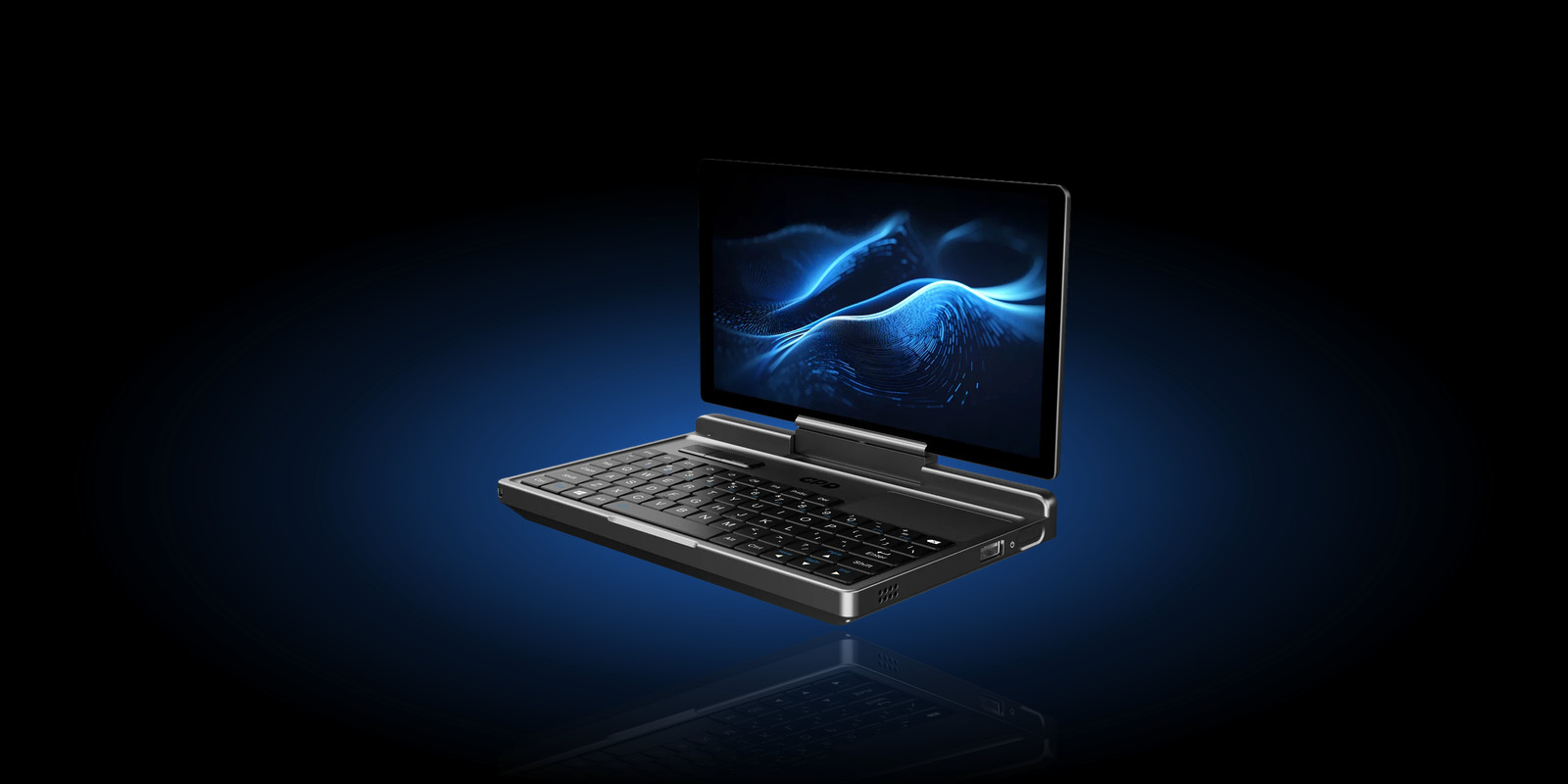
Full Windows 11 Home, 16 GB LPDDR5 and a 180° swivel touchscreen, in a body small enough for a jacket pocket.
Display
314ppi
1920×1080 on 7 inches keeps terminal text crisp.
Memory
16GB
4800 MT/s memory in every configuration.
Battery
27.5Wh
Up from 23.5 Wh, with bypass and threshold modes.
Hinge
180°
Turn the screen and fold it flat for tablet or handheld use.
Built for IT pros
The MicroPC 2 runs Windows 11 Home on an Intel processor and carries 2.5GbE RJ45, two USB-A, two USB-C and HDMI 2.1 in a 7-inch body. It is built for the jobs that happen beside a rack, not behind a desk.
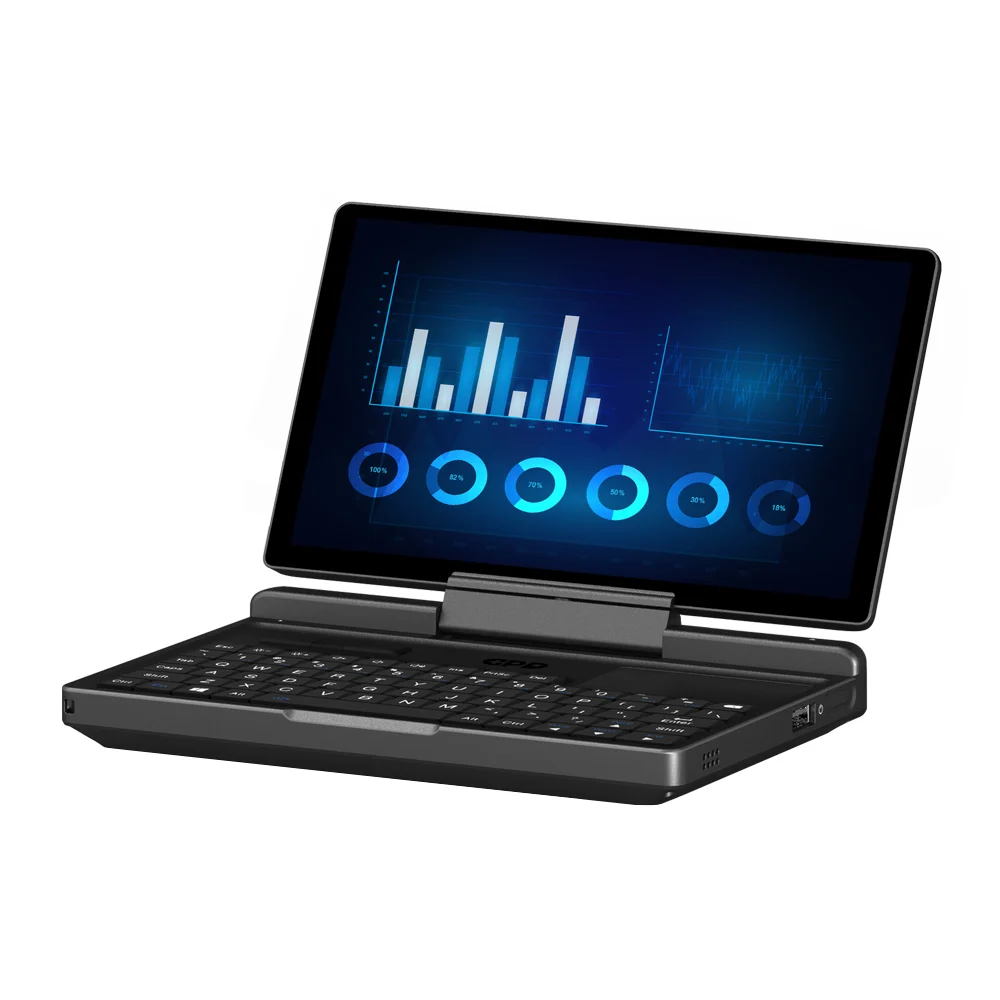
One with native wired ports, and the MicroPC 2 builds them in: an RJ45 jack, two USB-A ports and HDMI 2.1 beside two USB-C ports. Thin notebooks often route everything through USB-C, so a site visit means a pouch of adapters. As a sys-admin laptop, it removes the weakest link in a field kit: the dongle left in the van.
Because your admin tools run as they do on a desktop. The MicroPC 2 is an x86 machine with Windows 11 Home pre-installed, so terminal clients, vendor utilities and older installers work without an emulation layer. With 16 GB of LPDDR5, several consoles, a browser and a checklist stay open together.
Light, everyday workloads: admin consoles, remote sessions, documentation, browsing and office work. It is not intended for intensive workloads such as heavy video rendering or modern games. For configuring kit and reading logs on site, that trade buys you a body you can carry everywhere.
Patch cable in. Console open. No adapters, no detours. No adapters, no detours.
Port row
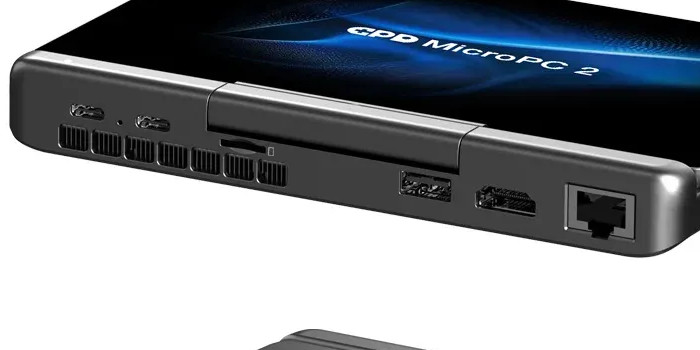
The GPD MicroPC 2 has a 2.5Gbps RJ45 port, two USB-A 3.2 Gen 2 ports, two USB-C ports with DisplayPort 1.4 and PD, HDMI 2.1, a UHS-I microSD reader and a 3.5 mm jack.
Two USB-A 3.2 Gen 2, HDMI 2.1 and 2.5GbE RJ45
Two USB-C 3.2 Gen 2 with DisplayPort 1.4 and Power Delivery
Seven connections plus a card reader: two USB-A, two USB-C, HDMI 2.1, 2.5GbE RJ45 and a 3.5 mm headphone and microphone jack, with a UHS-I microSD slot alongside. A USB-A console cable or flash drive needs no adapter, while USB-C handles newer docks, displays and chargers.
The RJ45 port runs at up to 2.5Gbps, and all four USB ports are USB 3.2 Gen 2 at 10Gbps. 2.5GbE is two and a half times the speed of gigabit Ethernet, so firmware images and packet captures move faster, and a fast external SSD runs at full speed on any USB port.
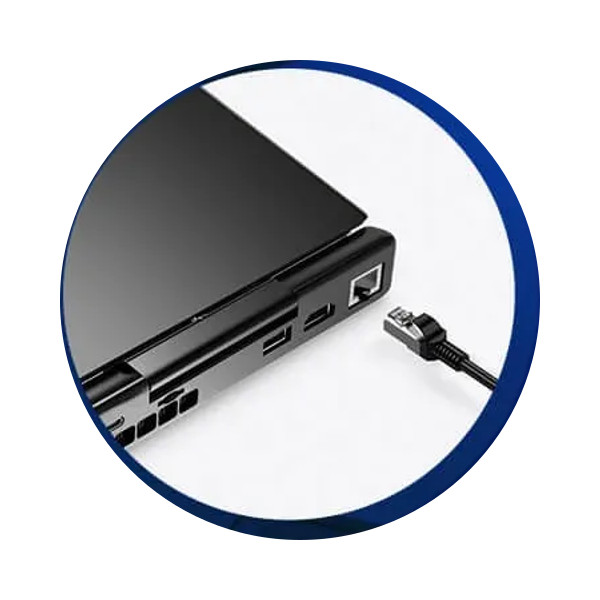
A standard patch cable clicks straight into the built-in jack for a wired link at up to 2.5Gbps.
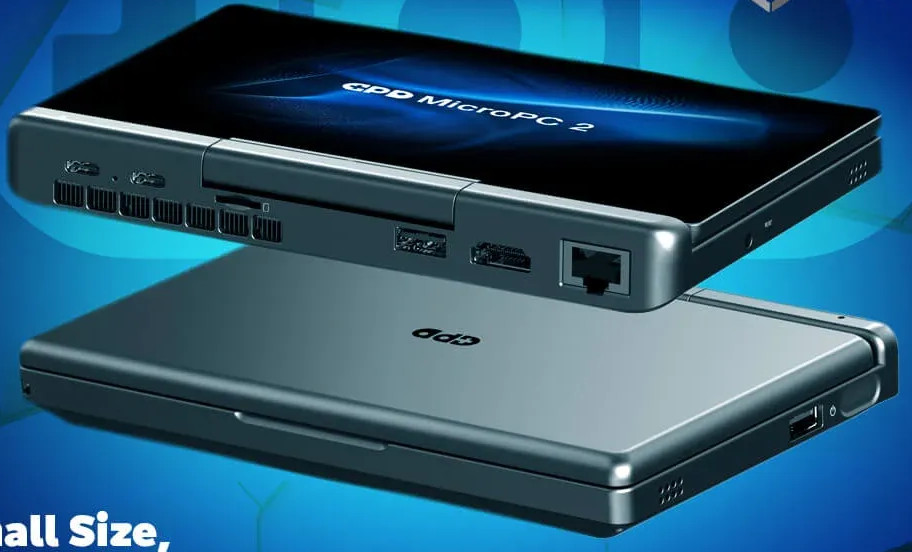
Two USB-C 3.2 Gen 2 ports carry data, DisplayPort 1.4 and Power Delivery, beside a UHS-I microSD reader.
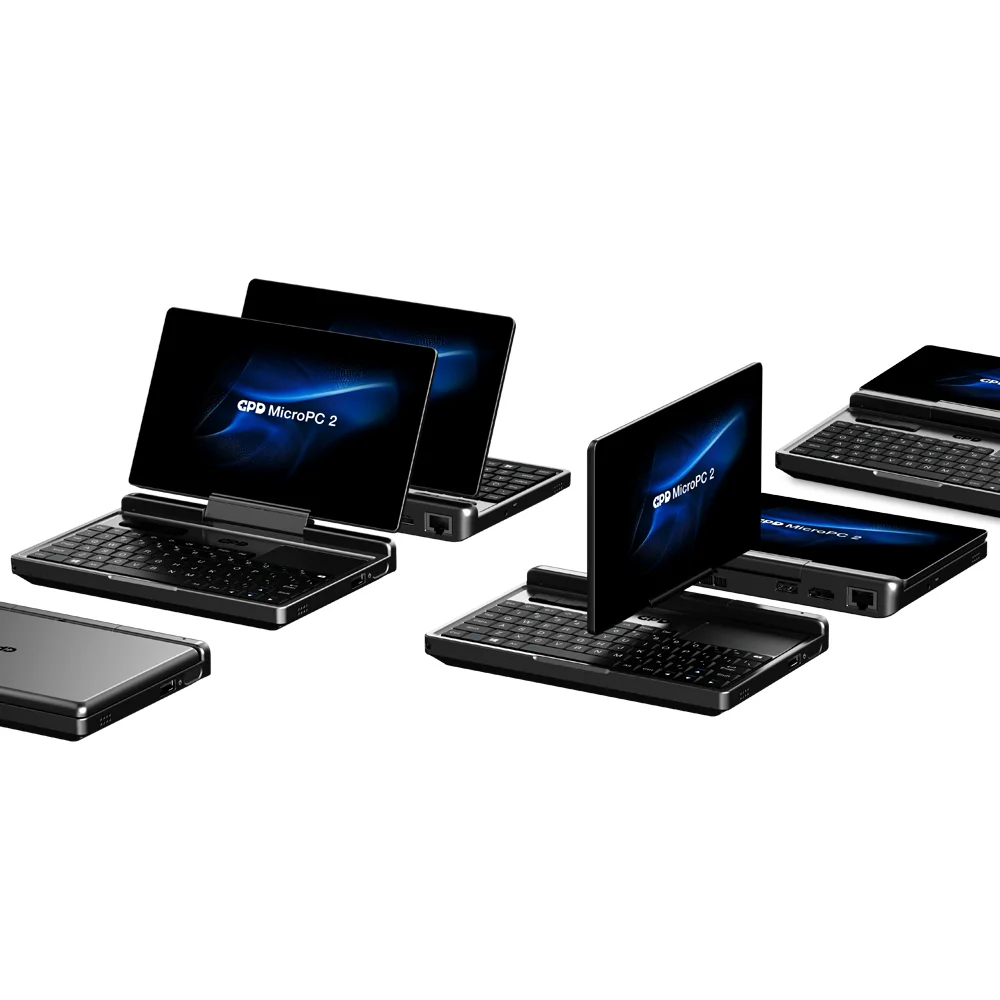
180° hinge
The MicroPC 2 has a 7-inch 1920×1080 touchscreen on a hinge that swivels 180°, so it folds flat for tablet or handheld use. Tap through settings or read a diagram while you stand at a cabinet.
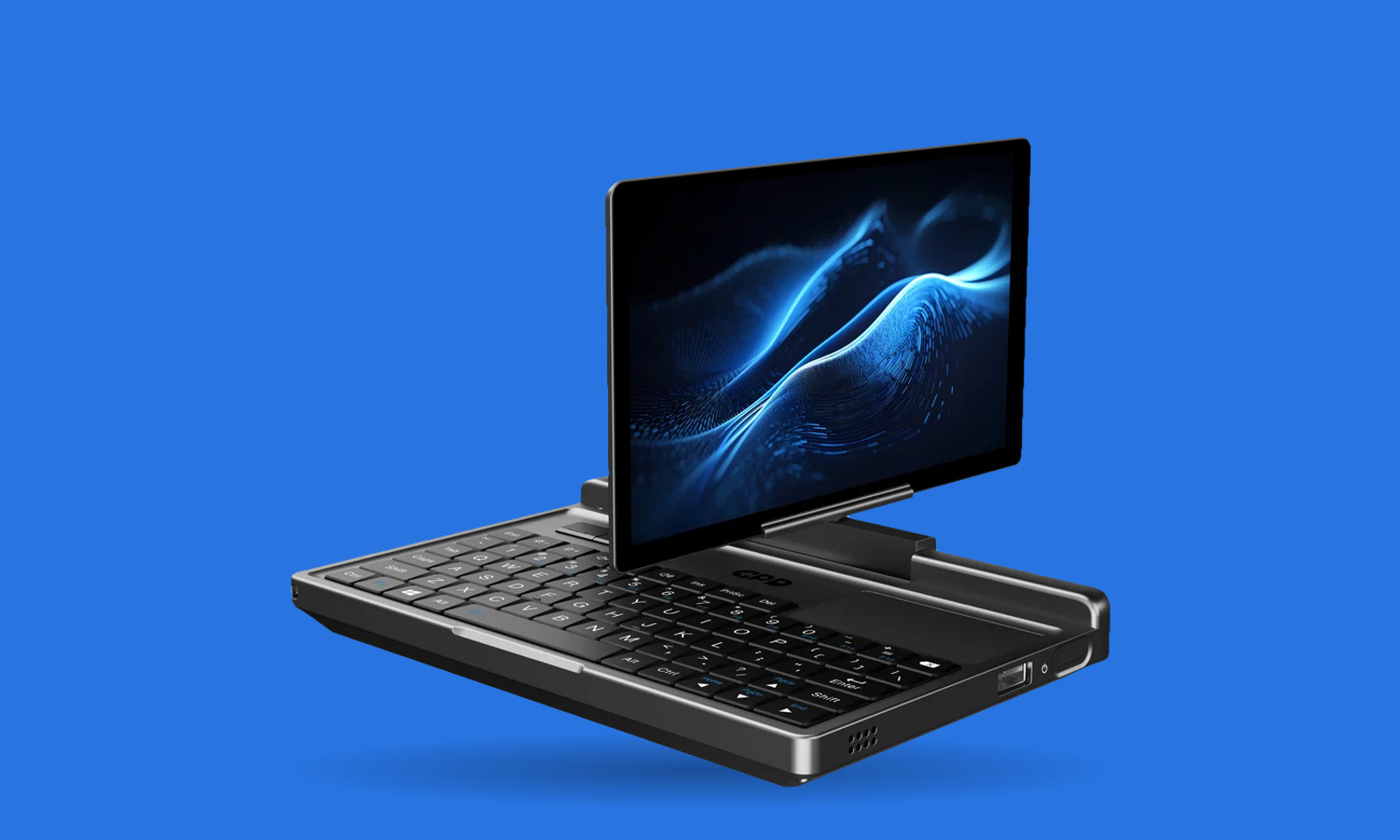
Turn the screen. Fold it flat. Work standing up. Work standing up.
LTPS display
The MicroPC 2 uses a 7-inch 1920×1080 LTPS touch panel with 314 ppi, 500 nits of brightness and Corning Gorilla Glass 4. Launch coverage also reports a 97% DCI-P3 color gamut.1
314ppi
Small terminal fonts stay crisp and readable
500nits
Clear under harsh overhead lighting in offices and plant rooms
7in
Full HD in a frame that fits a pocket
It keeps small text sharp. Fitting 1920×1080 pixels into 7 inches gives 314 pixels per inch, roughly double a 14-inch Full HD notebook, so terminal fonts and router menus stay legible with room for two windows. LTPS is a low-temperature polysilicon technology common in high-density phone screens.
It reaches 500 nits and sits behind Corning Gorilla Glass 4. The brightness keeps the image clear under ceiling lights, and the cover glass is designed to resist scratches from keys and tools in your bag. The 16:9 touch panel refreshes at 60Hz, which suits dashboards and remote desktops.
USB-C and HDMI 2.1
The two USB-C ports of the MicroPC 2 carry DisplayPort 1.4 and Power Delivery, and HDMI 2.1 adds a further display output. Back at your desk, the pocket unit drives larger screens.
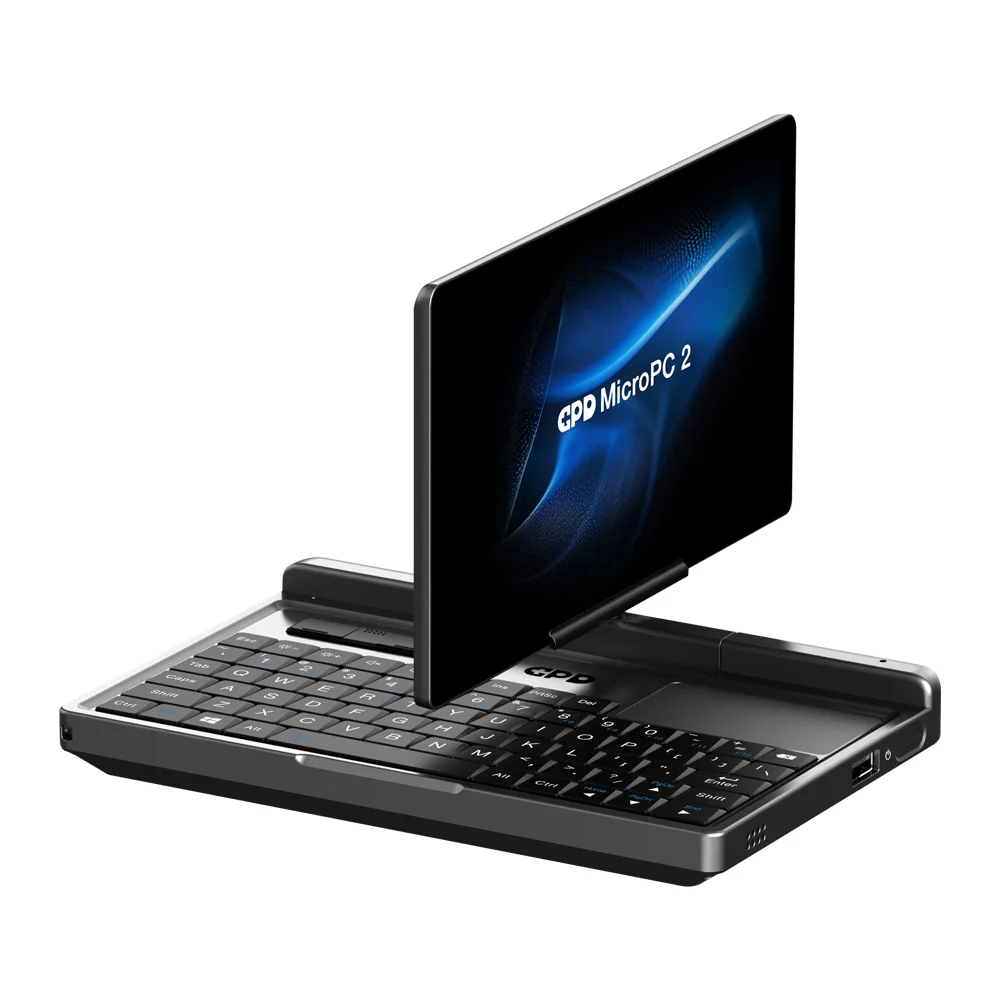
Yes: both USB-C ports output DisplayPort 1.4, and the HDMI port is version 2.1. Launch coverage reports that the USB-C ports can drive three 4K monitors at once.2 One cable can feed a USB-C monitor or dock while HDMI serves a projector or a second screen.
USB-C alternate modes let one connector carry DisplayPort video, 10Gbps data and Power Delivery charging together. Plug into a compatible dock or monitor, and that single lead charges the MicroPC 2, shows your desktop and connects your keyboard and mouse. Unplug, and it goes back in your pocket.
Performance and storage
Every MicroPC 2 has 16 GB of LPDDR5 at 4800 MT/s and a PCIe 3.0 NVMe SSD in a user-swappable M.2 2280 slot, with factory options from 512GB to 4TB.
16GB
Room for consoles, browser tabs and office apps together
4800MT/s
LPDDR5 bandwidth feeds the processor and integrated graphics
Up to
4TB
Factory SSD options from 512GB upward
Well for light work, with 6 MB of L3 cache and four or eight cores depending on the processor. The N250 has four cores; the Core i3-N300 and Core 3 N350 have eight, which helps when a VPN client, consoles and a browser run at once. Clocks reach up to 3.8 GHz on the N250 and up to 3.9 GHz on the N350.3
Older and lighter games can run at low settings, but it is not built for modern gaming. Intel UHD Graphics with 32 execution units at 1250 MHz supports DirectX 12.1 and OpenGL 4.6: plenty for 1080p video, dashboards and multi-monitor desktops, not for demanding 3D titles.
Yes: the PCIe 3.0 NVMe SSD sits in a standard M.2 2280 slot that you can swap yourself. Start with 512GB and fit a larger drive later, or choose a factory 1TB, 2TB or 4TB configuration. A full or failed drive is one part to replace, not the whole machine.
Light and frugal
For light admin work, travel and note-taking. Four cores handle consoles, remote sessions and office files comfortably, and the efficient chip suits a day of short tasks away from your desk.
4 cores, 4 threads; up to 3.8 GHz; 512GB to 4TB
Eight-core option
For heavier multitasking. Eight cores keep a VPN client, several SSH sessions, a browser and your documentation responsive at the same time, so you wait less when the workload stacks up.
8 cores, 8 threads; 512GB to 4TB
Newest in the range
For buyers who want the latest eight-core chip in the range. It suits the same multitasking as the i3-N300 and is listed with a clock of up to 3.9 GHz.3
8 cores, 8 threads; up to 3.9 GHz; 512GB to 4TB
Wireless and input
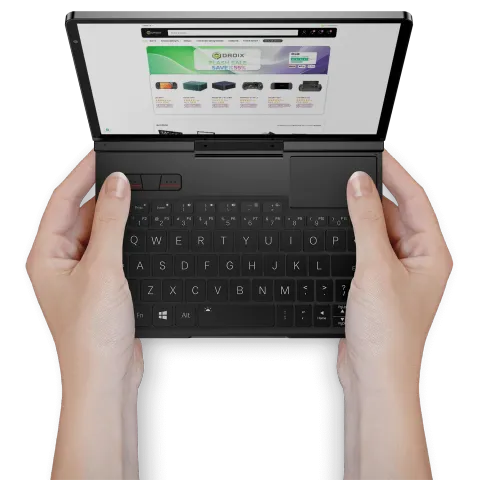
The MicroPC 2 pairs Wi-Fi 6 and Bluetooth 5.2 with a backlit 66-key chiclet QWERTY keyboard and a fingerprint reader for quick sign-in.
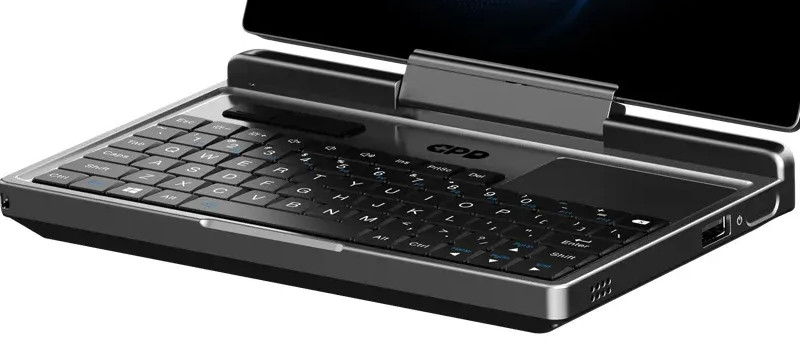

Efficient wireless on busy networks, for the times there is no free port to patch into.

Pair a full-size keyboard, a mouse or a headset for longer sessions at a desk.

66 chiclet keys with backlighting, easy to read in dim cabinets and server rooms.

Sign in with a touch, with PIN and password sign-in as a backup.
It is comfortable for thumb typing, not for long ten-finger sessions. The 66-key QWERTY layout is sized for holding the device in both hands, which suits commands, short notes and configuration edits. Early reviews call it cramped for full typing, so pair a Bluetooth keyboard for reports.
Over dual-band Wi-Fi 6 and Bluetooth 5.2. Wi-Fi 6 handles crowded networks more efficiently than older standards, and Bluetooth 5.2 covers keyboards, mice and headsets, so the pocket unit becomes a desk setup without using a USB port.
Battery and charging
The MicroPC 2 has a 27.5 Wh (7350 mAh) lithium-polymer battery that is not user-replaceable and charges over USB-C Power Delivery. Bypass and charge-threshold modes protect it when the unit lives on a charger.
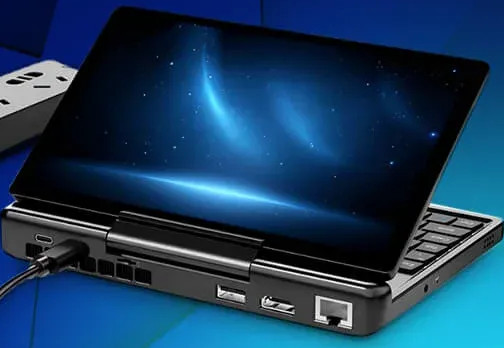

Up from 23.5 Wh on the original MicroPC.

Charge with the included cable and plug, or a compatible USB-C charger.

Runs the system from mains power while the battery rests.

Caps the charge level to reduce wear on a desk or bench.
Runtime depends on your workload; the battery stores 27.5 Wh and is not user-replaceable. Brightness, Wi-Fi and processor load decide how long a charge lasts, so console sessions draw far less than driving an external monitor. Because the cell stays inside, the care modes matter more.
They stop a plugged-in battery from sitting at full charge. In bypass mode, the charger runs the system directly, so the battery is not cycled while you work. A charge threshold stops charging at a set level, because lithium-polymer cells age faster when held at 100%. Both slow wear on a bench unit.
Second generation
The MicroPC 2 replaces the original's Celeron with Intel N-series chips, doubles memory to 16 GB LPDDR5 and raises the battery from 23.5 Wh to 27.5 Wh.
Processor
Celeron N4120 to Intel N-series
Memory
8 GB LPDDR4 to 16 GB LPDDR5
Storage
SATA to PCIe 3.0 NVMe
Screen
6-inch IPS to 7-inch LTPS touch
Hinge
Now swivels 180° into a tablet
Battery
23.5 Wh to 27.5 Wh
Almost every core part has moved up a generation. Launch coverage calls the Intel N-series chip, 16 GB of memory and stronger integrated graphics huge upgrades on the Celeron-powered first model. The screen grows from 6 to 7 inches, gains 1080p touch and a swivel hinge, and storage moves from SATA to NVMe.
Yes: one legacy connector from the first model was dropped. The second generation keeps full-size RJ45, USB-A and HDMI and adds USB-C with DisplayPort and Power Delivery. If your work still depends on that older connection, plan for a USB adapter in your bag.
Generations
The MicroPC 2 has 16 GB LPDDR5 and NVMe storage on a 7-inch LTPS screen, where the first MicroPC has 8 GB LPDDR4, SATA storage and a 6-inch IPS screen. Choose the MicroPC 2 for faster memory, storage and touch; the original still covers basic field access.
| GPD MicroPC 2 | GPD MicroPC (1st Gen) | |
|---|---|---|
| Processor Model | Core i3-N300 / N250 / Core 3 N350 | Celeron N4120 |
| Integrated Graphics model | UHD Graphics | Intel UHD Graphics 600 |
| Memory capacity | 16 GB | 8 GB |
| Memory technology | LPDDR5 | LPDDR4 |
| Storage capacity | 512GB | 1TB / 256GB / 512GB |
| Storage technology | NVMe PCI-E Gen 3.0 | SATA |
| Display type | LTPS | IPS |
| Display size | 7 in | 6 in |
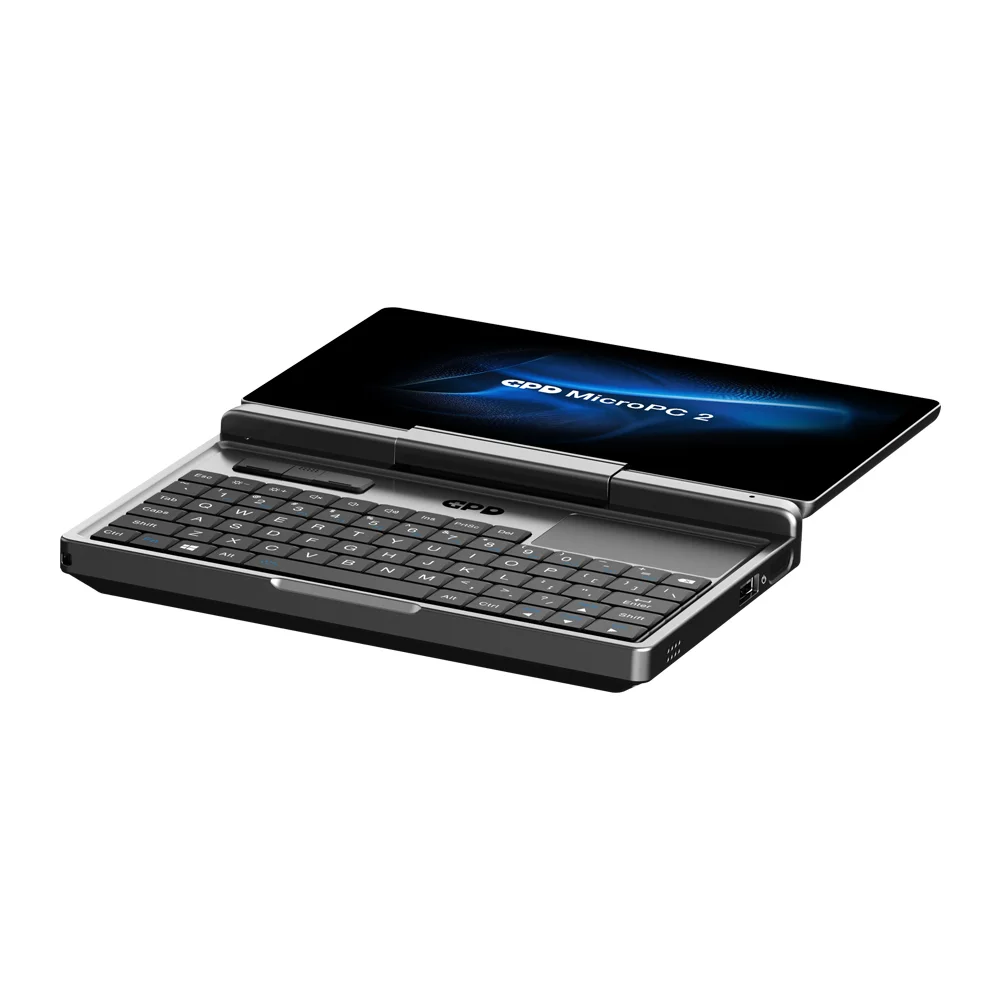
Pocket size
The MicroPC 2 measures about 6.7 × 4.3 × 0.9 in (about 17 × 11 × 2.3 cm) and weighs about 490 g.4 This portable laptop goes wherever your toolkit goes.
Small enough to forget. Ready the moment you need it. Ready the moment you need it.
Who it is for
If your work happens at racks, cabinets and client desks, the MicroPC 2 puts full Windows and real ports in your pocket.
Patch into switches over 2.5GbE and plug USB-A console adapters straight in.
Troubleshoot kit on site, read logs from microSD and present over HDMI 2.1.
Carry full Windows at about 490 g for notes and office work, then dock over USB-C.
The full specifications for each processor and storage configuration are listed below.
1. [^1] 97% DCI-P3 color gamut as reported in launch coverage of the MicroPC 2.
2. [^2] Triple 4K output over USB-C is reported in launch coverage; results depend on your monitors, cables and docks.
3. [^3] Clocks: up to 3.8 GHz for the N250 (launch coverage) and up to 3.9 GHz for the Core 3 N350 (GPD store). Performance varies by processor.
4. [^4] Weight (about 490 g) and dimensions (about 6.7 × 4.3 × 0.9 in) from GPD launch coverage; figures are approximate.
SKU: GPD-MICROPC-2-N250-512GB_ROMCategories: Laptops, Tablet Laptop, Gaming Laptops, Mini Laptops & Ultrabooks, YOGA Laptops
It ships with Windows 11 Home pre-installed. As an x86 machine, it runs standard Windows desktop applications.
The MicroPC 2 was released in 2025 as the successor to the 2019 MicroPC.
Yes: a fingerprint reader is built in for quick Windows sign-in, alongside PIN and password security.
Yes: the MicroPC 2 has a built-in UHS-I microSD card reader. You can read device logs or camera footage from a card without carrying a separate adapter.
Every configuration has 16 GB of LPDDR5 memory running at 4800 MT/s.
Yes: it has two front-facing speakers and an array microphone for calls and meetings. A 3.5 mm headphone and microphone jack is also built in.
Yes, for light work: it runs Windows 11 Home with 16 GB of memory for browsing, documents and notes, in a body of about 490 g. Long essays are easier with a Bluetooth keyboard.
Reviews, guides and news about the GPD MicroPC 2 7-inch Mini Laptop from the GPD Store Blog.
All 6 articles June 4, 2026GPD MicroPC 2 N350 Is Available Now: The 2026 Refresh Adds Newer Intel PowerThe GPD MicroPC 2 N350 is the updated 2026 version of GPD’s compact 7-inch Windows mini laptop, now using Intel’s newer Core 3 N350…
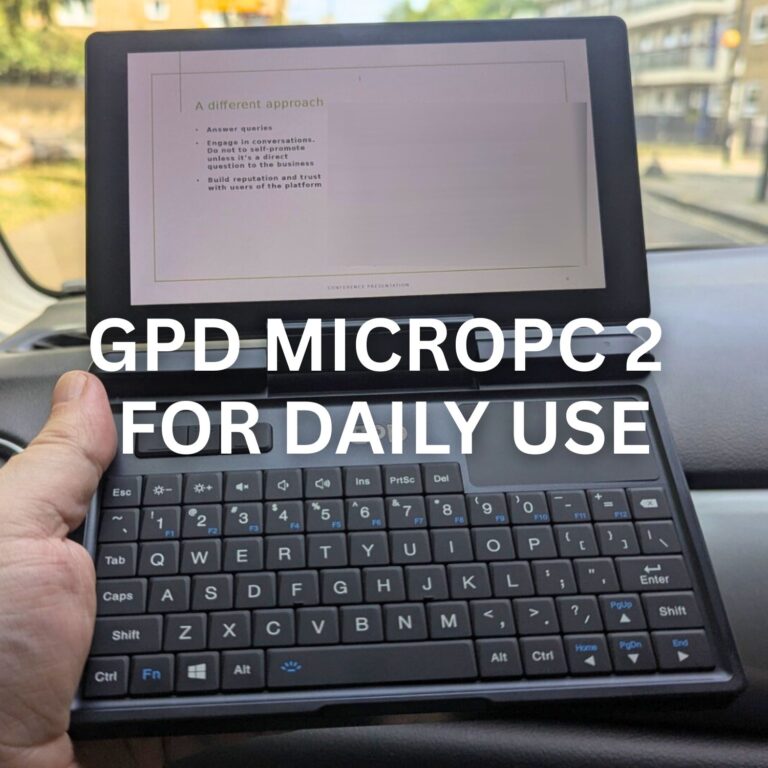 November 10, 2025Can the GPD MicroPC 2 For Daily Use Really Replace Your Laptop and Tablet? A Week-Long TestRead our week-long diary with the GPD MicroPC 2 for daily use. From business meetings to a work trip, see how this one device…
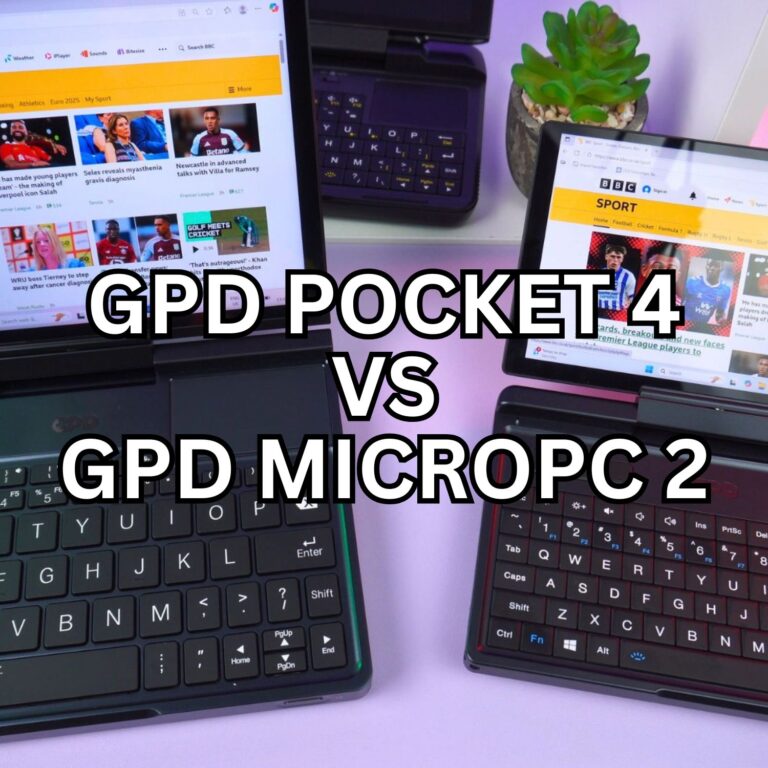 September 4, 2025GPD MicroPC 2 vs GPD Pocket 4: The Professional’s DilemmaIn the GPD MicroPC 2 vs GPD Pocket 4 showdown, which 2-in-1 is for you? We compare the rugged workhorse to the premium powerhouse…
Step-by-step guides for the GPD MicroPC 2 7-inch Mini Laptop from the GPD Store Knowledge Base.
All 5 guidesFirmware, drivers and tools for the GPD MicroPC 2 7-inch Mini Laptop, checked by GPD Store before we publish them.
Spread the cost of your $726.95 order interest-free or over longer terms. Choose a provider at checkout — checking your options won’t affect your credit score.

$60.58/mo for 12 months
12–24 months · interest-free and interest-bearing terms

$242.32/mo for 3 months
3–18 months · interest-free and interest-bearing terms · Min. spend $50.00

4 payments of $181.74
0% interest · spread over 6 weeks, paid fortnightly

Flexible financing available
Eligibility and terms are confirmed at checkout
18+, T&Cs apply. Credit subject to status & affordability checks. DROIX Ltd acts as a credit broker, not a lender, and offers finance from a panel of lenders. Choose your provider at checkout.
GPD
In Stock
$1307.95 - $2223.95
GPD
In Stock
$2253.95 - $3088.95
GPD
In Stock
$831.95 - $1218.95
GPD
In Stock
$1493.95 - $2272.95