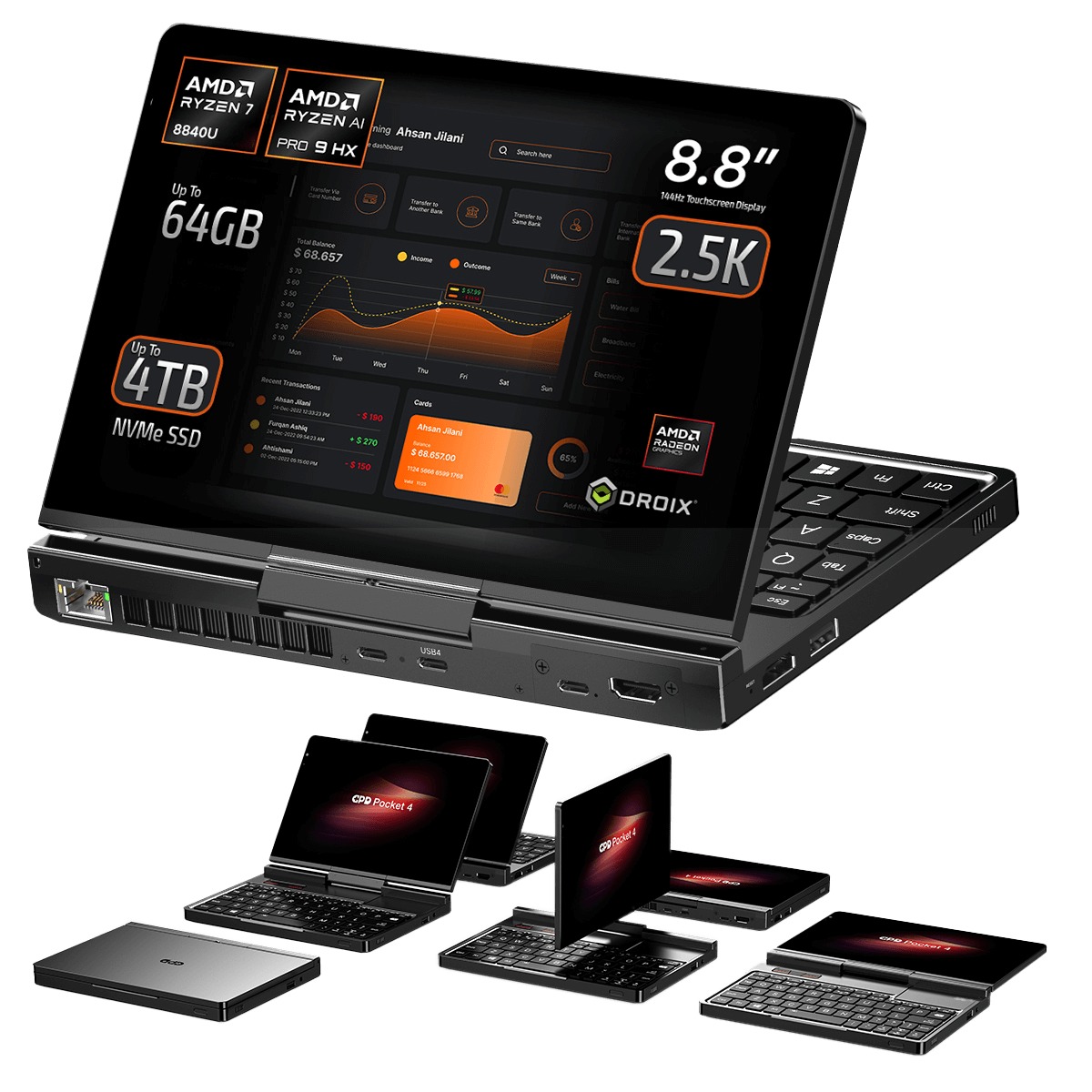
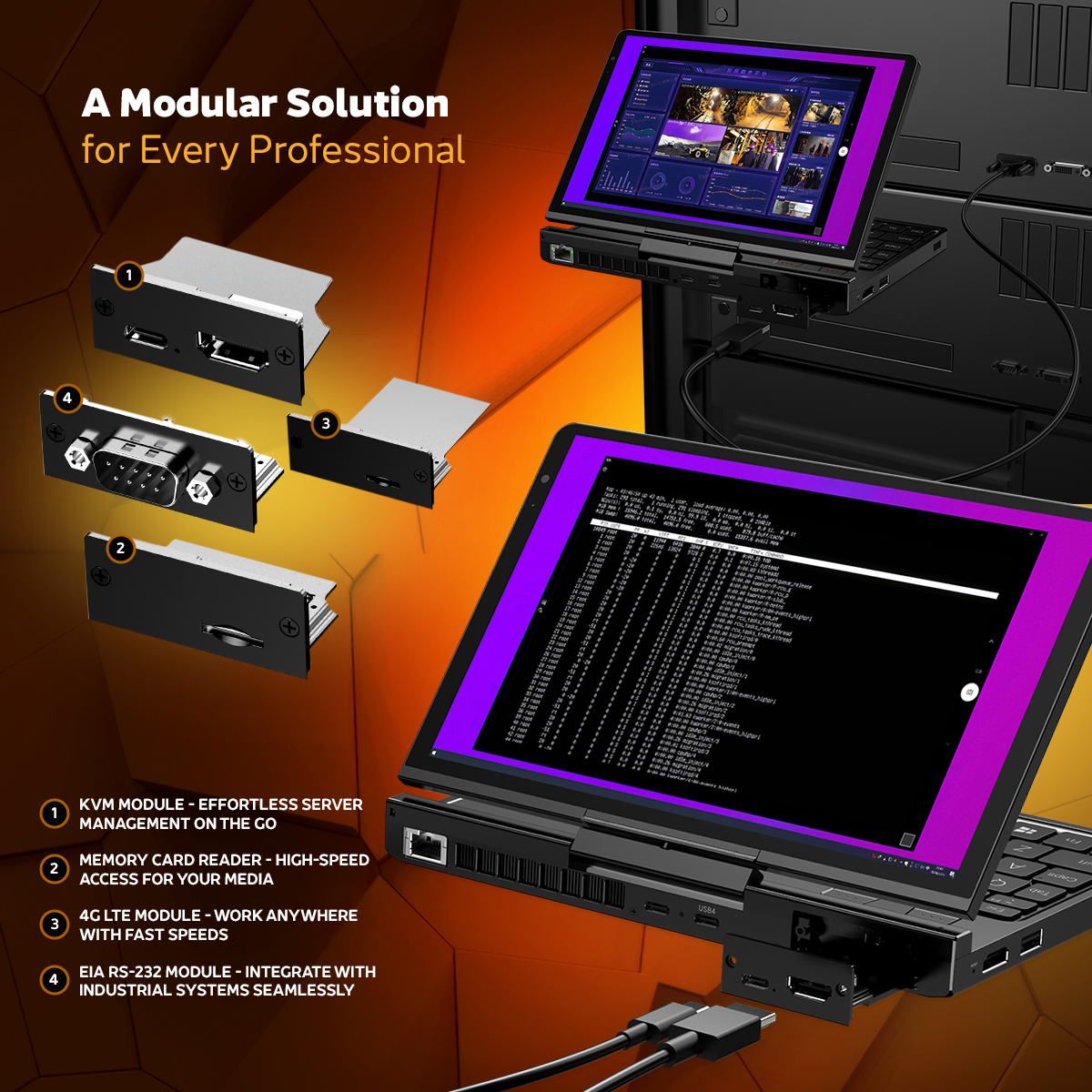
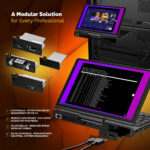
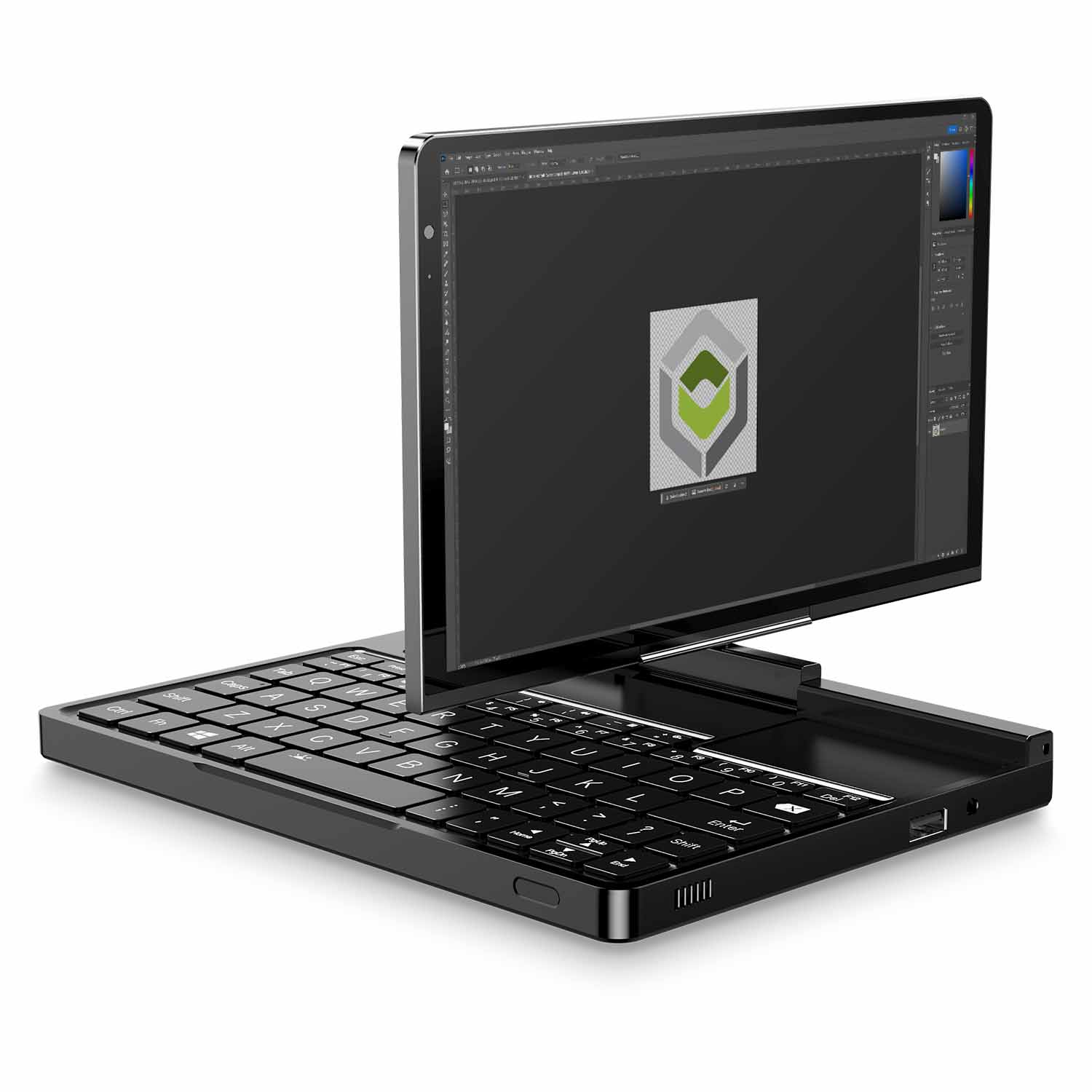
Modular with RS-232/KVM/4G LTE Ports (Sold Separately)
PAYMENT INFO
We use the latest technology in Payment Processing, which allows you to checkout via your Debit/Credit Card, or PayPal for a fast and secure experience.
WARRANTY
2 Years Warranty from DROIX Global for your peace of mind
QUALITY ASSURANCE & PRE-DISPATCH TESTING
Ensuring Customer Satisfaction at the Highest Standard: Every device undergoes rigorous testing and a multi-point quality assurance check before it is shipped. Our dedicated team verifies performance, functionality, and component integrity to guarantee your GPD device is in perfect working order upon arrival, providing you with confidence and peace of mind.
PRICING, TAXES AND SHIPPING
Note:
United States Customers: The displayed price does NOT include TAX nor duties. Liability to clear customs and pay any associated tax/duties lies on the customer.
EU Customers: The displayed price includes applicable TAX, which may be up to 25% depending on your country.
Canada Customers: The displayed price includes applicable taxes, which may include 5% GST and additional Provincial Sales Taxes (PST), Harmonized Sales Tax (HST), or Quebec Sales Tax (QST), depending on your province.
For Our USA Customers: Orders are dispatched DAP (Delivered At Place). While customers are responsible for payment of any applicable tariffs, we draw on our extensive experience shipping from the UK to ensure you pay the least possible charge. Based on our records, these charges typically do not exceed 10% of the item value.
For EU Customers ONLY: Express DDP (Delivered Duty Paid). This means:
All customs duties and taxes are included in the price displayed on the product page.
You will not need to pay any additional charges upon delivery.
In the rare event of customs-related issues, our team will handle the customs clearance process on your behalf to ensure a smooth delivery experience.
Important Information About Returns:
If you decide to return your order or request a refund, please be aware that taxes and duties paid on your behalf under DDP terms cannot be refunded.
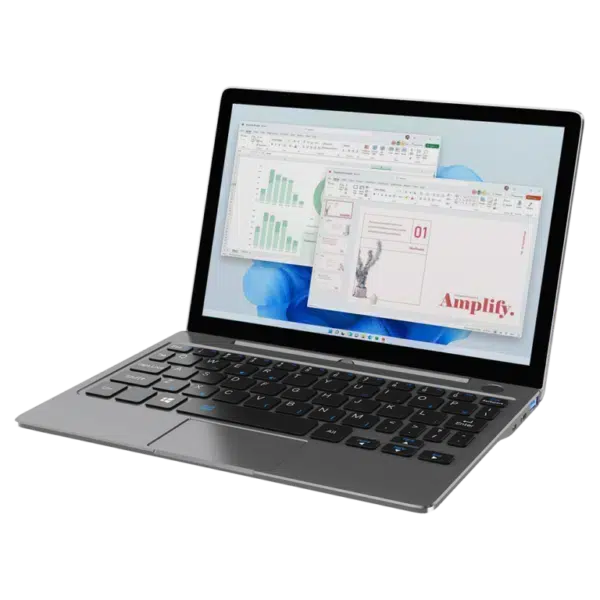
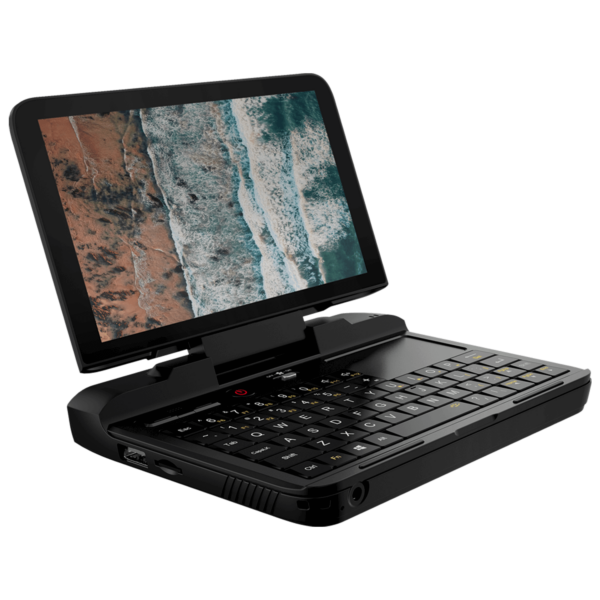
GPD Pocket 4 Modular Mini Laptop – AMD Ryzen AI 9 HX 370 (Strix Point), 8.8″ 144Hz, KVM & RS-232 Support
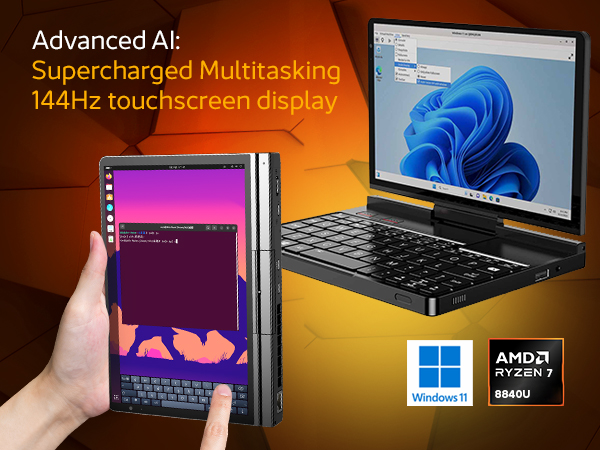
The GPD Pocket 4 is redefining what a compact computing device can do, delivering exceptional performance in a sleek, portable package. Designed for professionals who demand a reliable workstation on the go, tech enthusiasts who crave cutting-edge innovation, and gamers who need serious power in a small form factor, the GPD Pocket 4 exceeds expectations on all fronts. Elite Strix Point Performance: Featuring the 12-Core Ryzen AI 9 HX 370 (Zen 5) and Radeon 890M Graphics. Experience 80 TOPS of AI power and desktop-rivaling multitasking in a 770g chassis, this versatile device effortlessly handles everything from intensive productivity tasks to immersive entertainment and specialized professional applications. The GPD Pocket 4 is the ultimate fusion of power, portability, and versatility.
Revolutionizing On-the-Go Efficiency: The GPD Pocket 4’s Adaptable Architecture and Business-Grade Screen
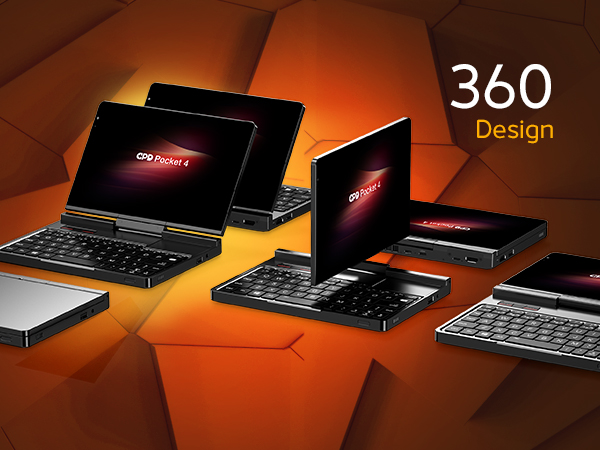
A 360° Design for Ultimate Flexibility and Functionality Ultimate Versatility
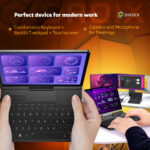
The GPD Pocket 4 takes portable computing to the next level with its cutting-edge 360° hinge design, delivering unmatched versatility to adapt to your lifestyle. With a full range of motion, this device effortlessly transitions between multiple modes: laptop mode for serious productivity, tablet mode for seamless browsing or creative tasks, tent mode for presentations or video playback in tight spaces, and stand mode for immersive gaming or hands-free streaming.
The robust hinge mechanism is engineered with precision, ensuring smooth, reliable operation even after prolonged use, making it a device you can count on every day. This flexibility allows you to optimize the GPD Pocket 4 for any environment, whether you’re working in a coffee shop, giving a client presentation, or enjoying your favorite media on a flight.
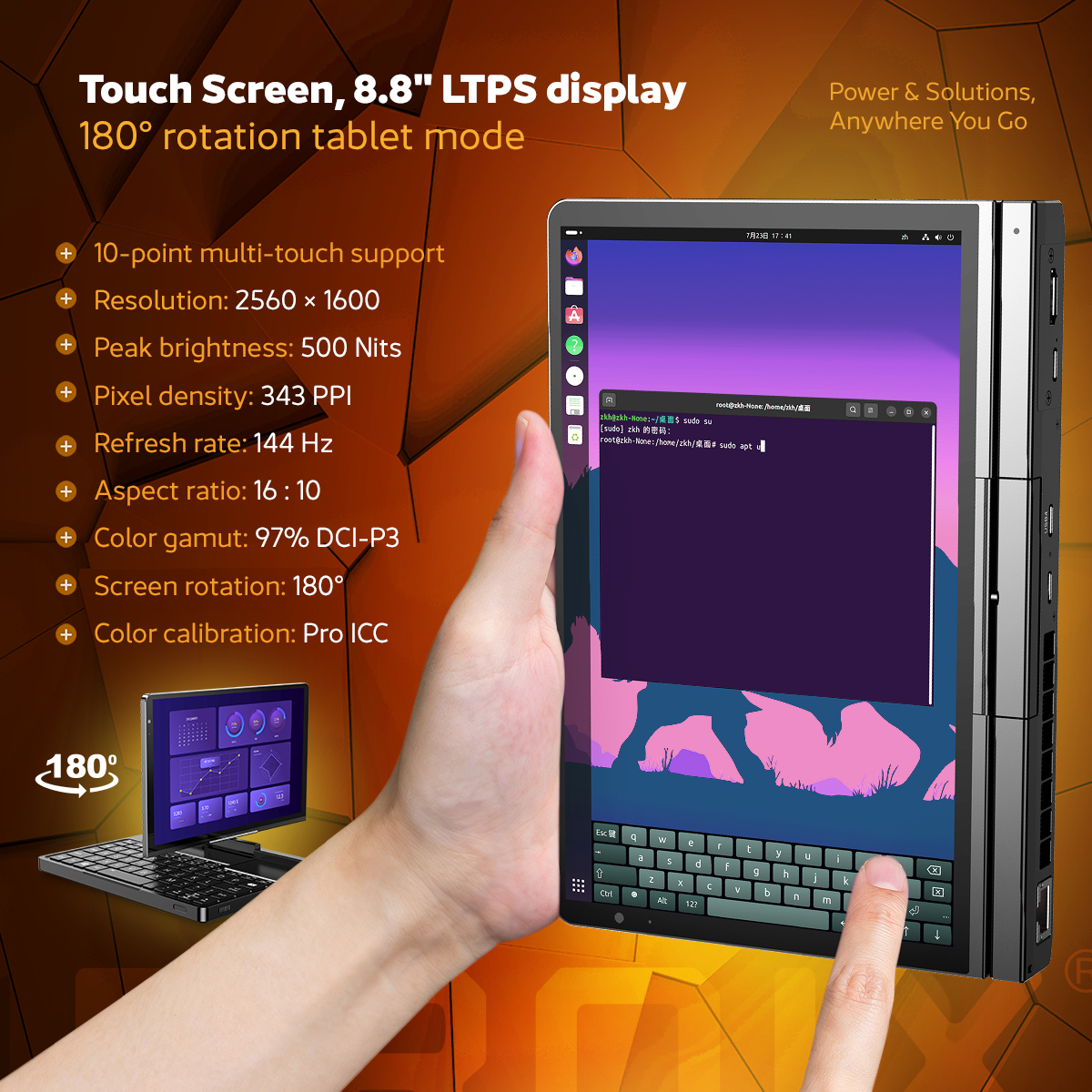
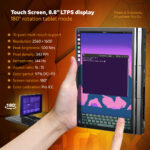
Optical Superiority: Engaging with the High-Res 2560×1600, 144Hz 8.8-Inch LTPS Touch Panel
The GPD Pocket 4 boasts a sleek, compact design, making it a portable powerhouse without compromising on visual quality. Its 8.8-inch LTPS display, with a stunning 2560×1600 resolution, delivers razor-sharp visuals with a pixel density of 343 PPI. Whether you’re gaming or engaged in professional content creation, the 144Hz refresh rate ensures buttery-smooth visuals. The display’s peak brightness of 500 nits and 97% DCI-P3 color gamut coverage guarantee vibrant, accurate colors, perfect for any environment—from dimly lit workspaces to bright outdoor settings. Adding to its versatility, the innovative rotating display allows users to effortlessly transition between laptop and tablet modes, adapting to your needs on the fly. The GPD Pocket 4 is designed not just to perform but to impress with its high-end display and adaptable design.
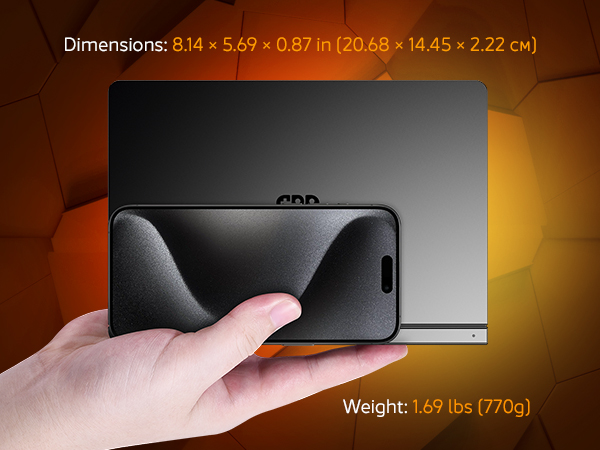
Small but Mighty: AMD Ryzen Processing Power Housed in a Featherweight 1.69lb (770g) Body
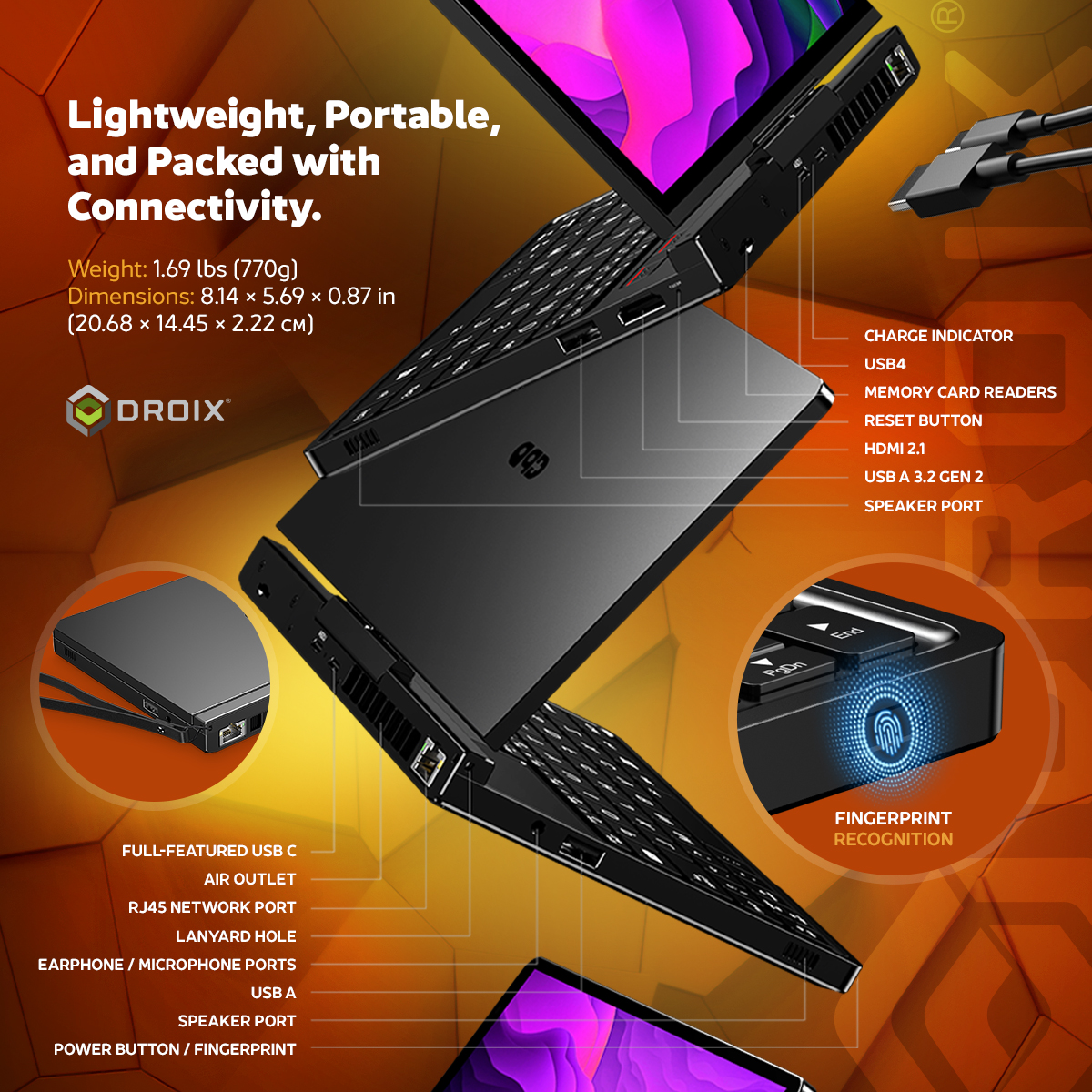
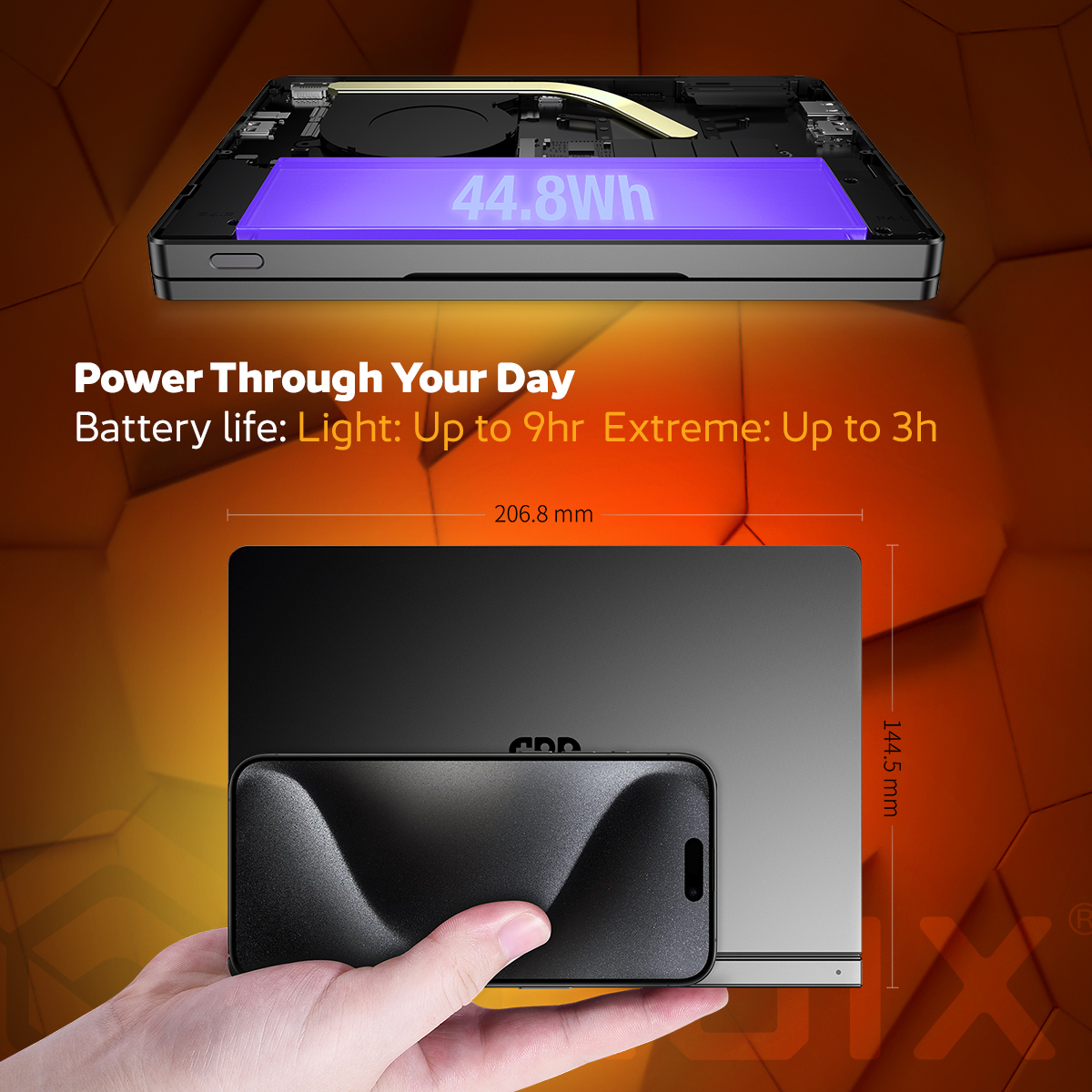
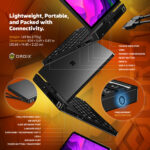
The GPD Pocket 4 redefines portability and power with its sleek, compact design tailored for modern professionals and tech enthusiasts. Measuring just 8.14 x 5.69 x 0.87 inches (20.68 x 14.45 x 2.22 cm) and weighing a mere 1.69 lbs (770g), this device is designed for ultimate convenience. Its lightweight and portable form factor make it perfect for slipping into a bag, holding alongside your smartphone, or using comfortably on the go. Despite its compact size, the GPD Pocket 4 is packed with premium features, including a high-resolution touchscreen, modular connectivity options, and cutting-edge performance powered by AMD Ryzen processors. Ideal for productivity, gaming, or creative tasks, it combines versatility with a sleek, minimalist aesthetic. Built with premium materials and advanced engineering, the GPD Pocket 4 is the perfect device for those who demand power and portability in one elegant package.
Product Overview: The Ultimate 2-in-1 Mini Laptop and Tablet
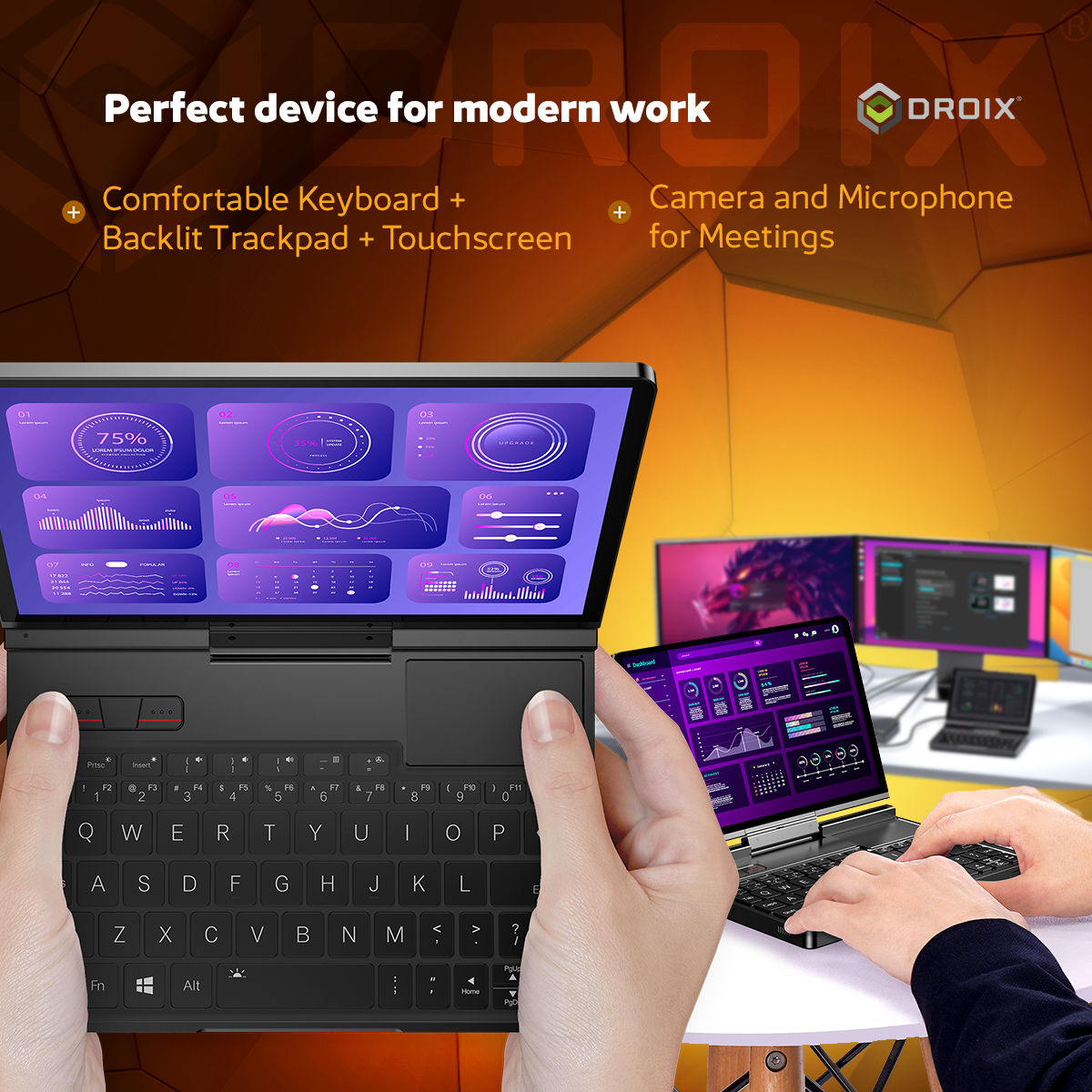
Compact, versatile, and powerful, the GPD Pocket 4 is your perfect companion for work and entertainment. This premium 2-in-1 device offers the ideal balance between portability and performance, making it the ultimate tool for professionals on the go.
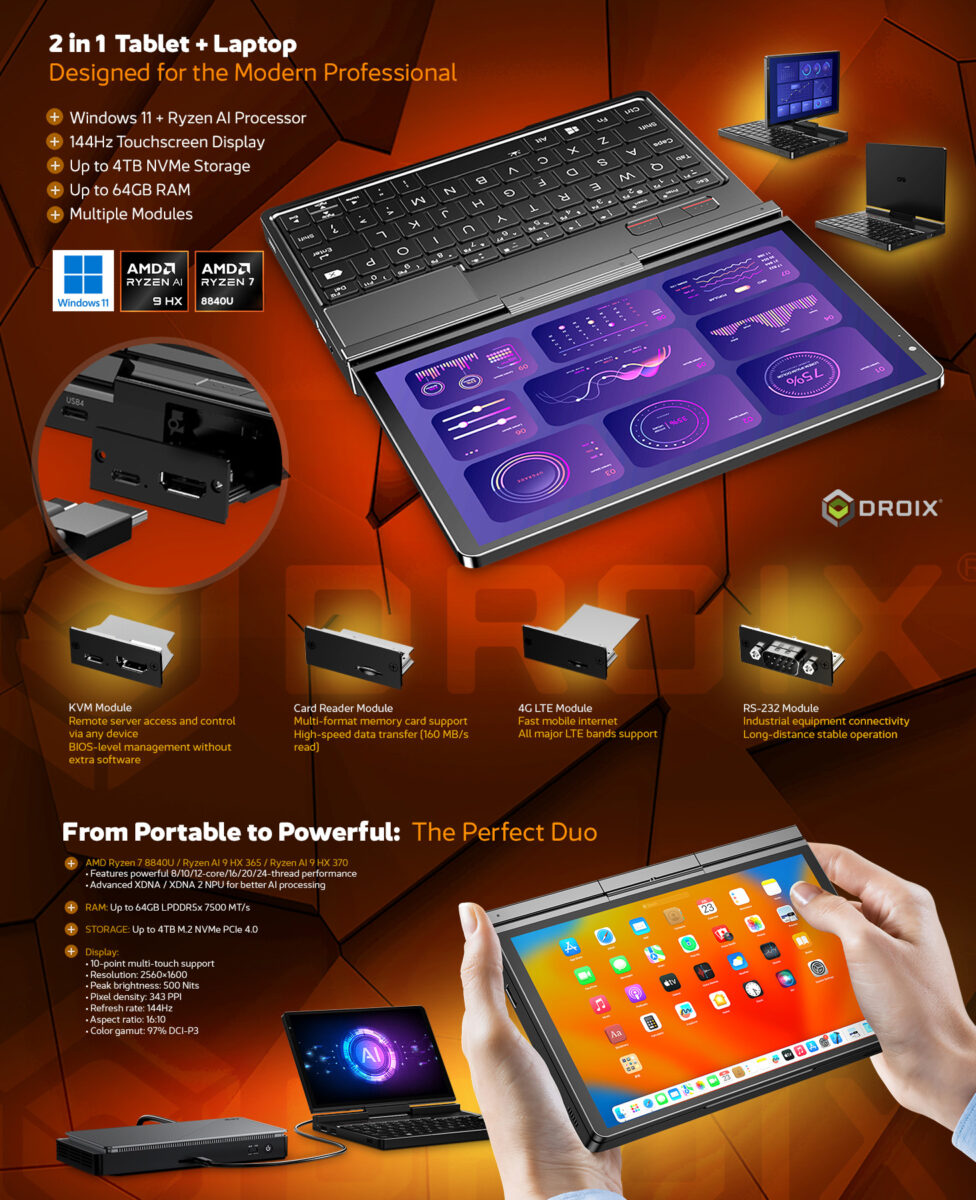
Unleash Ultimate Connectivity: Expansion and Mobility on the GPD Pocket 4
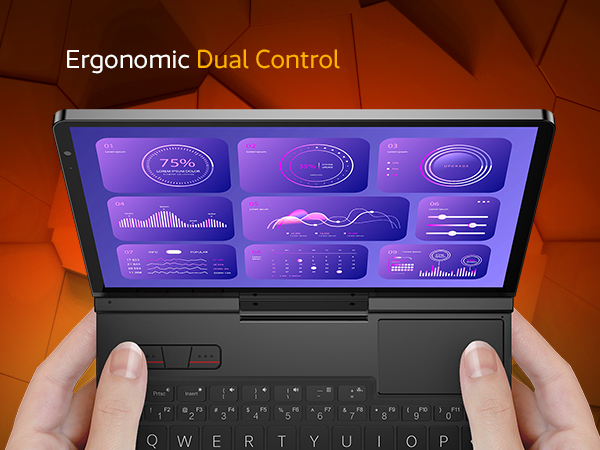
Comprehensive Interfaces: Maximizing Productivity with MicroSD Expansion, USB-A, and Ergonomic Dual Controls.
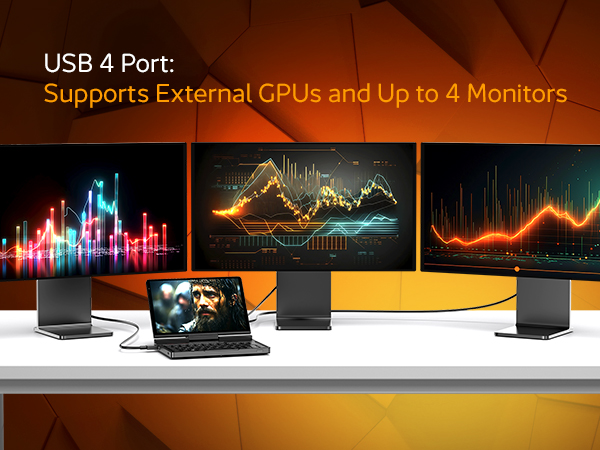
The Power of 40Gbps: Connecting eGPUs and Multiple Monitors via the High-Speed USB 4 Port.
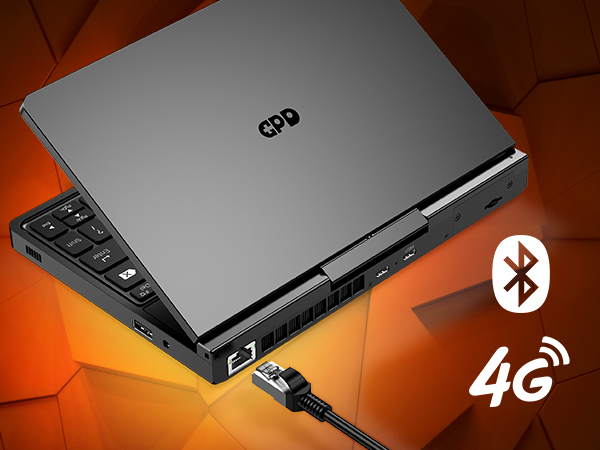
True Remote Freedom: Staying Online Anywhere with the Optional 4G LTE Expansion Module.
The GPD Pocket 4 Mini Laptop is designed to keep you connected and productive, no matter where you are. It features a high-speed USB 4.0 port with an effective bandwidth of 40Gbps, ideal for connecting to external graphics solutions like the GPD G1 eGPU docking station. This allows users to significantly enhance the device’s graphical performance, making it capable of handling demanding games and graphic-intensive tasks with ease. In addition to the USB 4.0 port, the GPD Pocket 4 offers a microSD card slot for expandable storage, a versatile USB-A port for connecting a wide range of peripherals, and supports an optional 4G LTE Expansion Module for seamless mobile connectivity. With these comprehensive connectivity options, the GPD Pocket 4 ensures you can stay connected, productive, and ready for anything, whether you’re working remotely or gaming on the go.
Engineered for the Modern Pro: Modular Versatility and AI-Driven Performance
The GPD Pocket 4 is designed to provide a seamless and intuitive user experience, catering to a wide range of professional and personal needs. Powered by the latest software and equipped with advanced AI capabilities from the Ryzen AI 9 HX 370 processor, this device enhances productivity by enabling faster and more efficient workflows across various applications. Its The Field Engineer’s Dream: Swap modules in seconds. Use the KVM module for server management, the RS-232 module for industrial debugging, or the 4G LTE for remote site access.
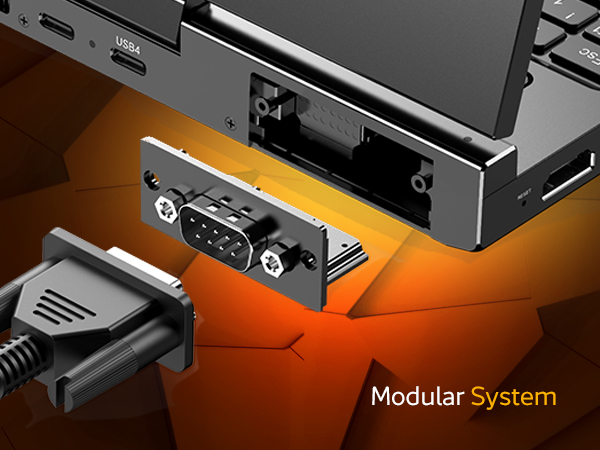
The World’s First Modular 3-in-1 Workstation
Stop carrying multiple specialized tools. The GPD Pocket 4’s rear expansion port lets you hot-swap hardware modules to fit your job:
KVM Module: Control servers or industrial PCs directly from your handheld via HDMI-in and USB.
RS-232 Module: Professional-grade serial port for debugging industrial equipment and PLCs.
4G LTE Module: Insert a SIM card for mission-critical connectivity where Wi-Fi doesn’t exist.
microSD Module: Instant storage expansion for high-res media and backups.
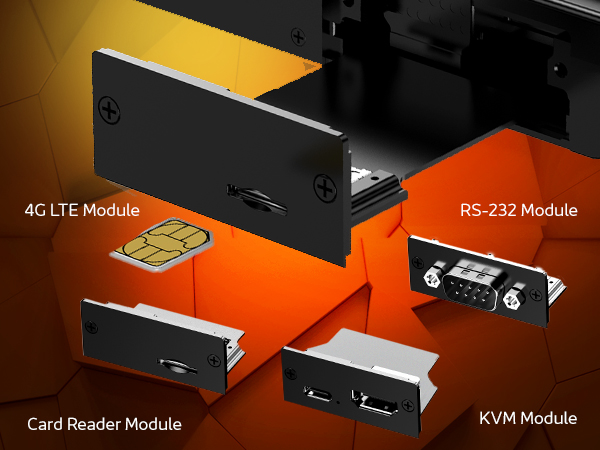
Tailored Utility: Customizing Your Workflow with Optional KVM, RS-232, and 4G LTE Modules.
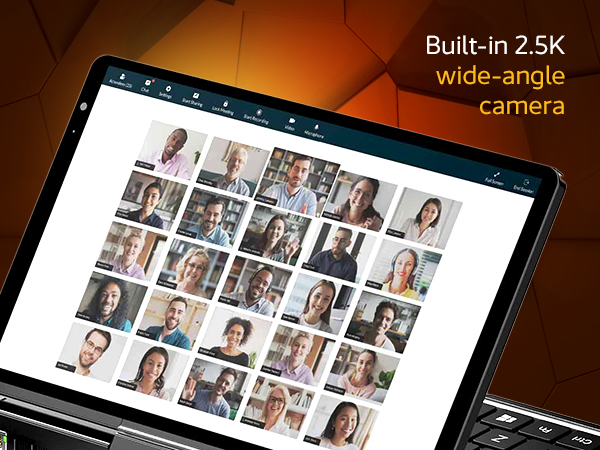
8.8″ 144Hz Visionary Display
It’s not just a small screen; it’s a professional-grade panel.
144Hz Refresh Rate: Buttery-smooth motion for gaming and UI navigation.
2.5K Resolution (343 PPI): High-density text for coding and reading technical manuals without eye strain.
500 Nits Brightness: Visible even on outdoor job sites or under bright office lights.
With a robust 44.8Wh battery providing up to 9 hours of use and support for 100W fast charging, the GPD Pocket 4 ensures that you stay productive throughout the day with minimal downtime. Its compact design makes it easy to carry, making it the perfect choice for professionals and tech enthusiasts who need a powerful, portable computing solution.
This is a powerful pc in a compact portable size. I bought this for its versatility, I can game when I want to and work when I need to. Its high end but that’s because you’re getting top quality tech.
DIRECT
Was this helpful?
★★★★★
Antonio Ramirez
Apr 10, 2025
10/10
i love this mini laptop up to this point ive never bought my own laptop so while researching i realized i wanted a very portable experience so mini was the way i wanted to go and im glad i did thank you for the great customer service as well
DIRECT
Was this helpful?
★★★★★
A_Midwesterner
May 21, 2025
It's not perfect, but it's still quite amazing
This device has lived up to most of my expectations, and I’m really happy with it. Quick side note: Droix has been fantastic, and I can’t imagine buying a GPD device any other way now. On to the Pocket 4:
This is a pretty novel little machine. A surprising amount of power in such a compact package, and the price wasn’t bad at all given the horsepower (mine is the HX 370 / 64 GB version).
The screen is excellent, although there’s no getting around the fact that it’s still just 8.8 inches. That means working with two windows side-by-side is rarely viable, and when coworkers share their 4K screens on video calls, it's a bit rough. I can zoom in using our conferencing app, but that was a surprise annoyance I hadn’t fully anticipated. Just one of those small-device tradeoffs that reminds you how important it is to know your needs before diving into something this compact. When I’m working in a planned session I dock it at my desk.
A couple of features I really like: The 4G LTE modem and the surprisingly usable built-in keyboard. It’s a huge upgrade from tapping things out on my phone’s screen when I need to write more than a sentence or two. With a little practice, I’m comfortably typing over 60 WPM. I've used it more for documentation and correspondence than coding, since some of the keys are in odd places.
The trackpad and mouse buttons above the keyboard were easy to get used to. Two minor gripes: the built-in mic isn’t great (but I use a Bluetooth headset anyway), and the fan can be a little annoying. It's not louder than my i9 ThinkPad, but the pitch of the fan can be grating in a quiet room. Sometimes it hits that mosquito-whine territory. If there's any white noise or ambient sound around it fades into the background. You can manage it using the MotionAssist app and TDP settings. It’s manageable.
It’s not super lap-friendly due to its shape and weight, but I do use it that way from time to time. I haven’t made much use of the tablet mode. I would’ve used it more if they had kept the active stylus from the Pocket 3, but they didn’t. The tradeoff is better screen resolution, more power under the hood, and the LTE module option, which the Pocket 3 didn’t offer.
Battery life is just okay. With my usage and screen brightness preferences I usually get 4 to 6 hours. Turning down the TDP helps stretch it, but that bright screen is essential for legibility and can be a battery drain. I carry a beefy power bank just in case. It’s enough for how I use it, but not what I’d call all-day battery.
Build quality feels solid and the keyboard action is satisfying. There haven’t been many surprises or compromises, and for the price I paid, I’m pleased. I’m working toward using this as my everything device with a dual-boot setup and some extra customization.
The stock Windows install was clean, no bloatware or weird surprises. That was refreshing. Depending on your needs you may want to swap the stock SSD. Mine came with a WD Blue drive with no DRAM cache, which shows up in slower sustained reads/writes. It’s fine for most use cases, but worth upgrading if you’re doing heavier workloads. Droix doesn’t void your warranty for that kind of swap, which I appreciated.
Despite the name, this thing does not fit in a pocket. It’s too big and heavy for that. Compared to my old slim 13" laptop, it's not a life-changing boost in portability. That said, the full-size HDMI and Ethernet ports are fantastic, and the modular expansion is a plus. You can find similar ideas from Framework laptops, and I’m curious about their new smaller models, but I don’t regret this choice. Framework didn’t have a comparable product available when I needed one, and the HX 370 processor is excellent.
I recently took a weekend trip and packed the Pocket 4 "just in case." It was *slightly* easier to carry than my 13" laptop. I didn’t end up needing it, but it was nice to have. If I ever need to work more extensively while traveling, I might pair it with my Uperfect-X lapdock for a second screen. That’s a 13" display, but I’m considering getting a 16" one to make full-day work more viable when I’m away from the desk.
I’ve only dabbled in gaming on it so far, but I was impressed. I didn’t run anything bleeding-edge, but 5/YO titles ran well and the integrated graphics held up just fine.
All in all, I hope this lengthy but honest review is helpful. This device isn’t for everyone. But if you know your habits and expectations, you can tell whether this form factor and performance profile will work for you. I’m two months in and still totally happy. It runs flawlessly, and even though the fan pitch bugged me a bit, temps stay cool and performance is excellent.
One last recommendation: get a tempered glass screen protector. I added one right away, and I barely notice it. Still crystal clear and touch-responsive. My last laptop made it nearly seven years without major screen damage, and I’d like this one to do the same.
Go...
DIRECT
Was this helpful?
★★★★★
Martin S
May 1, 2025
XUbuntu on GPD Pocket 4 rocks!!!
First off I'm probably not a typical GPD customer as I am neither a gamer or a fan of Microsoft. That being said, I loaded XUbuntu on my GPD Pocket 4 and it performs outstandingly. I had to rotate the display 90 degrees and shrink it by 50% in the XUbuntu settings, but after that it just works perfectly. Thanks so much.
DIRECT
Was this helpful?
★★★★★
Zen K
Feb 26, 2025
The dream of late 2000s fulfilled
There were many cool UMPCs in the late 2000s. Vaio UX, Fujitsu Loox U, or OQO, each machine in this category was unique and presented the future of PC computing. However, they failed against smartphones due to their weak tech specs. Twenty-ish years later, a full-spec, or even more strong than major manufacturers' high-end machines, is here... with LTE capability (add-on). I thought 8" could be small, but it is fully usable and better than expected, as I used it on a few flights.
DIRECT
Was this helpful?
★★★★★
Damian Mehers
Apr 30, 2025
Great device
Perfect small factor laptop… fans can get a bit loud but you can tweak the settings. I love it.
DIRECT
Was this helpful?
★★★★★
MD Munn
Jun 25, 2025
More of a science experiment than a device I can depend on
I received my GPD Pocket 4 two weeks ago. Since unboxing it, it has been a never-ending diagnostic to figure out why things don't work. Maintaining a reasonable fan level requires additional software. Otherwise, it constantly runs at near full speed and sounds like a turbine. The fan also never shuts down in sleep mode. I've tried using Windows' hibernate feature, but it causes the screen to lock into its last orientation and requires a reboot to correct. I've also had to use Device Manager to delete components to get the system to charge correctly, as well as have a working touchscreen. The system also doesn't come with secure boot or BitLocker enabled. Make sure to enable secure boot in the BIOS (first) and then enable BitLocker before adding fingerprint/pin authentication. This last item would be genuine of any computer, but adds to the overall frustration with the 'Pocket 4'. Lastly, downloading drivers and BIOS updates was a tedious process. They're stored in an overshared Google Drive folder that required multiple attempts to complete successfully. I still haven't been successful in updating the drivers b/c the instructions are in Chinese and the script fails. This is a brand new device; there shouldn't be this many things to correct in order for it to work.
DIRECT
Was this helpful?
★★★★★
Darren
✓ Verified Purchase
Mar 26, 2025
Excellent product and first class customer service
Extremely happy with my GPD Pocket 4, extremely nice little device, so glad that GPD still produces device like this when no one else does. Had problem with KVM module, but customer service was absolutely brilliant and sent me out a replacement module which arrived the next day and now works fine. I highly recommend both the GPD Pocket 4 and Droix, this is my first time using them and I would definitely use them again :)
DIRECT
Was this helpful?
★★★★★
Ron H.
✓ Verified Purchase
Aug 31, 2025
A fantastic little machine
Before reviewing my Pocket PC 4, I must give DroiX a shout out for their speedy service. I ordered the PC at about 9pm on a Thursday, and I was unboxing it before mid-day on the Saturday!!!!! And that's with the 3-5 working day free delivery!!!!!!
Fantastic!!!!!
I opted for the 32Gb/2TB AI 9 HX370 variant. My intention was that by going for a specification that is higher than I currently need, it would provide some sort of "future proofing" as the demands made on it by Windows and other software increase over time.
I've seen some negative comments in the reviews about noisy fans. Sure, Windows updates and software installation can set it off, but under my normal usage, and although it seems to be constantly running, it's barely audible.
In fairness to others, I'm not taxing the machine by running resource heavy games or videos etc.
I have installed an Android emulator, running apps for which there are no Windows equivalents, but that doesn't seem to put much of a strain on it.
Other than that, it's usual things like word processing and spreadsheets (Libre Office), Python programming, on-line banking and so on.
It's like I've bought a Formula One race car but I only use it for tootling around town at 30mph!!!!!!! Which again was part of my thought train. Less wear and tear by not straining the components.
I have used the touch screen and it seems to work very well with fingers. I have yet to try it with the stylus I bought at the same time as the PC. Although I have briefly tried it, I have not used the "tablet mode" screen rotation for any length of time. This might well be something I do further down the line.
I usually hate track pads on any PC with a passion, but I actually find this one reasonably useful. I'm not sure if that's because of the unusual placement of the pad and buttons as compared to full size laptops, or despite it!!!!!!
At the moment I am busy installing software and getting data across from my Android tablet, so at the moment I find it easier to use a conventional mouse, but I suspect I will dump that when I get into normal day to day usage.
The keyboard doesn't seem to be giving me any problems, I seem to be able to type at the same speed as a full size keyboard. From time to time I do get caught out with the characters on the very top row, {}[] etc, but that will come in time when I remember that's where they are!!!!!!!!
I get battery life ranging from 7hrs to 5hrs depending on what I've been doing, but I don't monitor it that much. While I'm still installing stuff, I tend to be on mains anyway.
I find the screen very legible and I currently have the brightness at 50%.
The sound is pretty good given the speakers must be quite small.
As a very minor point, I do like the way the disk has been partitions into C: and D: drives. This allows software to be on C: and my files to be on D: which appeals to my tidy mind!
Niggles?
Given the power button is also a finger print sensor, I find it pretty impossible to log in to Windows by finger print with the button. I think it would be better if the button were located on the keyboard; there is plenty of room at the top.
The display has some sort of screen protector on it, but I suspect it was only intended to be used for transit. I have deliberately left it in place and it doesn't seem to be affecting the screen legibility or the touch functionality. The "niggle" is that there is a sticky label on it to assist in it's removal ... right where the closing 'X' is in a full screen window!!!!!! The label says it is to "help remove the mask from the screen guard". I am left wondering if the screen already has some sort of protection (if that is what the "screen guard" is) if I were to remove the "mask"? For now, I think I'll leave the mask in place, but (very) carefully remove the sticky label.
Given the small size of the PC, I am surprised there isn't a Kensington Lock slot for some sort of security.
Although the metal case is really sturdy and attractive, it's a finger print magnet!!!!!!!!!!!!!!!!!
The keyboard keytops are getting polished by my fingers already. I hope the lettering doesn't wear off as fast.
However, these are exactly what I said, niggles.
I agonised for quite a while as to the best way of replacing my aging Windows 7 laptop and aging Android laptop, and when I saw the GPD products they seemed the perfect solution replacing 2 devices with 1 while retaining the portability of the 8" size (the same as my tablet).
In conclusion I have absolutely no regrets about buying the Pocket 4. It is turning out to be more than perfect for my needs and is a sturdy looking device. I am extremely pleased with it.
I only hope the internal build quality (i.e.: the electronics) is as good as the visible external quality so that my "future proof" plans aren't thwarted by low grade electronic component failure. Only time will tell.
DIRECT
Was this helpful?
★★★★★
Chris R
✓ Verified Purchase
Jun 22, 2025
Very well built - but one minor annoyance.
I will start by saying that for a such a tiny device the whole thing feels more like a quality laptop than a "toy" that you may expect. This is a serious piece of kit (as it should be at the price!) for getting work done.
The keyboard is very nice, compared to a Macbook Pro, it is like-for-like typing feel if a little constrained by the size which is to be expected.
Performance is exceptional, in fact, I am replacing my desktop Windows PC with it. The built in GPU seems up to the task - I would just say switch off things like FPS counters and benchmarking and just enjoy some games without worrying how many frames per second you are getting - it all feels fine which is the most important thing, many titles that are recent additions to Gamepass work flawlessly on it and you always have that USB 4 port if you want to explore using an eGPU later down the line.
As for the one annoyance, it's the screen, it is lovely to look at BUT they appear to have done something odd with the rotation, in all but Windows the screen is incorrectly rotated. I think they may have used a portrait orientated panel, as it is always 90 degrees counter clockwise rotated outside Windows. It can be corrected with settings, but makes it very hard to navigate things like GRUB bootloaders or the desktop until it is done via commands.
Help us maintain quality by reporting inappropriate content
Questions & Answers
Have a question about this product? Get answers from our community.
10
Questions
✓ Answered
10
Q
Asked by Mick McQ
Nov 27, 2025
Will the 64GB models eventually return to the store?
A
Support Team
Nov 27, 2025
Thank you for your question. Unfortunately it has been taken off production. Only 32GB is currently available
Was this helpful?
Q
Asked by Seth
Nov 14, 2025
Will the Amd Ryzen 7 8840u version of the pocket 4 be restocked?
A
Support Team
Hey, The item is currently in pre-order and you can reserve the unit in pre-order for GPD Pocket 4 8840U Processor 16GB variation.
Was this helpful?
Q
Asked by Geoff
Nov 14, 2025
Does it run Linux? Native (not in a VM/etc.), and Ubuntu.
A
Support Team
Hi, Yes, the processor in question is an x86 architecture, which means it is capable of running Linux. However, regarding 100% compatibility, we cannot guarantee that at this stage. Full compatibility will depend on the finalized hardware specifications, which are still in development. We appreciate your understanding and encourage you to stay tuned for updates as we progress. If you have any further questions, feel free to contact us.
Was this helpful?
Q
Asked by Edmundo jr Bayani
Nov 14, 2025
where can i buy gdp pocket 4 Ryzen AI 9 physical store in philippines?
A
Support Team
Thank you for your interest in the GPD Pocket 4 Ryzen AI 9. We currently do not have any physical retail stores in the Philippines. Also, the products are available for purchase exclusively through our websites. All purchases come with DROIX warranty coverage and a 30-day refund policy, in accordance with our website’s terms and conditions, should you be unsatisfied with your order.
Was this helpful?
Q
Asked by Patrick Hemsley
Nov 14, 2025
Can I install Linux?
A
Support Team
Hi, Yes, users can install Linux on the GPD Pocket 4. The device is compatible with various Linux distributions, although the experience may require some manual tweaks.
Was this helpful?
Q
Asked by Keova Rüeger
Nov 14, 2025
would the lte module from the pocket 4 be combitable with the pocket 3?
A
Support Team
Hi, Unfortunetly, we currently don't have an LTE module available for Pocket 4/3 models.
Was this helpful?
Q
Asked by Raph
Nov 14, 2025
Can you add a sim card slot so I can use my phone data on it? And use it like a phone? And make it a bit smaller? 14-17 inches long? So I can fit it in my pocket?
A
Support Team
Hi, You can get an 4G LTE module accessory with it to use the mobile data connectivity, We have noted the feedback about the size, you can consider looking at GPD Win 4 or Win Mini model for smaller size option.
Was this helpful?
Q
Asked by Geoff
Nov 14, 2025
Is the screen a shiny "glare" screen, or a matte "anti-glare" screen?
A
Support Team
Hi, Unfortunetly, the specific categorization of the screen as either "shiny" or "matte" is not explicitly stated in the available information, the emphasis on glare reduction indicates that it likely has anti-glare properties. The GPD Pocket 4 features an 8.8-inch LTPS display that utilizes full-fit technology, which significantly reduces glare caused by air refraction. This design enhances the screen's visibility both indoors and outdoors, suggesting it is optimized to minimize reflections typically associated with shiny screens. We will have more details in our review of the model soon.
Was this helpful?
Q
Asked by Marshall Gordon
Nov 14, 2025
Could you clarify a little about the IO? You list a "1x Thunderbolt 4 Port" and separately video " Via 1x USB 4.0 Type-C @ 40GB/s" - are these referring to the same port? I see two type-c ports on the product images (aside from the module), one labeled USB4 and the other unlabeled. The announcement page says "1 × USB4, 2 × USB A" and a photo shows the unlabeled type-c port being used for power - is this port unable to be used for data transfer or perhaps a powered usb hub?
Also this might be a silly question, but I am unfamiliar with the technology- the KVM module's type-c port, can it be used for more usual data transfer, or is it only for hte KVM functionality?
A
Support Team
Nov 21, 2025
There are two USB Type-C ports, one is USB 4 and the other USB 3. Both can be used for data and power. The KVM module USB is only for use with the KVM.
Was this helpful?
Q
Asked by Chan
Nov 14, 2025
is the LTE Module Compatible with the GPD pocket 3 ?
A
Support Team
Hey, Unfortunetly, its not compatible for GPD Pocket 3.
Was this helpful?
Page 1 of 3
Have a Question?
Our community and support team are here to help! Submit your question below and we'll get back to you as soon as possible.
Ask a Question
Have a question about this product? Ask our experts and the community.
Tips for Getting the Best Answers
Be specific and detailed in your question
Check if your question has already been answered below
Include relevant product details or model numbers if applicable
Our support team typically responds within 24-48 hours