최고 수준의 고객 만족을 보장합니다: 모든 디바이스는 배송 전에 엄격한 테스트와 다각도의 품질 보증 검사를 거칩니다. 전담 팀이 성능, 기능 및 구성 요소 무결성을 검증하여 GPD 디바이스가 도착 즉시 완벽하게 작동하도록 보장하므로 안심하고 사용할 수 있습니다.
가격, 세금 및 배송
참고:
미국 고객: 표시된 가격에는 세금 및 관세가 포함되어 있지 않습니다. 통관 및 관련 세금/관세 납부에 대한 책임은 고객에게 있습니다.
EU 고객: 표시된 가격에는 국가에 따라 최대 25%의 세금이 부과될 수 있는 해당 세금이 포함되어 있습니다.
캐나다 고객: 표시된 가격에는 해당 세금이 포함되어 있으며, 주에 따라 5%의 GST와 추가 주 판매세(PST), 통합 판매세(HST) 또는 퀘벡 판매세(QST)가 포함될 수 있습니다.
미국 고객용: 주문은 DAP(현지 배송)로 발송됩니다. 고객은 해당 관세를 지불할 책임이 있지만, 당사는 영국에서 배송한 풍부한 경험을 바탕으로 가능한 한 최소한의 요금을 지불할 수 있도록 합니다. 당사의 기록에 따르면 이러한 요금은 일반적으로 상품 가격의 10%를 초과하지 않습니다.
EU 고객 전용: Express DDP(관세지급반입인도조건). 이는 다음을 의미합니다:
모든 관세 및 세금은 제품 페이지에 표시된 가격에 포함되어 있습니다.
배송 시 추가 비용을 지불하지 않아도 됩니다.
드물지만 통관 관련 문제가 발생하는 경우, 원활한 배송 경험을 보장하기 위해 저희 팀이 고객을 대신하여 통관 절차를 처리해 드립니다.
반품에 관한 중요 정보:
주문을 반품하거나 환불을 요청하는 경우, DDP 약관에 따라 회원님을 대신해 지불한 세금 및 관세는 환불되지 않는다는 점에 유의하시기 바랍니다.
GPD Pocket 4 모듈형 미니 노트북 – AMD Ryzen AI 9 HX 370(Strix Point), 8.8″ 144Hz, KVM 및 RS-232 지원
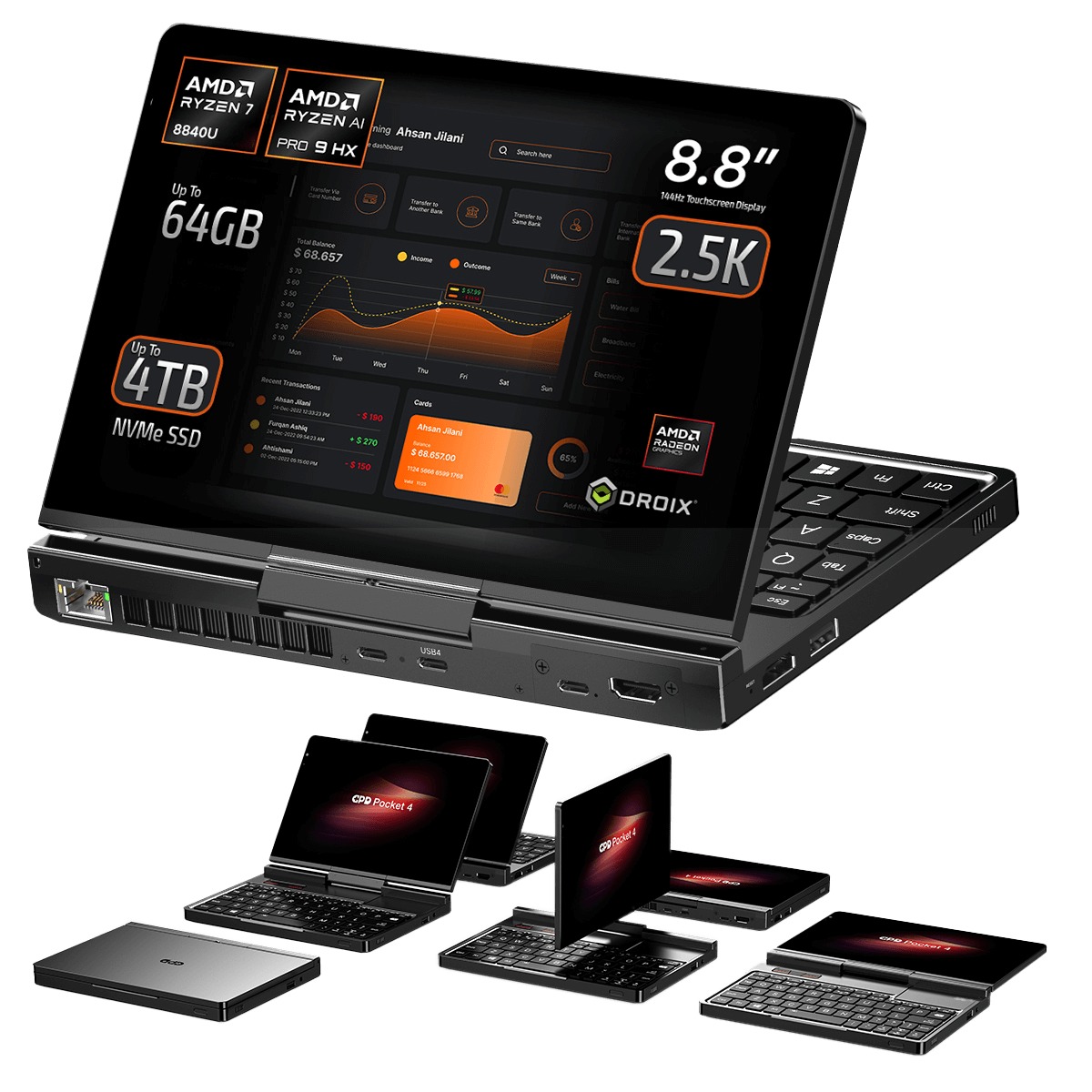
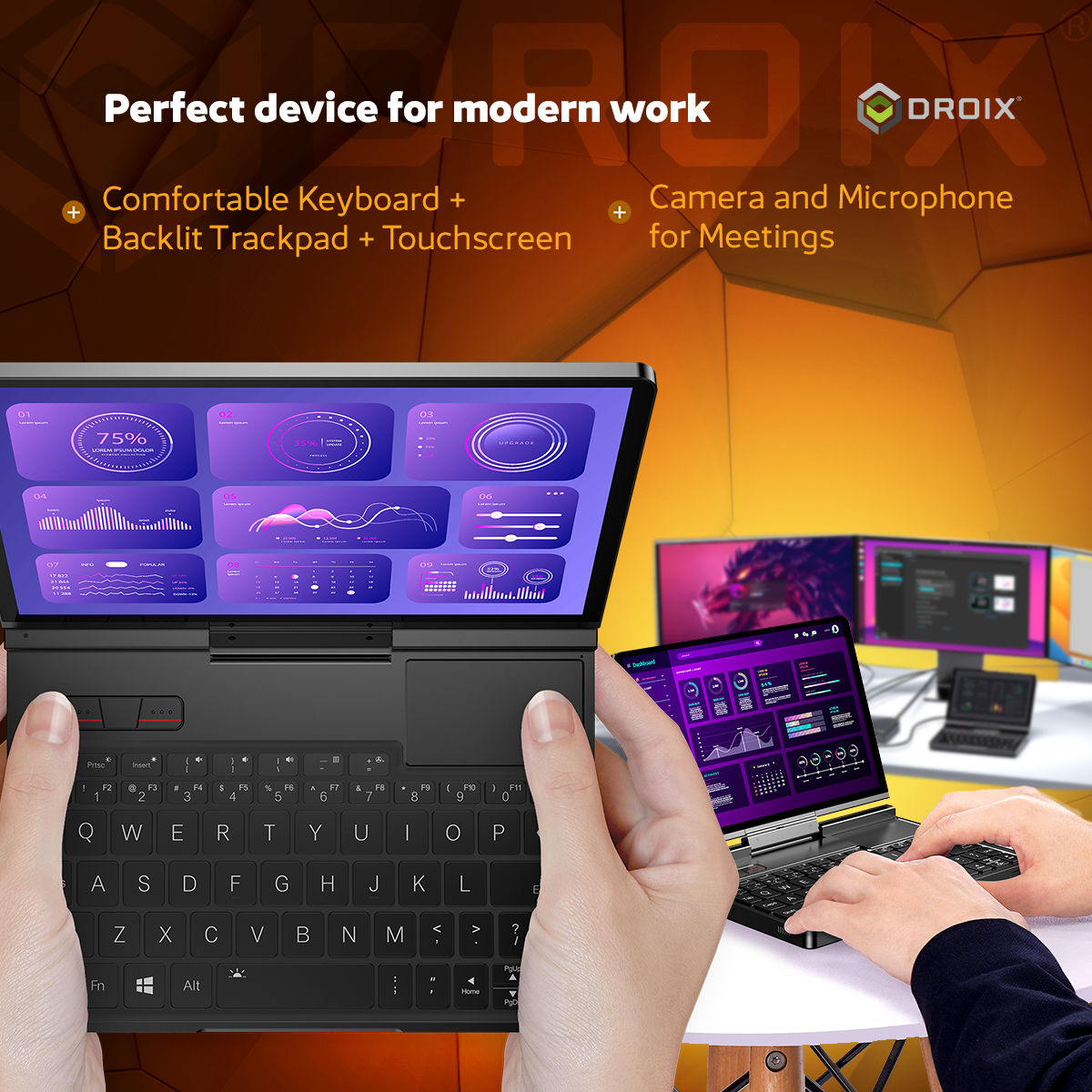
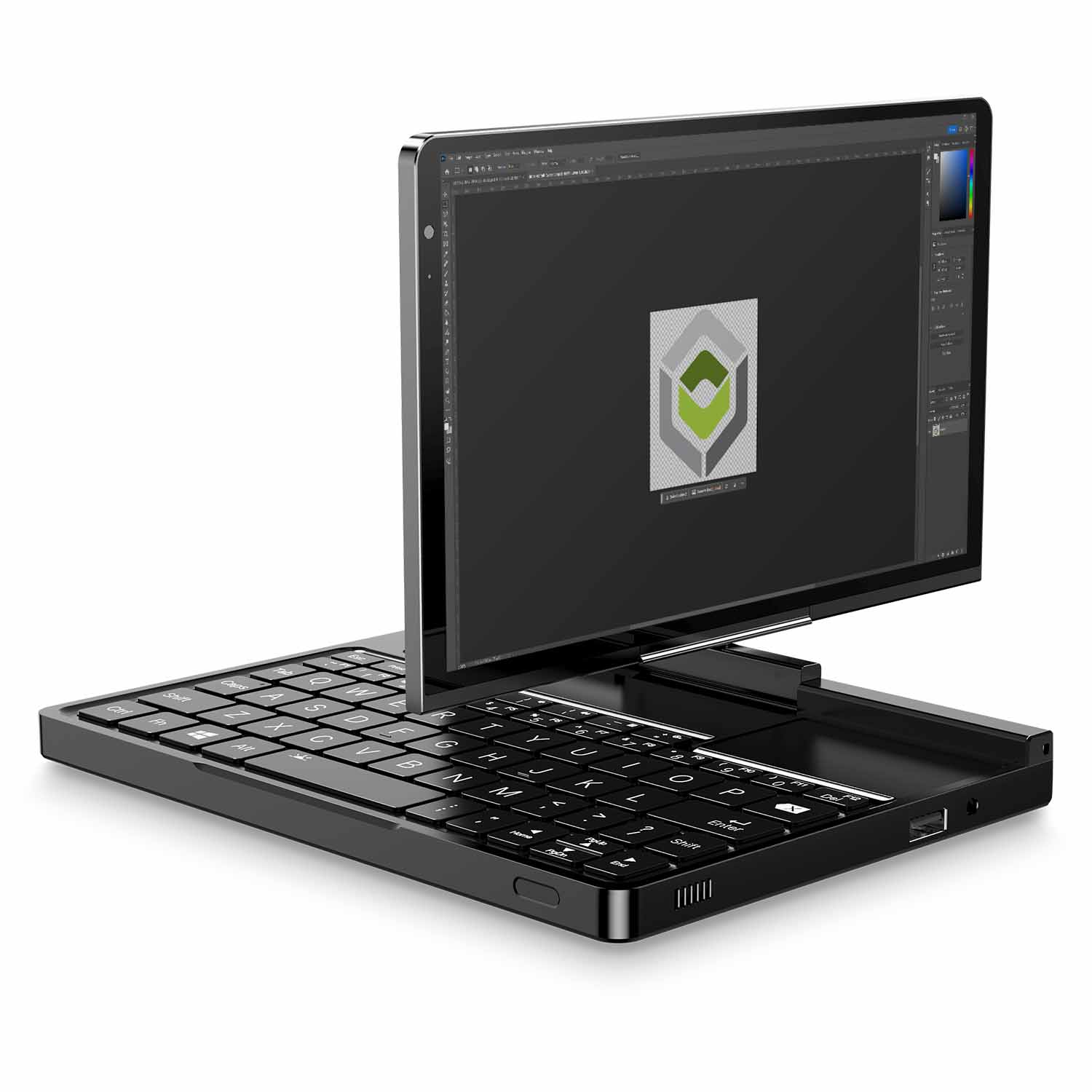
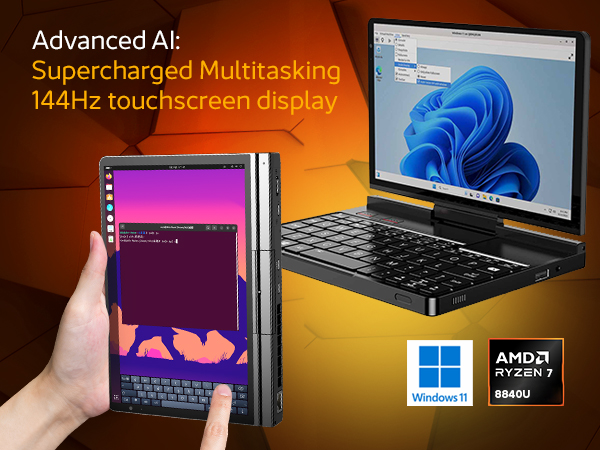
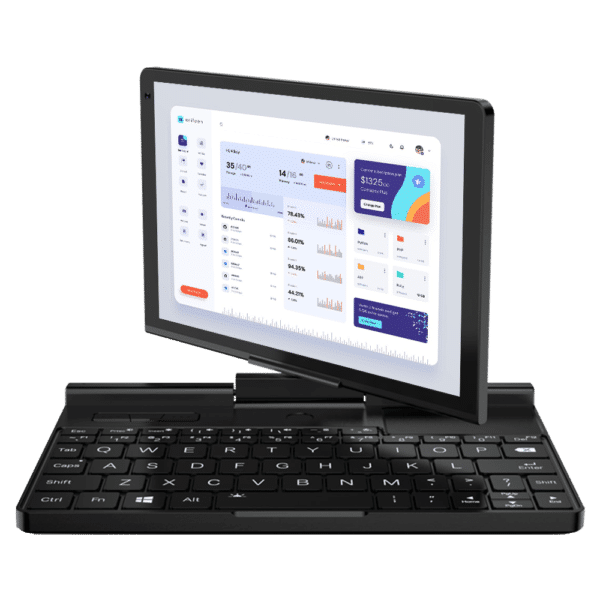
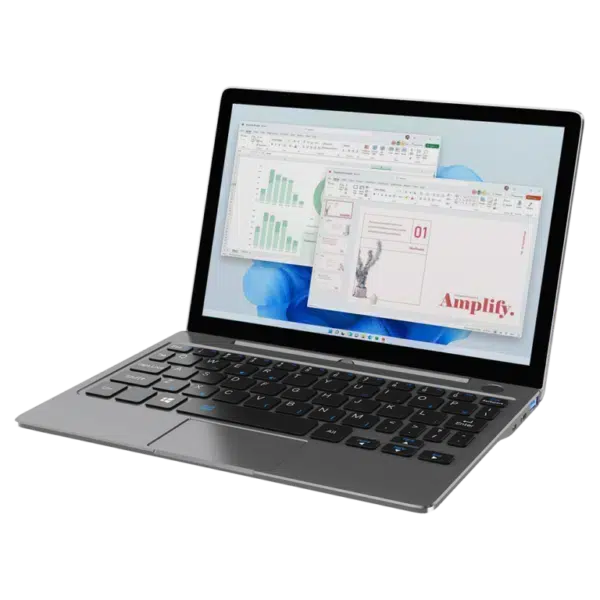
GPD Pocket 4는 세련된 휴대용 패키지로 뛰어난 성능을 제공하는 컴팩트 컴퓨팅 장치의 한계를 재정의하고 있습니다. 이동 중에도 안정적인 워크스테이션을 필요로 하는 전문가, 최첨단 혁신을 갈망하는 기술 애호가, 작은 폼 팩터에 강력한 성능을 필요로 하는 게이머를 위해 설계된 GPD Pocket 4는 모든 면에서 기대치를 뛰어넘는 성능을 제공합니다. 엘리트 스트릭스 포인트 성능: 12코어 Ryzen AI 9 HX 370(Zen 5) 및 Radeon 890M 그래픽을 탑재했습니다. 770g의 섀시에서 80 TOPS의 AI 성능과 데스크톱에 필적하는 멀티태스킹을 경험할 수 있는 이 다목적 장치는 집중적인 생산성 작업부터 몰입형 엔터테인먼트 및 특수 전문 애플리케이션까지 모든 것을 손쉽게 처리할 수 있습니다. GPD Pocket 4는 성능, 휴대성, 다재다능함의 궁극적인 융합입니다.
이동 중 효율성의 혁신: GPD Pocket 4의 적응형 아키텍처 및 비즈니스급 화면
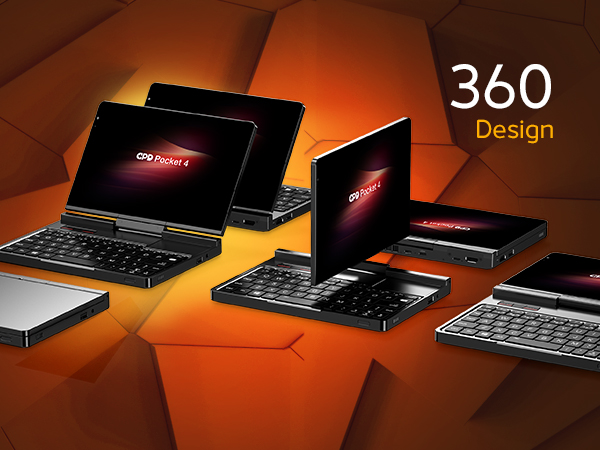
최고의 유연성과 기능을 위한 360° 디자인 최고의 다용도성
GPD Pocket 4는 최첨단 360° 힌지 디자인으로 휴대용 컴퓨팅의 수준을 한 단계 끌어올려 사용자의 라이프스타일에 맞는 탁월한 다용도성을 제공합니다. 모든 동작이 가능한 이 장치는 생산성을 높이는 노트북 모드, 원활한 검색이나 창의적인 작업을 위한 태블릿 모드, 좁은 공간에서 프레젠테이션이나 비디오 재생을 위한 텐트 모드, 몰입감 있는 게임이나 핸즈프리 스트리밍을 위한 스탠드 모드 등 다양한 모드로 손쉽게 전환할 수 있습니다.
견고한 힌지 메커니즘은 정밀하게 설계되어 장시간 사용해도 부드럽고 안정적인 작동을 보장하므로 매일 믿고 사용할 수 있는 장치입니다. 이러한 유연성 덕분에 커피숍에서 일할 때, 고객 프레젠테이션을 할 때, 비행기에서 좋아하는 미디어를 즐길 때 등 모든 환경에 맞게 GPD Pocket 4를 최적화할 수 있습니다.
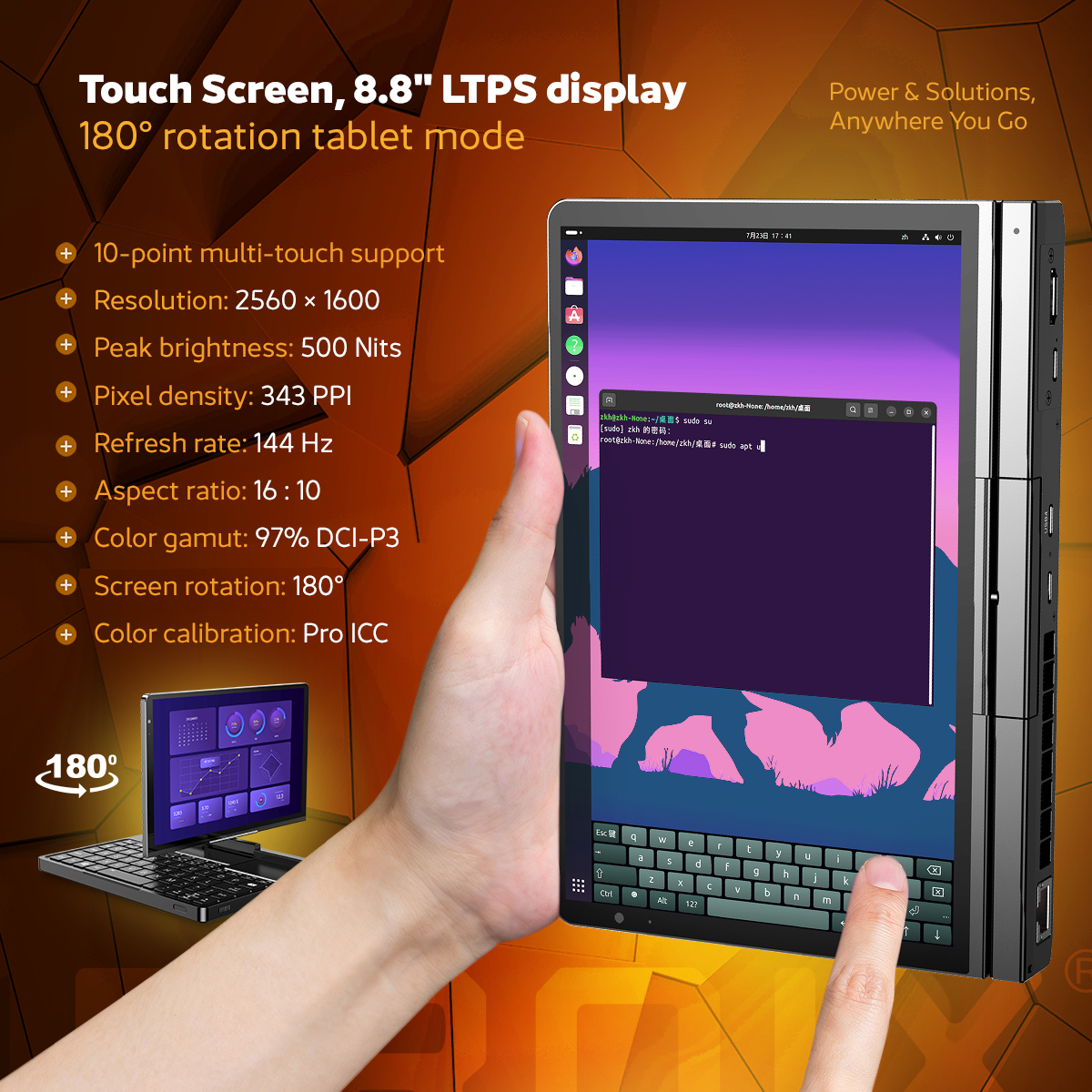
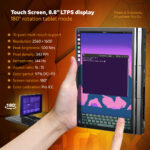
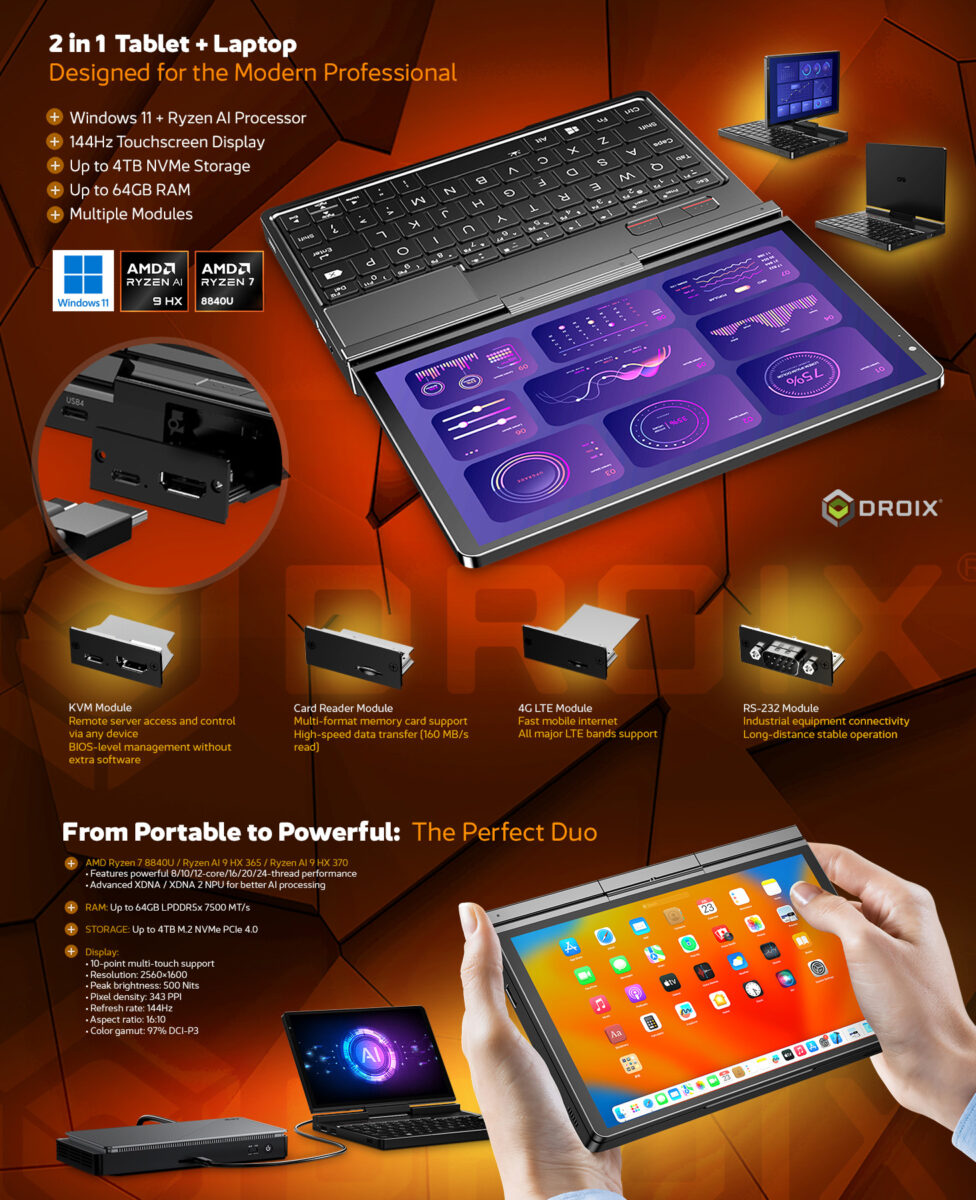
GPD Pocket 4는 세련되고 컴팩트한 디자인을 자랑하며, 화질 저하 없이 휴대성이 뛰어난 강력한 제품입니다. 2560×1600의 놀라운 해상도를 자랑하는 8.8인치 LTPS 디스플레이는 343 PPI의 픽셀 밀도로 선명한 비주얼을 제공합니다. 게임을 하든 전문적인 콘텐츠 제작을 하든 144Hz 주사율로 버터처럼 부드러운 비주얼을 보장합니다. 디스플레이의 최고 밝기는 500니트이고 97%의 DCI-P3 색 영역 커버리지로 조명이 어두운 작업 공간부터 밝은 야외 환경까지 모든 환경에 적합한 생생하고 정확한 색상을 보장합니다. 또한 혁신적인 회전식 디스플레이로 노트북 모드와 태블릿 모드를 손쉽게 전환할 수 있어 필요에 따라 즉시 적응할 수 있는 다용도 제품입니다. GPD Pocket 4는 성능뿐 아니라 고급 디스플레이와 적응형 디자인으로 감동을 선사하도록 설계되었습니다.
작지만 강력한: 1.69파운드(770g)의 깃털처럼 가벼운 본체에 담긴 AMD Ryzen 프로세싱 파워
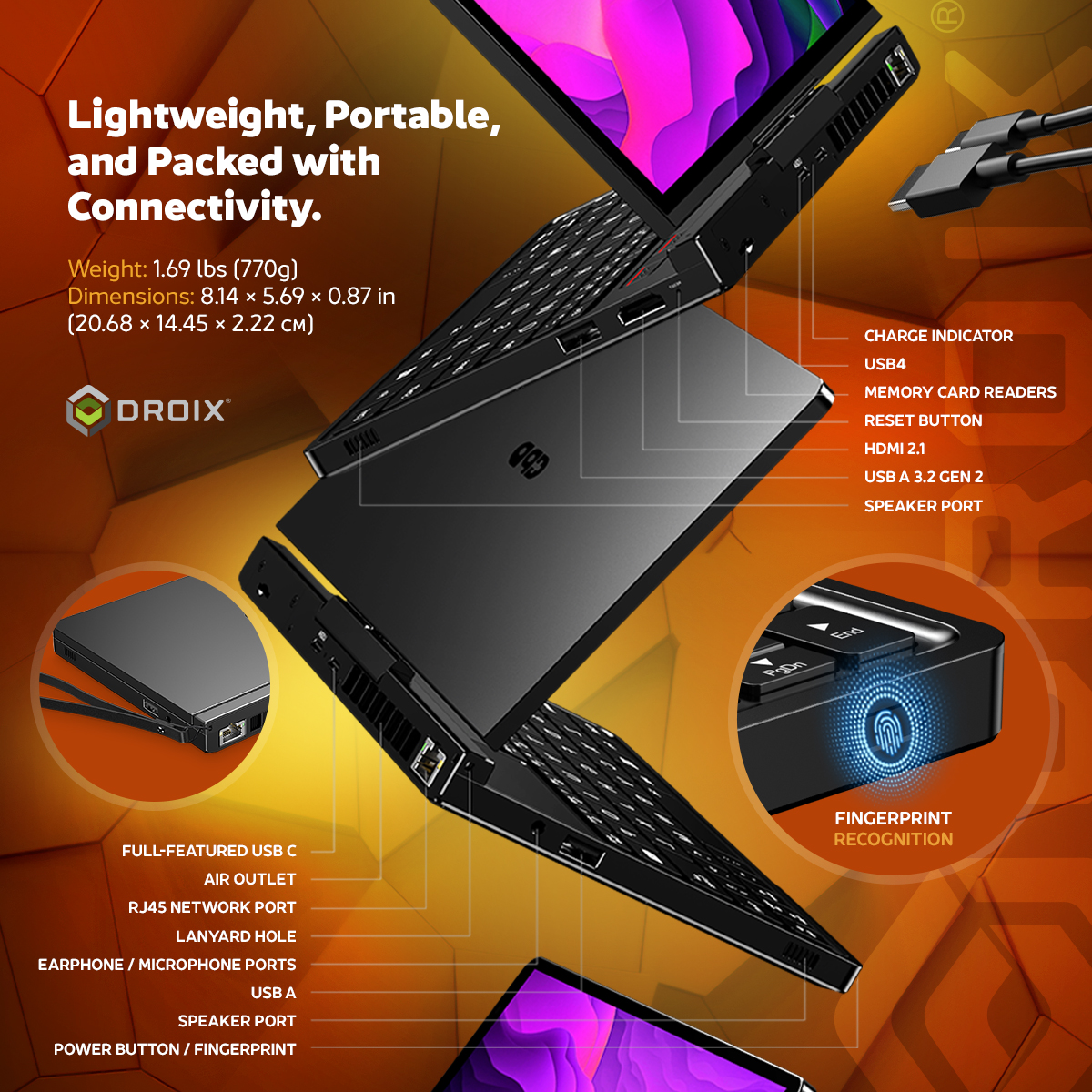
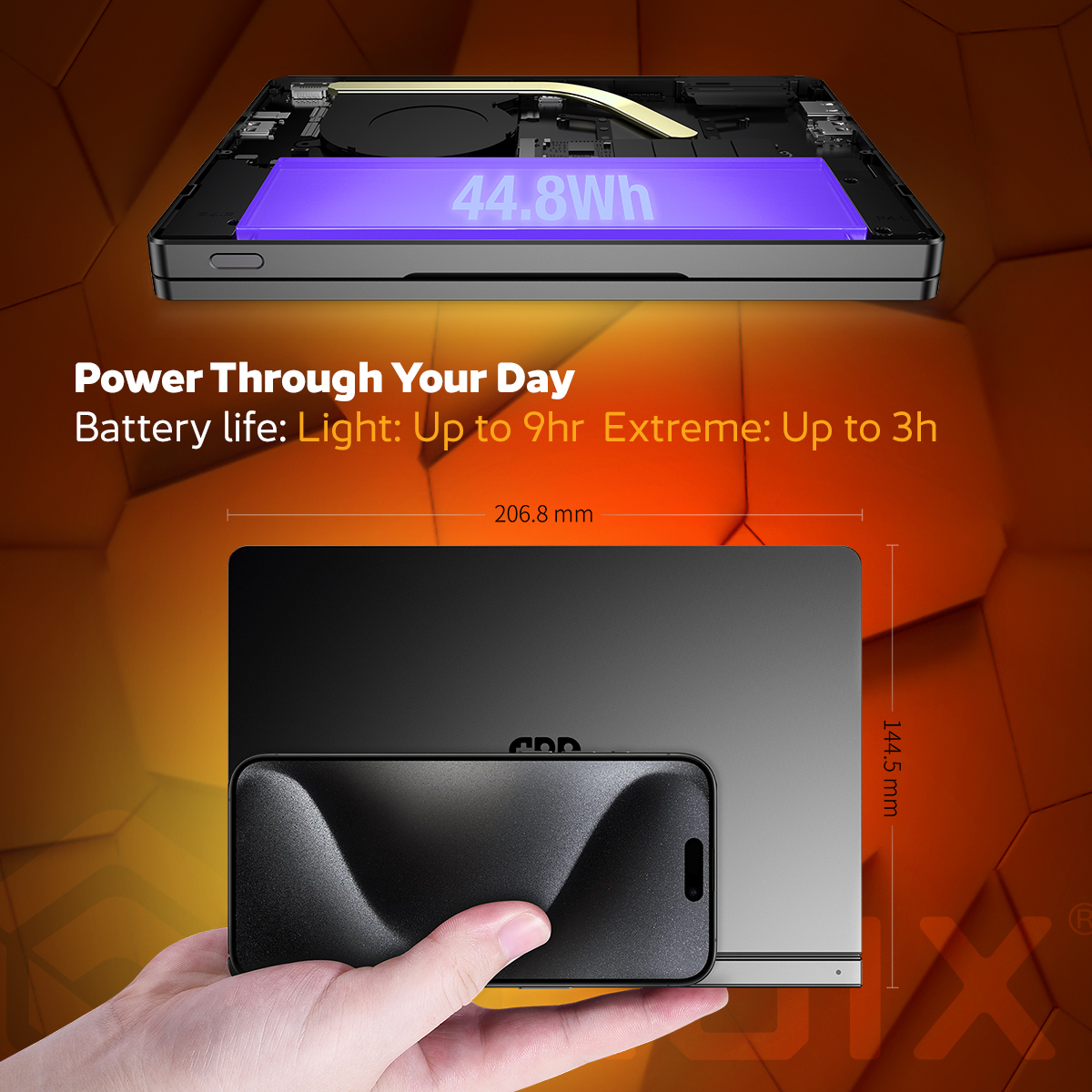
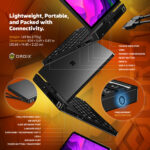
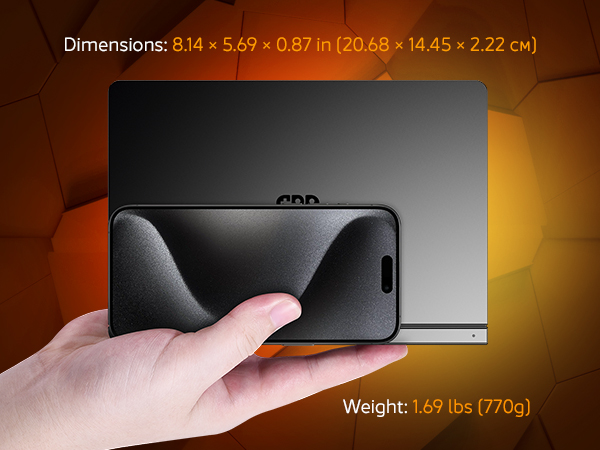
GPD Pocket 4는 현대의 전문가와 기술 애호가를 위한 세련되고 컴팩트한 디자인으로 휴대성과 성능을 재정의합니다. 크기가 8.14 x 5.69 x 0.87인치(20.68 x 14.45 x 2.22cm)에 불과하고 무게가 1.69파운드(770g)에 불과한 이 디바이스는 최고의 편의성을 위해 설계되었습니다. 가볍고 휴대하기 좋은 폼 팩터로 가방에 넣거나 스마트폰과 함께 들고 다니거나 이동 중에도 편안하게 사용할 수 있습니다. 컴팩트한 크기에도 불구하고 GPD Pocket 4는 고해상도 터치스크린, 모듈식 연결 옵션, AMD Ryzen 프로세서 기반의 최첨단 성능 등 프리미엄 기능이 가득합니다. 생산성, 게임 또는 창의적인 작업에 이상적인 이 제품은 다재다능함과 세련되고 미니멀한 미학을 겸비하고 있습니다. 프리미엄 소재와 고급 엔지니어링으로 제작된 GPD Pocket 4는 성능과 휴대성을 하나의 우아한 패키지로 원하는 분들에게 완벽한 기기입니다.
제품 개요: 궁극의 2-in-1 미니 노트북 및 태블릿
컴팩트하고 다재다능하며 강력한 성능을 자랑하는 GPD Pocket 4는 업무와 엔터테인먼트를 위한 완벽한 동반자입니다. 이 프리미엄 투인원 디바이스는 휴대성과 성능의 이상적인 균형을 제공하여 이동 중인 전문가를 위한 최고의 도구입니다.
궁극의 연결성을 활용하세요: GPD Pocket 4의 확장성과 이동성
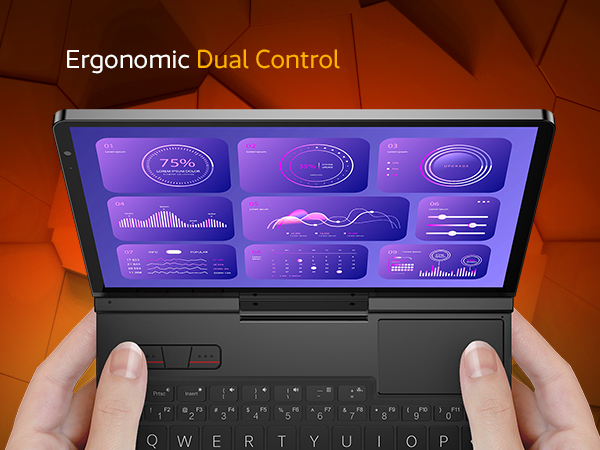
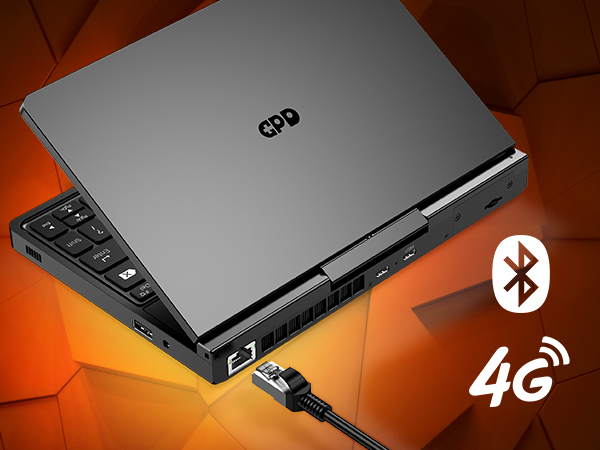
포괄적인 인터페이스: MicroSD 확장, USB-A, 인체공학적 듀얼 컨트롤로 생산성 극대화.
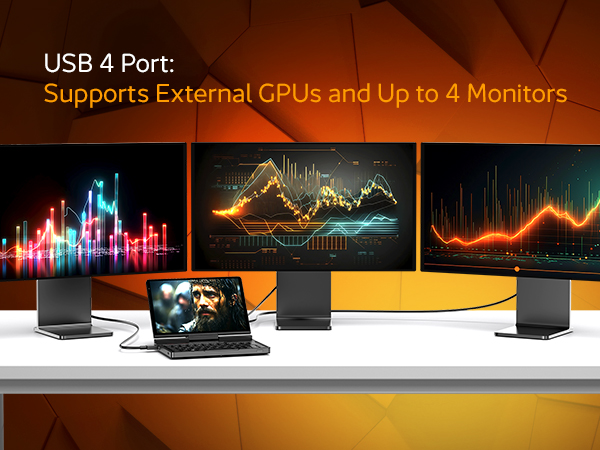
40Gbps의 파워: 고속 USB 4 포트를 통한 eGPU 및 다중 모니터 연결.
진정한 원격의 자유: 4G LTE 확장 모듈(옵션)로 어디서나 온라인 상태를 유지하세요.
GPD Pocket 4 미니 노트북은 어디서든 연결성과 생산성을 유지할 수 있도록 설계되었습니다. 유효 대역폭이 40Gbps인 고속 USB 4.0 포트가 있어 GPD G1 eGPU 도킹 스테이션과 같은 외부 그래픽 솔루션에 연결하기에 이상적입니다. 이를 통해 사용자는 장치의 그래픽 성능을 크게 향상시켜 까다로운 게임과 그래픽 집약적인 작업을 쉽게 처리할 수 있습니다. USB 4.0 포트 외에도 GPD Pocket 4는 확장 가능한 스토리지를 위한 microSD 카드 슬롯과 다양한 주변기기를 연결할 수 있는 다목적 USB-A 포트를 제공하며, 원활한 모바일 연결을 위한 4G LTE 확장 모듈(옵션)을 지원합니다. 이러한 포괄적인 연결 옵션을 갖춘 GPD Pocket 4는 원격 작업이나 이동 중 게임 등 어떤 상황에서도 연결 상태와 생산성을 유지하고 모든 작업에 대비할 수 있도록 해줍니다.
모던 프로를 위한 설계: 모듈식 다용도성 및 AI 기반 성능
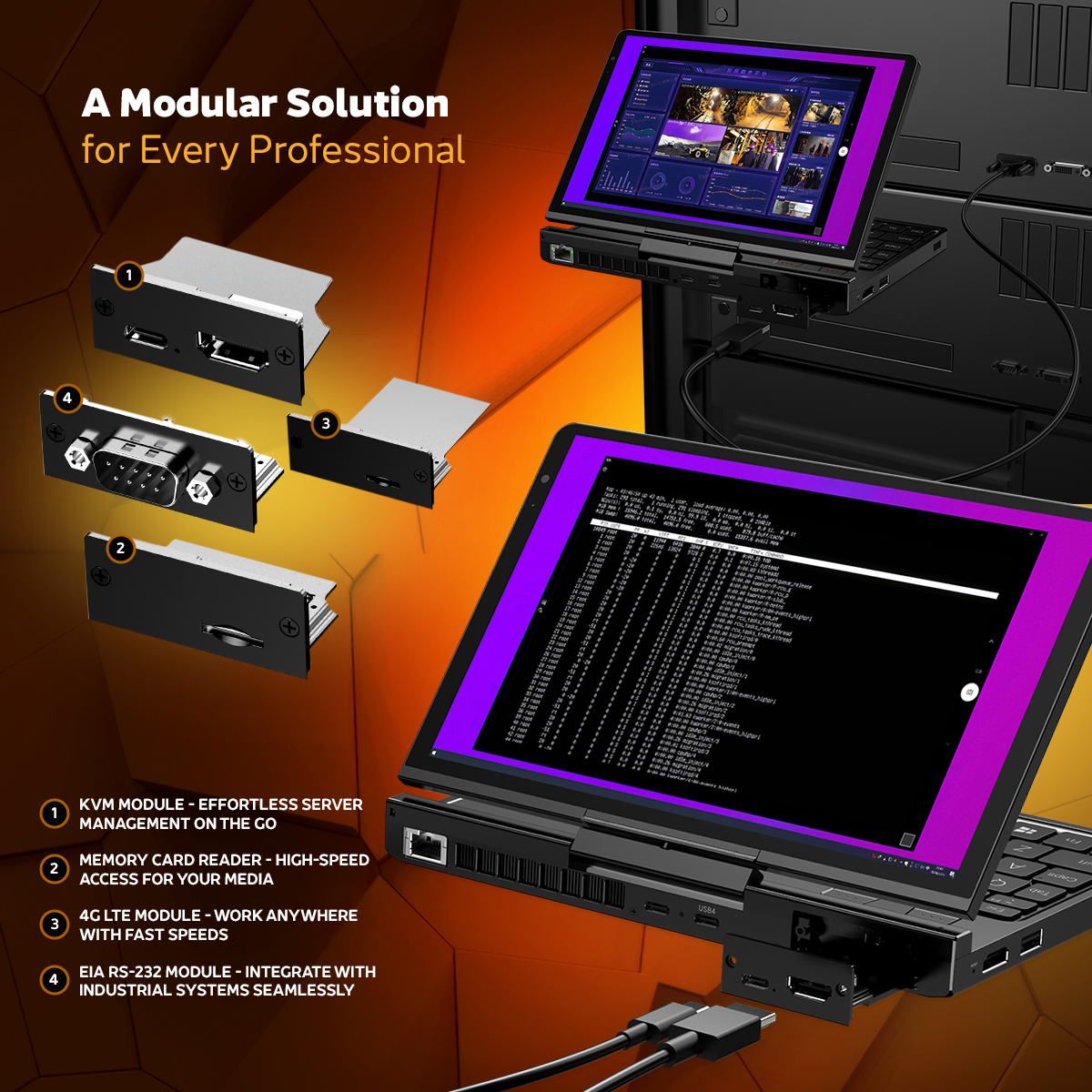
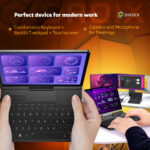
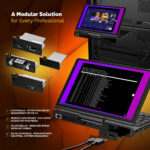
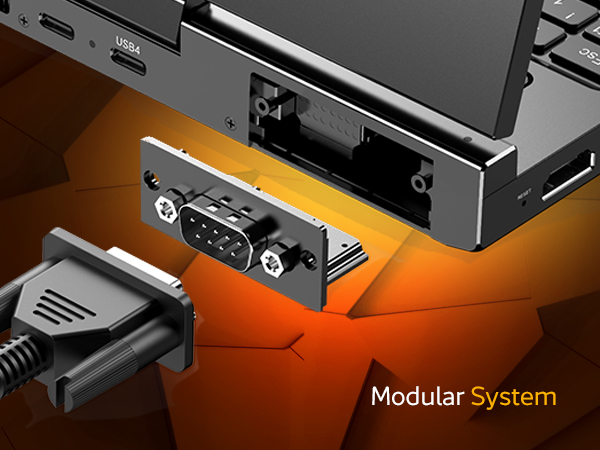
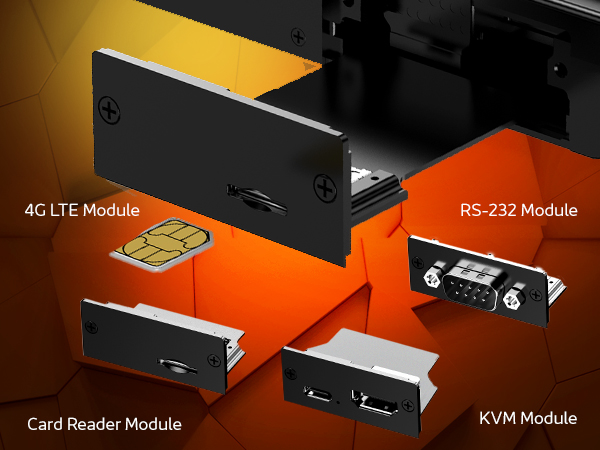
GPD Pocket 4는 원활하고 직관적인 사용자 경험을 제공하도록 설계되어 다양한 직업적 및 개인적 요구를 충족합니다. 최신 소프트웨어로 구동되고 Ryzen AI 9 HX 370 프로세서의 고급 AI 기능이 탑재된 이 장치는 다양한 애플리케이션에서 더 빠르고 효율적인 워크플로우를 지원하여 생산성을 향상시킵니다. 현장 엔지니어의 꿈: 몇 초 만에 모듈을 교체하세요. 서버 관리에는 KVM 모듈을, 산업용 디버깅에는 RS-232 모듈을, 원격 사이트 액세스에는 4G LTE를 사용하세요.
세계 최초의 모듈형 3-in-1 워크스테이션
여러 개의 전문 도구를 들고 다니지 않아도 됩니다. GPD Pocket 4의 후면 확장 포트를 사용하면 작업에 맞게 하드웨어 모듈을 핫스왑할 수 있습니다:
KVM 모듈: HDMI-in 및 USB를 통해 핸드헬드에서 직접 서버 또는 산업용 PC를 제어할 수 있습니다.
RS-232 모듈: 산업용 장비 및 PLC 디버깅을 위한 전문가급 직렬 포트입니다.
4G LTE 모듈: Wi-Fi가 없는 곳에서 미션 크리티컬한 연결을 위해 SIM 카드를 삽입합니다.
2.5K 해상도(343 PPI): 눈의 피로 없이 기술 매뉴얼을 코딩하고 읽을 수 있는 고밀도 텍스트.
500니트 밝기: 실외 작업 현장이나 밝은 사무실 조명 아래에서도 잘 보입니다.
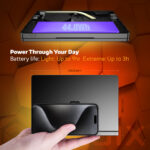
최대 9시간 동안 사용할 수 있는 44.8Wh의 강력한 배터리와 100W 고속 충전을 지원하는 GPD Pocket 4는 가동 중단 시간을 최소화하면서 하루 종일 생산성을 유지할 수 있도록 해줍니다. 컴팩트한 디자인으로 휴대가 간편하여 강력한 휴대용 컴퓨팅 솔루션이 필요한 전문가와 기술 애호가에게 완벽한 선택입니다.
After I got one for my hobby, my girl wanted one of her own, and it really packs a punch! It runs any game she can throw at it.
DIRECT
Was this helpful?
★★★★★
Timothy Graham
Feb 14, 2025
Gentoo Linux is running great!
I've got the Pocket 4 dual-booting Windows and Gentoo Linux. It takes a little know-how, but very satisfying once it's done. The GRUB menu is still rotated, and may always be, but everything else is great. KDE Plasma runs super smooth and all packages compile way faster than they did on the Desktop I've been using these last several years.
DIRECT
Was this helpful?
★★★★★
Shane Sanchez
Oct 7, 2025
Great performance, with minor hiccups and design oddities
Great device overall! This little laptop is a utilitarian gamer/dev's dream. The chassis is solid aluminum and makes it way a LOT for its size, but considering how feature-rich and sturdy the whole thing feels it's definitely warranted.
Aside from that, I do have some minor gripes. The chassis, buttons, AND screen are all grease magnets. It's the most ideal size for an in-field carry, but hopefully your adventures take you into AC or else you'll have fingerprints all over the cover in seconds. If you have naturally oily hands, then good luck. After mild keyboard use over a week (I often hook it up to an external setup when gaming), I already have the plastic on my space bar that shiny, worn-in, sheen black, along with other common keys like shift. I think it'd be great to put a case or a wrap on it, if you can manage.
Another annoyance is the screen and body's seal. The smooth and slippery metal makes it really tough to get a good grip to open the lid. There's a minor indent, but it's too small to use unless you're using your nail. Issue is, the border for the screen is incredibly small and as far as I've seen, there's no screen protector other than the temporary plastic to protect it in shipping. I elected to keep it and peel off the white "Remove" tab to protect the screen, but the material doesn't seem like it'll hold up over time.
Final problem, which bugs me the most, is the crashes. I admittedly haven't done much troubleshooting (Only had it for a week), but the laptop will suddenly hang and restart if I do things in an "unpredicted(?)" order, like flipping through a menu while it's actively resizing, or changing too many graphics settings at once, or even just unplugging it while a game is running. I'm sure it's a solvable issue, and I genuinely can't tell if it's something I'd done when first using it or if it was something that's wrong with the hardware.
Other than those gripes, the whole thing is a really good package! I got the lowest spec model and I can run pretty much anything excluding modern AAA games. Plenty of flexibility and good build quality!
DIRECT
Was this helpful?
★★★★★
Caden King
Apr 1, 2025
Awesome device
Does everything I need from gaming to web browsing, best thing I’ve bought in years
DIRECT
Was this helpful?
★★★★★
Francisco Ponce
Apr 8, 2025
Portability meets quality
This is a powerful pc in a compact portable size. I bought this for its versatility, I can game when I want to and work when I need to. Its high end but that’s because you’re getting top quality tech.
DIRECT
Was this helpful?
★★★★★
Antonio Ramirez
Apr 10, 2025
10/10
i love this mini laptop up to this point ive never bought my own laptop so while researching i realized i wanted a very portable experience so mini was the way i wanted to go and im glad i did thank you for the great customer service as well
DIRECT
Was this helpful?
★★★★★
A_Midwesterner
May 21, 2025
It's not perfect, but it's still quite amazing
This device has lived up to most of my expectations, and I’m really happy with it. Quick side note: Droix has been fantastic, and I can’t imagine buying a GPD device any other way now. On to the Pocket 4:
This is a pretty novel little machine. A surprising amount of power in such a compact package, and the price wasn’t bad at all given the horsepower (mine is the HX 370 / 64 GB version).
The screen is excellent, although there’s no getting around the fact that it’s still just 8.8 inches. That means working with two windows side-by-side is rarely viable, and when coworkers share their 4K screens on video calls, it's a bit rough. I can zoom in using our conferencing app, but that was a surprise annoyance I hadn’t fully anticipated. Just one of those small-device tradeoffs that reminds you how important it is to know your needs before diving into something this compact. When I’m working in a planned session I dock it at my desk.
A couple of features I really like: The 4G LTE modem and the surprisingly usable built-in keyboard. It’s a huge upgrade from tapping things out on my phone’s screen when I need to write more than a sentence or two. With a little practice, I’m comfortably typing over 60 WPM. I've used it more for documentation and correspondence than coding, since some of the keys are in odd places.
The trackpad and mouse buttons above the keyboard were easy to get used to. Two minor gripes: the built-in mic isn’t great (but I use a Bluetooth headset anyway), and the fan can be a little annoying. It's not louder than my i9 ThinkPad, but the pitch of the fan can be grating in a quiet room. Sometimes it hits that mosquito-whine territory. If there's any white noise or ambient sound around it fades into the background. You can manage it using the MotionAssist app and TDP settings. It’s manageable.
It’s not super lap-friendly due to its shape and weight, but I do use it that way from time to time. I haven’t made much use of the tablet mode. I would’ve used it more if they had kept the active stylus from the Pocket 3, but they didn’t. The tradeoff is better screen resolution, more power under the hood, and the LTE module option, which the Pocket 3 didn’t offer.
Battery life is just okay. With my usage and screen brightness preferences I usually get 4 to 6 hours. Turning down the TDP helps stretch it, but that bright screen is essential for legibility and can be a battery drain. I carry a beefy power bank just in case. It’s enough for how I use it, but not what I’d call all-day battery.
Build quality feels solid and the keyboard action is satisfying. There haven’t been many surprises or compromises, and for the price I paid, I’m pleased. I’m working toward using this as my everything device with a dual-boot setup and some extra customization.
The stock Windows install was clean, no bloatware or weird surprises. That was refreshing. Depending on your needs you may want to swap the stock SSD. Mine came with a WD Blue drive with no DRAM cache, which shows up in slower sustained reads/writes. It’s fine for most use cases, but worth upgrading if you’re doing heavier workloads. Droix doesn’t void your warranty for that kind of swap, which I appreciated.
Despite the name, this thing does not fit in a pocket. It’s too big and heavy for that. Compared to my old slim 13" laptop, it's not a life-changing boost in portability. That said, the full-size HDMI and Ethernet ports are fantastic, and the modular expansion is a plus. You can find similar ideas from Framework laptops, and I’m curious about their new smaller models, but I don’t regret this choice. Framework didn’t have a comparable product available when I needed one, and the HX 370 processor is excellent.
I recently took a weekend trip and packed the Pocket 4 "just in case." It was *slightly* easier to carry than my 13" laptop. I didn’t end up needing it, but it was nice to have. If I ever need to work more extensively while traveling, I might pair it with my Uperfect-X lapdock for a second screen. That’s a 13" display, but I’m considering getting a 16" one to make full-day work more viable when I’m away from the desk.
I’ve only dabbled in gaming on it so far, but I was impressed. I didn’t run anything bleeding-edge, but 5/YO titles ran well and the integrated graphics held up just fine.
All in all, I hope this lengthy but honest review is helpful. This device isn’t for everyone. But if you know your habits and expectations, you can tell whether this form factor and performance profile will work for you. I’m two months in and still totally happy. It runs flawlessly, and even though the fan pitch bugged me a bit, temps stay cool and performance is excellent.
One last recommendation: get a tempered glass screen protector. I added one right away, and I barely notice it. Still crystal clear and touch-responsive. My last laptop made it nearly seven years without major screen damage, and I’d like this one to do the same.
Go...
DIRECT
Was this helpful?
★★★★★
Martin S
May 1, 2025
XUbuntu on GPD Pocket 4 rocks!!!
First off I'm probably not a typical GPD customer as I am neither a gamer or a fan of Microsoft. That being said, I loaded XUbuntu on my GPD Pocket 4 and it performs outstandingly. I had to rotate the display 90 degrees and shrink it by 50% in the XUbuntu settings, but after that it just works perfectly. Thanks so much.
DIRECT
Was this helpful?
★★★★★
Zen K
Feb 26, 2025
The dream of late 2000s fulfilled
There were many cool UMPCs in the late 2000s. Vaio UX, Fujitsu Loox U, or OQO, each machine in this category was unique and presented the future of PC computing. However, they failed against smartphones due to their weak tech specs. Twenty-ish years later, a full-spec, or even more strong than major manufacturers' high-end machines, is here... with LTE capability (add-on). I thought 8" could be small, but it is fully usable and better than expected, as I used it on a few flights.
DIRECT
Was this helpful?
★★★★★
Damian Mehers
Apr 30, 2025
Great device
Perfect small factor laptop… fans can get a bit loud but you can tweak the settings. I love it.
Help us maintain quality by reporting inappropriate content
Questions & Answers
Have a question about this product? Get answers from our community.
10
질문
✓ Answered
10
Q
Asked by Mick McQ
Nov 27, 2025
Will the 64GB models eventually return to the store?
A
Support Team
Nov 27, 2025
Thank you for your question. Unfortunately it has been taken off production. Only 32GB is currently available
Was this helpful?
Q
Asked by Seth
Nov 14, 2025
Will the Amd Ryzen 7 8840u version of the pocket 4 be restocked?
A
Support Team
Hey, The item is currently in pre-order and you can reserve the unit in pre-order for GPD Pocket 4 8840U Processor 16GB variation.
Was this helpful?
Q
Asked by Geoff
Nov 14, 2025
Does it run Linux? Native (not in a VM/etc.), and Ubuntu.
A
Support Team
Hi, Yes, the processor in question is an x86 architecture, which means it is capable of running Linux. However, regarding 100% compatibility, we cannot guarantee that at this stage. Full compatibility will depend on the finalized hardware specifications, which are still in development. We appreciate your understanding and encourage you to stay tuned for updates as we progress. If you have any further questions, feel free to contact us.
Was this helpful?
Q
Asked by Edmundo jr Bayani
Nov 14, 2025
where can i buy gdp pocket 4 Ryzen AI 9 physical store in philippines?
A
Support Team
Thank you for your interest in the GPD Pocket 4 Ryzen AI 9. We currently do not have any physical retail stores in the Philippines. Also, the products are available for purchase exclusively through our websites. All purchases come with DROIX warranty coverage and a 30-day refund policy, in accordance with our website’s terms and conditions, should you be unsatisfied with your order.
Was this helpful?
Q
Asked by Patrick Hemsley
Nov 14, 2025
Can I install Linux?
A
Support Team
Hi, Yes, users can install Linux on the GPD Pocket 4. The device is compatible with various Linux distributions, although the experience may require some manual tweaks.
Was this helpful?
Q
Asked by Keova Rüeger
Nov 14, 2025
would the lte module from the pocket 4 be combitable with the pocket 3?
A
Support Team
Hi, Unfortunetly, we currently don't have an LTE module available for Pocket 4/3 models.
Was this helpful?
Q
Asked by Raph
Nov 14, 2025
Can you add a sim card slot so I can use my phone data on it? And use it like a phone? And make it a bit smaller? 14-17 inches long? So I can fit it in my pocket?
A
Support Team
Hi, You can get an 4G LTE module accessory with it to use the mobile data connectivity, We have noted the feedback about the size, you can consider looking at GPD Win 4 or Win Mini model for smaller size option.
Was this helpful?
Q
Asked by Geoff
Nov 14, 2025
Is the screen a shiny "glare" screen, or a matte "anti-glare" screen?
A
Support Team
Hi, Unfortunetly, the specific categorization of the screen as either "shiny" or "matte" is not explicitly stated in the available information, the emphasis on glare reduction indicates that it likely has anti-glare properties. The GPD Pocket 4 features an 8.8-inch LTPS display that utilizes full-fit technology, which significantly reduces glare caused by air refraction. This design enhances the screen's visibility both indoors and outdoors, suggesting it is optimized to minimize reflections typically associated with shiny screens. We will have more details in our review of the model soon.
Was this helpful?
Q
Asked by Marshall Gordon
Nov 14, 2025
Could you clarify a little about the IO? You list a "1x Thunderbolt 4 Port" and separately video " Via 1x USB 4.0 Type-C @ 40GB/s" - are these referring to the same port? I see two type-c ports on the product images (aside from the module), one labeled USB4 and the other unlabeled. The announcement page says "1 × USB4, 2 × USB A" and a photo shows the unlabeled type-c port being used for power - is this port unable to be used for data transfer or perhaps a powered usb hub?
Also this might be a silly question, but I am unfamiliar with the technology- the KVM module's type-c port, can it be used for more usual data transfer, or is it only for hte KVM functionality?
A
Support Team
Nov 21, 2025
There are two USB Type-C ports, one is USB 4 and the other USB 3. Both can be used for data and power. The KVM module USB is only for use with the KVM.
Was this helpful?
Q
Asked by Chan
Nov 14, 2025
is the LTE Module Compatible with the GPD pocket 3 ?
A
Support Team
Hey, Unfortunetly, its not compatible for GPD Pocket 3.
Was this helpful?
Page 1 of 3
Have a Question?
Our community and support team are here to help! Submit your question below and we'll get back to you as soon as possible.
질문하기
이 제품에 대해 궁금한 점이 있으신가요? 전문가와 커뮤니티에 문의하세요.
Tips for Getting the Best Answers
Be specific and detailed in your question
Check if your question has already been answered below
Include relevant product details or model numbers if applicable
Our support team typically responds within 24-48 hours