eGPUs & External Graphics Docks

3 produkRp 7.265.636,11–Rp 12.309.072,424,3 (24 ulasan)

An external GPU dock adds dedicated graphics power to a laptop, Windows handheld or mini PC that relies on integrated graphics. You connect it with a cable when you want higher frame rates or faster rendering, then unplug and travel light again.

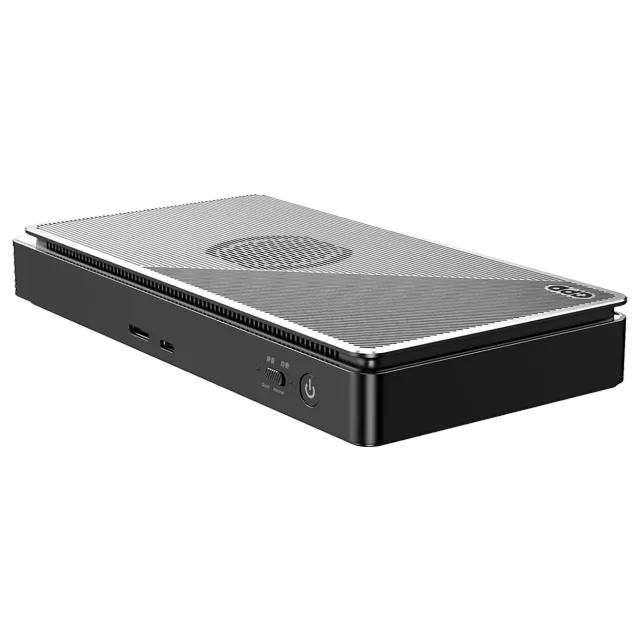
This category is for you if you game on a portable device at home, edit video or run creative software, or want to drive external monitors from a slim machine. The range includes the GPD G2 and the GPD G1 (2023) eGPU Docking Station, both built to turn a compact device into a desk setup.

Before you choose, compare these points:

  • Connection: make sure your device has a port the dock supports, such as USB4, Thunderbolt or OCuLink.
  • Power Delivery: check whether the dock can charge your laptop or handheld through the same cable, and at what maximum wattage.
  • Year released: newer docks usually pair with more recent graphics chips and interfaces.

The comparison table below lists these specifications side by side, so you can see which dock fits your device and how you plan to use it.

Menampilkan semua 2 hasil

GPD

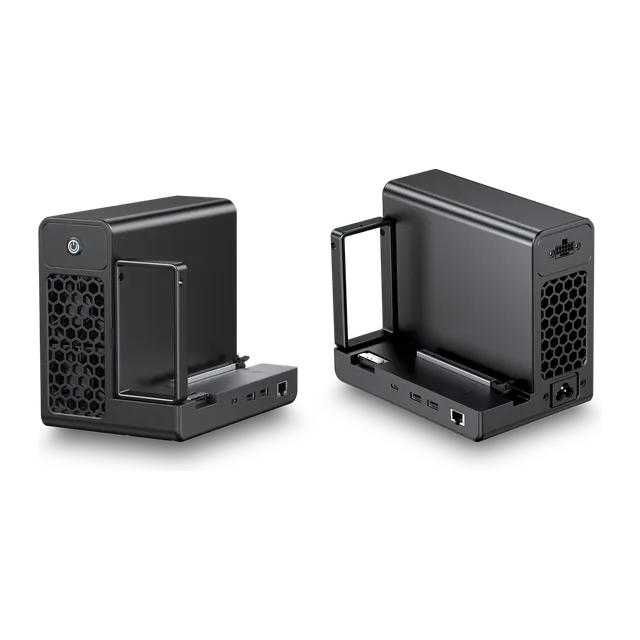
GPD G2

  • Dukungan GPU Modular: Kompatibel dengan kartu desktop NVIDIA RTX 50 dan AMD RX 9000 Series.
  • Antarmuka Kecepatan Tinggi: Konektivitas Ganda MCIO 8i (PCIe 4.0 x8) dan USB4 v2.0 (120Gbps).
  • PSU Gold 800W: Catu daya ATX 3.1 bawaan dengan konektor GPU 12V-2x6 khusus.
  • Hub Ekspansi: Slot SSD M.2 NVMe terintegrasi, Ethernet 1Gbps, dan dua port USB 3.2.
  • Pengisian PD 100W: Mengisi cepat perangkat genggam dan laptop host melalui satu kabel USB4.

Rp 7265636termasuk PPN

Tersedia
Pelajari selengkapnya
Pilihan terbaik

eGPUs & External Graphics Docks terlaris saat ini

Dipilih dari barang yang tersedia dan paling laris di GPD Store, dengan spesifikasi yang penting. Daftar ini diperbarui otomatis seiring perubahan penjualan dan stok.

Questions and answers

External GPU questions, answered

Are external graphics cards any good?

Yes, an external graphics card can give a noticeable boost to devices that rely on integrated graphics. Some performance is lost compared with a card installed in a desktop slot, and how much depends on the connection, such as USB4, Thunderbolt or OCuLink.

Can you have an external graphics card?

Yes, an external graphics card sits in a separate dock with its own power and connects to your device by cable. Your laptop, handheld or mini PC needs a port the dock supports for it to work.

Can I use an external graphics card for a laptop?

Yes, most eGPU docks are designed for laptops with a USB4, Thunderbolt or OCuLink port. Check your laptop's specifications for the exact port type, and look at the dock's Power Delivery rating if you want it to charge your laptop too.

Is an external graphics card good for gaming?

Yes, gaming is one of the main reasons people buy an external GPU. It lets a portable device run more demanding games at higher settings when docked at a desk, often with a larger external monitor.

Are external graphics cards still a thing?

Yes, new external graphics docks keep arriving. Recent examples include the GPD G2 and the ROG XG Mobile (2025), aimed at laptops and handhelds.

Can I add an external GPU to my desktop?

It is possible only if your desktop has a port the dock supports, such as USB4, Thunderbolt or OCuLink. For most desktops with a free PCIe slot, an internal graphics card is the simpler and faster option.

Is there an NVIDIA external graphics card for laptops?

External docks are built around both NVIDIA graphics cards and AMD chips, depending on the model. Check the graphics chip named on each product page and confirm that your laptop's port matches the dock's connection.

Can I use an external graphics card with an HP laptop?

Yes, if your HP laptop has a USB4, Thunderbolt or OCuLink port that the dock supports. Look up your exact model's specifications, since port support varies between HP laptops.