



מחשבי גיימינג ניידים וקונסולות Windows של GPD

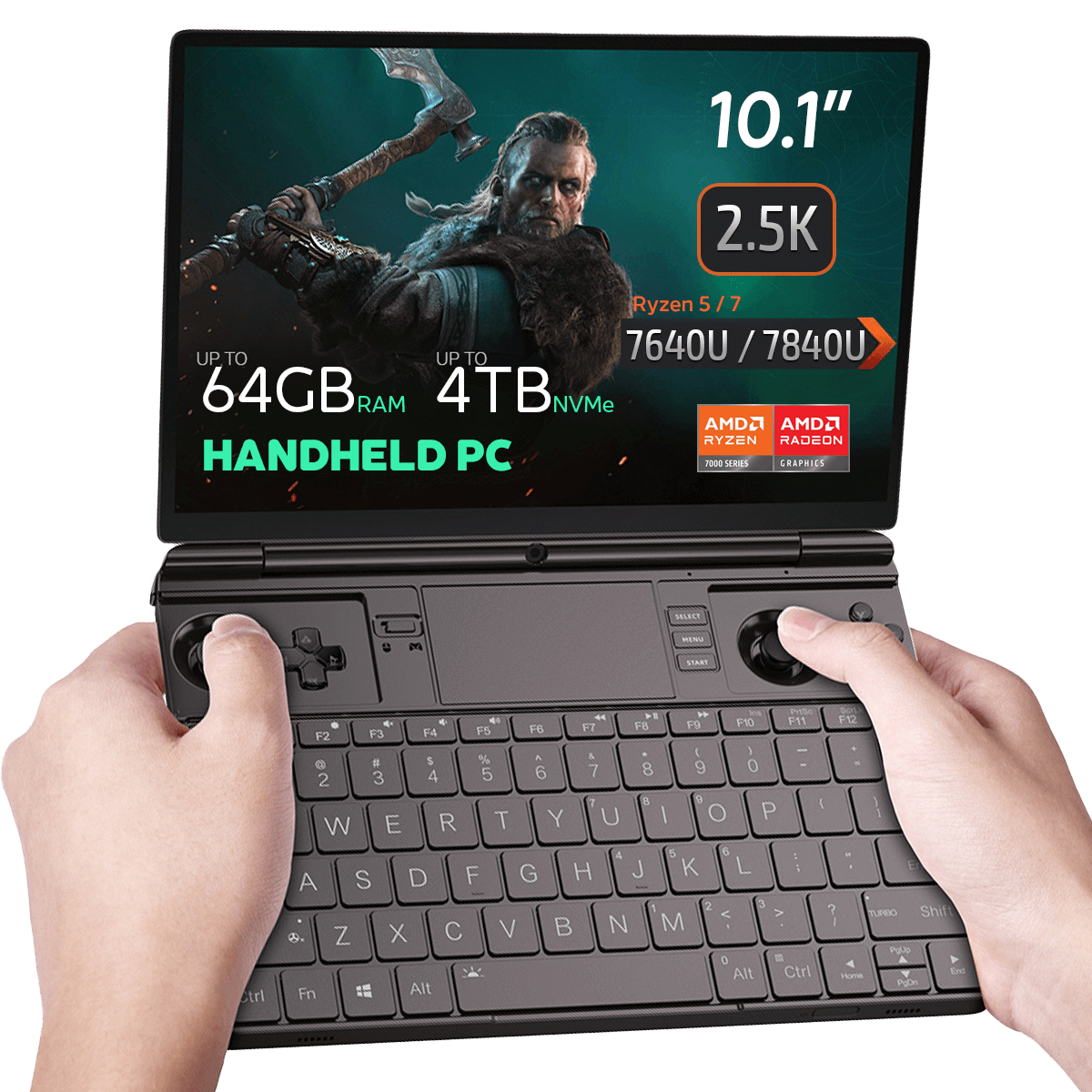
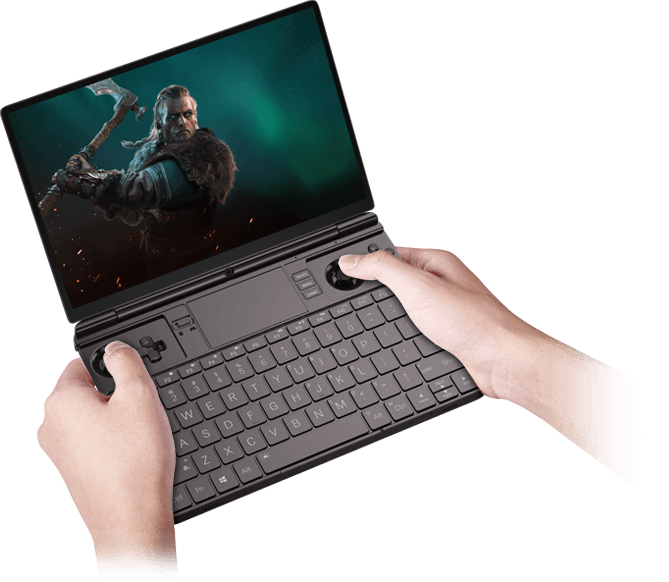
מחשב נייד לגיימינג GPD WIN MAX 2 2023

67Wh Battery Key Feature
67Wh Battery

AMD Radeon GPU
AMD Radeon

AMD Ryzen Processor
AMD Ryzen

Bluetooth 5.2 Key Feature
Bluetooth 5.2

Wi-Fi 6 Key Feature
Wi-Fi 6

Mini PC ready for Windows 11 Update
Windows 11

  • מעבד: AMD Ryzen 5 / 7 7640U / 7840U
  • מעבד גרפי: AMD Radeon 760M / 780M
  • זיכרון RAM: עד 64GB LPDDR5X @ 6400 MT/s
  • אחסון: עד 4TB כונן SSD PCI-E NVMe Gen 3
  • קישוריות: תמיכה ב-Wi-Fi 6 וב-Bluetooth 5.2
פרטי תשלום

אנו משתמשים בטכנולוגיה העדכנית ביותר בעיבוד תשלומים, המאפשרת לך לשלם באמצעות כרטיס החיוב/האשראי שלך, או PayPal לחוויה מהירה ומאובטחת.

אחריות

שנתיים אחריות מ-DROIX Global לשקט הנפשי שלך

אבטחת איכות ובדיקות טרום-משלוח

הבטחת שביעות רצון לקוחות בסטנדרט הגבוה ביותר: כל מכשיר עובר בדיקות קפדניות ובדיקת איכות רב-נקודתית לפני משלוחו. הצוות המסור שלנו מאמת ביצועים, פונקציונליות ותקינות רכיבים כדי להבטיח שמכשיר ה-GPD שלכם יהיה במצב תקין לחלוטין עם הגעתו, ומספק לכם ביטחון ושקט נפשי.

תמחור, מיסים ומשלוח

הערה:

  • לקוחות ארצות הברית: המחיר המוצג אינו כולל מס או מכסים. האחריות לשחרור ממכס ותשלום כל מס/מכס נלווה מוטלת על הלקוח.
  • לקוחות האיחוד האירופי: המחיר המוצג כולל את המס החל, שעשוי להיות עד 25% בהתאם למדינה שלך.
  • לקוחות בקנדה: המחיר המוצג כולל את המסים החלים, שעשויים לכלול 5% GST ומיסי מכירה מחוזיים נוספים (PST), מס מכירות הרמוני (HST) או מס מכירות בקוויבק (QST), בהתאם למחוז שלך.

ללקוחות האיחוד האירופי בלבד: אקספרס DDP (מסירה בתשלום). המשמעות היא:

  • כל המכסים והמיסים כלולים במחיר המוצג בדף המוצר.
  • לא תצטרך לשלם חיובים נוספים בעת המסירה.
  • במקרים נדירים של בעיות הקשורות למכס, הצוות שלנו יטפל בתהליך השחרור מהמכס בשמכם כדי להבטיח חווית משלוח חלקה.
  • מידע חשוב על החזרות:

  • אם תחליט להחזיר את ההזמנה שלך או לבקש החזר, שים לב שלא ניתן לקבל החזר על מיסים ומכסים ששולמו בשמך במסגרת תנאי DDP.
  • אנא עיינו בתנאים וההגבלות שלנו לקבלת מידע מפורט.

שירות לקוחות

יש לך שאלה? אנחנו במרחק טקסט קצר מלפתור את הבעיה שלך!

אנא עיינו בתנאים וההגבלות שלנו לקבלת מידע מפורט.

מה כלול
  • 1x GPD WIN MAX 2 2023
  • 1x מתאם מתח
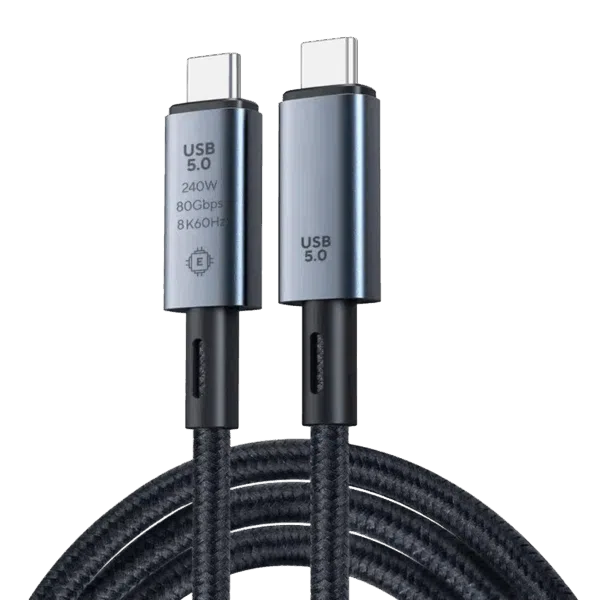
  • 1x כבל USB Type-C
  • מדריך למשתמש 1x

זמינות:

המלאי אזל

 2,783.55 בע"מ מס

6אנשים צופים בזה עכשיו

מוצר זה חסר כרגע במלאי ואינו זמין.

-

GPD לנצח מקסימום 2

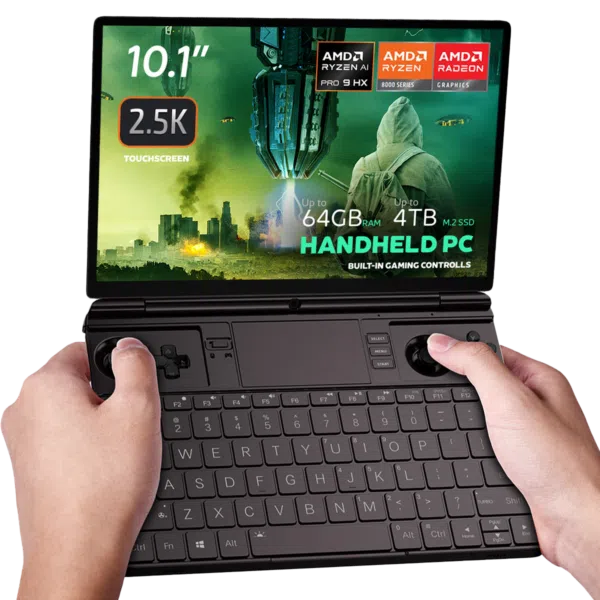
GPD WIN MAX 2 2023 Handheld Gaming PC – AMD Ryzen 7 7840U (Zen 4), 10.1″ 2.5K Display, 64GB RAM, OcuLink Support

Why pay 2025 flagship prices when the GPD WIN MAX 2 2023 remains a top-tier contender? Powered by the legendary AMD Ryzen 7 7840U, this device is the ultimate “Silicon Sweet Spot” for gamers and professionals who demand 2.5K resolution and desktop-grade multitasking without the 2025 premium.

מתוכנן למצוינות: בקרות מדויקות, רב-תכליתיות מקצועית וקירור חכם

הסרת כפתור עבור GPD Win Max 2

יתרון חיישן הול: כיצד אינדוקציה מגנטית מבטלת “סחיפה של מקל” ובלאי פיזי.

מקל הפוטנציומטר המסורתי המסתמך על מברשת ההתנגדות ליצירת אות המתח נוטה לבעיות “סחיפה” הנגרמות על ידי בלאי בשימוש ארוך טווח. עם WIN Max 2 2023, הצגנו לראשונה מקלות חיישן הול עם סלילי השראות מובנים. עקרון העבודה של אינדוקציה מגנטית (שטפים מגנטיים שונים נוצרים כאשר המקל מסתובב למיקומים שונים, מה שבתורו מייצר אותות מתח שונים) קובע שלמקלות חיישן הול אין בלאי, ולכן לא יהיה להם את הנושא של סחף מקל

כיסויים מגנטיים ל-GPD

Magnetic Stealth Covers: Hide the joysticks for a clean, professional look in meetings.

בקר המשחק המובנה במחשב המשחקים הנישא ביד יכול להפוך אותו ללא מתאים למקום העבודה! כדי לפתור בעיה זו, הוספנו שני כיסויי מקל עבור WIN Max 2 2023. העיצוב המגנטי מבטיח ששני הכיסויים לא ייפלו בעת השימוש במכשיר. בעת משחקים, ניתן גם לאחסן את הכיסויים בתא האחורי, מה שעוזר למנוע אובדן בשוגג!
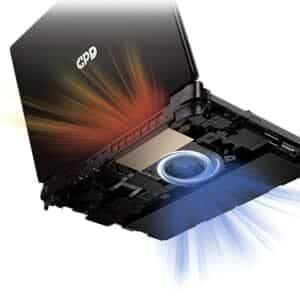
קירור לנצח מקסימום 2

חומרה מתקדמת: מינוף טורבו-מאוורר בעל ביצועים גבוהים וצינורות חום כפולים לזרימת אוויר חזקה.

GPD Win Max 2 2023 מגיע עם מערכת קירור משופרת ברמת מחשב עם טורבו-מאוורר גדול + צינורות חום כפולים, המתגאה במניעת אוויר צדדית בנפח גבוה ובקרת מהירות חכמה ביותר. כאשר הטמפרטורה הפנימית נמוכה מ-40 מעלות צלזיוס, מהירות המאוורר לא תעלה על 20% מהקיבולת המרבית שלו. כאשר הטמפרטורה הפנימית מגיעה ליותר מ-40 מעלות צלזיוס, מהירות המאוורר עולה במרווחים של 2% PWM עד להגעה לסף המקסימלי שלה (100%).

תענוג חזותי: צג עם בקרת מגע בגודל 10.1 אינץ’
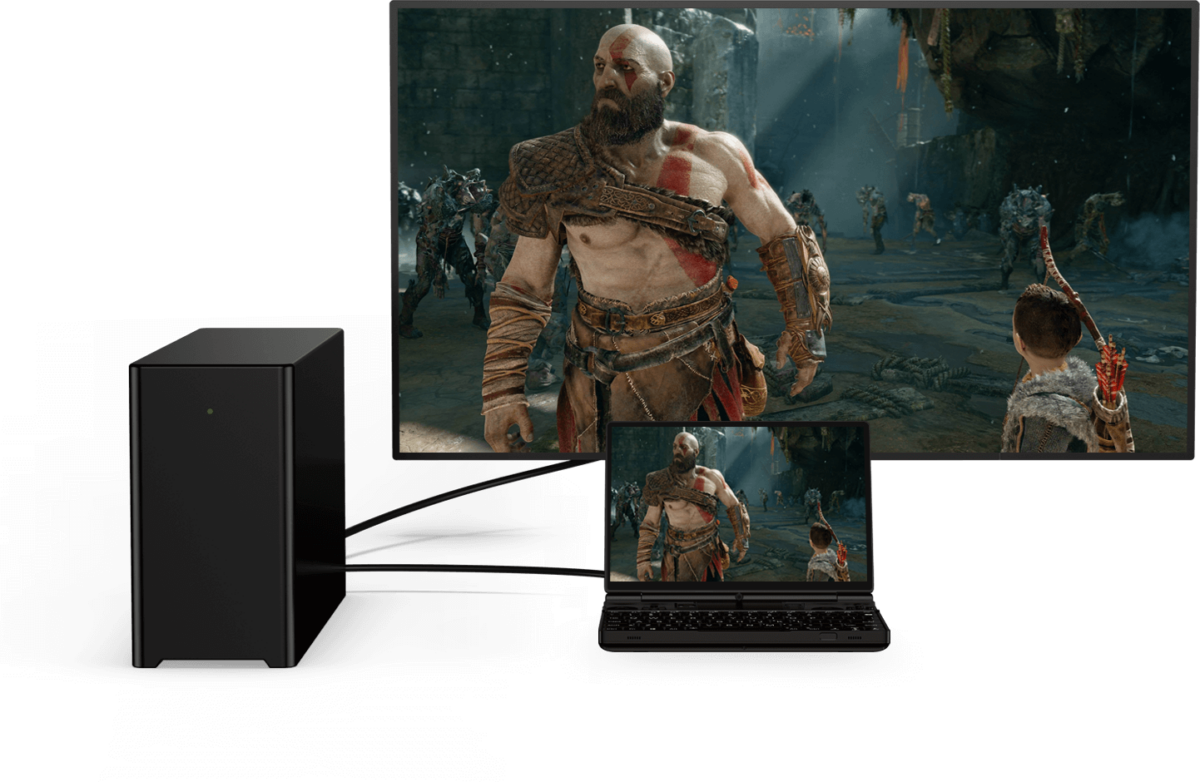
GPD לנצח מקסימום עם PC

התכוננו להיות מופתעים מתצוגת המגע בגודל 10.1 אינץ’ של 10.1 נקודות Touch Control של GPD WIN MAX 2 2023. עם יחס רוחב-גובה של 16:10 ורזולוציה של 1920×1200, מסך מלא חיים זה מספק תצוגה מרהיבה. תומך ברזולוציות של עד 2560×1600 וצפיפות פיקסלים של 299 PPI, כל פרט חד וברור לחוויית משחק סוחפת.

Zen 4 Performance: The Emulation King

The 7840U Phoenix architecture remains a fan favorite in 2025 for its incredible efficiency.

Native OcuLink: Skip the USB4 bottlenecks. Connect directly to the GPD G1 eGPU for a 4K desktop experience.

Pro-Grade Emulation: Native AVX-512 support allows for superior PS3 (RPCS3) and Xbox 360 (Xenia) performance compared to many newer, more expensive handhelds.

Software Boosted: Fully compatible with AMD AFMF 2 and FSR 3.1, allowing you to play AAA titles at smooth frame rates on the 10.1″ screen.

גרפיקה מדהימה: מעבד גרפי AMD RADEON 780M

התרשמו מהוויזואליה המדהימה של ה-GPD WIN MAX 2 2023, הודות לכרטיס המסך AMD Radeon 780M . כרטיס מסך עוצמתי זה מספק קצב פריימים חלק וגרפיקה עוצרת נשימה לחוויית משחק מדהימה ויזואלית.

זיכרון ללא תחרות: עד 64GB LPDDR5 RAM

GPD WIN MAX 2 2023 מצויד בזיכרון RAM LPDDR5 מהיר כברק של 6400 MT/s, המבטיח זמני טעינה מהירים, ריבוי משימות חלק ומשחקיות חלקה בתרחישים תובעניים.

אחסון בשפע: כונן SSD M.2 NVME 2280 בנפח 4 טרה-בתים

שכחו מחוסר מקום אחסון עם כונן ה-SSD המרווח M.2 NVME 2280 המתגאה בקיבולת עצומה של 4TB. תגידו שלום למחיקת משחקים בשביל מקום; עם GPD WIN MAX 2 2023, האפשרויות הן אינסופיות.

הישאר מחובר: WI-FI 6 ו-BLUETOOTH 5.2

קישוריות היא המפתח עם WiFi 6 לחיבור אינטרנט מהיר כברק ויציב, המבטיח חוויות גיימינג מקוונות חלקות. Bluetooth 5.2 מאפשר לכם לחבר ציוד היקפי אלחוטי לחוויית גיימינג סוחפת באמת.

קישוריות חלקה: יציאות רב-תכליתיות

GPD WIN MAX 2 2023 כולל מגוון יציאות לכל צרכי המשחקים והציוד ההיקפי. עם 1x USB 4, 1x USB 3.2 Gen 2 Type-C, 2x יציאות USB 3.2 Gen 2 Type-A ויציאת OCuLink (SFF-8612), חבר התקנים חיצוניים בקלות.

תכונות משופרות לנוחות ללא תחרות

GPD WIN MAX 2 2023 מספק חווית משחק חלקה עם חיישן טביעות אצבע לפתיחת נעילה מהירה ומאובטחת של המכשיר. משטח מגע מדויק של Microsoft (PTP) מבטיח שליטה חלקה ומדויקת בסמן, והמקלדת עם התאורה האחורית מאפשרת משחקים בסביבות עם תאורה חלשה.

עוצמה שמחזיקה מעמד: חיי סוללה ארוכים

סוללת הליתיום-פולימר 67Wh של ה-GPD WIN MAX 2 2023 מספקת עד 3 שעות של שימוש אינטנסיבי, 6-8 שעות של שימוש בינוני ו-14 שעות מרשימות של שימוש קל, מה שמבטיח מקור חשמל אמין ועמיד לאורך זמן עבור גיימרים.

עיצוב קומפקטי וקל משקל

GPD WIN MAX 2 2023 מספק ביצועים רבי עוצמה בעיצוב קומפקטי וקל משקל, בגודל 8.9 x 6.2 x 0.9 אינץ’ בלבד ומשקלו 1005 גרם בלבד. מעוצב מחומרים איכותיים, הוא מבטיח עמידות ואיכות בנייה למשחקים בדרכים.

WINDOWS 11 HOME מותקן מראש

GPD WIN MAX 2 2023 מגיע עם מערכת הפעלה Windows 11 Home מותקנת מראש, ומציעה חוויית משחק אופטימלית עם ממשק אינטואיטיבי ותכונות משחק משופרות.

מסקנה

GPD WIN MAX 2 2023 הוא מחשב הגיימינג הנייד האולטימטיבי, המספק ביצועי גיימינג מתקדמים בגורם צורה קומפקטי. עם מעבד AMD Ryzen 7 7840U או Ryzen 5 7640U, AMD Radeon 780M GPU ועד 64GB RAM, הוא מבטיח ביצועים יוצאי דופן למשחקים תובעניים. צג בקרת המגע בגודל 10.1 אינץ’, אפשרויות הקישוריות הרב-תכליתיות והתכונות הנוחות הופכים את חוויית המשחק בדרכים לפשוטה. עם חיי סוללה ארוכים ועיצוב קומפקטי, תוכל ליהנות ממשחקים ללא גבולות.

יתרונות ה-GPD WIN MAX 2 2023:

  1. Powerful Performance: AMD Ryzen 7 7840U CPU and Ryzen 5 7640U with AMD Radeon 780M GPU deliver impressive performance for demanding games.
  2. Compact and Portable: The GPD WIN MAX 2 2023 offers unparalleled portability, making it easy to game on the go.
  3. Stunning Display: The 10.1″ touch control display provides vibrant visuals and a high-resolution experience.
  4. Versatile Connectivity: The GPD WIN MAX 2 2023 offers a range of ports and wireless connectivity options, ensuring seamless integration with peripherals and online gaming experiences.
  5. Ample Storage: The spacious 4TB SSD eliminates the need to constantly delete and reinstall games.

Order Your GPD WIN MAX 2 – In Stock & Ready to Ship

Get the industry’s most versatile work-and-play hybrid with a full 12-month official warranty.

  • Status: In Stock (Ships within 24 hours).
  • Shipping: Insured worldwide express delivery.
  • Support: Authorized GPD technical assistance included.

קראו את הסקירה המלאה שלנו על GPD WIN MAX 2 2023 כאן לקבלת פונקציות מפורטות, מדדי ביצועים, משחקיות וביצועי אמולציה.
מידע נוסף

More

תנאי

New, Refurbished (Class A), Refurbished (Class B)

דגם גרפיקה (GPU)

,

מותג

מערכת הפעלה

Windows 11 Home

מותג מעבד (CPU)

AMD

תדר בסיס של מעבד (CPU)

AMD Ryzen™ 5 7640U – 3.5GHz, AMD Ryzen™ 7 7840U – 3.3GHz

תדר מרבי של מעבד (CPU)

AMD Ryzen™ 5 7640U – 4.9GHz, AMD Ryzen™ 7 7840U – 5.1GHz

מעבד (CPU) ליבות / הליכי משנה

AMD Ryzen™ 5 7640U – 6 Cores / 12 Threads, AMD Ryzen™ 7 7840U – 8 Cores / 16 Threads

מעבד (CPU) TDP

15-30W

מותג גרפיקה (GPU)

AMD

תדר מרבי של גרפיקה (GPU)

Radeon™ 760M – 2600 MHz, Radeon™ 780M – 2700 MHz

ליבות גרפיקה (GPU)

Radeon™ 760M – 8, Radeon™ 780M – 12

רזולוציית תצוגה / PPI

2560*1600 @ 299 PPI

קיבולת זיכרון (RAM)

, ,

טכנולוגיית זיכרון (RAM)

מהירות זיכרון (RAM)

6400 MT/s

קיבולת אחסון

, ,

הרחבת אחסון

1x Micro SD Card Slot, 1x PCI-e 22*30 NVMe Port, 1x PCI-e 22*80 NVMe Port (Used)

טכנולוגיית אחסון

קלט/פלט אודיו

3.5mm Headphone&Microphone Combo Jack, Built-In: Stereo Speakers / Microphone Setup

קלט/פלט USB

1x USB 3.2 Gen 2 Type-C, 1x USB 4.0 Type-C @ 40GB/s, 2x USB Type-A 3.2 Gen 2

Wi-Fi

בלוטות'

משקל

1005 גרם

מידות

227 × 16 × 23 סנטימטרים

הורדות

All variants

Firmware
Fix the WIN Max 2 Battery Icon 2025-12-10 · 864 B · 1 downloads · hosted by DROIX
Download
Changelog
LATEST 2025-12-10 864 B ← current download
  • Fix the WIN Max 2 Battery Icon | — | 2025-12-10 | After downloading, unzip the file. Double-click to execute, or right-click and select "Run as administrator"

Older versions stay downloadable for rollbacks — every version keeps its own verified file.

Fix / Patch
3D Printing Files for M.2 to Oculink Adapter Cover — GPD G1, GPD WIN MAX 2 2023-09-13 · 412.3 KB · hosted by DROIX
Download
Changelog
LATEST 2023-09-13 412.3 KB ← current download
  • 3D Printing Files for M.2 to Oculink Adapter Cover | 2023-09-13 | Intermediate open cover for matching M.2 to Oculink on WIN Max 2 (6800U, 7640U, 7840U). Download and print yourself.
  • 3D Printing Files for M.2 to Oculink Adapter Cover | 2023-09-13 | Intermediate open cover for matching M.2 to Oculink on WIN Max 2 (6800U, 7640U, 7840U).
  • 3D Printing Files for M.2 to Oculink Adapter Cover | 2023-09-13 | Intermediate open cover for M.2 to Oculink adapter on WIN Max 2 (6800U, 7640U, 7840U). Download and print yourself.

Older versions stay downloadable for rollbacks — every version keeps its own verified file.

Manual
WIN MAX 2 (2025) User Manual 2024-12-06 · 15.5 MB · hosted by DROIX
Download
Changelog
LATEST 2024-12-06 15.5 MB ← current download
  • WIN MAX 2 (2025) User Manual **(current)** | 2024-12-06 | PDF — functional key descriptions for the GPD WIN Max 2 (2025)

Older versions stay downloadable for rollbacks — every version keeps its own verified file.

Driver
DTS:X Audio Driver — GPD WIN 4, GPD WIN MAX 2, GPD WIN Mini 2024-02-19 · 472.4 MB · 3 downloads · hosted by DROIX
Download
Changelog
LATEST 2024-02-19 472.4 MB ← current download
  • DTS:X Audio Driver | 2024-02-19 | Right-click `DTS_install.bat` → "Run as administrator" to install; `DTS_uninstall.bat` to uninstall.

Older versions stay downloadable for rollbacks — every version keeps its own verified file.

Tool
AMD Handheld Control — GPD DUO, GPD Pocket 4, GPD WIN 4, GPD WIN 5, GPD WIN MAX 2, GPD WIN Mini v1.0.0 · 2026-02-04 · 97.9 MB · 5 downloads · hosted by DROIX
Download
Changelog
LATEST v1.0.0 2026-02-04 · 97.9 MB ← current download
  • AMD Handheld Control v1.0.0 | v1.0.0 | 2026-02-04 | By Deen0X; AMD-processor systems only (relevant with AMD eGPU setups).

Older versions stay downloadable for rollbacks — every version keeps its own verified file.

Driver
GPD Shared Driver Package V4.1.0 · 2025-01-18 · 1.5 GB · 4 downloads · hosted by DROIX
Download
Changelog
LATEST V4.1.0 2025-01-18 · 1.5 GB ← current download
  • GPD DUO (8840U / 370) Drivers **(current)** | v4.1.0 | 2025-01-18 | Both variants | Latest driver package. After extracting, double-click `AutoInstallDrivers.bat` for automatic installation.
  • WIN 4 (8840U / 7840U / 7640U / 6800U) Drivers **(current)** | v4.1.0 | 2025-01-18
  • GPD WIN 4 2025 (8840U / 370) Drivers **(current)** | V4.1.0 | 2025-01-18 | Latest driver package. After extracting, double-click `AutoInstallDrivers.bat` for automatic installation.
  • WIN Max 2 (8840U / 7840U / 7640U / 6800U) Drivers **(current)** | v4.1.0 | 2025-01-18
  • Vendor page: https://www.amd.com/en/support/download/drivers.html

Older versions stay downloadable for rollbacks — every version keeps its own verified file.

Tool
DTS:X Audio Technology (3D Sound Field) — GPD DUO, GPD WIN 4, GPD WIN 5, GPD WIN MAX 2, GPD WIN Mini 2024-12-24 · 2025-12-24 · 659.5 MB · 3 downloads · hosted by DROIX
Download
Changelog
LATEST 2024-12-24 2025-12-24 · 659.5 MB ← current download
  • DTS:X Audio Technology, 3D Sound Field | 2024-12-24 | After downloading, decompress and execute `DTS_install.bat` to install automatically
  • DTS:X Audio Technology, 3D Sound Field | 2025-12-24 | After downloading, decompress and execute `DTS_install.bat` to install automatically

Older versions stay downloadable for rollbacks — every version keeps its own verified file.

OS Image
GPD WIN 4 / WIN Max 2 — Windows 11 24H2 Home Firmware 24H2 · 2024-12-20 · 13.7 GB · hosted by DROIX
Download
Changelog
LATEST 24H2 2024-12-20 · 13.7 GB ← current download
  • WIN 4 (8840U / 7840U / 7640U / 6800U) Windows 11 24H2 Home Firmware **(current)** | 2024-12-20 | `730BD7B9D989797488C1509E590085FD9941E80C`
  • GPD WIN 4 2025 (8840U / 370) Windows 11 24H2 Home Firmware **(current)** | 2024-12-20 | `730BD7B9D989797488C1509E590085FD9941E80C` | Covers both 8840U and AI 9 HX 370 variants. Includes integrated Windows 11 drivers. Reinstallation removes all data on drive C — back up first. SHA1 tool: [HashTools](https://www.binaryfortress.com/HashTools/Download/) ·
  • WIN 4 (6800U) Windows 11 24H2 Home Firmware **(current)** | 2024-12-20 | `730BD7B9D989797488C1509E590085FD9941E80C`
  • WIN Max 2 (8840U / 7840U / 7640U / 6800U) Windows 11 24H2 Home Firmware **(current)** | 2024-12-20 | `730BD7B9D989797488C1509E590085FD9941E80C`

Older versions stay downloadable for rollbacks — every version keeps its own verified file.

Tool
GPD GamePad Test Calibration Tool V1.03 · 2024-09-02 · 1.6 MB · hosted by DROIX
Download
Versions (2)
LATEST V1.03 2024-09-02 · 1.6 MB ← current download
  • GamePad Test Calibration Tool | V1.03 | 2024-09-02 | Tool for WIN Max 2 grip back button mapping, programming, and vibration adjustment
  • GamePad Test Calibration Tool | V1.03 | 2024-09-02 | Tool for WIN Mini grip back button mapping, programming, and vibration adjustment
V1.02 2022-09-02 · 1.6 MB ↓ V1.02

Older versions stay downloadable for rollbacks — every version keeps its own verified file.

Tool
MotionAssistant (GPD Handheld Front-end Tool) v1.2.0.9 (Portable) · 2026-02-08 · 42.6 MB · 9 downloads · hosted by DROIX
Download
Versions (3)
LATEST v1.2.0.9 (Portable) 2026-02-08 · 42.6 MB ← current download
  • Portable build — no installation required. Unzip password: 123.
  • MotionAssistant uses the Winring0 driver for TDP adjustment, hardware monitoring and fan control. If these features stop working, allow MotionAssistant in Windows Security Center — Microsoft may flag the driver.
  • What's new in v1.2.0.9:
  • Adapted the gyroscope in the Legion Go 2 device body (controller gyroscope and fan control not yet adapted).
  • Adapted support for various recently-released AMD rebranded models.
  • Added a "Disable Tablet Mode" option in Advanced Settings; when disabled, Tablet Mode turns off on the next launch.
  • Added an OSD toggle hotkey in the RTSS OSD settings; temperature display added to simplified mode.
  • Added a 30-second TDP reset cycle that reapplies the current TDP if an abnormal decrease is detected; added TDP ±5 hotkeys.
  • Optimized the Win5 keyboard key: press to bring up the on-screen keyboard, press again to close it.
  • Optimized the CPU frequency upper-limit control via "Optimize CPU Frequency"; maximum frequency is restored when the option is disabled.
  • Improved some controls in Dark Mode; the title bar is now a darker colour.
  • Optimized gyroscope simulation after resuming from hibernation, fixing failures on some devices after wake-up.
  • Optimized hotkey detection (shorter judgment interval); brightness hotkeys now adjust by ±10.
  • Specified ze_loader.dll as 1.11.0. Intel models unable to lock the GPU frequency should install the Intel 6647 iGPU driver first, then update to the latest.
  • Fixed the power limit being locked at 65W and not restorable when the GPD Win5 is powered via USB-C.
  • Corrected some text displays; fixed OSD monitoring showing incorrectly when hardware monitoring is off.
  • Fixed LT/RT not registering as hotkeys.
  • Fixed a freeze when setting TDP consecutively.
  • Fixed certain game-profile options (e.g. CPU frequency limits) not applying automatically.
  • Fixed frame locking failing in some game profiles; frame locking now uses an RTSS process-specific configuration instead of a global one.
  • Fixed a crash when refreshing the tray icon.
v1.2.0.9 (Installer) 2026-02-08 · 45 MB ↓ v1.2.0.9 (Installer)
  • Installer build (Setup) of the same v1.2.0.9 release — installs to Program Files rather than running portable.
v1.2.0.9 (RTSS) 2026-02-08 · 17.2 MB ↓ v1.2.0.9 (RTSS)
  • RivaTuner Statistics Server companion build (RTSS 737) for the MotionAssistant on-screen display (OSD) and frame-lock monitoring. Install alongside MotionAssistant.

Older versions stay downloadable for rollbacks — every version keeps its own verified file.

Manual
WIN Max 2 Q & A 2022-09-02 · 2.3 MB · hosted by DROIX
Download
Changelog
LATEST 2022-09-02 2.3 MB ← current download
  • WIN Max 2 Q & A | 2022-09-02 | PDF with frequently asked questions.

Older versions stay downloadable for rollbacks — every version keeps its own verified file.

Manual
WIN MAX 2 (2023) User Manual 2023-09-06 · 16 MB · hosted by DROIX
Download
Changelog
LATEST 2023-09-06 16 MB ← current download
  • WIN MAX 2 (2023) User Manual | 2023-09-06 | PDF with functional key descriptions.

Older versions stay downloadable for rollbacks — every version keeps its own verified file.

Fix / Patch
WIN Max 2 Screen Color Calibration File 2025-05-15 · 627.9 KB · hosted by DROIX
Download
Changelog
LATEST 2025-05-15 627.9 KB ← current download
  • WIN Max 2 Screen Color Calibration File | 2025-05-15 | ICM profiles in D65 and D70 color temperatures. See installation steps below.
  • WIN Max 2 Screen Color Calibration File | 2025-05-15 | .icm format files for Windows only. Two variants: D65 (6500K, average daylight) and D70 (7000K, cooler white point calibration). Installation: copy .icm to `C:WindowsSystem32spooldriverscolor`, open Color Management, select device, check "Use my settings for this device", click Add and select the profile. In Advanced tab, click "Change system defaults", check "Use Windows display calibration", click "Reload current calibration".

Older versions stay downloadable for rollbacks — every version keeps its own verified file.

Firmware
WIN Max 2 Touchpad Firmware v1.0.3 · 125.9 KB · hosted by DROIX
Download
Changelog
LATEST v1.0.3 125.9 KB ← current download
  • WIN Max 2 Touchpad Firmware | v1.0.3 | 2023-12-19 | For WIN Max 2 (6800U). Brand new optimizations.

Older versions stay downloadable for rollbacks — every version keeps its own verified file.

Firmware
WinControls — GPD WIN 4 / WIN MAX 2 / WIN Mini v1.16 · 4.5 MB · 1 downloads · hosted by DROIX
Download
Versions (2)
LATEST v1.16 4.5 MB ← current download
  • WinControls **(current)** | v1.16 | 2024-12-26 | WIN 4 grip customization tool. Fixed issue with grip mapping key defaulting to mouse mode. Tutorial:. Unzip Password: `123`
  • WinControls **(current)** | v1.16 | 2024-12-26 | WIN Mini/Max 2 grip customization tool. Fixed issue with grip mapping key defaulting to mouse mode. Tutorial:. Unzip Password: `123`
v1.16 (Q&A PDF) 4.1 MB ↓ v1.16 (Q&A PDF)
  • WinControls **(current)** | v1.16 | 2024-12-26 | WIN 4 grip customization tool. Fixed issue with grip mapping key defaulting to mouse mode. Tutorial:. Unzip Password: `123`
  • WinControls **(current)** | v1.16 | 2024-12-26 | WIN Mini/Max 2 grip customization tool. Fixed issue with grip mapping key defaulting to mouse mode. Tutorial:. Unzip Password: `123`

Older versions stay downloadable for rollbacks — every version keeps its own verified file.

Manual
WIN Max 2 (2023) Q & A 2023-09-06 · 2.3 MB · hosted by DROIX
Download
Changelog
LATEST 2023-09-06 2.3 MB ← current download
  • WIN Max 2 (2023) Q & A | 2023-09-06 | PDF with frequently asked questions.

Older versions stay downloadable for rollbacks — every version keeps its own verified file.

Firmware
GPD Keyboard Assistant Tool v1.06 · 369.7 KB · hosted by DROIX
Download
Changelog
LATEST v1.06 369.7 KB ← current download
  • GPD Keyboard Assistant Tool | v1.06 | 2021-12-16 | Download and unzip, then double-click to run the installation

Older versions stay downloadable for rollbacks — every version keeps its own verified file.

Tool
AOKZOE A1 Pro / AYANEO SLIDE / GPD WIN 4 — AYASpace 2 Unversioned · 2023-06-28 · external · github.com
Get at github.com
Changelog
LATEST Unversioned 2023-06-28 ← current download
  • Source guide: Getting Started with the AYANEO SLIDE
  • Source guide: Getting Started with the ONEXPLAYER ONEXFLY
  • Source guide: Getting started with the GPD WIN Mini (2023 & 2024)
  • Source guide: Getting started with the GPD WIN MAX 2 2023
  • Source guide: Getting started with the GPD WIN 4 (2023 & 2024)
  • Source guide: Getting Started with Your Handheld Gaming PC
  • Source guide: Getting started with the AOKZOE A1 Pro
  • Source guide: Handheld Companion – Easy to use all in one performance metrics, TDP and motion input control

Older versions stay downloadable for rollbacks — every version keeps its own verified file.

BIOS
GPD Win Max / GPD WIN MAX 2 — BIOS V0.35 · 2023-08-23 · external · droidbox.sharepoint.com
Get at droidbox.sharepoint.com
Versions (3)
LATEST V0.35 2023-08-23 ← current download
  • Source guide: Getting started with the GPD WIN MAX 2 2023
V0.30 2023-08-23 ↓ V0.30
  • Source guide: Getting started with the GPD WIN MAX 2 2023
V0.29 2023-08-23 ↓ V0.29
  • Source guide: Getting started with the GPD WIN MAX 2 2023

Older versions stay downloadable for rollbacks — every version keeps its own verified file.

Tool
MotionAssistant — Power Mod (community fork) Latest (GitHub) · 2026-02-10 · 5 downloads · external · github.com
Get at github.com
Versions (3)
LATEST Latest (GitHub) 2026-02-10 ← current download
  • Community shell-based UI modification of MotionAssistant by ThatUsernameAlreadyExist — NOT an official GPD release.
  • Always get the newest build from the GitHub releases page (latest: MotionAssistant v1.2.0.9 + Power Mod 2.2.2).
Installer (DROIX mirror) 2026-02-10 · 47.0 MB ↓ Installer (DROIX mirror)
  • DROIX-hosted mirror of the Power Mod installer (MotionAssistant Setup + Power Mod).
Portable (DROIX mirror) 2026-02-10 · 44.6 MB ↓ Portable (DROIX mirror)
  • DROIX-hosted mirror of the Power Mod portable build.

Older versions stay downloadable for rollbacks — every version keeps its own verified file.

Tool
GPD Tool (GPD Official Handheld Front-end Tool) v1.65 · 2026-09-18 · 29 MB · 9 downloads · hosted by DROIX
Download
Versions (7)
LATEST v1.65 2026-09-18 · 29 MB ← current download
  • Removed the UAC prompt when launching RTSS and disabled automatic updates for a smoother user experience.
  • Improved the stability of the frame-rate limiter UI.
  • Fixed a bug with the power linkage feature.
  • Fixed an issue where TDP was not automatically applied on first launch.
  • Added screen refresh-rate adjustment settings.
  • Added controller vibration adjustment options.
  • Increased the adjustable power limit to 100W on WIN 5 and 40W on other models.
  • Added 144 FPS as a new frame-rate limit option.
  • Added helpful tips for the functions at the top of the interface.
  • Added OSK and TabTip keyboard options to the on-screen keyboard settings. Right-click the button to select an option
  • On WIN 5, the physical button can be used to bring up the keyboard.
  • Fixed several bugs.
v1.62 2026-07-28 · 45 MB ↓ v1.62
  • After closing the UI, the background service will no longer execute any operations. This fixes an issue causing abnormal fan behavior on system startup.
  • Added power tuning parameters for the GPD MAX3.
  • Fixed hidden bugs.
v1.60 2026-06-01 · 45 MB ↓ v1.60
  • Updated kernel driver for improved stability; no need to add to whitelist, no antivirus warnings.
  • Fixed issue with automatic multi-language settings during installation.
  • Added Chinese, Japanese, and Korean prompts to the performance monitoring horizontal and vertical buttons.
  • Modified TDP PL2 calculation method to PL1+1 for more accurate power consumption locking.
v1.49 2026-03-19 · 42.4 MB ↓ v1.49
  • Source guide: GPD Tool Download, Setup Guide & Troubleshooting for GPD Devices
v1.48 42.4 MB ↓ v1.48
v1.45 2026-03-19 · 42.4 MB ↓ v1.45
  • Source guide: GPD Tool Download, Setup Guide & Troubleshooting for GPD Devices
v1.31 2026-03-19 · 42.6 MB ↓ v1.31
  • Source guide: GPD Tool Download, Setup Guide & Troubleshooting for GPD Devices

Older versions stay downloadable for rollbacks — every version keeps its own verified file.

Firmware
GPD WIN MAX 2 — Touchpad firmware Unversioned · 2022-11-25 · 125 KB · external · drive.google.com
Get at drive.google.com
Changelog
LATEST Unversioned 2022-11-25 · 125 KB ← current download
  • Source guide: How to update the GPD WIN MAX 2 Touchpad Firmware

Older versions stay downloadable for rollbacks — every version keeps its own verified file.

GPD WIN MAX 2 2022 (6800U)

BIOS
GPD WIN Max 2 (6800U) — BIOS V1.05 · 2022-12-22 · 5.8 MB · hosted by DROIX
Download
Changelog
LATEST V1.05 2022-12-22 · 5.8 MB ← current download
  • WIN Max 2 (6800U) BIOS **(current for 6800U)** | V1.05 | 2022-12-22 | Fixes: (1) wireless screen projection failure with yellow exclamation in Device Manager; (2) eGPU not auto-connecting after 10-second unplug; (3) Power mode option added to BIOS Setup → Advanced; (4) cursor removed from boot logo.

Older versions stay downloadable for rollbacks — every version keeps its own verified file.

OS Image
GPD OS (WIN Max 2 6800U) — Manjaro/SteamOS 2022-12-13 · 5.8 MB · hosted by DROIX
Download
Changelog
LATEST 2022-12-13 5.8 MB ← current download
  • GPD OS (WIN Max 2 6800U) — Manjaro/SteamOS | 2022-12-13 | Linux Kernel 6.0, Manjaro desktop + Steam OS game mode. **Install BIOS v1.03 before flashing** (otherwise USB may not be recognized). Use balenaEtcher. First boot: connect Wi-Fi, launch Steam before switching to Deck GamePad UI. [Setup video](https://youtu.be/aekVivINoOQ) — BIOS v1.03: | [Mirror](https://mirror.fkardame.com/Linux/Images/GPD/)
  • GPD OS (WIN Max 2 6800U) Firmware | 2022-12-13 | Manjaro/SteamOS-like Linux by Furkan Kardame. Linux Kernel 6.0. Before installing, update to BIOS v1.03 (required or USB devices may fail to recognise). Use balenaEtcher to install. | [Download](https://mirror.fkardame.com/Linux/Images/GPD/) ·

Older versions stay downloadable for rollbacks — every version keeps its own verified file.

Firmware
WIN Max 2 (6800U) Camera Firmware 2022-12-05 · 1.3 MB · hosted by DROIX
Download
Changelog
LATEST 2022-12-05 1.3 MB ← current download
  • WIN Max 2 (6800U) Camera Firmware | — | 2022-12-05 | Fixes WeChat camera not opening and microphone not picking up voice in Skype/Teams.

Older versions stay downloadable for rollbacks — every version keeps its own verified file.

OS Image
GPD 2022–2024 handhelds — Windows recovery image Unversioned · 2023-05-31 · external · drive.google.com
Get at drive.google.com
Changelog
LATEST Unversioned 2023-05-31 ← current download
  • Source guide: How to Reinstall Windows on GPD WIN Devices

Older versions stay downloadable for rollbacks — every version keeps its own verified file.

GPD WIN MAX 2 2023 (7640U / 7840U)

BIOS
GPD WIN Max 2 (2023/2024) — BIOS v0.42 · 2024-10-23 · 6.6 MB · 1 downloads · hosted by DROIX
Download
Changelog
LATEST v0.42 2024-10-23 · 6.6 MB ← current download
  • WIN Max 2 (2023 & 2024) BIOS **(current)** | v0.42 | 2024-10-23 | Applicable to WIN Max 2 (7640U, 7840U, 8840U). Device must be charging during upgrade. Resolves flickering screen issue on some displays.

Older versions stay downloadable for rollbacks — every version keeps its own verified file.

Firmware
WIN Max 2 2023 Gamepad/Keyboard-Mouse Firmware v3.14 · 6.9 MB · hosted by DROIX
Download
Changelog
LATEST v3.14 6.9 MB ← current download
  • WIN Max 2 2023 Gamepad/Keyboard-Mouse Firmware **(current)** | v3.14 / v1.23 | 2023-12-15 | Applicable to WIN Max 2 (6800U, 7640U, 7840U). After upgrade, adjust dead zones through WinControls V1.15. Upgrade instructions included.
  • WIN Max 2 Gamepad/Keyboard-Mouse Firmware | v3.14 / v1.23 | 2023-12-15 | Applicable to WIN Max 2 (6800U, 7640U, 7840U). After upgrade, adjust dead zones through WinControls V1.15. Upgrade instructions included.

Older versions stay downloadable for rollbacks — every version keeps its own verified file.

GPD WIN MAX 2 2025 (8840U / HX 370)

BIOS
GPD WIN MAX 2 2025 — BIOS Unversioned · 2025-08-12 · 28.3 MB · 1 downloads · hosted by DROIX
Download
Changelog
LATEST Unversioned 2025-08-12 · 28.3 MB ← current download
  • Source guide: How to update the GPD WIN MAX 2 2025 BIOS

Older versions stay downloadable for rollbacks — every version keeps its own verified file.

Fix / Patch
GPD WIN MAX 2 2025 — Battery icon fix Unversioned · 2025-10-10 · 2 downloads · external · gofile.me
Get at gofile.me
Changelog
LATEST Unversioned 2025-10-10 ← current download
  • Source guide: How to fix battery icon disappearing on the GPD WIN MAX 2 2025

Older versions stay downloadable for rollbacks — every version keeps its own verified file.

OS Image
GPD 2025 handhelds — Windows recovery image Unversioned · 2023-05-31 · 1 downloads · external · drive.google.com
Get at drive.google.com
Changelog
LATEST Unversioned 2023-05-31 ← current download
  • Source guide: How to Reinstall Windows on GPD WIN Devices

Older versions stay downloadable for rollbacks — every version keeps its own verified file.

Brandon Wing ✓ Verified Purchase
Jul 30, 2026

Great Item

I wasn't totally sure how a refurb would pan out but I am glad I went for it. It passed every test, memory 100%, cooling, the case, keyboard, screen are flawless. The unobtanium ssd is, as far as I can tell, literally new. I expected this to be a weak point but color me surprised to find a WD installed. As far as the pc itself its awesome I had no issue w kubuntu or w11. The gamepad function outpaces a steam deck easily and is actually useful. Droix shipped it insanely quick ~3 days to usa, 10% tariff. All in all I will buy GPD again. 100% great company and great product. I never leave reviews but I was really blown away. If you're on the fence seriously get it.
DIRECT
Was this helpful?
Manning Townson
Oct 24, 2025

GPD WIN MAX 2024

Let me just say WOW what a beautiful machine. So small yet large at functionality, form and factor. A workhorse powerhouse of a laptop.
If your working on the go at home or i the office you will have all you need in this small yet big machine. I couldnt have aasked for a better laptop for all my needs. The max does it all.
The only thing that confused me a bit was the game control layout, being used to the win mini . The reversed right hand controls were odd at first and not as instinctive to the mini where the controls are layed out. I am getting used to it though. I do prefer to play AAA games on my win mini 2024 though as its now my gaming go to.
However , once im used to win max i will engoy that as well.
The 10.1 inch screen is great and i dont notice the change from 120hz to 60hz in the games i play. The OLED will be an impressive upgrad in 2026 if GPD goes into OLED on max.
I have the 2024 version and look forward to the OLED on these devices.
I will say this though you wont need OLED on these devices as they are beautifully crips screens.
I know the 2025 hasalot of upgrades from the previous year and would loved to have the 2025.
I look forward to the future of GPD and its future products lineup.
Thank to the Designers, Engineers, Sales and Customer service.
Best Devices
Thank You
DIRECT
Was this helpful?
Alex K.
May 10, 2024

Desktop Power, Laptop Form

As a developer and gamer, this device is amazing. The performance is the best for its size, and the eGPU hookup with OcuLink is awesome for home. The 10.1" screen looks great and works fast. Only problem is it gets pretty hot after a while. Still, it's taken over my gaming laptop and work computer.
DIRECT
Was this helpful?
Veronica Landin
Feb 6, 2025

Best Gift, EVER!

Has everything you need in one awesome device! My son said it was the best gift he ever got. Says a lot from a serious gamer. Customer service was prompt and very helpful. Absolutely recommend GPD to everyone and anyone.
DIRECT
Was this helpful?
Emily R.
Jun 12, 2024

A Speccial Product Done Well

As a tech nerd, the GPD WIN MAX 2 2024 blows my mind. 64GB RAM and 4TB SSD are way too much, but in a good way. It plays games super well, and the OcuLink thingy for eGPU is really cool. My only issues are the loud fan when it’s working hard and the weight, which makes it not as easy to carry around as other stuff. But if you want a portable computer that can run big games, it's hard to find better.
DIRECT
Was this helpful?
Chris F
Jan 13, 2025

Perfection

Perfect for a touring/traveling musician. Its no bigger than an iPad, and if you can bring an iPad anywhere, you can bring this. No need to bring a controller as its built in. The screens beautiful doesnt get too hot. Absolutely perfect keyboard size and the keys presses feel satisfying. Theres almost. No compromises with this device other than the 60hz refresh rate. This is the end all be all for travelers who need work and gaming done, or handheld gamers that want a all in on experience.
DIRECT
Was this helpful?
Jacob Hall
Mar 24, 2025

Incredible powerhouse

This is perfect for anyone in the civil service industry. I am in the military and have to say from size it fits in my uniform pocket and snug into my bookbag. It's robust which also means durable which is great when deployed or utilized during training. It can handle MAX spec even for the latest high rendering games with little to no latency, for example Call of duty and Elden Ring. It has a solid encryption base which allows me to log into any government website. All of this while also having an amazing customer service team makes me want to come back for more, a couple of my friends just made some orders too because of what i showed them. I cant wait to see what this company does next!
DIRECT
Was this helpful?
Ruben Benliyan
Aug 26, 2024
GPD WIN MAX 2 2024 Handheld PC for Gaming
DIRECT
Was this helpful?
Natalie W.
Jul 10, 2024

Like a Desktop, But a Laptopp

The GPD WIN MAX 2 2024 is an engineering wonder. It’s crazy how much power it packs into a small device, and the versatility is awesome for both work and gaming. But it’s not perfect—the battery life could be better for something portable, and the price is pretty high for most people. It’s also a bit heavy for long gaming sessions. Still, if you need a mix of power and portability, it’s a great option
DIRECT
Was this helpful?
Lee Supe
Jun 18, 2024

Powerhouse of Productivity and Play

I originally came to GPD after using the Steam Deck for about a year. The Steam Deck is a great device, but it always felt cumbersome to use it for anything other than gaming. The GPD Win Max 2 fills this niche well: it has a small but very usable keyboard that, unlike other devices in its form factor, doesn't mess too much with the positioning of keys important to programmers like braces and semicolons. It runs Linux very well. The TPU can be lowered to the point where the battery life is obsene, which is great for long remote coding sessions.

I've purchased the Win Max 2 2022 (Ryzen 6800u 32gb) and the Win Max 2 2024 (Ryzen 8840u, 64gb) and they are both excellent machines. I passed my Steam Deck to my partner when I got the GPD WM2 2022, but the Steam Deck stopped working so I replaced my WM2 with the newest model and passed the 2022 one to her. She loves it, and now we're tiny cyberdeck buddies. Thanks GPD!
DIRECT
Was this helpful?
1 2 3 ... 7
Next →

Questions & Answers

Have a question about this product? Get answers from our community.

5
שאלות
✓ Answered
5
Q
Asked by What is price 🤔
Nov 14, 2025
What is price
A
Support Team
Hi, Unfortunetly, the product is not in stock and we are not expecting new stock as no longer under production with manufacturer.
Was this helpful?
Q
Asked by Cameron Sexton
Nov 14, 2025
Is it possible to upgrade the RAM on the unit?
A
Support Team
Hey, The RAM on the GPD Win Max 2 (2024) is not upgradeable because it is soldered directly to the motherboard.
Was this helpful?
Q
Asked by miguel
Nov 14, 2025
what monitor type and refresh rate?
A
Support Team
Hi, The GPD Win Max 2 (2024) features a 10.1-inch IPS touchscreen display with a default resolution of 1920×1200 and a maximum resolution of 2560×1600. The display has a pixel density of 299 PPI and supports a 16:10 aspect ratio. Additionally, it boasts a brightness of 400 nits and covers 80.2% of the DCI-P3 color gamut, making it suitable for vibrant visuals and gaming experiences. In terms of refresh rate, the GPD Win Max 2 operates at 60Hz.
Was this helpful?
Q
Asked by Customer
Nov 14, 2025
Does the Max 2 support Linux, such as Mint Linux?
A
Support Team
Hi, Yes, The GPD Win Max 2 does support Linux, including distributions like Mint Linux. Users have reported successful installations of various Linux distributions on the device.
Was this helpful?
Q
Asked by Customer
Nov 14, 2025
Will you be getting any 64GB versions of the 2024 GPD Win Max 2 back in stock? I noticed it wasn’t even listed as a “sold out” option in the configuration selector so I wondered if that variation is no longer even an option going forward.
A
Support Team
Hey, Unfortunately, the manufacturer has discontinued production of the 64GB RAM variant of this model. As a result, we are unable to restock that configuration.

At this time, the 32GB RAM variant is the only available option. We apologize for any inconvenience this may cause and hope it still meets your requirements.

If you have any additional questions or need assistance in choosing the right configuration, please don’t hesitate to contact us.
Was this helpful?