휴대용 모니터

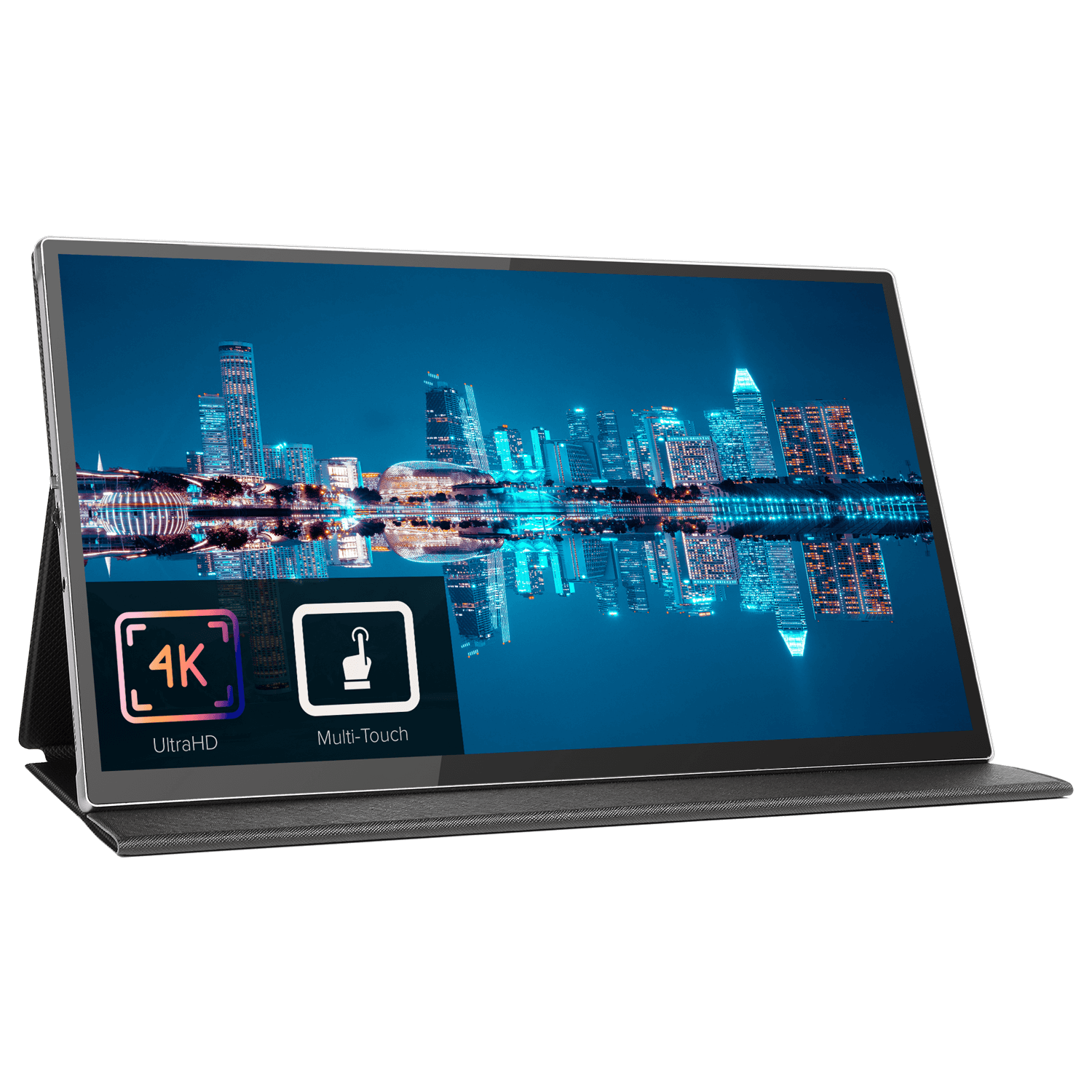
15.6″ 4K 휴대용 모니터(터치스크린 포함)

4K Key Feature Icon
4K

  • 고화질 터치스크린이 탑재된 15.6인치 4K 휴대용 모니터
  • 14.17 x 8.4 x 0.43인치의 컴팩트한 크기와 920g의 무게
  • MacOS와 호환되는 터치스크린
  • 터치스크린은 호환 장치에서 터치 입력을 지원합니다.
  • USB로 구동, 미니 HDMI, USB Type-C 지원
결제 정보

당사는 최신 결제 처리 기술을 사용하여 직불/신용카드 또는 PayPal을 통해 빠르고 안전하게 결제할 수 있도록 지원합니다.

보증

안심하고 사용할 수 있도록 DROIX Global에서 2년 보증 제공

가격, 세금 및 배송

참고:

  • 미국 고객: 표시된 가격에는 세금 및 관세가 포함되어 있지 않습니다. 통관 및 관련 세금/관세 납부에 대한 책임은 고객에게 있습니다.
  • EU 고객: 표시된 가격에는 국가에 따라 최대 25%의 세금이 부과될 수 있는 해당 세금이 포함되어 있습니다.
  • 캐나다 고객: 표시된 가격에는 해당 세금이 포함되어 있으며, 주에 따라 5%의 GST와 추가 주 판매세(PST), 통합 판매세(HST) 또는 퀘벡 판매세(QST)가 포함될 수 있습니다.

EU 고객 전용: Express DDP(관세지급반입인도조건). 이는 다음을 의미합니다:

  • 모든 관세 및 세금은 제품 페이지에 표시된 가격에 포함되어 있습니다.
  • 배송 시 추가 비용을 지불하지 않아도 됩니다.
  • 드물지만 통관 관련 문제가 발생하는 경우, 원활한 배송 경험을 보장하기 위해 저희 팀이 고객을 대신하여 통관 절차를 처리해 드립니다.
  • 반품에 관한 중요 정보:

  • 주문을 반품하거나 환불을 요청하는 경우, DDP 약관에 따라 회원님을 대신해 지불한 세금 및 관세는 환불되지 않는다는 점에 유의하시기 바랍니다.
  • 자세한 내용은 이용 약 관을 참조하세요.

고객 지원

질문이 있으신가요? 짧은 문자로 문제를 해결해 드리겠습니다!

자세한 내용은 이용 약 관을 참조하세요.

포함된 내용
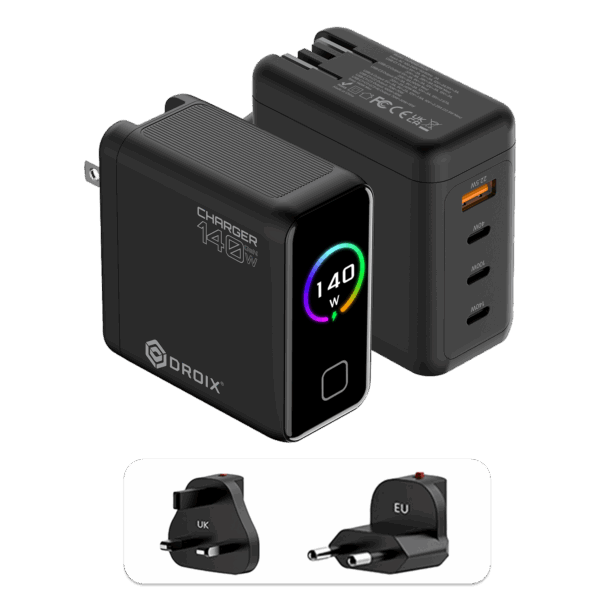
  • 전원 플러그 1개(EU/US)
  • 1x 사용자 설명서

재고 현황:

품절

Sale-15%

407 978 inc.TAX

8명이 지금 보고 있습니다
Clear all
PayPalVisaMastercardGoogle PayApple Pay
지금 구매, 나중에 결제

₩102 545부터 3회 분할 납부 · 0% 이자 이용 가능

-

S23b-1 4K 휴대용 모니터를 소개합니다: 어디서나 뛰어난 시각적 경험 제공

S23b-1 4K 휴대용 모니터로 비교할 수 없는 시각적 선명도와 광채를 경험하세요. 최고의 휴대용 디스플레이를 원하는 사용자를 위해 설계된 이 모니터는 15.6인치의 컴팩트한 화면에서 놀라운 4K UHD 해상도를 제공합니다. 고해상도 사진 편집, 복잡한 그래픽 디자인, 몰입감 넘치는 게임 세계 등 어떤 작업을 하든 S23b-1은 뛰어난 정밀도와 생생한 색감으로 모든 디테일을 생생하게 표현합니다.

뛰어난 색 정확도와 넓은 시야각으로 친구와 콘텐츠를 공유하거나 동료와 협업하기에 완벽한 TFT IPS LCD 패널을 탑재했습니다. G+G 정전식 터치 스크린은 상호 작용을 향상시켜 메뉴와 문서를 원활하게 탐색할 수 있는 정밀한 제어 기능을 제공합니다.

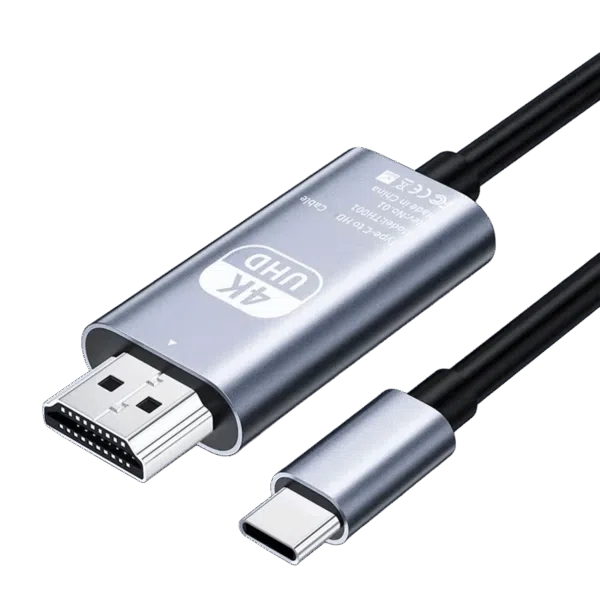
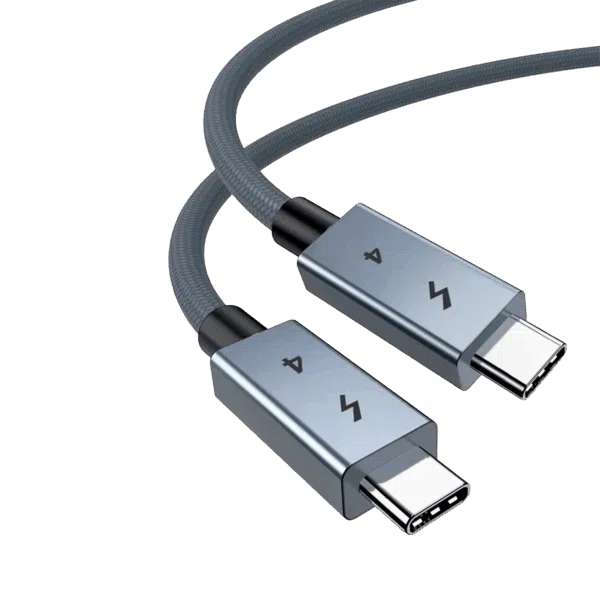
HDMI 미니 포트와 듀얼 Type-C 포트로 손쉽게 연결할 수 있으며, 여러 장치에서 전원 공급과 고속 데이터 전송을 지원합니다. 개인 청취를 위한 헤드폰 포트와 키보드 및 마우스와 같은 주변기기를 위한 Micro-USB 포트가 있어 더욱 편리합니다.

내구성이 뛰어난 알루미늄 합금으로 제작된 S23b-1은 매끄럽고 슬림한 외형과 가벼운 휴대성을 겸비하여 여행이나 업무 공간 간 이동 시 이상적인 동반자가 되어줍니다. 접이식 케이스는 평평한 표면에 안정적으로 놓을 수 있는 스탠드로도 사용할 수 있어 어디에서든 다양하게 활용할 수 있습니다.

장점:

  • 몰입감 넘치는 비주얼을 위한 놀라운 4K UHD 디스플레이
  • HDMI 미니 및 Type-C 포트를 포함한 다양한 연결 옵션
  • 고품질 알루미늄 합금으로 제작된 세련되고 가벼운 디자인
  • 직관적인 상호 작용을 위한 반응형 G+G 정전식 터치 스크린

단점:

  • 15.6인치 화면 크기로 제한됨
  • 내장 스피커가 외부 오디오 품질과 일치하지 않을 수 있습니다.

크리에이티브 전문가, 열성적인 게이머, 이동이 잦은 마니아 등 누구에게나 S23b-1 4K 휴대용 모니터는 컴팩트한 패키지로 뛰어난 성능을 제공하여 휴대용 디스플레이의 우수성을 새롭게 정의합니다.
추가 정보

More

조건

New, Refurbished (Class A)

브랜드

Aspect Ratio

16:9

픽셀/인치

282 PPI

Resolution

3820 x 2160

Size

15.6 Inch

Touch

Contrast Ratio

1200:1

Response Time

3ms

I/O 오디오

스피커: 듀얼 스피커

I/O USB

USB Type-C 1개, USB Type-C 3.2 2세대 1개

I/O 비디오

미니 HDMI 1개, USB 3.2 Type-C 1개

Battery Type

Li-Ion

Battery Life

최대 6시간

Charging Time

최대 2.5시간

무게

2500 g

크기

40 × 27 × 8 cm

Max Wilson ✓ Verified Purchase
Jan 8, 2024

Great monitor for the price.

This review is for the 15.6 4K portable monitor with Adobe RGB.

It's a great monitor for the price but it has a few design choices that if they were changed would have made this monitor perfect.

The Good:

No matter how many design choices this has that should be changed you can't deny the features you get with this monitor for the price, that's why I bought this monitor and as long as it's durable and lasts for a couple more years at least I'd easily say I got my moneys worth.

The monitor works perfectly and quickly with no hassle.

It's great quality with surprisingly good colour but what's even more impressive is the brightness.
In SDR content/browsing the internet it is noticeably brighter than my M2 Pro MacBook. 10 bit HDR is good but SDR content really shines on this.

There are loads of colour options to play with, not all of them you will use but there's a lot of customisation here, it's a shame they aren't all explained though, two different settings for SRGB in two places but when you turn them both on the colours look a bit worse, there just needs to be some explanation for each of the settings to get the most of the monitor.

What I haven't tested:

The colour accuracy is something I haven't tested in great depth, I'm not a professional tester nor reviewer so I can't say anything about its accuracy. In one of the SRGB modes in SDR content I can say the colours are fantastic. But the Adobe RGB mode I haven't fully tested, as it's use case wouldn't be for watching content, only creating.

The Disappointments:

The first disappointment was the placement of the buttons. As soon as I sat this on my desk I Immediately noticed it can't be used in portrait mode, because there are buttons on one side, and buttons on the other that would be pressed down constantly, I bought a laptop stand so I can use it in portrait and it works perfectly, apart from the large button bezel that is more noticable in portrait. This is a huge miss, as it works perfectly fine in portrait. Having all the inputs/outputs and the buttons on one side would alleviate this, or changing the monitor stand to allow the monitor to stand up in portrait mode, unfortunately even if there was a different monitor stand it would be hard to access the buttons.

Immediately after having a look at the monitor and seeing how it feels, I noticed the power button is extremely loose so I've mistaken it for the menu slider, the menu button just feels like it's broken just from how loose it is, it still works regardless.

The slider button is really low quality in my opinion, it does work but pressing it in feels horrible, you feel like you're going to break the slider every time. It's just the actual pressing motion, the sliding is fine, if the slider was made slightly thicker I think this would alleviate this feeling.

When I turned on 3D sound there was an annoying neutral constant grainy sound that strangely sounded like a fan constantly blowing so I never even bothered to test out what this setting sounded like with music etc.

Even though the device charging using USB-C is really nice, I wish this could be turned off. If I had the option I would exclusively use USB-C on this monitor to use with my devices, but it constantly charges them without an option to turn this off. What that means is the battery on the display will die very quickly, and then I will have to charge the monitor all the time while using USB C to display. I think this would be fine if the power through USB C was powerful enough to power my devices but it's not. While using USB-C on my M2 Pro Macbook, it was using more power than what the monitor was giving it, and this was tested with multiple 65w chargers plugged into the monitor. There is probably a big cap on its charging ability. And what what this also meant, is that because I didn't want to use USB-C, I lost the ability to use the touchscreen because I was only comfortable using HDMI.

Conclusion:

As mentioned before, you get so much for the price. After thorough research into other options, I couldn't find anything with all the specs I was looking for, it's a nice surprise getting all of these features for that price. I think all the disappointments are just design choices, they might be compromised due to the price but I think they could be easily looked into.
DIRECT
Was this helpful?

Questions & Answers

Have a question about this product? Get answers from our community.

2
질문
✓ Answered
2
Q
Asked by Janusz Cysewski
Nov 14, 2025
Indeed, well explained :-) .

How long until new monitors are sold again? I asked to be notified, but is it possible to give an approximate date for when sales will resume?
A
Support Team
Hey, we currently do not have an estimated date for new unit stock as we will have newer models coming in near future.
Was this helpful?
Q
Asked by Janusz Cysewski
Nov 14, 2025
What does it mean when a monitor is refurbished ClassA ?
A
Support Team
Hey, Please check the grading under website terms and conditions for details of it - https://gpdstore.net/terms-of-service/
Was this helpful?