



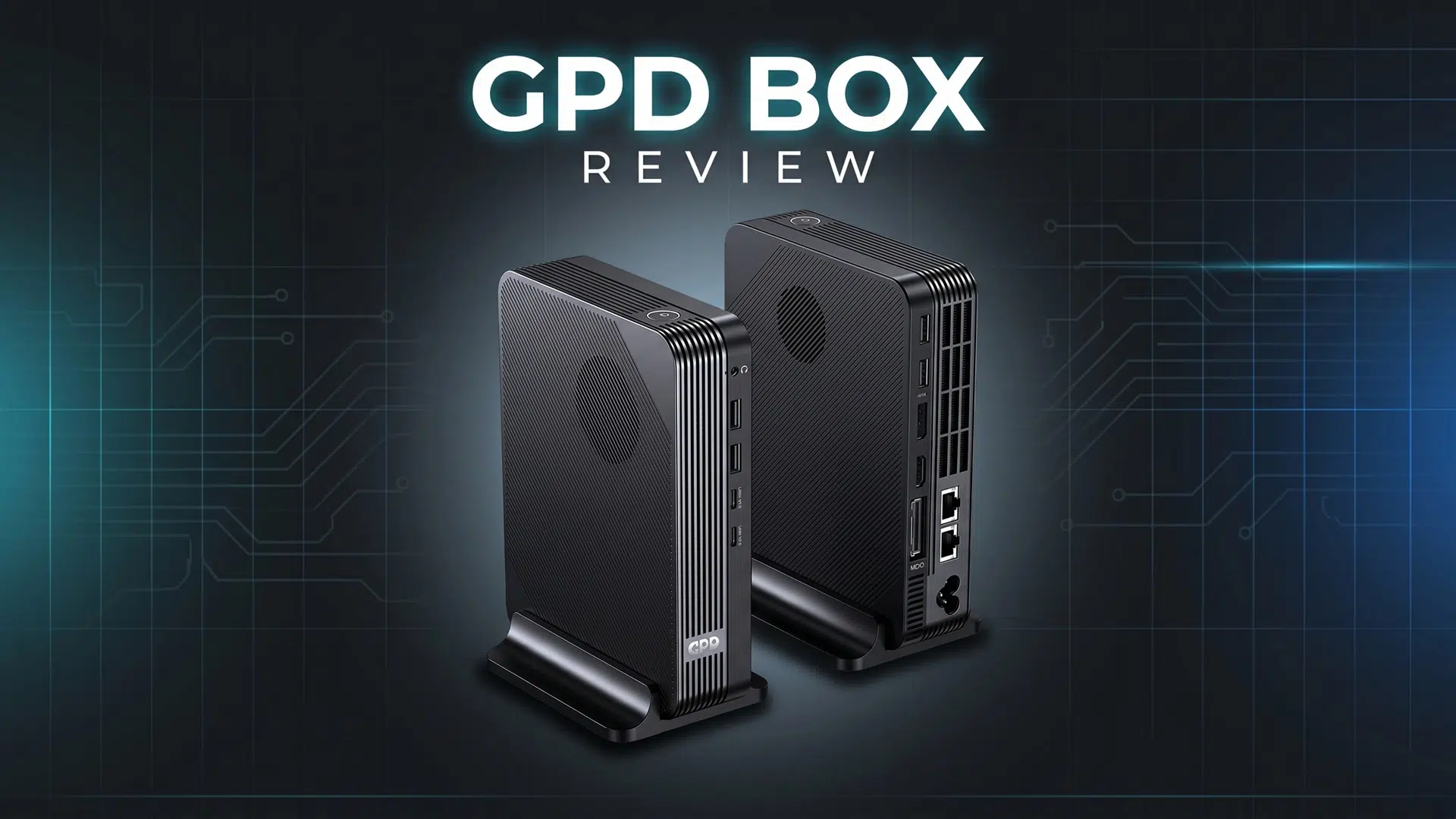
GPD has been producing compact computing devices for more than a decade and is widely recognised as one of the early innovators in the handheld gaming PC and mini laptop space. With the GPD BOX review, we are looking at the company’s first move into the busy mini PC market. As a compact system listed in the mini PCs category, does the GPD BOX offer enough to stand apart from other small desktop systems? Let’s take a closer look.
GPD BOX Overview
For this GPD BOX review, we start with the size and design. The GPD BOX measures approximately 6.88 x 5.27 x 1.55 inches (17.5 × 13.4 × 3.95 cm) and weighs around 940g (2.07 lbs). Its appearance is noticeably different from a standard mini PC, with GPD’s familiar design style visible through the grilled front panel and branding. It has a distinctive look that stands out on a desk without feeling excessive.
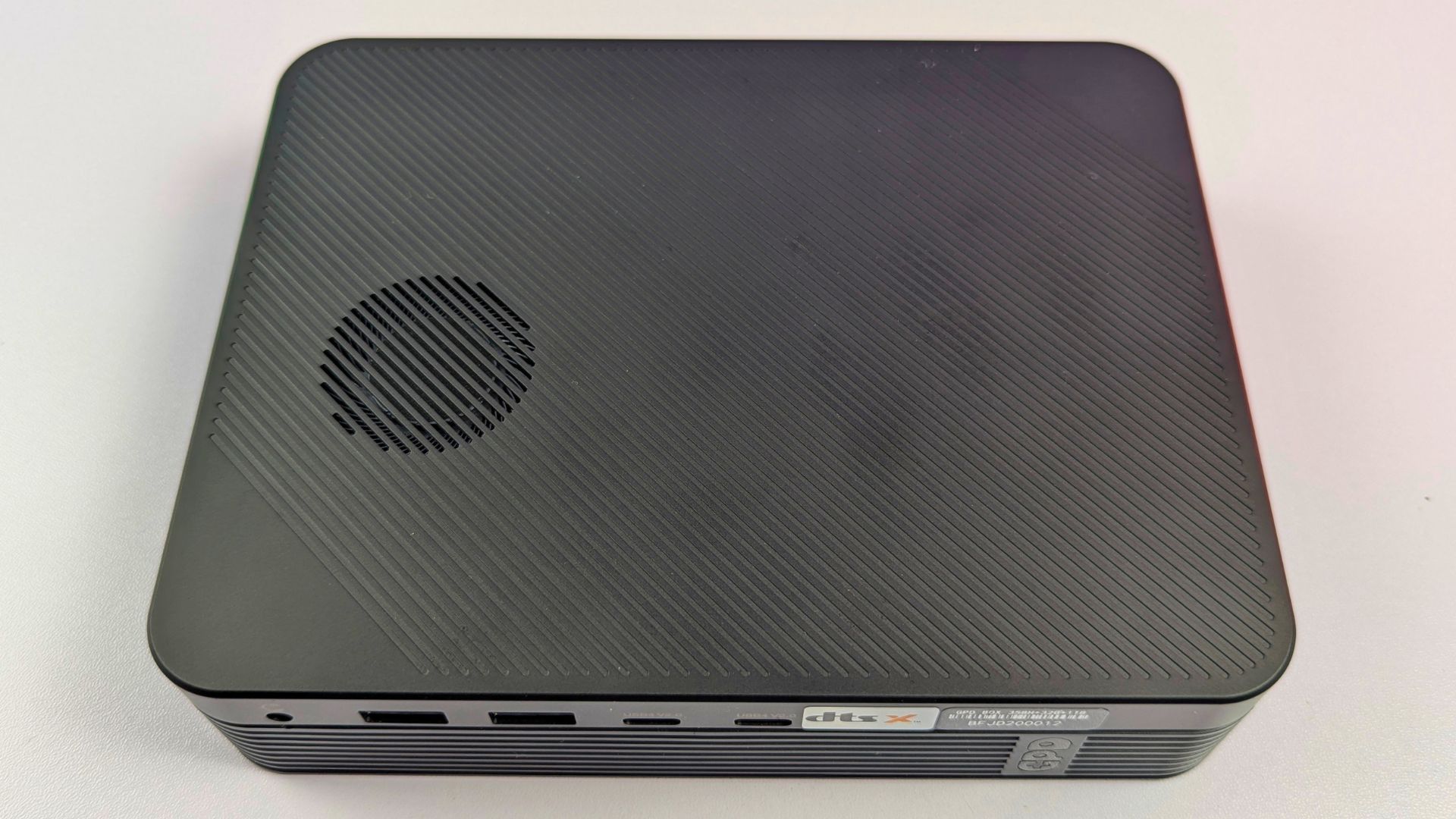
On the front, moving from left to right, there is a 3.5mm mic and audio combo port, two USB-A 10Gbps ports, and two USB4 2.0 ports with support for up to 80Gbps bandwidth. Beneath these ports are the two 2W speaker grilles.
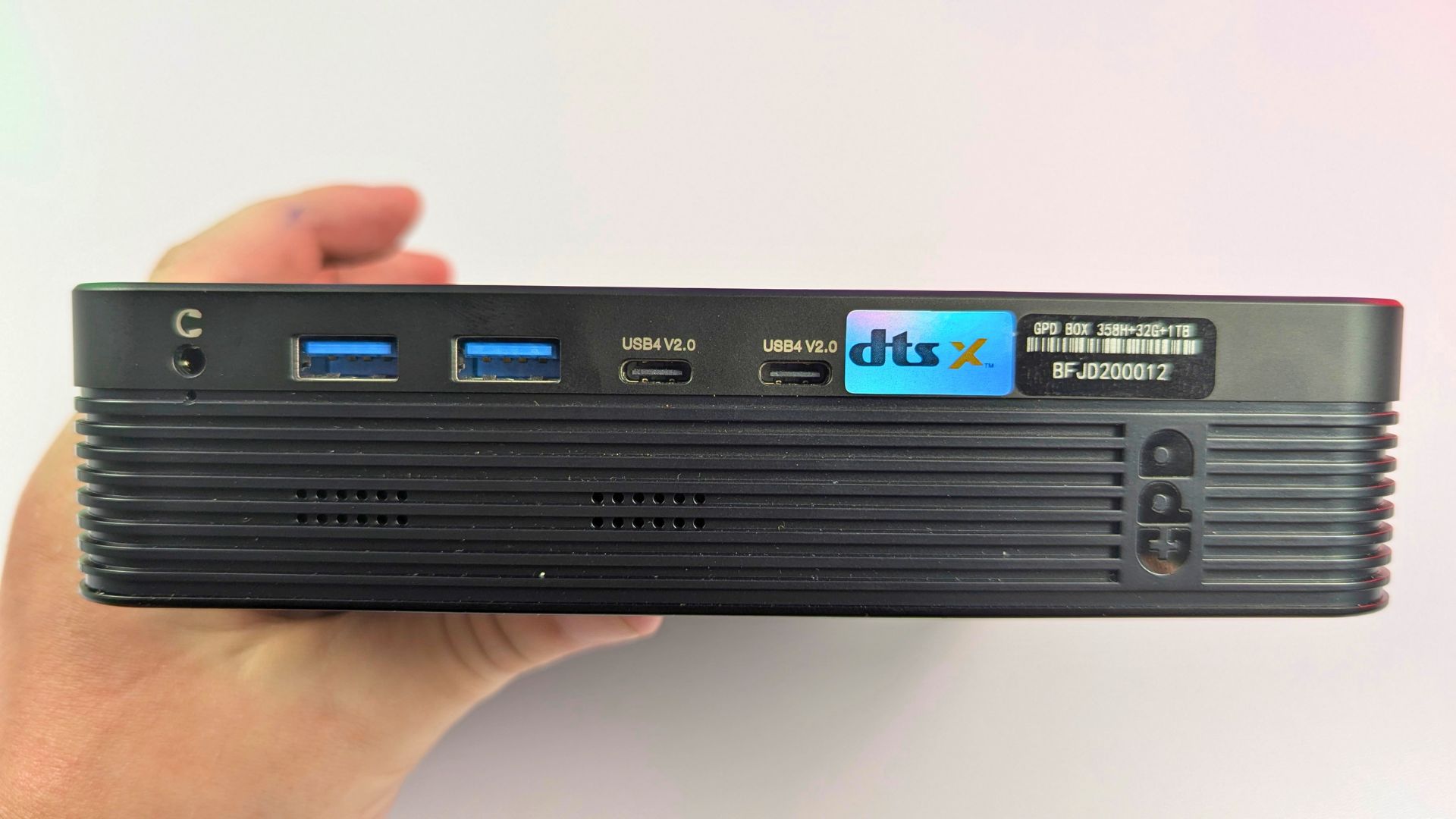
On the left side of the unit, there is a power button with a built-in fingerprint sensor, surrounded by an LED light. This is a useful addition for fast and secure sign-in, particularly if the GPD BOX is being used as a main desktop computer.
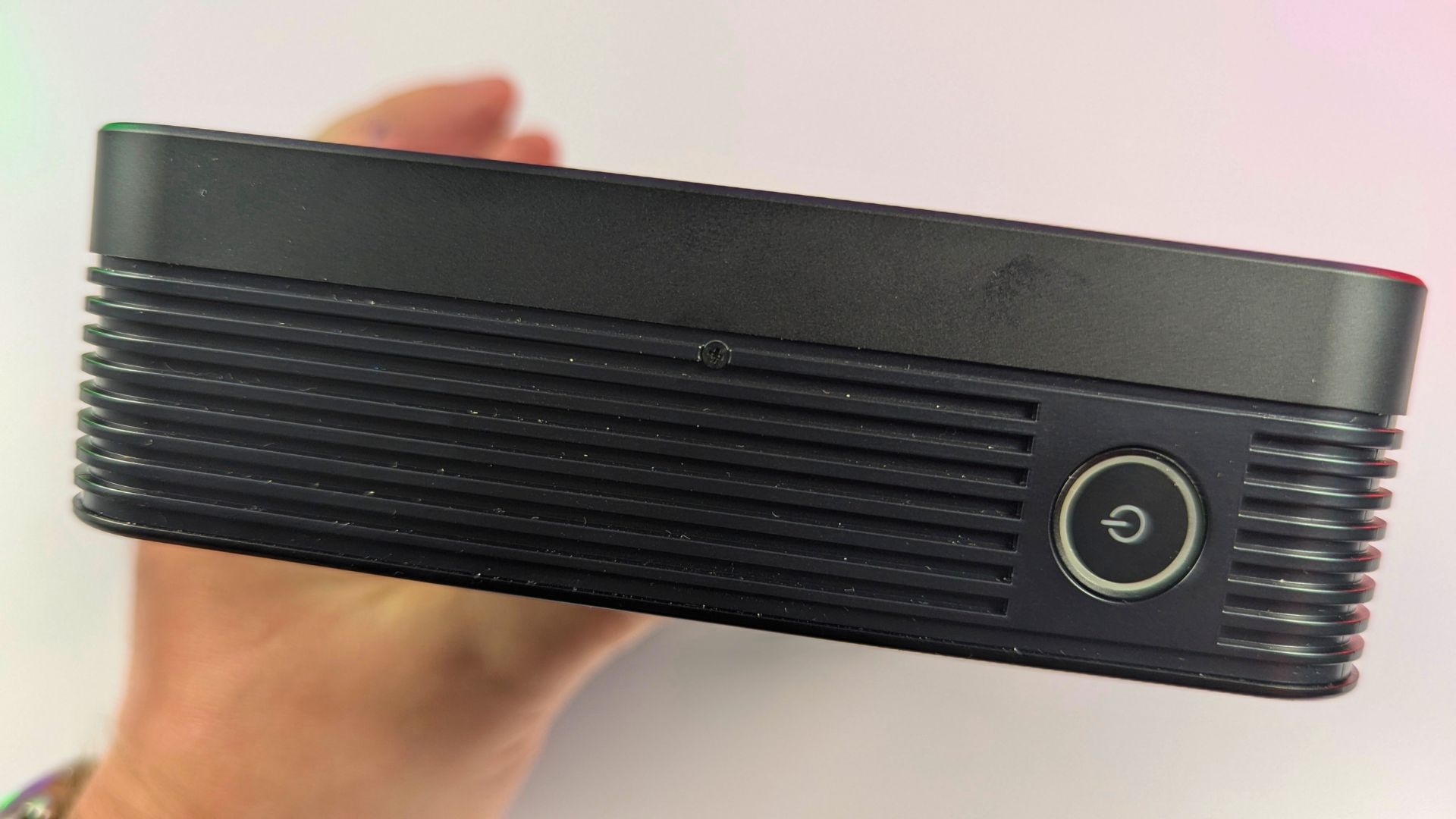
Around the rear, from left to right, you will find the power port. On the 356H model, there is also an MCIO 8i port, and below that are dual 2.5 Gigabit Ethernet ports. For display output, the GPD BOX includes HDMI 2.1 and DisplayPort 2.1, along with two more USB-A 10Gbps ports.
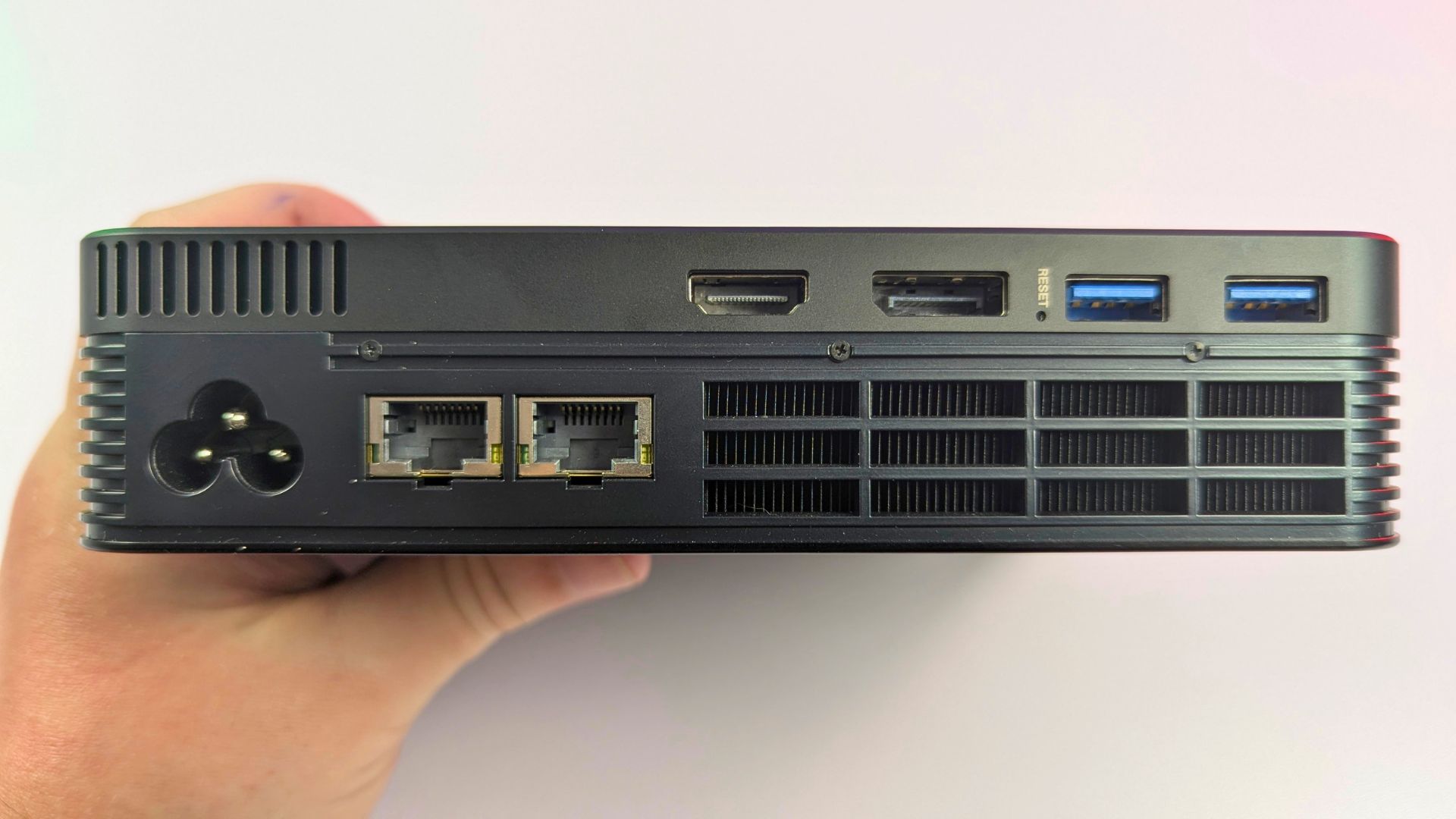
You can use the GPD BOX horizontally on your desk, much like a traditional mini PC. Alternatively, the included stand allows it to be positioned vertically, helping to reduce the amount of desk space it takes up.
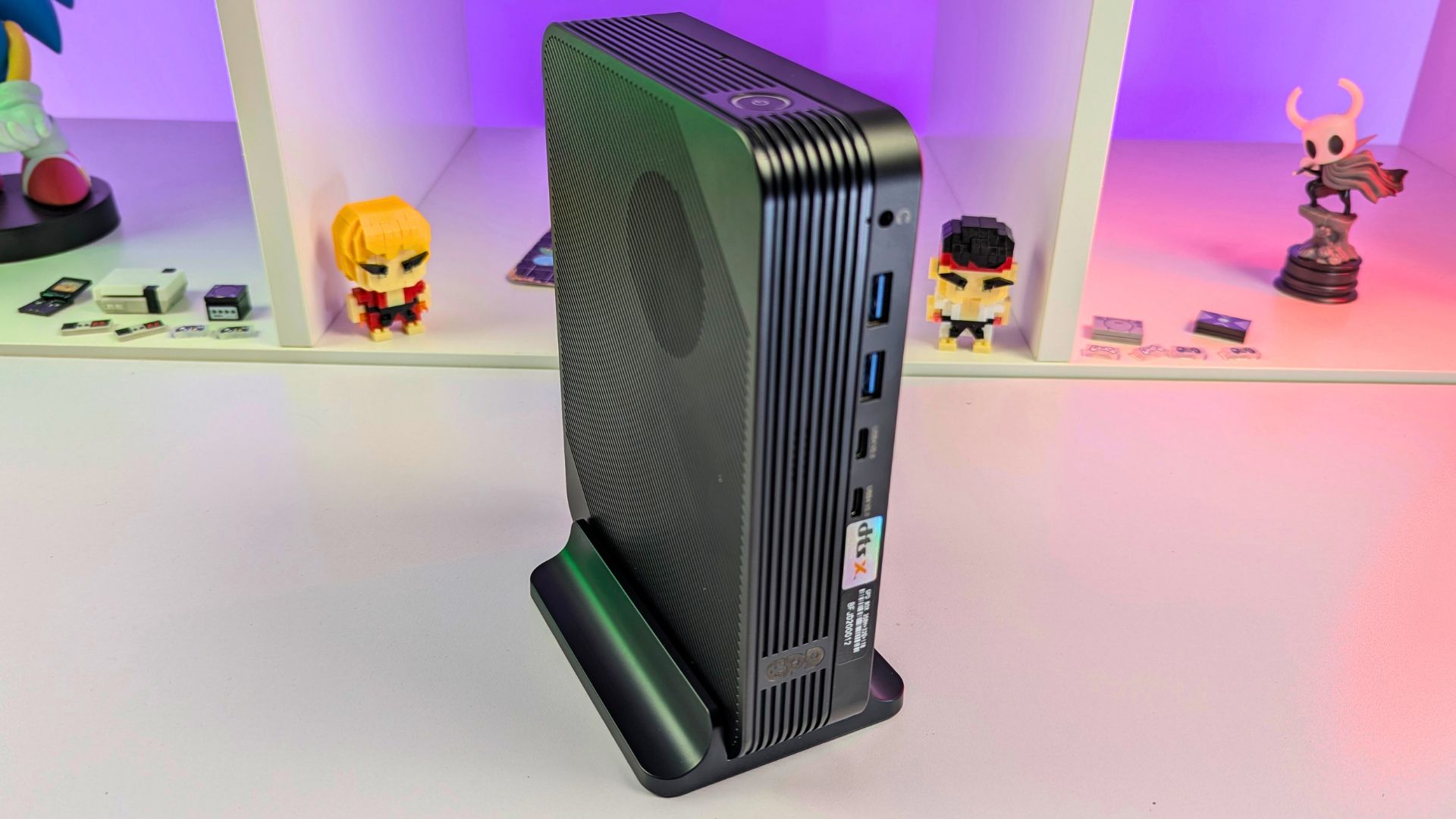
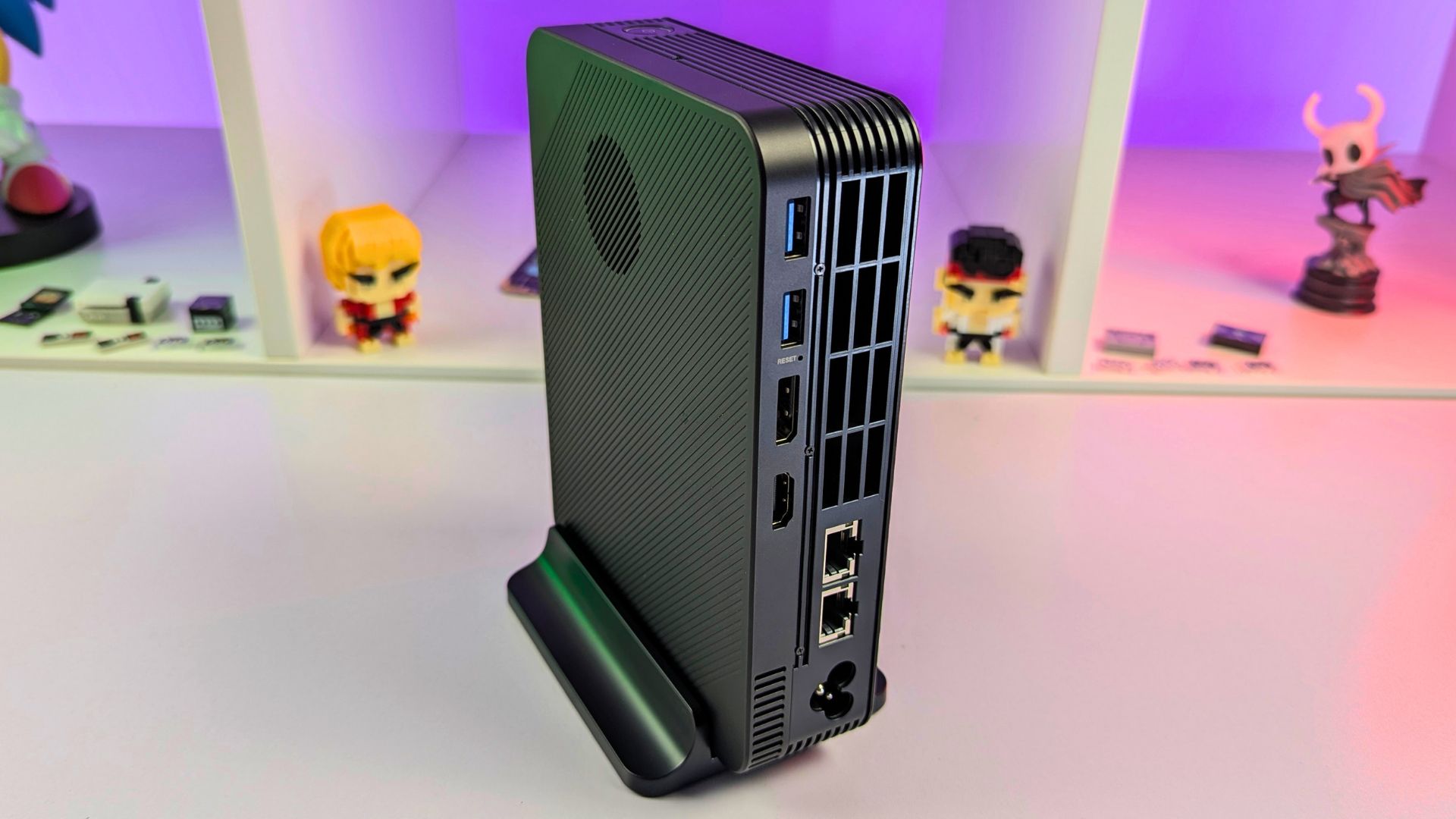
Overall, the design works well, especially if you already own other GPD products and want a setup with a consistent visual style. We also appreciate the vertical placement option, as it makes the GPD BOX easier to fit into smaller desks, office spaces, or gaming setups.
GPD BOX Technical Specifications
In this GPD BOX review, we are looking at two main CPU configurations. The GPD BOX is available with either the Intel Ultra 7 356H or the Intel Ultra X7 358H. Both processors feature 4 performance cores, 8 efficient cores, and 4 low-power efficient cores. The 356H can reach up to 4.7GHz, while the 358H can reach up to 4.8GHz.
The biggest difference between the two versions is found in the graphics hardware. The Ultra 7 356H uses standard Intel graphics with 4 Xe-cores and 32 Execution Units. By comparison, the Ultra X7 358H features Intel Arc B390 graphics with 12 Xe-cores and 96 Execution Units, meaning the graphics performance between the two models will be very different.
| Specification | GPD BOX – Intel Ultra 7 356H | GPD BOX – Intel Ultra X7 358H |
|---|---|---|
| Processor | Intel Ultra 7 356H | Intel Ultra X7 358H |
| CPU Cores | 4 Performance cores, 8 Efficient cores, 4 Low Power Efficient cores | 4 Performance cores, 8 Efficient cores, 4 Low Power Efficient cores |
| Max CPU Frequency | Up to 4.7GHz | Up to 4.8GHz |
| Graphics | Intel Graphics | Intel Arc B390 GPU |
| GPU Cores / Execution Units | 4 Xe-cores / 32 Execution Units | 12 Xe-cores / 96 Execution Units |
| RAM Options | 32GB or 64GB LPDDR5x | 32GB or 64GB LPDDR5x |
| RAM Speed | Up to 8533 MT/s | Up to 8533 MT/s |
| Storage Options | 512GB to 4TB M.2 NVMe 2280 SSD | 512GB to 4TB M.2 NVMe 2280 SSD |
| Wireless Connectivity | Wi-Fi 6E, Bluetooth 5.3 | Wi-Fi 6E, Bluetooth 5.3 |
| Front Ports | 1× 3.5mm mic/audio combo, 2× USB-A 10Gbps, 2× USB4 2.0 up to 80Gbps | 1× 3.5mm mic/audio combo, 2× USB-A 10Gbps, 2× USB4 2.0 up to 80Gbps |
| Rear Ports | Power port, MCIO 8i port, 2× 2.5Gb Ethernet, HDMI 2.1, DisplayPort 2.1, 2× USB-A 10Gbps | Power port, 2× 2.5Gb Ethernet, HDMI 2.1, DisplayPort 2.1, 2× USB-A 10Gbps |
| eGPU Connectivity | MCIO or USB4 v2, depending on setup | USB4 v2 |
| Audio | Dual 2W speakers | Dual 2W speakers |
| Security | Fingerprint sensor integrated into power button | Fingerprint sensor integrated into power button |
| Dimensions | 6.88 × 5.27 × 1.55 inches / 17.5 × 13.4 × 3.95 cm | 6.88 × 5.27 × 1.55 inches / 17.5 × 13.4 × 3.95 cm |
| Weight | Around 940g / 2.07 lbs | Around 940g / 2.07 lbs |
| Orientation | Horizontal desktop use or vertical with included stand | Horizontal desktop use or vertical with included stand |
Power usage
Power efficiency is another important part of this GPD BOX review. During lighter use, the system is very efficient, using only 4.3W while idle on the desktop and averaging around 9W when watching a 4K YouTube video. Under full load in Cinebench 2026, power consumption increases to 87W.
Fan Noise & Temperature Tests
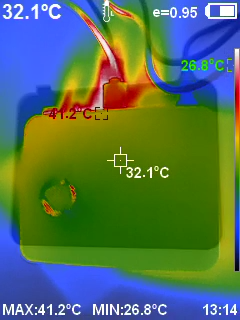
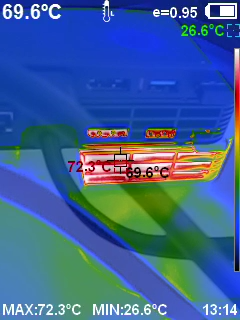
For fan noise and temperatures, the balanced fan profile measured 49dB during the Cinebench 2026 multi-thread test, with temperatures reaching 72°C on the back. When the fan is set to 100%, temperatures drop to 57°C, although noise rises significantly to 77dB.
System Benchmarks
For this GPD BOX review, we are also transitioning to updated benchmark testing methods and presentation. We have not reviewed a mini PC for some time, so the benchmarks are slightly different from our usual format.
Geekbench 6
In Geekbench 6, the GPD BOX performs strongly. It achieves a single-core score of 2,873, placing it alongside some of the top handheld gaming PCs we have tested. Its multi-core score of 16,462 is higher than the GPD WIN 5 with the AMD MAX 385, although it remains around 9% behind the more powerful AMD MAX+ 395 devices.
| Device | Single-Core | Multi-Core |
|---|---|---|
| GPD WIN 5 (AMD MAX+ 395) | 2,809 | 17,996 |
| GPD WIN 5 (AMD MAX 385) | 2,890 | 14,738 |
| ONEXPLAYER ONEXFLY APEX (AMD MAX+ 395) | 2,898 | 18,198 |
| GPD BOX (Intel Ultra X7 385H) | 2,873 | 16,462 |
Cinebench 2026
For Cinebench 2026, we currently only have results for the GPD BOX. It scores 492.04 in the Single Thread test and 3,955.26 in the Multi-Thread test. These results will serve as a reference point for future comparisons as we test more devices using the same benchmark.
| Device | Single Thread | Multi-Thread |
|---|---|---|
| GPD BOX (Intel Ultra X7 385H) | 492.04 | 3,955.26 |
PCMark 10
In PCMark 10, the GPD BOX achieves an impressive score of 9,756. This places it 6.5% ahead of the ONEXPLAYER ONEXFLY APEX, 14.5% ahead of the GPD WIN 5 with AMD MAX 385, and 20% ahead of the MAX+ 395 model.
| Device | Score |
|---|---|
| GPD WIN 5 (AMD MAX+ 395) | 8,130 |
| GPD WIN 5 (AMD MAX 385) | 8,522 |
| ONEXPLAYER ONEXFLY APEX (AMD MAX+ 395) | 9,160 |
| GPD BOX (Intel Ultra X7 385H) | 9,756 |
3DMark
In 3DMark, the GPD BOX records 7,285 in Time Spy, 40,277 in Night Raid, and 14,104 in Fire Strike. These results place it behind the AMD-powered devices in GPU-heavy tests, with the largest difference appearing in Fire Strike, where it trails by around 40%.
| Device | Time Spy | Night Raid | Fire Strike |
|---|---|---|---|
| GPD WIN 5 (AMD MAX+ 395) | 10,541 | 57,589 | 23,739 |
| GPD WIN 5 (AMD MAX 385) | 10,016 | 48,884 | 22,952 |
| ONEXPLAYER ONEXFLY APEX (AMD MAX+ 395) | 10,635 | 61,861 | 23,452 |
| GPD BOX (Intel Ultra X7 385H) | 7,285 | 40,277 | 14,104 |
Gaming Benchmarks
As part of this GPD BOX review, we are also updating some of our gaming benchmarks to include newer titles. For the moment, this means we have a mixture of older and newer games in the results.
Forza Horizon 6
In Forza Horizon 6 at 1080p using the default Very Low graphics settings, the GPD BOX reaches 108 FPS at 80W and remains very close at 55W with 104 FPS. At 28W, it still delivers a smooth 87 FPS, while at 15W it drops to 50 FPS. The 5W result is only suitable for light power-saving use.
| TDP | GPD BOX FPS |
|---|---|
| 80W | 108 |
| 55W | 104 |
| 28W | 87 |
| 15W | 50 |
| 5W | 8 |
Cyberpunk 2077
In Cyberpunk 2077 at 1080p on the lowest settings, the GPD BOX reaches 83 FPS at 80W and remains almost the same at 55W. It falls behind the AMD devices at higher TDP levels, but the gap becomes smaller at 15W, where its 37 FPS is closely matched with the competition. At 5W, performance drops heavily to just over 6 FPS.
| Device | 80W TDP | 55W TDP | 28W TDP | 15W TDP | 5W TDP |
|---|---|---|---|---|---|
| GPD WIN 5 (AMD MAX+ 395) | 127.57 FPS | 118.6 FPS | 72.11 FPS | 36.15 FPS | 23.34 FPS |
| GPD WIN 5 (AMD MAX 385) | 120.51 FPS | 110.29 FPS | 71.87 FPS | 39.44 FPS | 23.55 FPS |
| ONEXPLAYER ONEXFLY APEX (AMD MAX+ 395) | 124.18 FPS | 117.77 FPS | 78.43 FPS | 36.65 FPS | N/A |
| GPD BOX (Intel Ultra X7 385H) | 83.0 FPS | 82.51 FPS | 57.44 FPS | 37.23 FPS | 6.20 FPS |
Shadow of the Tomb Raider
In Shadow of the Tomb Raider at 1080p on the Lowest preset, the GPD BOX reaches 115 FPS at both 80W and 55W. It is behind the AMD devices at higher TDP settings, but the difference narrows at 28W with 97 FPS. At 15W, it remains competitive with a solid 66 FPS.
| Device | 80W TDP | 55W TDP | 28W TDP | 15W TDP | 5W TDP |
|---|---|---|---|---|---|
| GPD WIN 5 (AMD MAX+ 395) | 192 FPS | 182 FPS | 126 FPS | 71 FPS | 33 FPS |
| GPD WIN 5 (AMD MAX 385) | 173 FPS | 165 FPS | 121 FPS | 71 FPS | 31 FPS |
| ONEXPLAYER ONEXFLY APEX (AMD MAX+ 395) | 193 FPS | 181 FPS | 128 FPS | 74 FPS | N/A |
| GPD BOX (Intel Ultra X7 385H) | 115 FPS | 115 FPS | 97 FPS | 66 FPS | 24 FPS |
Gaming Performance
Next in our GPD BOX review, we tested several games using real-world settings rather than only synthetic benchmark runs.
Forza Horizon 6
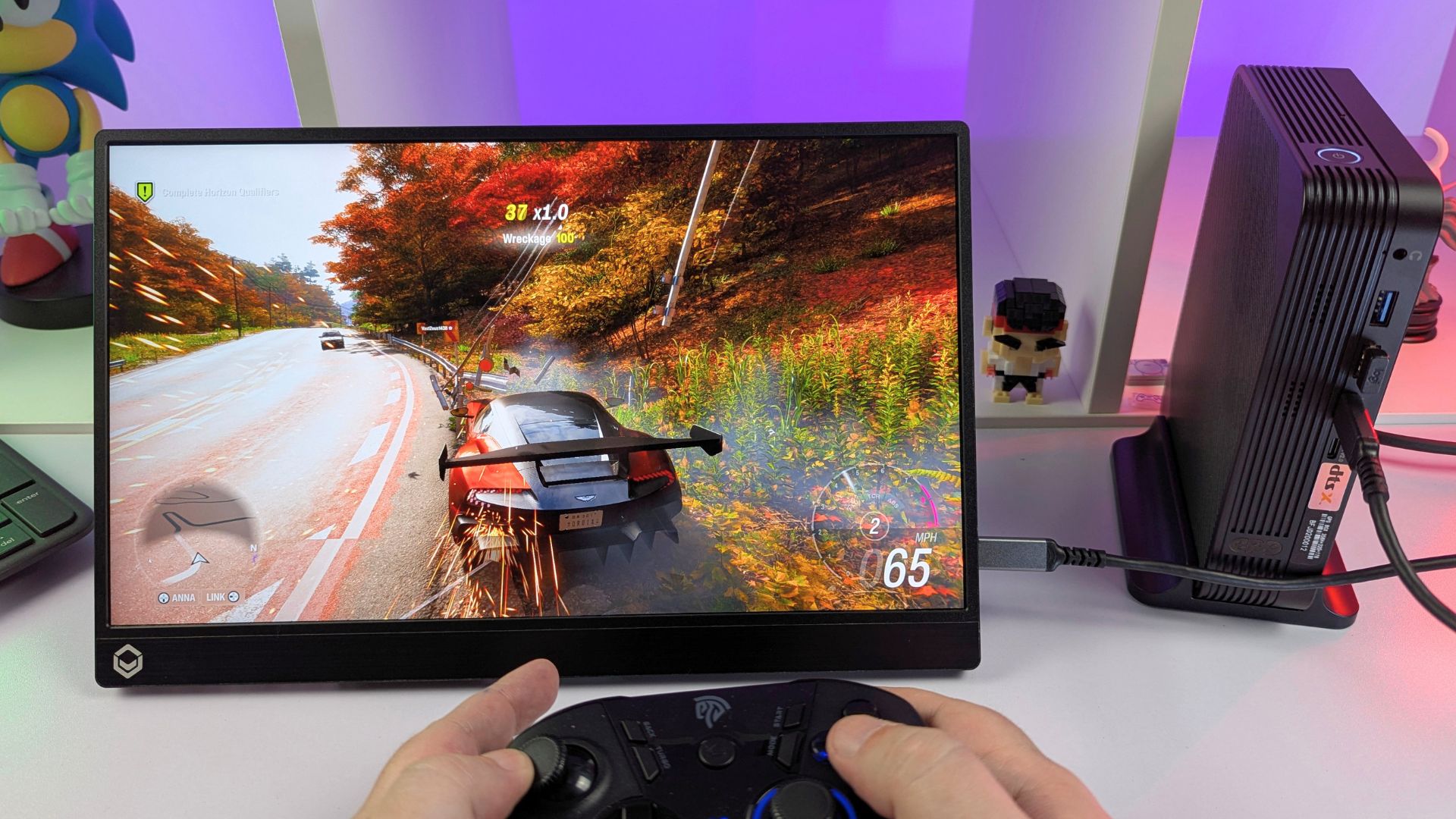
We were able to run Forza Horizon 6 at 1440p using the default High graphics settings with Intel XeSS-SR enabled. This delivered a stable result above 60 frames per second.
Subnautica 2
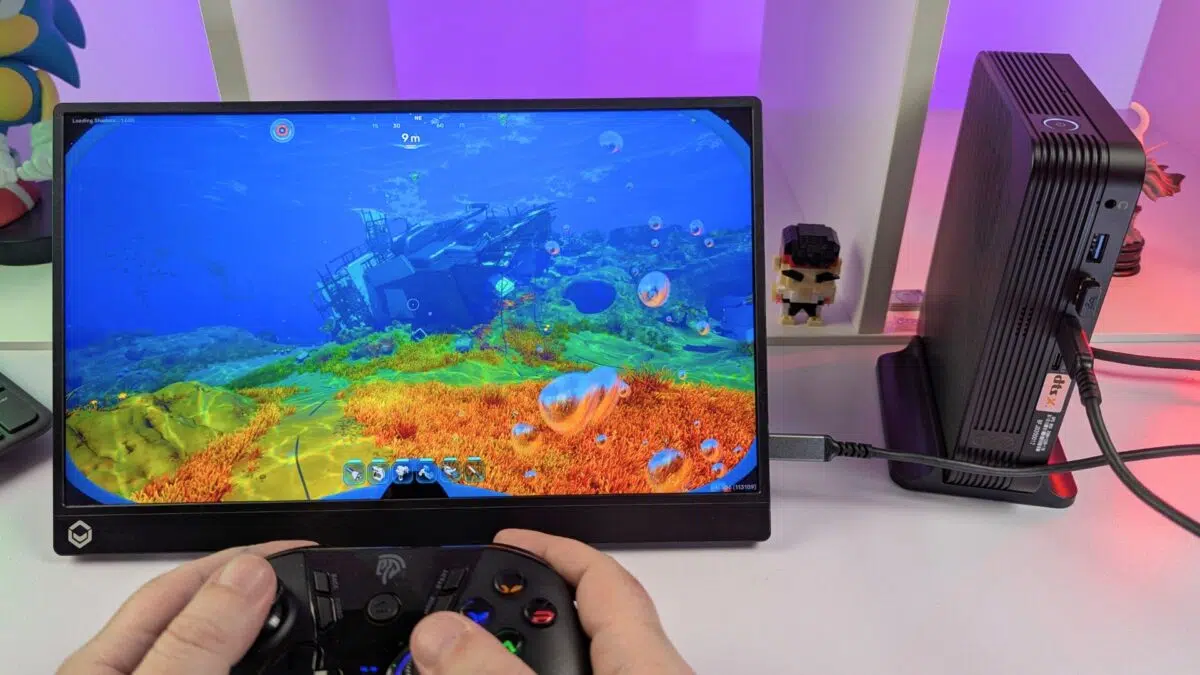
For Subnautica 2, we tested at 1440p with Balanced TSR upscaling and the default Medium graphics settings. This also produced performance above 60 frames per second.
Goals
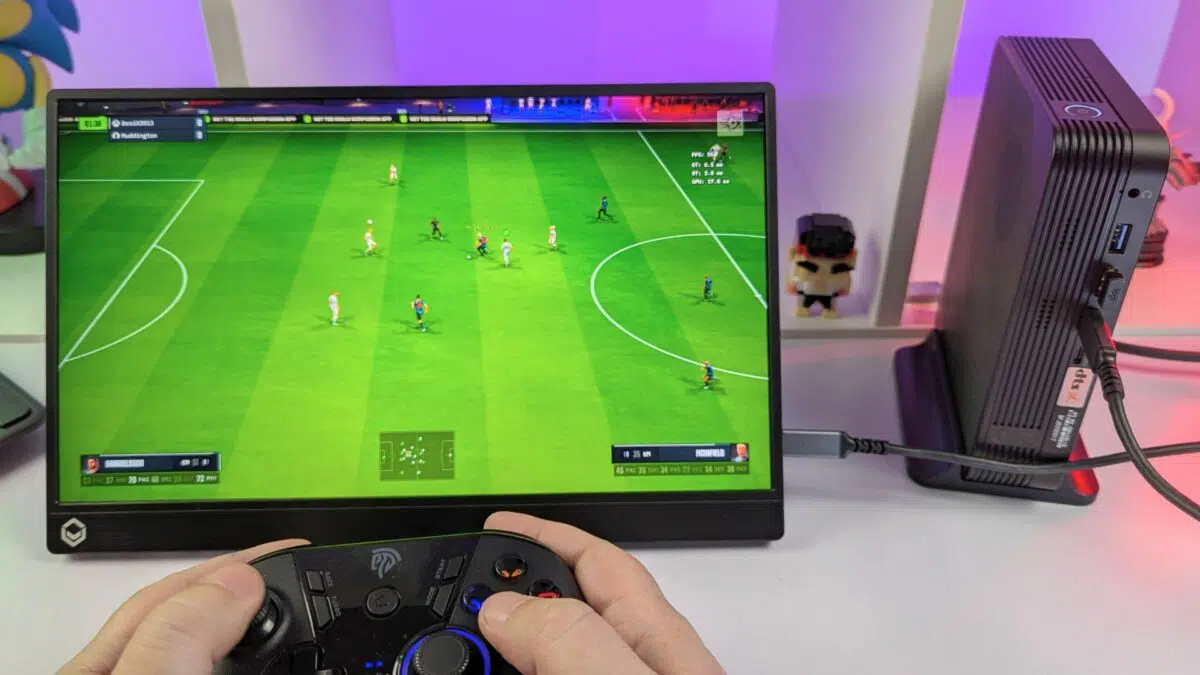
Just in time for the World Cup, we tested Goals. The game was running at 4K with the settings turned up to the highest level, while maintaining a steady 60+ frames per second.
Emulation Performance
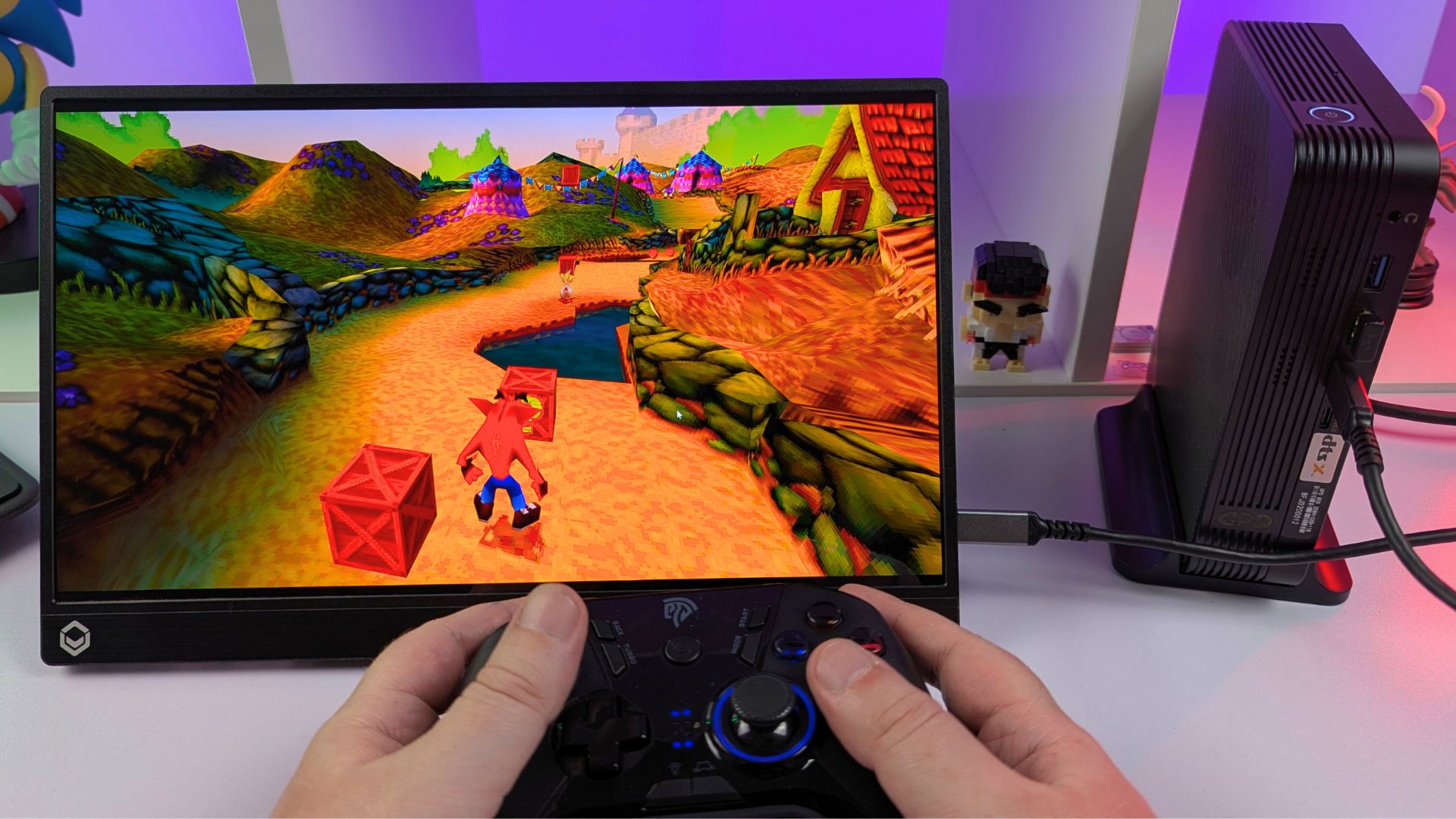
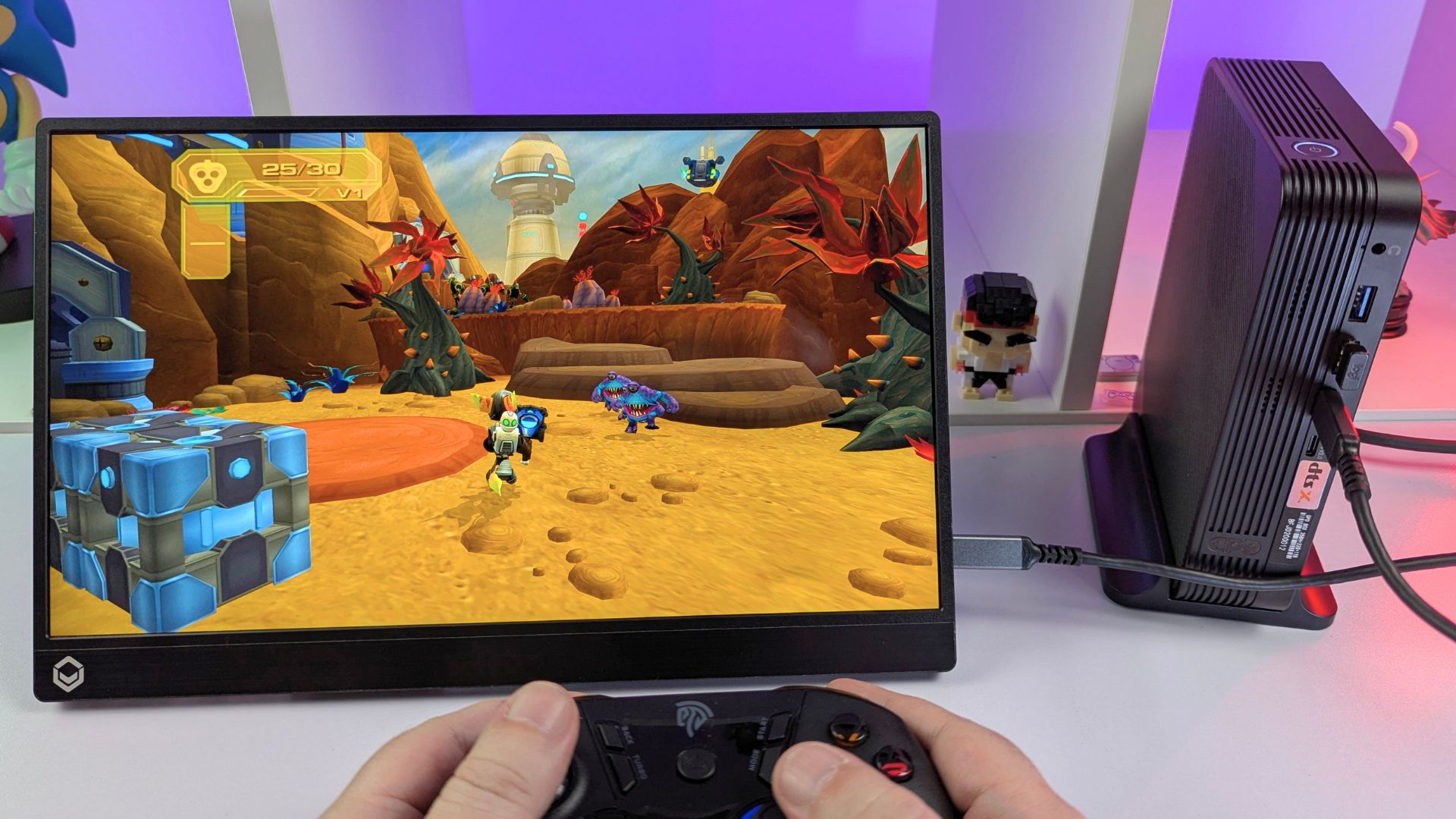
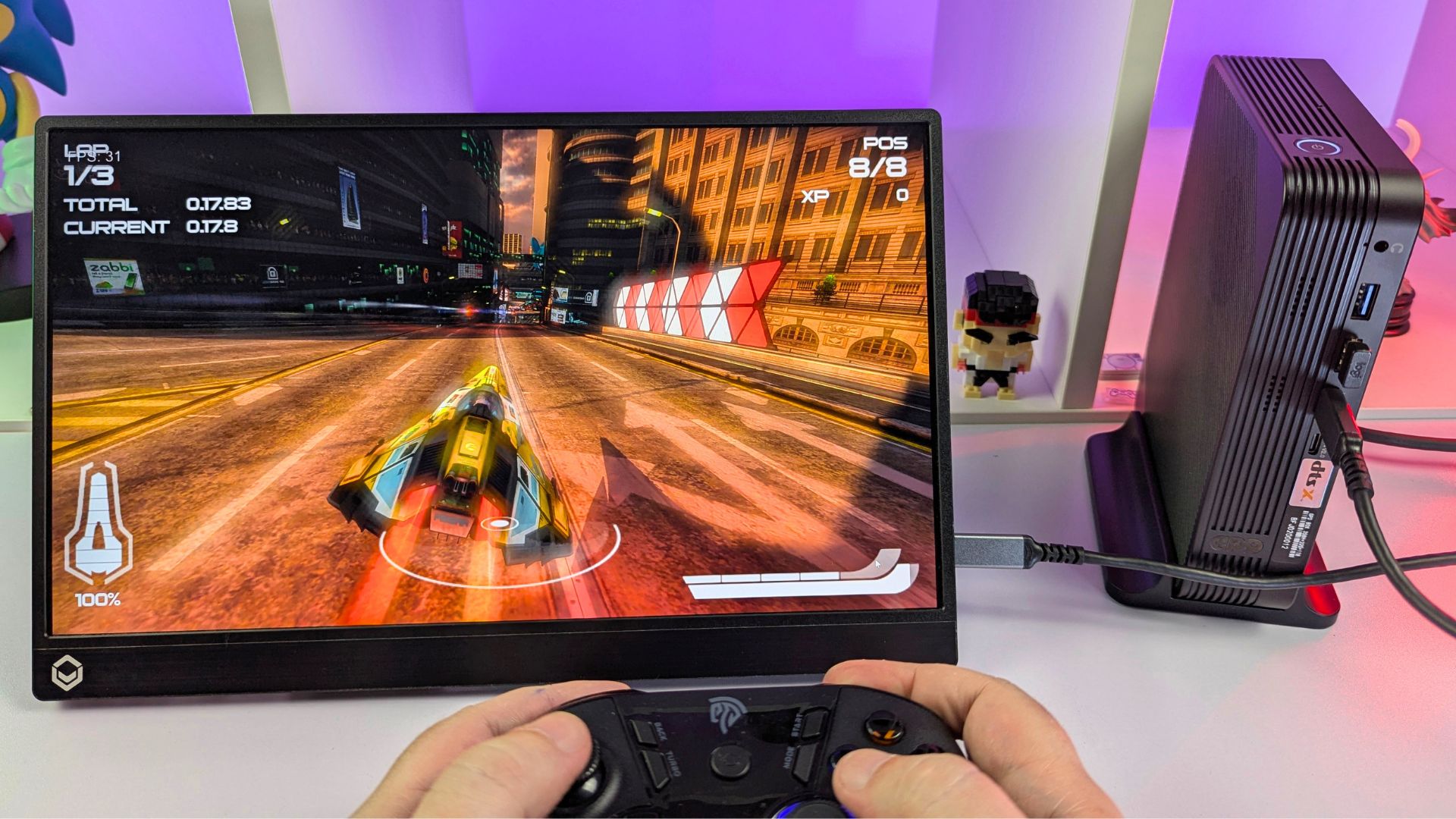
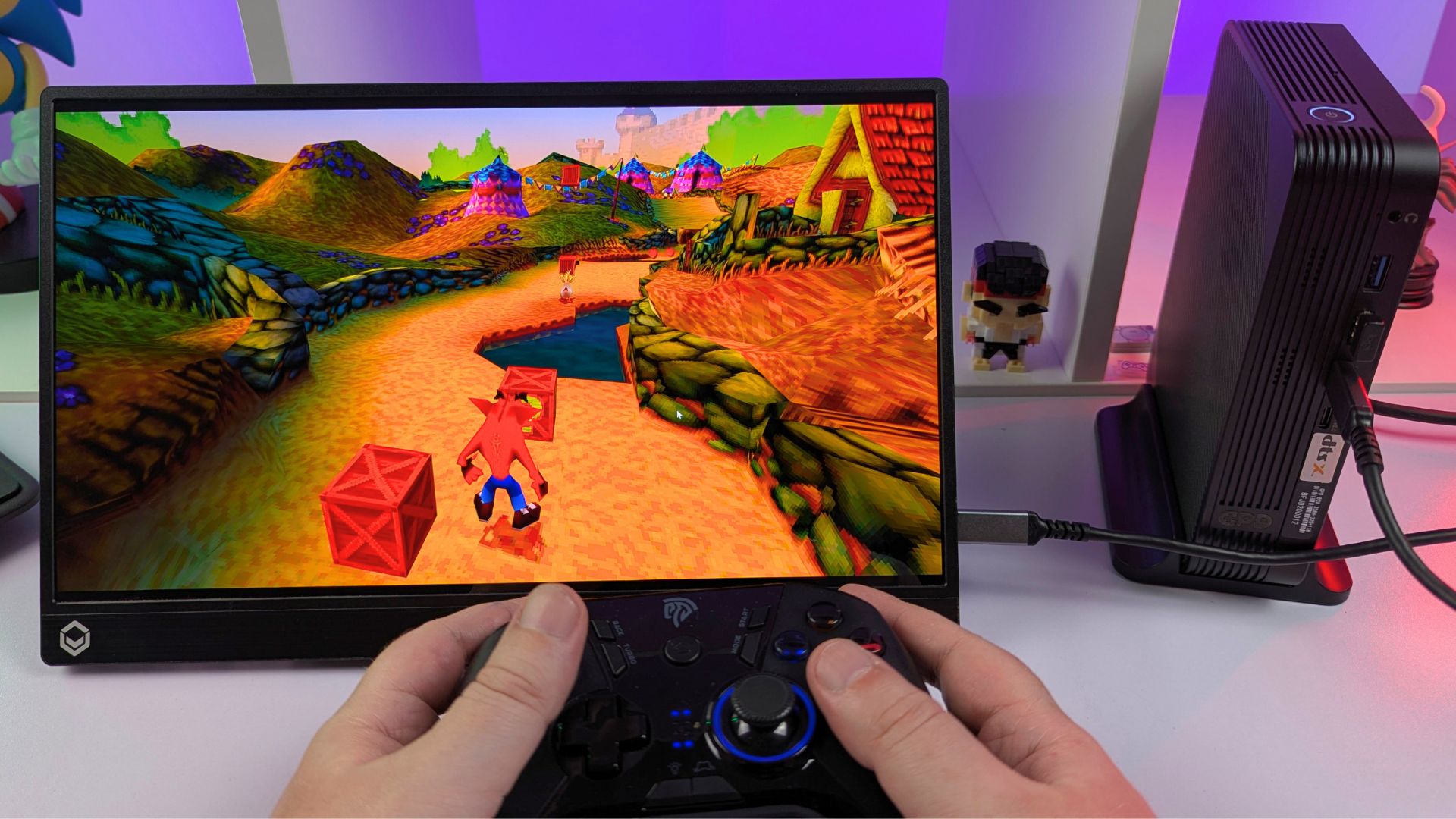
For emulation, this GPD BOX review shows that systems up to more modern consoles and handhelds run with no performance issues in our testing. Where supported, you can increase rendering resolutions up to 4K and apply additional graphics enhancements to improve the overall image quality. Let’s look at a few emulator examples.
PCSX2
With PCSX2, you can raise the resolution to 4K and enable various graphics tweaks without any issues. The games look dramatically improved when upscaled.
RPCS3
Using the PlayStation 3 emulator RPCS3, you can upscale to 4K and still maintain strong performance. You can also increase Anisotropic Filtering to 16x for much sharper visuals.
Vita3K
With Vita3K, we again increased the rendering resolution to 4K and enabled Anisotropic Filtering at 16x. The games we tested delivered solid frame rates.
Eden
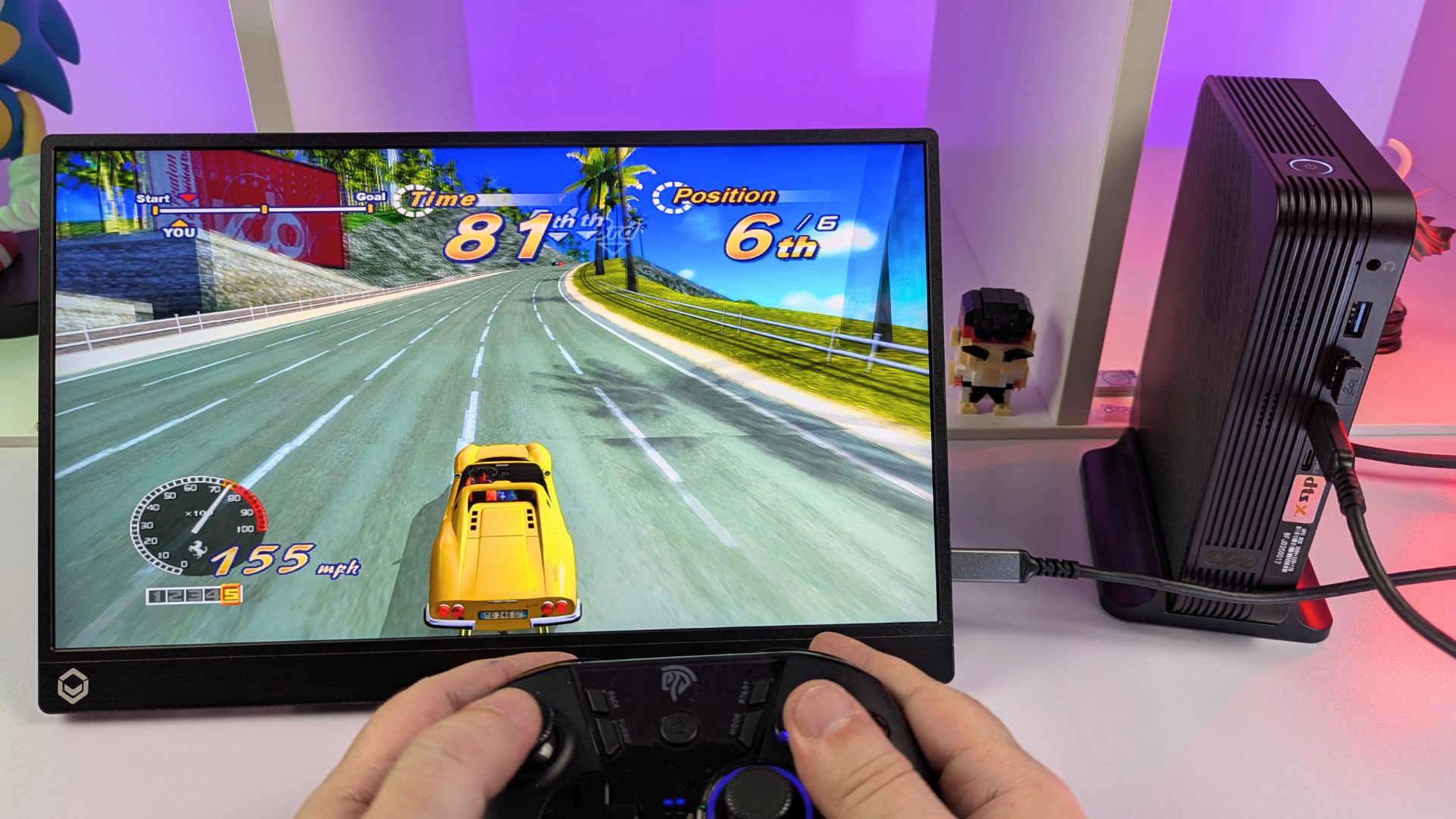
For the Eden emulator, we saw very good results in our test games. Our regular test title, Cruis’n Blast, runs at a full 60 frames per second at 1080p docked. Performance will vary depending on the demands of each game, but overall the GPD BOX delivers very good results, including in first-party titles.
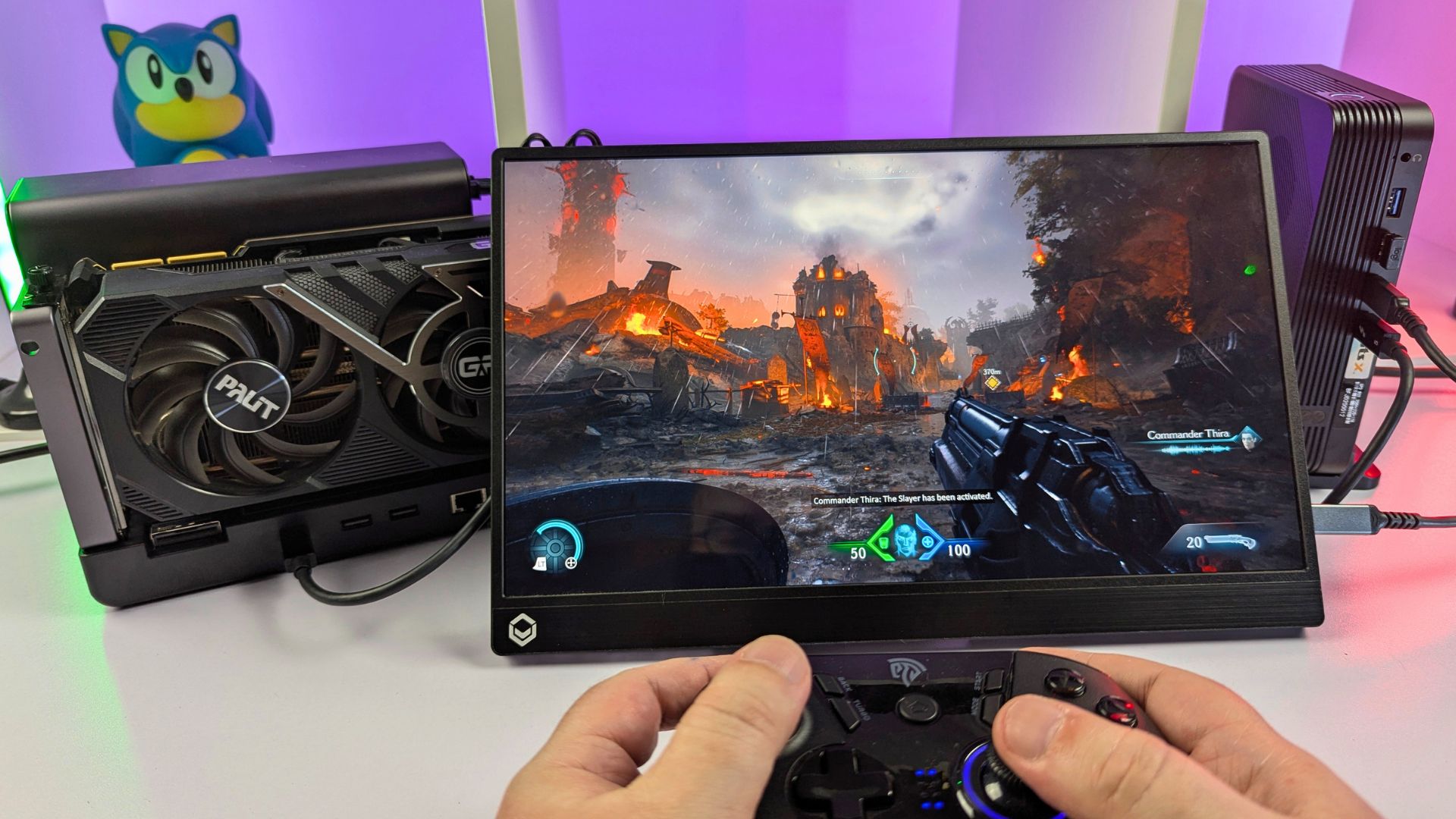
The GPD BOX with GPD G2 eGPU Docking Station
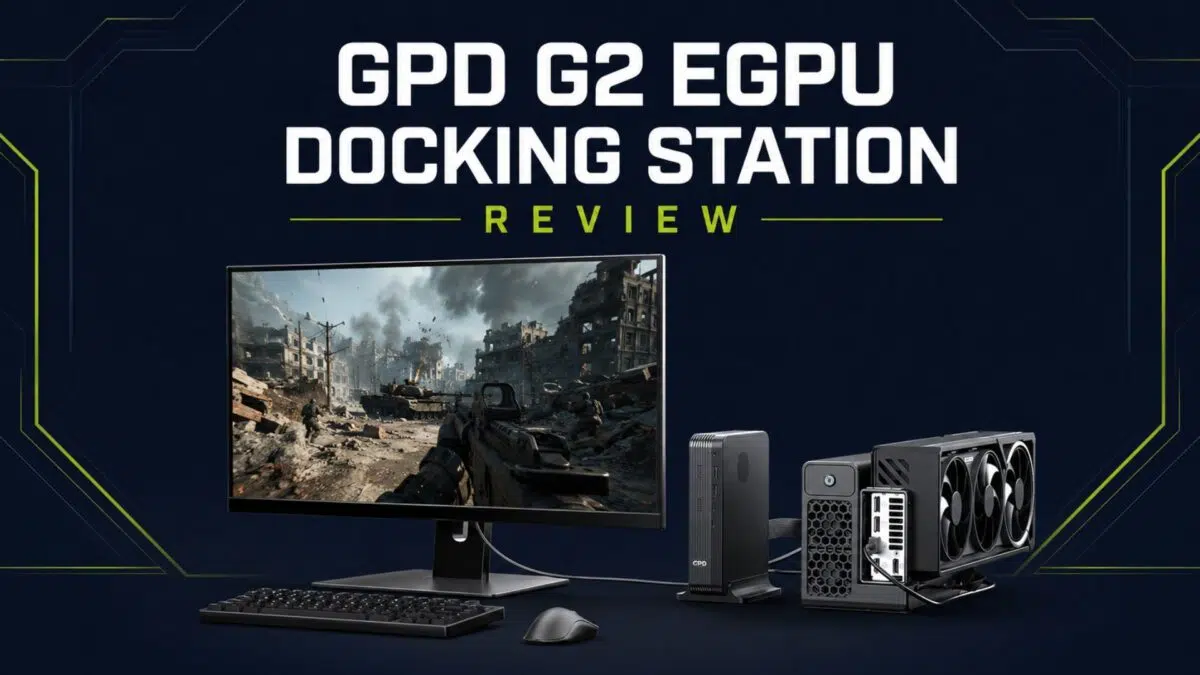
The GPD BOX was clearly designed with the GPD G2 eGPU docking station in mind. We will be covering the GPD G2 in a full review soon, but for this GPD BOX review, we are focusing on how it works with the GPD BOX.
The GPD G2 offers two ways to connect to a device: the MCIO port and USB4 v2, which is backwards compatible with standard USB4. The GPD BOX 356H model includes an MCIO port on the rear, while the 358H model does not. This means your connection options will depend on which version of the GPD BOX you have.
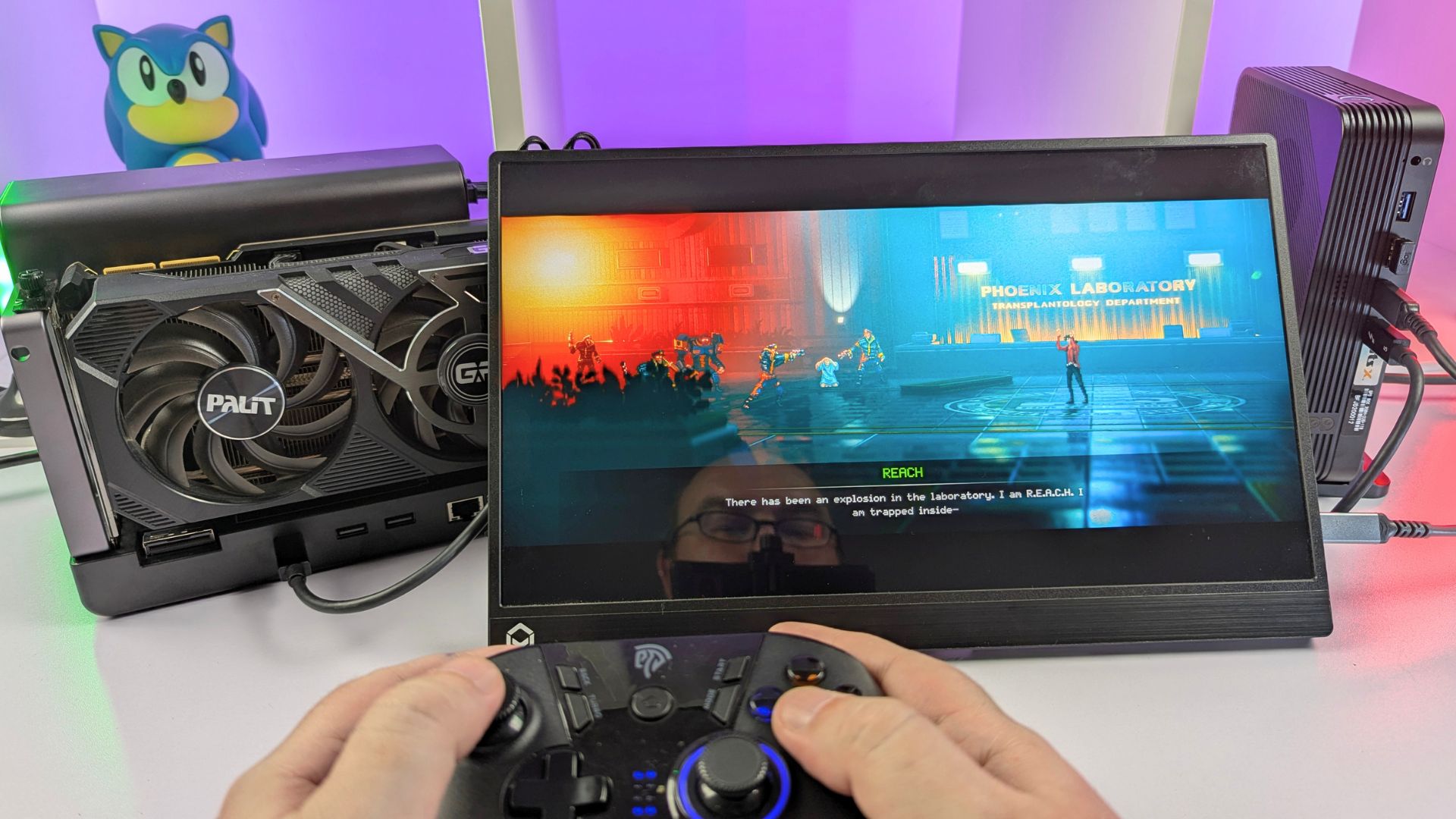
For our testing, we have the 358H model and are using the USB4 v2 connection with an NVIDIA GeForce RTX 3090 GPU. As always, performance will vary depending on the graphics card being used.
Forza Horizon 6
We are running Forza Horizon 6 at 1440p with FSR upscaling enabled and the graphics set to Extreme, achieving 60+ frames per second.
Subnautica 2
For Subnautica 2, we are running at 4K with DLSS Balanced upscaling on the Epic graphics preset. It looks excellent under water!
DOOM: The Dark Ages
For DOOM: The Dark Ages, we are running at 4K with DLSS Quality upscaling and the Nightmare graphics settings.
Final Thoughts
To conclude this GPD BOX review, the GPD BOX is a very interesting first entry into the mini PC space from GPD. It does not look or feel like a typical office mini PC, and that is one of its main advantages. The front grille, compact body, GPD branding, and vertical stand option help give it a stronger identity than many small desktop systems.
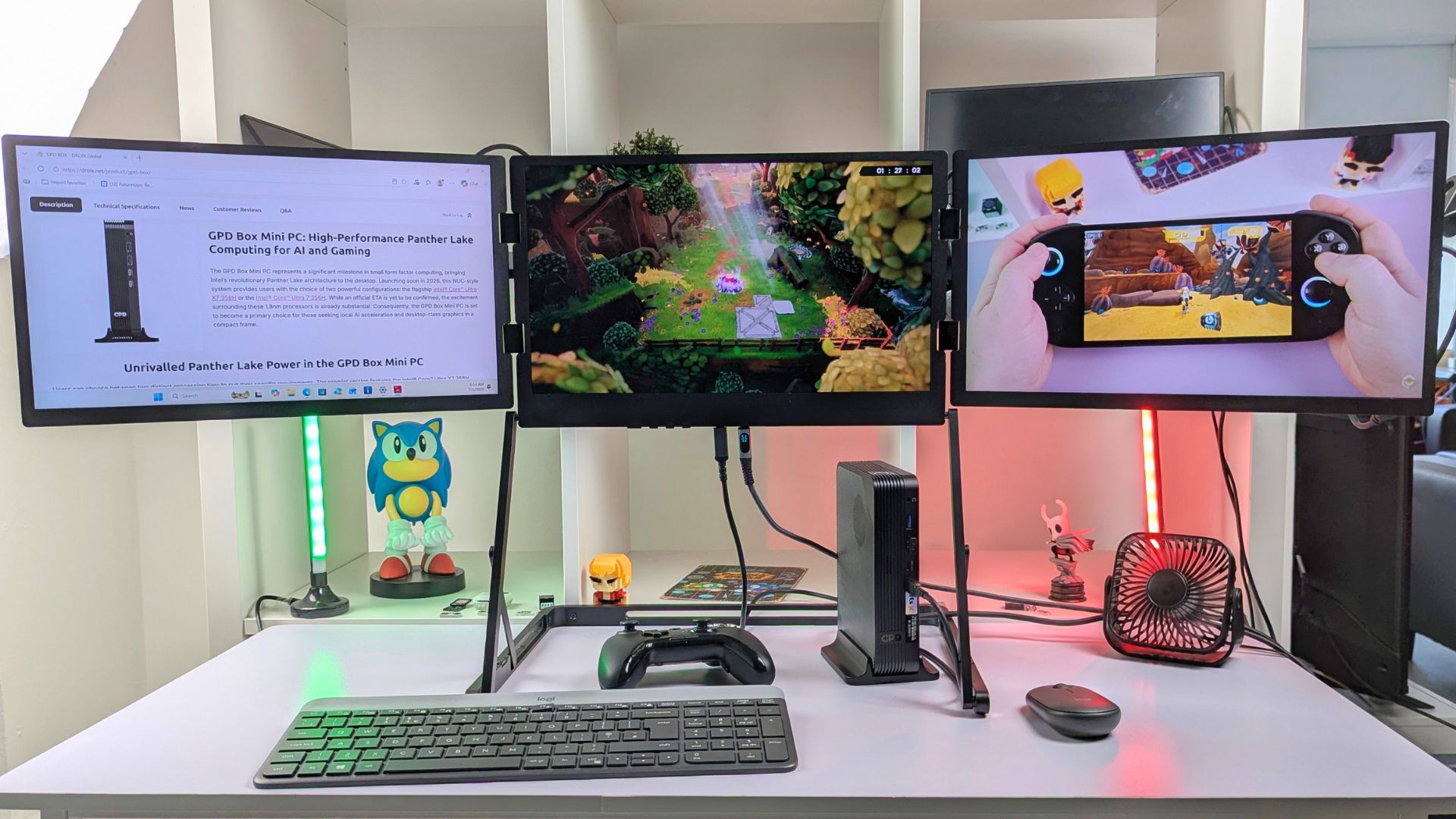
Performance is strong for its price range, particularly when remembering that the GPD BOX is not being marketed purely as a dedicated gaming mini PC. It is certainly capable of gaming, and as our testing shows, it can perform surprisingly well across a range of PC games and emulators. However, it should not be directly compared with a device such as the GPD WIN 5, which belongs to a higher performance and price tier.
Instead, the GPD BOX is better viewed as a compact everyday desktop that can also handle gaming, emulation, media playback, productivity, and more demanding desktop workloads when required. It works well as a mini PC with Intel processor, a mini PC for home office, a mini PC for business, and a mini PC for streaming, while also fitting into the wider range of Intel compact computers, Intel small form factor PCs, and mini Intel desktops.
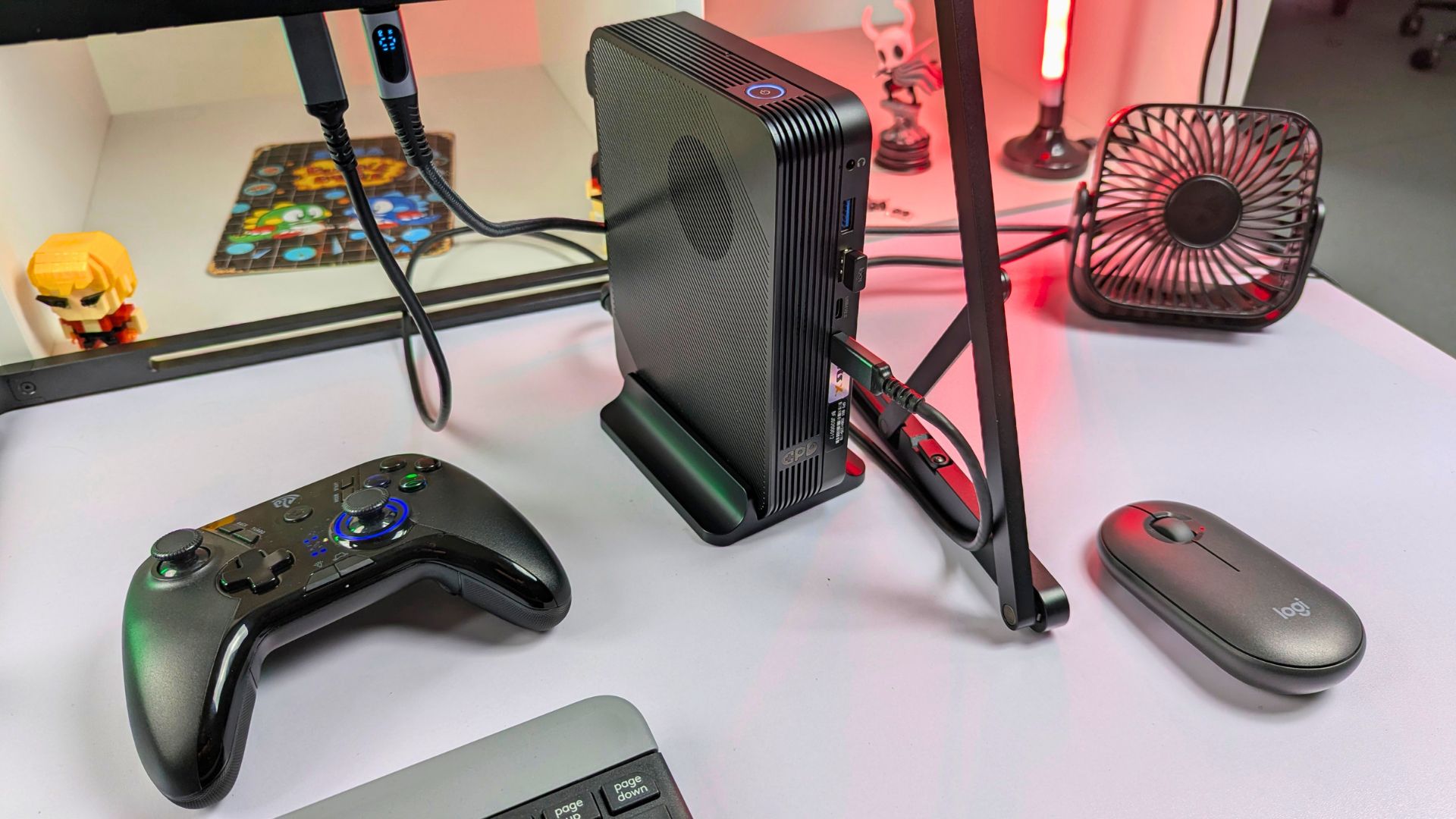
The GPD G2 docking station gives the GPD BOX another level of flexibility. By connecting an external graphics card, you can greatly improve graphics performance for higher resolutions, better visual settings, and more demanding games. It also creates more possibilities for local AI workloads, GPU-accelerated creative applications, and other tasks where dedicated graphics hardware can make a noticeable difference.
The GPD BOX is a strong addition to the GPD ecosystem, offering good performance for its price range and a design that fits naturally beside GPD’s other devices. If you are already a GPD fan and want a compact mini PC for your desk, it is easy to recommend. It is small, efficient, well connected, and powerful enough to cover a wide selection of everyday and enthusiast uses without taking over your workspace. You can also browse more systems in the Mini PCs category.
You can learn more about and order the GPD BOX and GPD G2 eGPU docking station from GPD Store, with worldwide shipping available.
That concludes our GPD BOX review. We hope you have found it helpful. Our full GPD G2 review will be available soon, where we will provide a complete overview and test it with different devices.
GPD BOX FAQ
Is the GPD BOX suitable for gaming?
The GPD BOX is capable of running lighter games and well-optimised titles, although it is not marketed as a dedicated gaming mini PC. During our testing, it delivered practical results in games including Forza Horizon 6, Cyberpunk 2077, Shadow of the Tomb Raider, Subnautica 2, and Goals, with performance varying depending on the chosen resolution, graphics settings, and power level.
Is the GPD BOX better than the GPD WIN 5?
The GPD BOX should not be viewed as a direct alternative to the GPD WIN 5. The GPD WIN 5 belongs to a higher performance and price bracket, whereas the GPD BOX is better considered as a compact desktop mini PC that also offers gaming capability and eGPU upgrade potential.
Can the GPD BOX be used for home office work?
Yes, the GPD BOX is well suited to home office use. Its compact footprint, strong CPU performance, multiple USB ports, dual display outputs, fingerprint-enabled power button, Wi-Fi 6E, and dual 2.5Gb Ethernet make it a practical choice, especially for setups where desk space is limited.
Does the GPD BOX work with the GPD G2 eGPU docking station?
The GPD BOX is compatible with the GPD G2 docking station, although the available connection method depends on the model. The 356H version features an MCIO port, while the 358H version connects to the GPD G2 using USB4 v2.
Is the GPD BOX good for emulation?
Based on the systems we tested, the GPD BOX performs very well for emulation. PCSX2, RPCS3, Vita3K, and Eden all showed strong performance, with many games able to run at higher rendering resolutions and with enhanced visual settings enabled.
GPD BOX Review
The GPD BOX is a compact Intel mini PC with up to an Ultra X7 358H CPU, Intel Arc B390 graphics, 64GB RAM, 4TB storage, strong connectivity and optional GPD G2 eGPU support.
What we liked
- Strong everyday performance for productivity, media, emulation and light gaming
- Compact design with a distinctive GPD look and flexible horizontal or vertical placement
- Excellent connectivity, including USB4 2.0, dual 2.5Gb Ethernet, HDMI 2.1 and DisplayPort 2.1
- Low power usage during lighter everyday tasks
- GPD G2 eGPU support for improved gaming, creative and local AI performance
Could be better
- MCIO support is model-dependent







Questions & answers